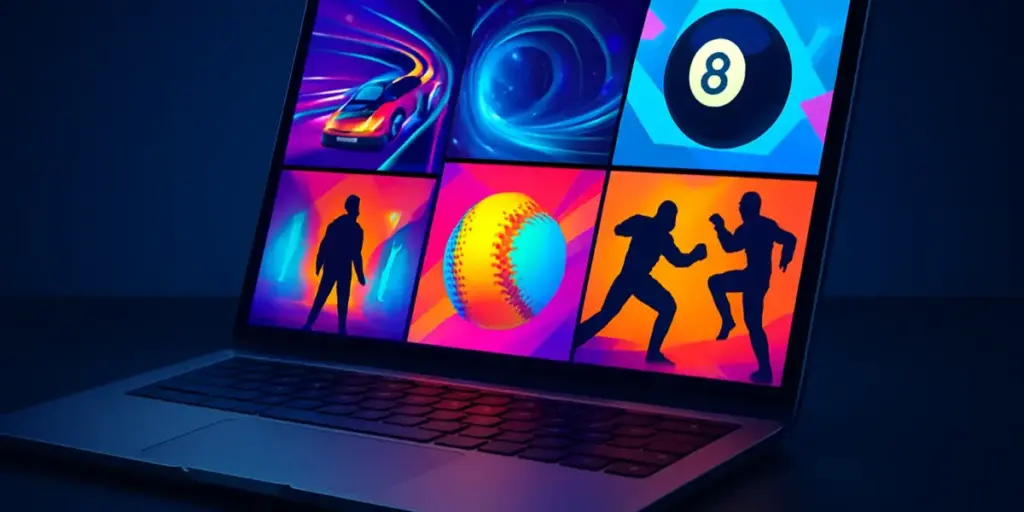
Finding the best browser games for laptop in 2026 does not have to mean searching through hundreds of nearly identical titles. A laptop is a flexible gaming device: it can handle a quick break between tasks, a longer session at home, or a competitive challenge when you want something more focused. The best choices are easy to access, comfortable to play with a keyboard or mouse, and varied enough to match different moods.
This roundup brings together six standout browser games with different styles. You will find driving, arcade, pool, baseball, survival action, and fighting-game options in one list. That variety makes it easier to choose a game based on the time you have available and the kind of experience you want. Whether you prefer a short reaction test or a more involved action session, these picks offer a convenient way to play online from a laptop.
Browser gaming is especially useful when you do not want to install a large game or wait for a long update. Open your browser, choose a title, and get started. The six games below are therefore selected for discovery and convenience, while each one also gives you a distinct reason to try it.
Quick answer: The best browser games for laptop 2026 include Drift Boss, Space Waves, 8 Ball Pool, Baseball Bros, 20 Minutes Till Dawn, and Super Smash Bros. Together, they cover quick arcade play, sports competition, driving challenges, and action-focused sessions.
What makes a browser game good for a laptop?
A good laptop browser game should fit naturally into the way people use laptops. Some players want a game that can be opened for a few minutes, while others want something with enough variety to support repeated sessions. A strong choice should also feel clear on a larger screen and respond well to common laptop controls.
Genre variety matters too. A player looking for a relaxing sports match may not want the same experience as someone searching for a fast arcade challenge. This list avoids narrowing the recommendation to one style. Instead, it gives you several starting points so you can move between genres without leaving the browser.
It is also useful to think about your playing environment. If you are using a trackpad, a simple control scheme may be more comfortable than a game that demands complicated inputs. If you have access to a mouse or an external keyboard, you may enjoy more action-oriented choices. The right pick depends on your setup, your available time, and whether you want calm concentration or constant movement.
1. Drift Boss: a driving pick for quick, focused sessions
Driving games are a natural fit for laptop play because they are easy to understand at a glance. Drift Boss is a strong choice when you want a driving-themed browser game without committing to a long setup. The name immediately signals its central appeal: controlling a vehicle and working on your drifting performance.
This makes it suitable for short sessions. You can approach it as a quick test of timing and concentration, then try again when you want to improve your result or simply enjoy another run. Driving games often work well in this format because each attempt feels self-contained, making them convenient during a short break or when you only have a few minutes available.
Drift Boss also gives this list a different kind of challenge from the action and sports games that follow. Rather than focusing on a match or a character battle, it puts the attention on movement and control. If you enjoy games where a small change in timing can affect the outcome, this is an excellent place to begin.
Why play it on a laptop?
- It fits naturally into short online gaming sessions.
- The driving theme offers a focused alternative to sports and action games.
- It is a good choice when you want to practice timing and control.
2. Space Waves: an arcade choice built around movement
For players who want something more abstract and fast-moving, Space Waves brings an arcade feel to the list. Its space-themed presentation makes it an appealing choice when you want to leave behind realistic sports or driving settings. The focus is on navigating an arcade challenge in a setting inspired by space and motion.
Arcade games are often ideal for laptop users because they can be easy to start and satisfying to replay. You do not necessarily need a long explanation before you understand the basic objective: stay alert, react to what appears ahead, and keep control of the action. This makes Space Waves a useful pick for anyone searching for good browser games for laptop that can deliver energy without requiring a lengthy commitment.
The game also adds variety to the roundup by offering a different visual and thematic direction. If you have already spent time with a driving or sports title, an arcade space game can provide a welcome change. It is a good option for a player who wants quick reactions, a bright game setting, and a reason to keep trying after each attempt.
Why play it on a laptop?
- It provides a lively arcade alternative to realistic game genres.
- Its space theme makes it easy to switch into a different gaming mood.
- It suits players who enjoy movement, attention, and repeat attempts.
3. 8 Ball Pool: a familiar sports game for deliberate play
Not every laptop gaming session needs to be fast. 8 Ball Pool is a good browser game for laptop users who prefer a more deliberate sports experience. Pool is familiar to many players, and the format naturally encourages you to think about positioning, accuracy, and the next move before taking action.
That slower pace makes it a useful contrast to Space Waves and Drift Boss. Instead of reacting continuously, you can take time to consider each shot. This can make the game a good fit for relaxed sessions, especially when you want online entertainment that still rewards concentration.
8 Ball Pool is also an easy recommendation for readers who want a recognizable sports concept. You do not need to learn an unfamiliar setting before understanding the appeal. The central idea is clear, while the challenge comes from making accurate decisions. If you like games that combine simple rules with room for improvement, this title deserves a place on your list.
On a laptop, the larger screen can make it easier to focus on the table and plan your actions. A mouse may also feel comfortable for players who prefer controlled aiming. Your experience will depend on the controls available in your setup, but the game’s measured style makes it a natural choice for a computer-based session.
Why play it on a laptop?
- It offers a calmer alternative to rapid arcade action.
- The pool format is familiar and easy to understand.
- It suits players who enjoy accuracy, planning, and controlled decisions.
4. Baseball Bros: a sports pick with a different rhythm
Baseball gives browser gaming fans another way to enjoy sports online. Baseball Bros belongs on this list because it adds a team-sports flavor that is distinct from the individual focus of pool. It is a useful pick when you want a sports game but would rather play around batting, baseball action, and the rhythm of a match.
The appeal of a baseball game can come from the contrast between waiting and reacting. You may have moments that require attention and timing, followed by a change in pace as the play develops. That makes Baseball Bros a good option for players who want a sports-themed game with more movement than a turn-based pool session.
It is also a straightforward way to vary your laptop game rotation. After playing a driving game or arcade title, a baseball game can reset the mood without feeling disconnected from the rest of the list. Sports fans can start here, while newcomers can use it as an accessible introduction to another browser-friendly genre.
Choose Baseball Bros when you want the atmosphere of a sports session rather than a purely abstract score challenge. It works especially well for players who enjoy the idea of making timely plays and following the changing rhythm of a baseball game.
Why play it on a laptop?
- It brings team-sports energy to a varied browser-game collection.
- It offers a different pace from pool, driving, and arcade games.
- It is a natural pick for baseball fans and sports-game explorers.
5. 20 Minutes Till Dawn: an action pick for a more involved session
When you want a browser game that feels more like an action session than a quick distraction, 20 Minutes Till Dawn is a compelling choice. Its title suggests a time-focused experience, while its action category makes it suitable for players who want more intensity and sustained attention.
This is the kind of game to choose when you have more than a couple of minutes and want to settle into a challenge. The title’s time reference gives the experience a clear sense of purpose, while the action focus points toward an active session rather than a quiet puzzle or traditional sports match. It can therefore serve as a bridge between quick browser play and a longer gaming break.
Action games can be particularly engaging on a laptop because the screen gives you a clear view of the game space and the keyboard provides familiar access to controls. Your preferred setup may differ, but players who enjoy movement, pressure, and repeated decisions will find this a natural addition to their browser rotation.
Pick 20 Minutes Till Dawn when you want to give your attention to one game for a longer stretch. It is a good fit for players who like an action-oriented atmosphere and want something with a stronger sense of momentum than a short driving or arcade attempt.
Why play it on a laptop?
- It is suited to players looking for a more involved action session.
- The time-focused concept gives the game a clear direction.
- It adds intensity and variety to a browser-game lineup.
6. Super Smash Bros.: a fighting-game choice for action fans
For a familiar action concept with a competitive edge, Super Smash Bros. rounds out this selection. Fighting games appeal to players who enjoy direct competition, active movement, and the excitement of controlling a character during a battle. That makes this pick different from the survival-style action of 20 Minutes Till Dawn.
The appeal here is the match-based format. You can approach a fighting game when you want an immediate action experience rather than a slower sports session. It is also a strong choice for players who enjoy learning how a game responds to their inputs and gradually becoming more comfortable with its movement and combat style.
Super Smash Bros. gives the roundup a recognizable action finish, but it also works for casual discovery. You do not need to play only one genre all day; a fighting game can be the right choice when you want a burst of competitive energy between calmer games. On a laptop, it can become part of a flexible browser routine that includes both quick matches and longer practice sessions.
If action is your main priority, start here or with 20 Minutes Till Dawn. The two games offer different reasons to play: one emphasizes the feel of a fight, while the other points toward a more sustained action challenge.
Why play it on a laptop?
- It adds fighting-game energy to the selection.
- It suits players who enjoy direct action and competitive matches.
- It gives you another way to switch between short and longer sessions.
How to choose among these laptop browser games
The easiest way to choose is to start with your preferred pace. If you want a short, focused attempt, Drift Boss or Space Waves may be the best starting points. Both fit the quick-play side of browser gaming, although their themes are different: one centers on driving, while the other offers an arcade space setting.
If you want a sports game, decide whether you prefer precision or a more active match rhythm. 8 Ball Pool is a natural fit for careful aiming and deliberate decisions. Baseball Bros offers a different sports atmosphere and is a better match for players drawn to baseball action.
For a longer or more intense session, try 20 Minutes Till Dawn or Super Smash Bros. The first is an action-oriented choice with a time-focused concept, while the second is suited to players who want the direct feel of a fighting game. These titles can provide more momentum when a simple quick-play game is not enough.
Your laptop setup can also guide your choice. A mouse may feel helpful for games that reward controlled aiming, while a keyboard can be comfortable for action and driving. If you are playing on a smaller laptop, choose a game that feels easy to read and control on your display. If you have a larger screen, you may enjoy switching between all six options depending on your mood.
Tips for a better browser gaming session
- Close unnecessary browser tabs if you want a cleaner, more focused session.
- Use a stable internet connection when possible, especially if the game experience depends on responsive controls.
- Adjust your laptop position so the screen is comfortable to view for longer play.
- Try both keyboard and mouse controls when available to find the setup that feels most natural.
- Start with the genre that matches your available time instead of choosing randomly.
- Take breaks during longer action sessions and avoid playing in an uncomfortable position.
These simple habits can make browser gaming more enjoyable without adding the installation time associated with larger PC games. They also help you get more from a varied list: short games remain convenient, while longer sessions feel easier to manage.
Why these are among the best online games for laptop 2026
This collection works because it does not treat laptop gaming as one single experience. Some readers want a quick game that can be started immediately. Others want sports, action, or a title that gives them a reason to return and practice. The six picks cover those needs without requiring you to leave the browser for a different type of game.
Drift Boss and Space Waves represent quick, energetic play. 8 Ball Pool and Baseball Bros offer two different sports directions. 20 Minutes Till Dawn provides a more sustained action option, while Super Smash Bros. brings fighting-game intensity. That spread makes the list useful for discovery rather than limiting it to one audience.
The best browser games for laptop 2026 are therefore not defined by a single genre. They are defined by convenience, variety, and the ability to match a game to the moment. You can choose a fast arcade challenge during a short break, take a careful pool shot when you want to slow down, or settle into an action game when you have more time.
Final thoughts
Browser games remain a practical way to enjoy online entertainment from a laptop. You can move from driving to arcade action, sports, and fighting without downloading a large game library. The six titles in this roundup make that variety clear while giving different types of players a useful place to start.
Try Drift Boss for focused driving play, Space Waves for an arcade change of pace, 8 Ball Pool for deliberate sports action, and Baseball Bros for a baseball-themed session. When you want more intensity, choose 20 Minutes Till Dawn or Super Smash Bros. Keep this list nearby and return to it whenever you need a convenient game that suits your time, mood, and laptop setup.