



Blockpost Legacy
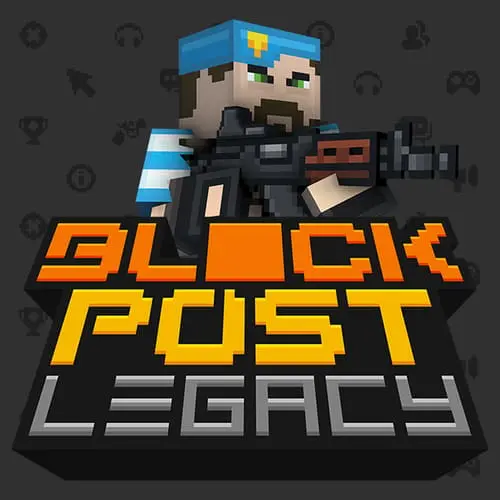
Blockpost Legacy is a block-style, 3D first-person shooter built around online multiplayer combat. Its cubic visual design gives every arena, character, and weapon a deliberately angular look, while…
 Works on Desktop & Mobile
Tested By BunaGames
- Test date
- August 7, 2026
- Tested on
- Chrome 150
- Device
- Desktop
- Operating system
- macOS and Windows
- Game loaded successfully
- Yes
- Fullscreen works
- Yes
- Sound works
- Yes
- Save progress
- Local browser storage
- Mobile compatibility
- Partially tested
- Keyboard controls
- Working
- Controller support
- Not detected
- Average loading time
- 4.2 seconds
- Known issues
- Minor delay after entering fullscreen
Blockpost Legacy not loading?
- Refresh the page.
- Disable restrictive content blockers temporarily.
- Confirm JavaScript and WebGL are enabled.
- Clear the browser cache.
- Try another modern browser.
- Close unnecessary tabs.
- Switch off VPN if the game server is blocked.
- Use the Report a Problem button if the issue continues.
Continue Playing
Daily Challenge

Play 6 minutes today in Blockpost Legacy.
Leaderboard
- 1Community rating4.6 ★
- 2Player likes599
- 3Total votes672
- 4Your local progress0%
Your progress is saved locally in this browser. No account required.
 Your progress is saved locally in this browser. No account required.
Game Progress & Challenges
Why Play This Game?
 Instant PlayPlay instantly in your browser.
 Mobile FriendlyOptimized for all devices.
 Free to PlayNo hidden fees.
About "Blockpost Legacy"
Blockpost Legacy is a block-style, 3D first-person shooter built around online multiplayer combat. Its cubic visual design gives every arena, character, and weapon a deliberately angular look, while the action follows the familiar FPS goal: locate opponents, aim accurately, and survive longer than the other players or team.
The game is suited to players who want a browser shooter with recognizable competitive modes rather than a long single-player campaign. Available modes include Free for All, Elimination, Gun Game, Pistol Only, and Team Deathmatch, so a session can range from individual score chasing to coordinated team-based fighting. Different mode rules change the priorities of a match, making movement, target selection, and weapon use matter in distinct ways.
Blockpost Legacy combines the quick decision-making of a multiplayer FPS with a visually simple block-world presentation. That contrast is part of its appeal: the graphics are easy to read at a glance, but the battles still demand awareness of firing lanes, enemy angles, and match objectives. Choose a mode, join an online fight, and focus on improving your aim and positioning from round to round.
Gameplay
Blockpost Legacy centers on first-person shooting in online multiplayer matches. You view the battlefield through your character’s perspective, scan the angular environment for movement, and engage opponents before they gain a clear shot at you. The basic loop is direct: enter a match, use your weapon effectively, adapt to the mode objective, and try to finish with the strongest result.
Mode selection gives the shooter more than one rhythm. Free for All puts every player in competition with everyone else, rewarding quick target recognition and the ability to defend yourself from multiple directions. Team Deathmatch shifts attention toward friendly and enemy sides, where following the flow of a team fight can be more useful than repeatedly taking isolated risks. Elimination brings extra value to careful decisions because each engagement can affect the remaining players in the round.
Weapon-focused variants provide a useful change of pace. Gun Game emphasizes adapting to a changing weapon situation, while Pistol Only narrows the equipment choice and makes accuracy especially important. These modes are valuable for players who want to practice fundamentals instead of relying on one preferred loadout.
The block-style presentation also supports fast visual reading. Sharp edges and simple forms can make corners, cover shapes, and player movement easier to identify than in a highly detailed battlefield. That does not remove the need for skill: successful players still need crosshair discipline, controlled movement, awareness of exposed routes, and a plan for each encounter. Treat every match as both a competition and a chance to learn how the arena’s open spaces, angles, and combat pace affect your decisions.
Platform
Blockpost Legacy is presented as a free online multiplayer shooter that can be played in a browser on BunaGames. That makes it a convenient option when you want to join a first-person action game without treating it like a large standalone installation.
For the best experience, use a current desktop browser and a stable internet connection. Multiplayer FPS games depend on responsive input and a reliable connection, especially when opponents are moving quickly or several players are fighting in the same area. A keyboard-and-mouse setup is the natural fit for first-person aiming, movement, and weapon actions.
Before entering a competitive match, allow the game to finish loading and check any in-game prompts for its current input instructions. Browser performance can vary by device, browser, available memory, connection quality, and other programs running at the same time. Closing unnecessary tabs can help keep the match view responsive.
If you enjoy immediate sessions across a range of genres, explore more online games after your match.
How to Play "Blockpost Legacy"
Start by loading Blockpost Legacy in your browser and entering an available multiplayer mode. The most important first step is understanding what that mode asks you to do. A Free for All match rewards your individual score, while Team Deathmatch asks you to contribute against the opposing side. In Elimination, avoid careless encounters and value every opportunity to remove an opponent. Gun Game and Pistol Only call for a more weapon-specific approach.
- Choose a mode that suits what you want to practice. Free for All is useful for frequent encounters, while team play helps you learn how fights develop around groups of players.
- Read the match interface before rushing forward. Look for score information, team indicators where applicable, and any on-screen objective details.
- Move through the arena with purpose. Use walls, corners, and changes in level or direction to limit how many angles can threaten you at once.
- Keep your aim near the places where an opponent is likely to appear. This reduces the distance your crosshair must travel when a fight begins.
- Fire when you have a clear opportunity instead of spraying blindly into uncertain space. Controlled shots make it easier to correct your aim.
- After each encounter, reassess your position. A location that was safe during one fight may become exposed as other players move toward the action.
A strong beginner routine is to spend the first few matches learning the combat pace rather than chasing a perfect score. Notice where opponents commonly cross, which routes leave you visible from several sides, and whether your selected mode rewards aggression or patience. As you become familiar with the game’s blocky arenas and match flow, your choices will become faster and more deliberate.
Controls
Blockpost Legacy uses first-person shooter interaction, so the game is best approached with a keyboard for movement and a mouse for looking and aiming. Because browser builds can display their own current control prompts, check the in-game interface before a match and use it as the final authority for key assignments.
| Action | Typical input role |
|---|---|
| Move | Keyboard movement keys |
| Look and aim | Mouse movement |
| Fire | Primary mouse action |
| Weapon actions | Game prompt or keybind |
Keep the game window active when playing. If your mouse does not control the camera immediately, click inside the game area and follow any browser permission or pointer instructions shown by the game. Take a brief moment in a lower-pressure match to test movement, aiming, firing, and any weapon-related actions before focusing on your score.
Can "Blockpost Legacy" Unblocked?
Blockpost Legacy is available to play free in the browser on BunaGames, making it a straightforward choice for players looking for an online block-style FPS session. Open the game page, let it load, and join the available gameplay experience without needing an external link or separate game page.
“Unblocked” can mean different things depending on where you are playing. BunaGames can provide the browser game, but school, workplace, library, network, device, or regional restrictions may still affect whether a page loads or whether online multiplayer performs reliably. Those local access rules are controlled by the network or device administrator, not by the game itself.
If the game does not start, first check your connection, refresh the page, and make sure your browser is up to date. It can also help to close demanding tabs or applications, then reload the game. Do not attempt to bypass network rules or security restrictions. When access is allowed, a stable connection and an active browser window give you the best chance of entering a smooth multiplayer match.
Tips for "Blockpost Legacy"
Good results in Blockpost Legacy come from consistent FPS fundamentals more than frantic movement alone. The block-style arenas may look simple, but every open lane, corner, and exposed approach affects how safely you can take a fight. Build habits that help you make the first accurate decision when an opponent appears.
- Pre-aim likely angles. Keep your crosshair near corners, doorways, routes, and other places where an opponent could enter your view. Starting close to the target saves valuable time.
- Reduce exposure. Avoid standing in the center of a wide area when possible. Move from one piece of cover or visual protection to the next so fewer directions can threaten you.
- Do not repeat a losing route. If opponents repeatedly catch you from the same angle, alter your approach. A different path or timing can be more effective than forcing the same duel.
- Separate information from action. When you see distant movement, identify the threat before committing. Rushing into a fight without knowing whether another player has a better angle can turn one duel into several.
- Match your style to the mode. In Free for All, expect danger from many directions. In Team Deathmatch, pay attention to where friendly players are fighting. In Pistol Only, make careful aiming the priority. In Gun Game, be ready to adapt rather than waiting for one familiar weapon situation.
- Learn after every defeat. Ask a specific question: Were you exposed? Did you aim too late? Did you enter a congested route? A clear answer gives you something practical to change next match.
Players often improve fastest by setting one small objective per session. For example, spend a few rounds keeping your crosshair at head-height or focusing on safer route choices. Once that action feels natural, add another. This gradual approach is more reliable than trying to improve aim, movement, map awareness, and mode strategy all at once.
Features "Blockpost Legacy"
Blockpost Legacy brings together several elements that make it recognizable as a competitive browser FPS. Its core identity is a 3D cubic shooter: combat happens from a first-person viewpoint, while the world uses a bold block-style visual language. The result is a game with an immediately readable appearance and a focus on direct player-versus-player action.
- Online multiplayer combat: Fight against other players in match-based first-person shooter action.
- Block-style 3D visuals: Cubic environments and characters create a distinctive alternative to realistic military-shooter presentation.
- Multiple game modes: Free for All, Elimination, Gun Game, Pistol Only, and Team Deathmatch create different objectives and combat rhythms.
- Individual and team play: Switch between modes that emphasize personal performance and modes where a side competes against another side.
- Weapon-centered challenges: Gun Game and Pistol Only give players a reason to adjust their aiming and decision-making beyond standard match play.
- Browser access: Play through a web browser, making it suitable for quick sessions when you want immediate multiplayer action.
The biggest practical benefit of these features is variety without losing the central FPS skill set. A player can work on tracking opponents in a fast Free for All, then move into a team mode and pay closer attention to where fights are forming. Weapon-limited or weapon-focused modes can further encourage disciplined aim and adaptation.
Rather than presenting a campaign with a fixed ending, Blockpost Legacy is built around repeatable online matches. Each new game offers a different mix of opponents, movement patterns, choices, and opportunities to improve. That repeatable format makes it a good fit for players who enjoy testing their reactions and tactical awareness in short competitive rounds.
Best "Blockpost Legacy" Similar Games & Top Picks
- Escaping The Prison: Play Escaping The Prison online. Choose escape methods, use items, and discover multiple funny endings in this point-and-click adventure.
- Papas Pancakeria: Take orders, cook pancakes, add toppings, and serve hungry customers in Papa's Pancakeria, a browser restaurant game.
- Papas Hot Doggeria: Play Papas Hot Doggeria online and run a busy ballpark hot dog stand. Take orders, grill hot dogs, add toppings, and serve fans.
- Papas Donuteria: Run a busy donut shop in Papas Donuteria. Roll, cut, fry, decorate, and serve custom donut orders in your browser.
- Papas Cheeseria: Play Papa's Cheeseria online and make grilled cheese sandwiches, serve customers, earn tips, and improve your sandwich shop.
FAQ - Blockpost Legacy
What is Blockpost Legacy?
Blockpost Legacy is a 3D, block-style first-person shooter focused on online multiplayer combat. Players enter matches, face opponents from a first-person view, and use aim, movement, positioning, and mode awareness to compete. Its cubic visual style sets it apart from more realistic-looking shooters while keeping the gameplay centered on FPS action.
Is Blockpost Legacy free to play?
Blockpost Legacy is presented as a free online game that you can play in your browser on BunaGames. Load the game page and follow the in-game prompts to begin. Connection quality and browser performance can affect how smoothly a multiplayer session runs.
What game modes are available in Blockpost Legacy?
The listed modes are Free for All, Elimination, Gun Game, Pistol Only, and Team Deathmatch. Free for All focuses on individual competition, while Team Deathmatch is based on opposing sides. Elimination, Gun Game, and Pistol Only offer additional rule sets that change how players should approach encounters and weapon use.
Is Blockpost Legacy a multiplayer game?
Yes. Blockpost Legacy is an online multiplayer shooter. Its main appeal is competing against other players in FPS matches rather than progressing through a traditional single-player story. A stable internet connection is especially useful because responsiveness matters during fast combat.
Can I play Blockpost Legacy in a browser?
Yes. The game is available on BunaGames as a browser experience. A current desktop browser, a stable connection, and keyboard-and-mouse input are recommended for the most natural first-person shooter setup. Allow the game to load fully before joining a match.
What are the controls for Blockpost Legacy?
The game uses first-person shooter controls based on keyboard movement and mouse aiming. The browser version may show its current controls directly in the game, so check those prompts before playing for the exact key assignments. Click inside the game window if needed to activate camera control, then test movement and firing before entering a serious match.
What is the best mode for new players?
There is no single best mode for every player. Free for All can help you experience frequent encounters and practice reacting to opponents from different directions. Team Deathmatch can help you observe the flow of larger fights. Pistol Only is useful when you want to focus on careful aim, while Gun Game is better for players who enjoy adapting to changing weapon situations.
How can I improve at Blockpost Legacy?
Start with fundamentals: keep your crosshair near likely enemy routes, avoid staying exposed in wide spaces, and change your approach when an opponent repeatedly catches you at the same location. Learn the pace of each mode instead of using the same strategy everywhere. Improvement becomes easier when you focus on one skill at a time, such as aiming readiness, safer positioning, or better route choices.
More Games Like This
 Zombs IO
Multiplayer ★ 4.5
Zombs IO
Multiplayer ★ 4.5
 Splix IO
Multiplayer ★ 4.7
Splix IO
Multiplayer ★ 4.7
 Brutal IO
Multiplayer ★ 4.6
Brutal IO
Multiplayer ★ 4.6
 Survev IO
Multiplayer ★ 4.5
Survev IO
Multiplayer ★ 4.5
 Powerline IO
Multiplayer ★ 4.7
Powerline IO
Multiplayer ★ 4.7
 Papas Hot Doggeria
Multiplayer ★ 4.6
Papas Hot Doggeria
Multiplayer ★ 4.6
 Escaping The Prison
Multiplayer ★ 4.7
Escaping The Prison
Multiplayer ★ 4.7
 Papas Pancakeria
Multiplayer ★ 4.7
Papas Pancakeria
Multiplayer ★ 4.7
 Papas Donuteria
Multiplayer ★ 4.5
Papas Donuteria
Multiplayer ★ 4.5
 Papas Cheeseria
Multiplayer ★ 4.7
Papas Cheeseria
Multiplayer ★ 4.7
 Papas Sushiria
Multiplayer ★ 4.6
Papas Sushiria
Multiplayer ★ 4.6
 Papas Wingeria
Multiplayer ★ 4.6
Papas Wingeria
Multiplayer ★ 4.6
 Papas Scooperia
Multiplayer ★ 4.7
Papas Scooperia
Multiplayer ★ 4.7
 Gold Miner
Multiplayer ★ 4.5
Gold Miner
Multiplayer ★ 4.5
 Papas Freezeria
Multiplayer ★ 4.6
Papas Freezeria
Multiplayer ★ 4.6
 Ludo Hero
Multiplayer ★ 4.6
Ludo Hero
Multiplayer ★ 4.6
 Car Football
Multiplayer ★ 4.7
Car Football
Multiplayer ★ 4.7
 Rooftop Snipers 2
Multiplayer ★ 4.7
Rooftop Snipers 2
Multiplayer ★ 4.7
 Report a Problem
Comments About Blockpost Legacy