



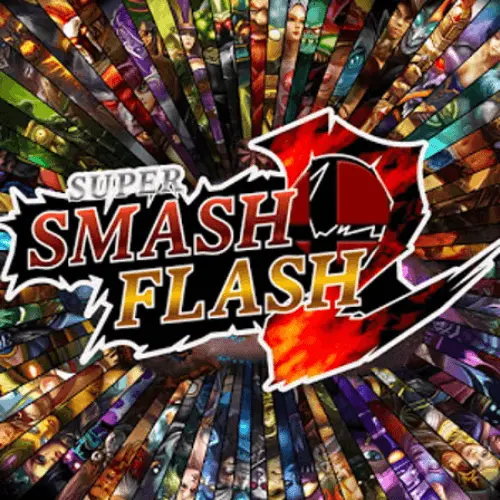
Super Smash Flash
Super Smash Flash is a fast-paced crossover fighting game built around choosing a character, setting match options, and battling opponents in compact arena-style encounters. Its central appeal is…
 Works on Desktop & Mobile
Tested By BunaGames
- Test date
- August 26, 2026
- Tested on
- Chrome 150
- Device
- Desktop
- Operating system
- macOS and Windows
- Game loaded successfully
- Yes
- Fullscreen works
- Yes
- Sound works
- Yes
- Save progress
- Local browser storage
- Mobile compatibility
- Partially tested
- Keyboard controls
- Working
- Controller support
- Not detected
- Average loading time
- 4.2 seconds
- Known issues
- Minor delay after entering fullscreen
Super Smash Flash not loading?
- Refresh the page.
- Disable restrictive content blockers temporarily.
- Confirm JavaScript and WebGL are enabled.
- Clear the browser cache.
- Try another modern browser.
- Close unnecessary tabs.
- Switch off VPN if the game server is blocked.
- Use the Report a Problem button if the issue continues.
Continue Playing

Daily Challenge

Play 5 minutes today in Super Smash Flash.
Leaderboard
- 1Community rating4.5 ★
- 2Player likes405
- 3Total votes467
- 4Your local progress0%
Your progress is saved locally in this browser. No account required.
 Your progress is saved locally in this browser. No account required.
Game Progress & Challenges
Why Play This Game?
 Instant PlayPlay instantly in your browser.
 Mobile FriendlyOptimized for all devices.
 Free to PlayNo hidden fees.
About "Super Smash Flash"
Super Smash Flash is a fast-paced crossover fighting game built around choosing a character, setting match options, and battling opponents in compact arena-style encounters. Its central appeal is immediate: select from a roster of 28 different characters, learn what your fighter can do, and turn movement, attacks, positioning, and timing into an advantage.
The game is known as a fan-made fighting game inspired by the style of platform fighters. Rather than relying on one fixed combat approach, it invites players to experiment with different character choices and match setups. A fighter that feels comfortable for a new player may not be the one that creates the best results after a few rounds, so the character-select screen is part of the strategy rather than just a cosmetic choice.
Classic Mode adds a structured way to play beyond a single battle. It is useful for players who want a guided series of fights, a chance to practice under changing conditions, or simply a clear goal when they are learning the game. Whether you are revisiting a well-known browser fighter or discovering it for the first time, the focus is on responsive decisions, repeatable practice, and entertaining head-to-head action.
Gameplay
Super Smash Flash gameplay starts with a straightforward loop: choose a character, adjust the available options, enter a fight, and respond to what happens in the arena. The depth comes from the number of decisions packed into that loop. Players need to manage where they stand, when they move in, when they retreat, and which attacks make sense at a given moment.
Character choice matters because a large roster naturally encourages different approaches. Instead of treating every fighter as interchangeable, spend a few matches observing their movement feel, attack range, speed, and the situations where they seem easiest to control. A character that is simple to move with can be more valuable than one that looks powerful but is difficult to use consistently.
Fights reward attention rather than random inputs. Watch the opponent’s location, avoid committing too early, and make each attempted attack serve a purpose. If an approach is repeatedly punished, change the angle, wait for a better opening, or create space before trying again. This is the practical rhythm of a platform fighting game: movement creates opportunities, attacks contest those opportunities, and positioning determines who can act safely next.
Classic Mode is especially helpful for building this rhythm. A structured sequence of battles gives players repeated chances to test a character, notice recurring mistakes, and improve without needing to invent a challenge of their own. Use it as both a game mode and a training route: play a run, identify one weak habit, then return with a specific adjustment in mind.
Platform
Super Smash Flash is presented here as a browser game, so the main goal is quick access from a compatible web browser without treating the game like a large installed release. Open the game page, allow it to finish loading, and use the available menu to choose a character and match options before starting.
A keyboard is the most practical input method for a fighting game of this kind because movement and action commands need to be made quickly and repeatedly. Before beginning a serious Classic Mode run or a competitive match, make sure the game window has focus and that your browser is not intercepting a key command.
For more titles that work well for short sessions, explore BunaGames browser games. For this game, the best experience comes from giving yourself enough screen space to see the action clearly and learning the displayed inputs before relying on fast reactions.
How to Play "Super Smash Flash"
- Open the game and wait for the menu. Let the page finish loading before pressing keys repeatedly. This helps ensure that your first input is recognized by the game rather than by the browser.
- Choose a character. Super Smash Flash offers 28 characters. Pick one that looks interesting, then give that fighter several matches before deciding whether to switch. Early familiarity is more useful than changing after every loss.
- Review the available options. The game lets players choose characters and options before battle. Use those choices to set up the type of session you want, whether that means a quick fight or a more focused attempt at a mode.
- Learn movement before forcing attacks. Spend the opening moments seeing how far your fighter moves and how easily you can change position. Good movement makes later attack decisions more controlled.
- Watch the opponent and choose your moment. Do not assume every situation needs an immediate attack. Wait for a clear opening, move into a favorable position, then use the action that best fits the distance.
- Try Classic Mode for structured play. Classic Mode gives you a sequence to work through. It is a useful choice when you want a defined objective and repeated opportunities to improve with the same character.
- Reflect after each match. Ask one practical question: did you lose control because of movement, timing, character familiarity, or an overly predictable approach? Change one thing in the next round rather than changing everything at once.
The most productive way to play is to treat each match as feedback. A win shows which habits are working; a loss shows which situation needs practice. Over time, that makes character selection and combat choices feel much more deliberate.
Controls
Because accurate controls matter in a fighting game, use the control information shown by the version you are playing as the final authority. Take a moment before your first match to identify the keys assigned to movement and the actions used in battle. Learning the layout calmly is far more effective than trying to discover it during a close fight.
- Movement inputs: Practice changing direction and reaching different positions before attacking.
- Attack inputs: Test each available action at a safe moment so you understand its timing and reach.
- Menu inputs: Confirm which keys select characters, change options, and begin a match.
- Browser focus: Click inside the game area if a key press appears not to register.
Keep your hands in a comfortable position and avoid changing the control method mid-session. Consistency helps you react faster and makes it easier to tell whether a mistake came from timing or from an unfamiliar input.
Can "Super Smash Flash" Unblocked?
Super Smash Flash is intended to be played through the game page in a web browser. Availability can vary by device, browser settings, network rules, and the policies of the place where you are trying to play. If the game does not load, first check your connection, refresh the page, and make sure your browser allows the game page to run normally.
Do not try to bypass school, workplace, library, or network restrictions. Those rules exist for a reason, and attempting to evade them can create account, security, or policy problems. The appropriate option is to play when access is permitted, such as on a personal connection or during an allowed break.
For the smoothest permitted session, close unnecessary browser tabs, keep the game tab active, and avoid running heavy downloads at the same time. If input seems delayed, check that the game window is selected and that no browser shortcut is taking priority over the key you need.
Tips for "Super Smash Flash"
Choose one character and learn the basics first. With 28 selectable characters, it is tempting to switch constantly. Variety is part of the fun, but early improvement usually comes faster when you stay with one fighter long enough to understand their movement and attack timing.
Make movement your first defensive tool. Backing away, changing position, or waiting briefly can be better than throwing out an attack without a clear target. Movement gives you information about the opponent’s plan and can create a safer opening for your next action.
Do not repeat the same approach. If you always move toward an opponent in the same way, a prepared rival can anticipate you. Alternate between advancing, pausing, creating distance, and changing your position. Unpredictability is useful even before you know every detail of a character’s move set.
Use early matches as tests. Instead of worrying only about the result, dedicate a round to a question: Which attack reaches farther? When do I feel exposed? Can I move into position more cleanly? Small tests produce practical answers that carry into later matches.
Stay composed after a mistake. A missed attack or awkward position does not require an immediate panic response. Reset your spacing, watch the opponent, and look for the next sensible decision. Many losses become worse because a player tries to recover too quickly with another risky action.
Use Classic Mode with a purpose. A structured mode is ideal for repeated practice. If a particular situation causes trouble, replay with the goal of improving that one habit, such as waiting longer before attacking or keeping better control of your position.
Prioritize clear inputs. Fast button presses are not automatically good inputs. Deliberate commands are easier to repeat, easier to evaluate, and more likely to help you build reliable muscle memory over multiple games.
Features "Super Smash Flash"
- 28 selectable characters: Choose from a substantial roster and explore fighters that may suit different play preferences.
- Character and option selection: Set up a battle before it begins instead of being locked into one identical match format.
- Fast fighting-game focus: The core experience centers on direct battles, movement decisions, attack timing, and adapting to an opponent.
- Classic Mode: Play through a structured mode when you want more direction than a single standalone battle.
- Browser-based access: Start from the game page and focus on playing without treating the experience as a complicated setup process.
- Replay value through experimentation: A broad character lineup makes it worthwhile to revisit the game and compare how different fighters feel.
The strongest feature is not simply the roster size; it is what that roster allows players to do. Each new character is an opportunity to approach the same core battle differently. Some players may value a fighter that feels easy to position, while others may prefer to explore attack timing and matchup decisions through repeated practice.
Classic Mode also gives the game a useful learning structure. It can turn a casual session into a sequence of focused battles, helping players see progress as they become more comfortable with a chosen character. This is particularly valuable for newcomers, who benefit from having a clear path while they develop basic movement and decision-making.
It is also important to distinguish Super Smash Flash from Super Smash Flash 2. They are separate game entries. Super Smash Flash is the game described on this page, with its 28-character selection and Classic Mode, while Super Smash Flash 2 is a different title with its own gameplay description and roster context.
Best "Super Smash Flash" Similar Games & Top Picks
- I’m Not a Robot: Prove your humanity in I'm Not a Robot, a free browser puzzle game by Neal Agarwal. Solve CAPTCHA challenges, unlock levels, and test your…
- Temple Run 3: Run through dangerous temple paths in Temple Run 3. Dodge traps, collect coins, make fast turns, and chase a higher score.
- Brutalmania IO: Play Brutalmania IO, a fast online gladiator arena game about fighting opponents, earning gold, evolving, and chasing glory.
- King Of Fighters: Play King Of Fighters online and enjoy classic 2D versus fighting action inspired by SNK's legendary tournament series.
- Street Fighter 2: Play Street Fighter 2 online and experience classic one-on-one arcade fighting with Ryu, Ken, Chun-Li, Guile, and more.
FAQ - Super Smash Flash
What is Super Smash Flash?
Super Smash Flash is a fan-made platform fighting game where players choose a character, select available options, and battle opponents. The game is centered on quick combat decisions, movement, attack timing, and learning how a chosen fighter feels in play.
How many characters are in Super Smash Flash?
Super Smash Flash has 28 different characters to choose from. That selection gives players room to experiment, but it is often best to practice with one character for several matches before moving on to another.
Does Super Smash Flash have Classic Mode?
Yes. Classic Mode is included and provides a structured way to play. It is a useful choice for players who want a sequence of battles rather than a single isolated match, and it can help create a focused practice routine.
Is Super Smash Flash the same as Super Smash Flash 2?
No. Super Smash Flash and Super Smash Flash 2 are separate entries. Search results and discussions can sometimes place them close together because they share a name and fighting-game style, but this page is about Super Smash Flash, the title with 28 selectable characters and Classic Mode.
How do I start playing Super Smash Flash?
Open the game, wait for the menu to load, choose a character, review the available options, and begin a battle. Before trying to play quickly, identify the control layout shown by the version on the page and test movement and actions in a match.
What is the best character in Super Smash Flash?
There is no single best choice for every player. A good starting character is one whose movement and attacks you can understand quickly. The most useful approach is to pick one fighter, play several rounds, and decide whether their timing and positioning feel comfortable for you.
Can I play Super Smash Flash in a browser?
Yes, this game is available through its browser game page. For a smoother session, use a compatible browser, allow the page to finish loading, keep the game tab active, and make sure your keyboard input is reaching the game area.
Why are my controls not working?
First, click inside the game area so the browser gives it focus. Then check the displayed control information and make sure a browser shortcut or another application is not using the same key. Refreshing the page can also help if the game did not load correctly.
More Games Like This
 Street Fighter 2
Action ★ 4.7
Street Fighter 2
Action ★ 4.7
 Alien Hominid
Action ★ 4.6
Alien Hominid
Action ★ 4.6
 King Of Fighters
Action ★ 4.8
King Of Fighters
Action ★ 4.8
 Bloons Td 6
Action ★ 4.6
Bloons Td 6
Action ★ 4.6
 Brutalmania IO
Action ★ 4.7
Brutalmania IO
Action ★ 4.7
 Temple Run 3
Action ★ 4.7
Temple Run 3
Action ★ 4.7
 Plants Vs Zombies 2
Action ★ 4.6
Plants Vs Zombies 2
Action ★ 4.6
 Plants Vs Zombies 3
Action ★ 4.6
Plants Vs Zombies 3
Action ★ 4.6
 Counter Strike Online
Action ★ 4.4
Counter Strike Online
Action ★ 4.4
 Red Ball 3
Action ★ 4.7
Red Ball 3
Action ★ 4.7
 Kpop Demon Hunters
Action ★ 4.7
Kpop Demon Hunters
Action ★ 4.7
 Dynamons World
Action ★ 4.7
Dynamons World
Action ★ 4.7
 Stick Run
Action ★ 4.6
Stick Run
Action ★ 4.6
 Stickman War
Action ★ 4.6
Stickman War
Action ★ 4.6
 Paint Hide & Seek
Action ★ 4.6
Paint Hide & Seek
Action ★ 4.6
 Fly the Plane
Action ★ 4.8
Fly the Plane
Action ★ 4.8
 Agent Smith
Action ★ 4.4
Agent Smith
Action ★ 4.4
 Mortal Kombat
Action ★ 4.6
Mortal Kombat
Action ★ 4.6
 Report a Problem
Comments About Super Smash Flash