


Stick Run
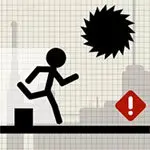
Stick Run is a fast stick-figure action game built around forward movement, obstacle avoidance, and split-second decisions. You guide a nimble runner through a course where gaps, barriers,…
 Works on Desktop & Mobile
Tested By BunaGames
- Test date
- August 7, 2026
- Tested on
- Chrome 150
- Device
- Desktop
- Operating system
- macOS and Windows
- Game loaded successfully
- Yes
- Fullscreen works
- Yes
- Sound works
- Yes
- Save progress
- Local browser storage
- Mobile compatibility
- Partially tested
- Keyboard controls
- Working
- Controller support
- Not detected
- Average loading time
- 4.2 seconds
- Known issues
- Minor delay after entering fullscreen
Stick Run not loading?
- Refresh the page.
- Disable restrictive content blockers temporarily.
- Confirm JavaScript and WebGL are enabled.
- Clear the browser cache.
- Try another modern browser.
- Close unnecessary tabs.
- Switch off VPN if the game server is blocked.
- Use the Report a Problem button if the issue continues.
Related Games
Continue Playing
Daily Challenge

Play 4 minutes today in Stick Run.
Leaderboard
- 1Community rating4.6 ★
- 2Player likes963
- 3Total votes1.1K
- 4Your local progress0%
Your progress is saved locally in this browser. No account required.
 Your progress is saved locally in this browser. No account required.
How to Play
Begin Stick Run by watching the first part of the course instead of rushing through it blindly. The opening moments are your chance to identify the character’s movement pace, the spacing of hazards, and the action prompts available in the game. Once the run begins, keep your attention slightly ahead of the stick figure. Looking only at the character’s current position leaves too little time to respond to the next obstacle.
- Start the run and let the opening obstacles establish the course rhythm.
- Watch for gaps, walls, traps, and other barriers in the path ahead.
- Use the available jump or movement action early enough to clear the hazard cleanly.
- Land with the next obstacle in mind, especially when hazards appear close together.
- Use any advanced movement shown in the game, such as a second jump or low evasive move, only when its timing is clear.
- After a failed attempt, identify the exact decision that caused it and adjust one part of your timing on the next run.
A useful way to learn is to divide a course mentally into short segments. Handle the current gap, then immediately prepare for the next wall or trap instead of treating the whole route as one blur. This prevents panic inputs and helps you see recurring patterns.
When another player, rival, or multiplayer element is part of the game mode, do not let it distract you from the route. Passing others may be part of the objective, but avoiding the environment remains the foundation of a successful run. Consistent movement is generally more valuable than a risky action taken only to gain a momentary advantage.
The strongest Stick Run players are not merely fast. They are deliberate: they recognize obstacle shapes, control their jump timing, and turn failed runs into practical information for the next attempt.
On mobile: use on-screen buttons or gestures when the game supports them.
 On mobile: use on-screen buttons or gestures when the game supports them.
Controls
- ↑Jump
- ← →Move Left / Right
- ↓Crouch
- W / ↑Climb / Interact
- S / ↓Drop / Slide
Use the control instructions shown inside Stick Run as the final authority for your current game session. The supplied research identifies movement actions such as jumping, double jumping, and rolling in stick-running gameplay, but it does not reliably confirm one universal keyboard, mouse, or touch layout for every version published under the Stick Run name.
| Action | Purpose |
|---|---|
| Jump | Clear gaps and barriers |
| Double jump | Extend air movement |
| Roll or low move | Handle low hazards |
| Start or retry | Begin another run |
Before attempting a serious run, test each displayed action in a safe opening area. Check how quickly the character responds, how long a jump keeps the runner airborne, and whether an additional movement action has a delay or limitation. That brief test is more useful than guessing at inputs during a difficult obstacle sequence.
If you play on a touch device, use the on-screen controls or gestures provided by the game. If you play with a keyboard, keep your hands positioned so the primary movement input can be pressed without looking away from the course.
Game Progress & Challenges
Why Play This Game?
 Instant PlayPlay instantly in your browser.
 Free to PlayNo hidden fees.
About "Stick Run"
Stick Run is a fast stick-figure action game built around forward movement, obstacle avoidance, and split-second decisions. You guide a nimble runner through a course where gaps, barriers, elevated routes, and unexpected hazards demand attention. The simple character design keeps the screen readable, while the running challenge puts the focus on rhythm: recognize what is ahead, choose the safe response, and execute it before the route disappears behind you.
Competitor descriptions consistently connect the Stick Run name with running, jumping, dodging obstacles, and passing other players or friends. Some versions of the concept also describe multiplayer interaction, character customization, and trading, but the essential appeal is the same: a stick character must stay moving and survive a changing path. That makes each attempt easy to understand, yet difficult to master when the pace increases or hazards appear in combinations.
Stick Run suits players who want direct, replayable action without a long setup. Open the game, learn the route behavior, and improve through cleaner timing. If you enjoy quick sessions with platform-style movement and reaction-based challenges, it fits naturally among free browser games.
Gameplay
Stick Run centers on maintaining momentum while responding to hazards in front of the stick figure. The runner’s path can include spaces that must be cleared, obstacles that must be avoided, and raised areas that require well-timed movement. Rather than relying on lengthy instructions, the game’s challenge comes from reading the next few moments of the course and committing to the correct action at the right time.
Jump timing is the core skill. Jump too early and the character may land before the danger has passed; jump too late and there may not be enough distance to recover. When the route presents consecutive threats, a single safe jump is not always enough. Players need to judge the landing area, anticipate the next barrier, and preserve control instead of reacting to every object independently.
Descriptions of stick running games also emphasize double jumps and rolls as movement ideas associated with this style of play. Where those actions are available in the active game, they add another layer to route planning: a second jump can extend a recovery, while a low movement option can help answer an obstacle that should not be met from above. Always use the in-game prompts and available actions for the version on this page.
The result is an action loop with clear feedback. A mistake ends or interrupts a run, while a successful sequence rewards calm observation and efficient movement. Whether you are trying to last longer, reach a difficult portion of the route, or simply improve your consistency, Stick Run turns small timing gains into meaningful progress.
Platform
Stick Run is presented as an online game experience that can be played directly through a web browser. This format is useful for players who want to start a running challenge without installing a separate app or downloading a large game client. Load the game page, wait for the game to become available, and use the controls displayed by the game itself.
A browser session also makes Stick Run suitable for short breaks. The game’s obstacle-driven structure does not require a long campaign commitment before you can begin learning. A few attempts can be enough to practice a troublesome sequence, while longer sessions give you time to build a steadier rhythm.
For the smoothest experience, use an up-to-date browser, keep the game tab active, and allow the page to finish loading before beginning. A stable connection can also help browser games load their assets reliably. Since device layouts and game builds can vary, check the on-screen instructions after the game opens rather than assuming a particular keyboard or touch binding.
The straightforward online format keeps the emphasis where it belongs: getting into the run, spotting obstacles clearly, and improving your reaction timing from attempt to attempt.
How to Play "Stick Run"
Begin Stick Run by watching the first part of the course instead of rushing through it blindly. The opening moments are your chance to identify the character’s movement pace, the spacing of hazards, and the action prompts available in the game. Once the run begins, keep your attention slightly ahead of the stick figure. Looking only at the character’s current position leaves too little time to respond to the next obstacle.
- Start the run and let the opening obstacles establish the course rhythm.
- Watch for gaps, walls, traps, and other barriers in the path ahead.
- Use the available jump or movement action early enough to clear the hazard cleanly.
- Land with the next obstacle in mind, especially when hazards appear close together.
- Use any advanced movement shown in the game, such as a second jump or low evasive move, only when its timing is clear.
- After a failed attempt, identify the exact decision that caused it and adjust one part of your timing on the next run.
A useful way to learn is to divide a course mentally into short segments. Handle the current gap, then immediately prepare for the next wall or trap instead of treating the whole route as one blur. This prevents panic inputs and helps you see recurring patterns.
When another player, rival, or multiplayer element is part of the game mode, do not let it distract you from the route. Passing others may be part of the objective, but avoiding the environment remains the foundation of a successful run. Consistent movement is generally more valuable than a risky action taken only to gain a momentary advantage.
The strongest Stick Run players are not merely fast. They are deliberate: they recognize obstacle shapes, control their jump timing, and turn failed runs into practical information for the next attempt.
Controls
Use the control instructions shown inside Stick Run as the final authority for your current game session. The supplied research identifies movement actions such as jumping, double jumping, and rolling in stick-running gameplay, but it does not reliably confirm one universal keyboard, mouse, or touch layout for every version published under the Stick Run name.
| Action | Purpose |
|---|---|
| Jump | Clear gaps and barriers |
| Double jump | Extend air movement |
| Roll or low move | Handle low hazards |
| Start or retry | Begin another run |
Before attempting a serious run, test each displayed action in a safe opening area. Check how quickly the character responds, how long a jump keeps the runner airborne, and whether an additional movement action has a delay or limitation. That brief test is more useful than guessing at inputs during a difficult obstacle sequence.
If you play on a touch device, use the on-screen controls or gestures provided by the game. If you play with a keyboard, keep your hands positioned so the primary movement input can be pressed without looking away from the course.
Can "Stick Run" Unblocked?
Stick Run is designed for online browser play, so you can access it from the BunaGames game page when the site and game are available on your device and network. There is no need to search for a separate download just to begin a basic browser session.
“Unblocked” can mean different things to players. In a normal setting, it often means finding a game page that opens directly in a browser without an installation process. It does not mean bypassing school, workplace, library, parental, or network restrictions. If a network administrator has limited access to games, follow the applicable rules and use an approved connection or personal time instead.
For legitimate access, open the page in a supported browser, allow it time to load, and make sure your connection is stable. If the game does not appear immediately, refresh the page once or check whether browser settings are preventing normal game content from loading. Avoid using unofficial copies or suspicious download prompts; browser play should begin from the game page itself.
Once Stick Run loads, the important challenge is not access but execution: reading the route, choosing the right movement, and keeping the stick figure clear of obstacles.
Tips for "Stick Run"
Improve at Stick Run by treating every failed run as route data. A crash is rarely random: it usually comes from jumping too soon, reacting too late, misjudging the landing area, or focusing on one obstacle while ignoring the next. Identify which of those errors occurred before restarting.
- Look ahead, not down. Keep your eyes on the space in front of the runner. Early recognition gives you more time to choose an action.
- Learn obstacle spacing. A gap followed by a barrier requires a different response from one isolated gap. Notice how much room the course gives you between threats.
- Use clean jumps. Aim to clear the danger with enough room to land safely rather than barely clipping past it. Conservative timing is often more repeatable.
- Do not waste advanced movement. If a second jump or roll is available, save it for the obstacle pattern that truly needs it. Unnecessary inputs can ruin a good line.
- Practice the opening rhythm. The first section is a low-pressure place to calibrate speed and response timing before more demanding sequences appear.
- Stay calm after a close call. A narrow escape can cause rushed inputs. Reset your focus immediately and read the next hazard.
For longer runs, create a simple mental rhythm: see, decide, act, recover. “See” means identify the hazard type. “Decide” means choose the movement that fits it. “Act” means commit at the correct moment. “Recover” means shift your attention forward as soon as you land. This sequence reduces panic because it gives every moment of the run a job.
Players interested in competing with friends or passing other runners should first make their own route reliable. A safe, consistent line will usually produce better results than constantly chasing a risky overtake. Speed matters, but control is what lets that speed continue.
Features "Stick Run"
Stick Run combines the instantly recognizable stick-figure style with a running challenge based on movement timing. Its visual simplicity is a practical strength: the character, route, and approaching obstacles remain the center of attention, helping players make fast decisions without needing to process a crowded interface.
- Stick-figure runner: Control a simple, readable character built for quick action.
- Obstacle-focused routes: Navigate gaps, barriers, walls, traps, and other hazards described across stick-running game experiences.
- Timing-based movement: Successful progress depends on when you move, not just whether you press an action.
- Platform-style challenge: Running and jumping create a familiar action-game loop with room for precision.
- Replayable attempts: Short runs make it easy to retry, learn patterns, and improve technique.
- Potential advanced movement: Stick-running descriptions commonly include double jumps and rolls, where available in the active version.
- Social game identity: Stick Run descriptions also associate the name with passing friends and multiplayer play, alongside customization or trading in some versions.
The most important feature is the game’s immediate feedback loop. You can feel the difference between an early jump, a late jump, and a well-placed jump almost instantly. That clarity makes the game accessible to new players while giving experienced players a reason to refine individual sections of a route.
Stick Run also works well as a focused action break. There is no need to memorize a complex combat system before you can enjoy it. The meaningful decisions are visible in the course: what is coming, how far away it is, and which movement will carry the runner through safely. This direct design gives the game lasting replay value without adding unnecessary complexity.
Best "Stick Run" Similar Games & Top Picks
- Temple Run 3: Run through dangerous temple paths in Temple Run 3. Dodge traps, collect coins, make fast turns, and chase a higher score.
- Brutalmania IO: Play Brutalmania IO, a fast online gladiator arena game about fighting opponents, earning gold, evolving, and chasing glory.
- King Of Fighters: Play King Of Fighters online and enjoy classic 2D versus fighting action inspired by SNK's legendary tournament series.
- Super Smash Flash: Play Super Smash Flash online. Choose from 28 characters, battle opponents, explore Classic Mode, and learn smart fighting-game tactics.
- Street Fighter 2: Play Street Fighter 2 online and experience classic one-on-one arcade fighting with Ryu, Ken, Chun-Li, Guile, and more.
FAQ - Stick Run
What is Stick Run?
Stick Run is an online stick-figure running action game. The central objective is to guide a moving character past obstacles by using careful timing and the movement options available in the game. Descriptions associated with the game emphasize running, jumping, dodging hazards, and passing other players or friends.
Is Stick Run free to play?
Stick Run is presented on BunaGames as a browser game that you can open and play online. You do not need to install a separate game client to start a normal session from this page. Availability can still depend on your browser, device, and network access.
How do I play Stick Run?
Start the game, watch the route ahead of the stick figure, and respond to each gap, barrier, or trap with the appropriate movement. The key is to act early enough to clear the hazard while preparing for what follows. Use the game’s on-screen instructions to confirm the actions available in the current version.
What are the controls for Stick Run?
The exact input layout should be checked in the game because controls can vary by build and device. Stick-running gameplay is associated with actions such as jumping, double jumping, and rolling, but the specific keys, buttons, or touch gestures must be taken from the instructions shown when the game loads.
Can I play Stick Run on a phone or tablet?
Stick Run is an online browser game, so you can try it in a compatible mobile browser. On touch devices, follow the on-screen control layout or gestures supplied by the game. For the best experience, keep the device in a comfortable position and make sure the game area is fully visible before starting a run.
Is Stick Run multiplayer?
Some descriptions connected to Stick Run call it a multiplayer game and mention passing friends. Other stick-running descriptions focus more broadly on solo obstacle courses. Because game modes can differ between versions, check the active game screen for any multiplayer, friend, customization, or trading options instead of assuming they are present in every session.
What is the best way to get better at Stick Run?
Focus on obstacle recognition and repeatable timing. Look ahead of the runner, learn the spacing between hazards, and avoid pressing actions in panic. After a failed attempt, identify whether the problem was an early jump, late jump, poor landing position, or missed follow-up obstacle. Changing one mistake at a time creates steadier improvement.
Can I play Stick Run unblocked?
You can open Stick Run through its browser game page when it is permitted by your device and network. Do not attempt to bypass restrictions set by a school, workplace, parent, library, or network administrator. If access is limited, use the game only in an approved setting or on a connection where playing is allowed.
More Games Like This
 Super Smash Flash
Action ★ 4.5
Super Smash Flash
Action ★ 4.5
 Street Fighter 2
Action ★ 4.7
Street Fighter 2
Action ★ 4.7
 Alien Hominid
Action ★ 4.6
Alien Hominid
Action ★ 4.6
 King Of Fighters
Action ★ 4.8
King Of Fighters
Action ★ 4.8
 Bloons Td 6
Action ★ 4.6
Bloons Td 6
Action ★ 4.6
 Brutalmania IO
Action ★ 4.7
Brutalmania IO
Action ★ 4.7
 Temple Run 3
Action ★ 4.7
Temple Run 3
Action ★ 4.7
 Plants Vs Zombies 2
Action ★ 4.6
Plants Vs Zombies 2
Action ★ 4.6
 Plants Vs Zombies 3
Action ★ 4.6
Plants Vs Zombies 3
Action ★ 4.6
 Counter Strike Online
Action ★ 4.4
Counter Strike Online
Action ★ 4.4
 Red Ball 3
Action ★ 4.7
Red Ball 3
Action ★ 4.7
 Kpop Demon Hunters
Action ★ 4.7
Kpop Demon Hunters
Action ★ 4.7
 Dynamons World
Action ★ 4.7
Dynamons World
Action ★ 4.7
 Stickman War
Action ★ 4.6
Stickman War
Action ★ 4.6
 Paint Hide & Seek
Action ★ 4.6
Paint Hide & Seek
Action ★ 4.6
 Fly the Plane
Action ★ 4.8
Fly the Plane
Action ★ 4.8
 Agent Smith
Action ★ 4.4
Agent Smith
Action ★ 4.4
 Mortal Kombat
Action ★ 4.6
Mortal Kombat
Action ★ 4.6
 Report a Problem
Comments About Stick Run