


Counter Strike Online
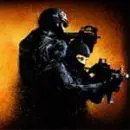
Counter Strike Online is a tactical first-person shooter built around the familiar Counter-Strike style of opposing teams, weapon-based combat, and round-focused objectives. Players enter a high-pressure battlefield where…
 Works on Desktop & Mobile
Tested By BunaGames
- Test date
- August 11, 2026
- Tested on
- Chrome 150
- Device
- Desktop
- Operating system
- macOS and Windows
- Game loaded successfully
- Yes
- Fullscreen works
- Yes
- Sound works
- Yes
- Save progress
- Local browser storage
- Mobile compatibility
- Partially tested
- Keyboard controls
- Working
- Controller support
- Not detected
- Average loading time
- 4.2 seconds
- Known issues
- Minor delay after entering fullscreen
Counter Strike Online not loading?
- Refresh the page.
- Disable restrictive content blockers temporarily.
- Confirm JavaScript and WebGL are enabled.
- Clear the browser cache.
- Try another modern browser.
- Close unnecessary tabs.
- Switch off VPN if the game server is blocked.
- Use the Report a Problem button if the issue continues.
Related Games
Continue Playing
Daily Challenge

Play 4 minutes today in Counter Strike Online.
Leaderboard
- 1Community rating4.4 ★
- 2Player likes566
- 3Total votes662
- 4Your local progress0%
Your progress is saved locally in this browser. No account required.
 Your progress is saved locally in this browser. No account required.
How to Play
Begin by loading the game and paying attention to the first on-screen instructions. Before actively moving into combat, identify the current team, the map situation, and the objective shown by the game. Counter-Strike-style matches are objective-driven, so the goal is larger than finding opponents: your side needs to complete its assigned task or stop the other team from completing theirs.
- Read the match information. Look for the active mode, team assignment, round status, and objective prompt before committing to a route.
- Move with a reason. Choose a path that gives you cover or lets you support nearby teammates. Avoid crossing exposed spaces without first checking where opponents could be watching.
- Clear areas carefully. As you enter a corridor, room, or open lane, consider the likely enemy angles. Do not assume an area is safe just because it is quiet.
- Take controlled fights. When you see an opponent, aim deliberately and use nearby cover where possible. Retreating to a safer position can be better than continuing a poor fight.
- Stay aware of the objective. Elimination may help your team, but it is not a substitute for defending, advancing, or responding to the current task.
- Learn from each round. Notice where enemies appeared, which routes became dangerous, and where your team had useful support.
A strong beginner approach is to follow the flow of your team for the first few rounds instead of immediately taking a solo path. This reveals how players move through the map and reduces the chance of being caught from multiple directions. Once you recognize common routes, you can experiment with holding a position, supporting an advance, or taking an alternate approach.
The most useful improvement comes from connecting every action to a purpose. Move to gain information, shoot to protect an area or teammate, and reposition when your current location no longer helps the objective.
On mobile: use on-screen buttons or gestures when the game supports them.
 On mobile: use on-screen buttons or gestures when the game supports them.
Controls
- ↑Jump
- ← →Move Left / Right
- ↓Crouch
- W / ↑Climb / Interact
- S / ↓Drop / Slide
The exact control layout should be confirmed from the game’s on-screen prompts, menu, or control panel when Counter Strike Online loads. Browser shooter versions can present their input information differently, and the visible interface is more reliable than guessing a key assignment before a match begins.
When you start, take a brief moment to locate the prompts for movement, aiming, firing, weapon selection, reloading, interaction, menus, and match information. Knowing where these functions appear is especially helpful in a tactical shooter, where pausing to search for a command during an encounter can cost valuable time.
- Check the opening instructions before joining active combat.
- Look for any settings or key-reference screen offered by the game.
- Practice moving and aiming in a low-pressure moment.
- Verify how to open menus and read the objective display.
- Adjust browser focus if inputs are not responding as expected.
Controls feel more natural after a few rounds, but understanding the objective and map remains more important than trying to play at maximum speed immediately.
Game Progress & Challenges
Why Play This Game?
 Instant PlayPlay instantly in your browser.
 Free to PlayNo hidden fees.
About "Counter Strike Online"
Counter Strike Online is a tactical first-person shooter built around the familiar Counter-Strike style of opposing teams, weapon-based combat, and round-focused objectives. Players enter a high-pressure battlefield where positioning, awareness, accurate shooting, and quick decisions matter as much as fast reactions. The central conflict places Terrorists and Counter-Terrorists on opposing sides, creating a clear team-versus-team structure rather than a purely individual shooting challenge.
Its appeal comes from the tension between direct action and tactical choices. A player may need to watch a route, protect teammates, react to an enemy push, or focus on the active objective instead of simply chasing eliminations. Maps, weapons, and team roles give each match a different rhythm, while first-person perspective keeps the action immediate and readable.
This browser game is a useful pick for players looking for Counter-Strike-inspired action without treating every match as a long commitment. Take a moment to identify the current mode and goal before moving out. That small habit makes the game easier to understand, especially for newcomers who recognize the series but want a simple online way to jump into tactical shooter gameplay.
Gameplay
Counter Strike Online centers on tactical FPS encounters between opposing sides. The essential loop is straightforward: join the action, understand the round objective, move through the map with purpose, engage opponents, and help your side complete its task. The familiar Terrorist-versus-Counter-Terrorist setup gives every encounter context. Instead of treating the map as an open arena, players benefit from thinking of it as a network of routes, sightlines, corners, and contested spaces.
Combat rewards controlled decisions. Rushing into an unfamiliar area can reveal your position before you have useful information, while waiting too long can leave teammates unsupported. Good play means balancing movement with observation: check a route, listen for activity, watch likely approaches, and avoid exposing yourself to several angles at once. When an enemy appears, a calm, deliberate response is usually more useful than spraying without direction.
The game’s weapons support different combat distances and situations. A close-range encounter calls for different positioning than a long lane or open section of a map. Rather than assuming one weapon solves every problem, consider where you are fighting and how much cover is available. Maps also matter because they shape where teams meet, where defenders can hold ground, and where attackers may try to create pressure.
- Team identity: Terrorists and Counter-Terrorists oppose one another.
- Match focus: Complete the active objective while preventing the other side from doing the same.
- Tactical layer: Routes, cover, timing, and communication influence each round.
- Combat layer: Weapon choice and aim matter most when paired with smart positioning.
The important distinction is that success is not only about score. A player who watches an approach, delays opponents, or stays with the team can make a valuable contribution even without leading the eliminations.
Platform
Counter Strike Online is presented on BunaGames as a browser action game. Browser play is convenient for players who want to open the game page and focus on the match rather than search for a separate game client. A stable internet connection and a modern browser are practical starting points for a smoother session.
Because tactical shooters depend on timing, keep unnecessary browser tabs and background activity to a minimum when possible. If the game takes time to load, allow the page to finish preparing before judging responsiveness. Using a larger screen can also make it easier to read the battlefield, spot movement, and follow interface prompts during a round.
Availability can vary according to the device, browser configuration, connection quality, and local network rules. The game page itself is the best place to confirm whether it loads correctly on your setup. If you are exploring more web-based options afterward, BunaGames also has a broad selection of online games.
How to Play "Counter Strike Online"
Begin by loading the game and paying attention to the first on-screen instructions. Before actively moving into combat, identify the current team, the map situation, and the objective shown by the game. Counter-Strike-style matches are objective-driven, so the goal is larger than finding opponents: your side needs to complete its assigned task or stop the other team from completing theirs.
- Read the match information. Look for the active mode, team assignment, round status, and objective prompt before committing to a route.
- Move with a reason. Choose a path that gives you cover or lets you support nearby teammates. Avoid crossing exposed spaces without first checking where opponents could be watching.
- Clear areas carefully. As you enter a corridor, room, or open lane, consider the likely enemy angles. Do not assume an area is safe just because it is quiet.
- Take controlled fights. When you see an opponent, aim deliberately and use nearby cover where possible. Retreating to a safer position can be better than continuing a poor fight.
- Stay aware of the objective. Elimination may help your team, but it is not a substitute for defending, advancing, or responding to the current task.
- Learn from each round. Notice where enemies appeared, which routes became dangerous, and where your team had useful support.
A strong beginner approach is to follow the flow of your team for the first few rounds instead of immediately taking a solo path. This reveals how players move through the map and reduces the chance of being caught from multiple directions. Once you recognize common routes, you can experiment with holding a position, supporting an advance, or taking an alternate approach.
The most useful improvement comes from connecting every action to a purpose. Move to gain information, shoot to protect an area or teammate, and reposition when your current location no longer helps the objective.
Controls
The exact control layout should be confirmed from the game’s on-screen prompts, menu, or control panel when Counter Strike Online loads. Browser shooter versions can present their input information differently, and the visible interface is more reliable than guessing a key assignment before a match begins.
When you start, take a brief moment to locate the prompts for movement, aiming, firing, weapon selection, reloading, interaction, menus, and match information. Knowing where these functions appear is especially helpful in a tactical shooter, where pausing to search for a command during an encounter can cost valuable time.
- Check the opening instructions before joining active combat.
- Look for any settings or key-reference screen offered by the game.
- Practice moving and aiming in a low-pressure moment.
- Verify how to open menus and read the objective display.
- Adjust browser focus if inputs are not responding as expected.
Controls feel more natural after a few rounds, but understanding the objective and map remains more important than trying to play at maximum speed immediately.
Can "Counter Strike Online" Unblocked?
Counter Strike Online is intended for browser-based play on its BunaGames page, which can be useful when you want a direct route into tactical shooter action. Whether it is available on a particular device or network depends on practical factors such as browser support, internet stability, local permissions, and any rules set by a school, workplace, library, or managed network.
Do not try to bypass network restrictions or device policies. If the game does not load in a restricted environment, use an approved personal connection or ask the network administrator about the applicable rules. This protects both your access and the network you are using.
For the best chance of a smooth session, open the page in an up-to-date browser, allow the game time to initialize, and avoid running many demanding tabs at the same time. If performance drops during a match, close unnecessary background activity and refresh only when it is safe to leave the current game. A stable setup matters in a first-person shooter because delayed input or interrupted loading can make aiming, movement, and objective play harder to manage.
Tips for "Counter Strike Online"
Counter Strike Online becomes more manageable when you stop treating every round as a race toward the first enemy. Tactical shooters reward information. Before pushing forward, ask what you know: where your teammates are, which routes have been quiet, where opponents may be positioned, and whether the objective requires attack, defense, or a quick response.
- Use cover before you need it. Move near walls, corners, and other protected positions so you have somewhere to retreat after an exchange.
- Limit exposed angles. Entering an open area where several routes can see you makes fights harder. Check one danger area at a time when possible.
- Stay close enough to help. Supporting teammates gives your side more options than repeatedly taking isolated duels.
- Do not overcommit after a hit. Seeing an opponent does not always mean you should chase. They may be leading you toward another enemy or a stronger position.
- Match the weapon to the space. Think about engagement distance, cover, and the route you are holding rather than relying on one approach everywhere.
- Watch the objective indicator. A team can lose valuable ground when every player focuses on a single fight and no one responds to the active task.
For attackers, patience can create a better opening than a predictable rush. Let teammates gather information, then move when a route looks safer or when the opposing side is occupied elsewhere. For defenders, choose a position that lets you observe an approach without standing too far into the open. If pressure becomes too strong, reposition instead of remaining in a spot that opponents now expect.
Finally, use each defeat as map knowledge. Remember the angle that caught you, the route that became crowded, or the area where your team lacked support. Improvement in Counter Strike Online is often less about one spectacular shot and more about making fewer repeat mistakes across several rounds.
Features "Counter Strike Online"
Counter Strike Online brings together the recognizable ingredients that players seek from Counter-Strike-style action: first-person combat, opposing Terrorist and Counter-Terrorist teams, tactical objectives, map-based encounters, and weapon-led decision making. The result is a game experience where awareness and teamwork are connected directly to combat performance.
- Tactical first-person shooter format: View the battlefield from the player’s perspective and react quickly to nearby threats.
- Opposing team structure: Terrorists and Counter-Terrorists create a clear competitive framework for every match.
- Objective-oriented action: Rounds ask players to think beyond eliminations and respond to the current team task.
- Map awareness: Routes, corners, open lanes, and defended positions influence how encounters unfold.
- Weapon variety context: Different weapons suit different distances and tactical situations.
- Browser access: The game is presented as a web-play action option on BunaGames.
The strongest feature is the way these elements work together. A weapon only helps if you are positioned well; a strong position only matters if you watch the right route; and a successful fight has more value when it protects the objective or creates room for your team. This layered design gives matches replay value because the same map can feel different when teams change their route choices or timing.
It is also approachable for players who want a familiar FPS structure. The central rules are easy to understand—opposing teams, combat, and objectives—while the tactical depth grows naturally as you learn where players move and how teammates create openings. That makes it suitable for a quick browser session as well as for players who enjoy refining their decision making round by round.
Best "Counter Strike Online" Similar Games & Top Picks
- Temple Run 3: Run through dangerous temple paths in Temple Run 3. Dodge traps, collect coins, make fast turns, and chase a higher score.
- Brutalmania IO: Play Brutalmania IO, a fast online gladiator arena game about fighting opponents, earning gold, evolving, and chasing glory.
- King Of Fighters: Play King Of Fighters online and enjoy classic 2D versus fighting action inspired by SNK's legendary tournament series.
- Super Smash Flash: Play Super Smash Flash online. Choose from 28 characters, battle opponents, explore Classic Mode, and learn smart fighting-game tactics.
- Street Fighter 2: Play Street Fighter 2 online and experience classic one-on-one arcade fighting with Ryu, Ken, Chun-Li, Guile, and more.
FAQ - Counter Strike Online
What is Counter Strike Online?
Counter Strike Online is a browser action game based around Counter-Strike-style tactical first-person shooter gameplay. It features opposing Terrorist and Counter-Terrorist sides, weapon-based combat, maps with different routes and positions, and objectives that give rounds a team focus.
Is Counter Strike Online a tactical shooter?
Yes. The game fits the tactical FPS format because players must consider positioning, map routes, enemy angles, teammates, weapon range, and the active objective. Fast reactions help, but moving with no plan can put you at a disadvantage against a coordinated side.
What do Terrorists and Counter-Terrorists do in the game?
They are the opposing teams in the Counter-Strike-style setup. Each match or round gives the sides an objective-based conflict. The exact prompt shown in the game should guide your immediate role, so check the round information after joining rather than assuming every mode uses the same task.
Can I play Counter Strike Online in a browser?
The game is presented on BunaGames as a browser action game. Open the game page, wait for it to load, and follow the visible instructions. Performance and availability can depend on your browser, device, connection, and local network policies.
Do I need to download anything to start?
The page is designed for browser access, so begin by loading it directly in your web browser. If a browser, device, or network prevents the game from running properly, do not bypass restrictions. Use an approved setup and check the on-page prompts for the most relevant information.
What are the controls for Counter Strike Online?
Check the game’s own on-screen control prompts or settings after it loads. This is the safest way to confirm movement, aiming, firing, weapon handling, interaction, and menu inputs for the version running in your browser. Spend a short moment learning the interface before entering a busy fight.
How can beginners improve quickly?
Start by following teammates, learning the map’s main routes, and keeping close to cover. Watch one angle at a time, avoid unnecessary solo pushes, and pay attention to the round objective. After each round, remember where opponents appeared and adjust your route or position instead of repeating the same risky move.
Is getting eliminations the only way to help the team?
No. Eliminations matter, but tactical value also comes from watching an approach, protecting a teammate, delaying an enemy advance, holding useful ground, and responding to the objective. In an objective-based shooter, a player who creates time or information for the team can be just as important as the player who gets the final elimination.
More Games Like This
 Super Smash Flash
Action ★ 4.5
Super Smash Flash
Action ★ 4.5
 Street Fighter 2
Action ★ 4.7
Street Fighter 2
Action ★ 4.7
 Alien Hominid
Action ★ 4.6
Alien Hominid
Action ★ 4.6
 King Of Fighters
Action ★ 4.8
King Of Fighters
Action ★ 4.8
 Bloons Td 6
Action ★ 4.6
Bloons Td 6
Action ★ 4.6
 Brutalmania IO
Action ★ 4.7
Brutalmania IO
Action ★ 4.7
 Temple Run 3
Action ★ 4.7
Temple Run 3
Action ★ 4.7
 Plants Vs Zombies 2
Action ★ 4.6
Plants Vs Zombies 2
Action ★ 4.6
 Plants Vs Zombies 3
Action ★ 4.6
Plants Vs Zombies 3
Action ★ 4.6
 Red Ball 3
Action ★ 4.7
Red Ball 3
Action ★ 4.7
 Kpop Demon Hunters
Action ★ 4.7
Kpop Demon Hunters
Action ★ 4.7
 Dynamons World
Action ★ 4.7
Dynamons World
Action ★ 4.7
 Stick Run
Action ★ 4.6
Stick Run
Action ★ 4.6
 Stickman War
Action ★ 4.6
Stickman War
Action ★ 4.6
 Paint Hide & Seek
Action ★ 4.6
Paint Hide & Seek
Action ★ 4.6
 Fly the Plane
Action ★ 4.8
Fly the Plane
Action ★ 4.8
 Agent Smith
Action ★ 4.4
Agent Smith
Action ★ 4.4
 Mortal Kombat
Action ★ 4.6
Mortal Kombat
Action ★ 4.6
 Report a Problem
Comments About Counter Strike Online