



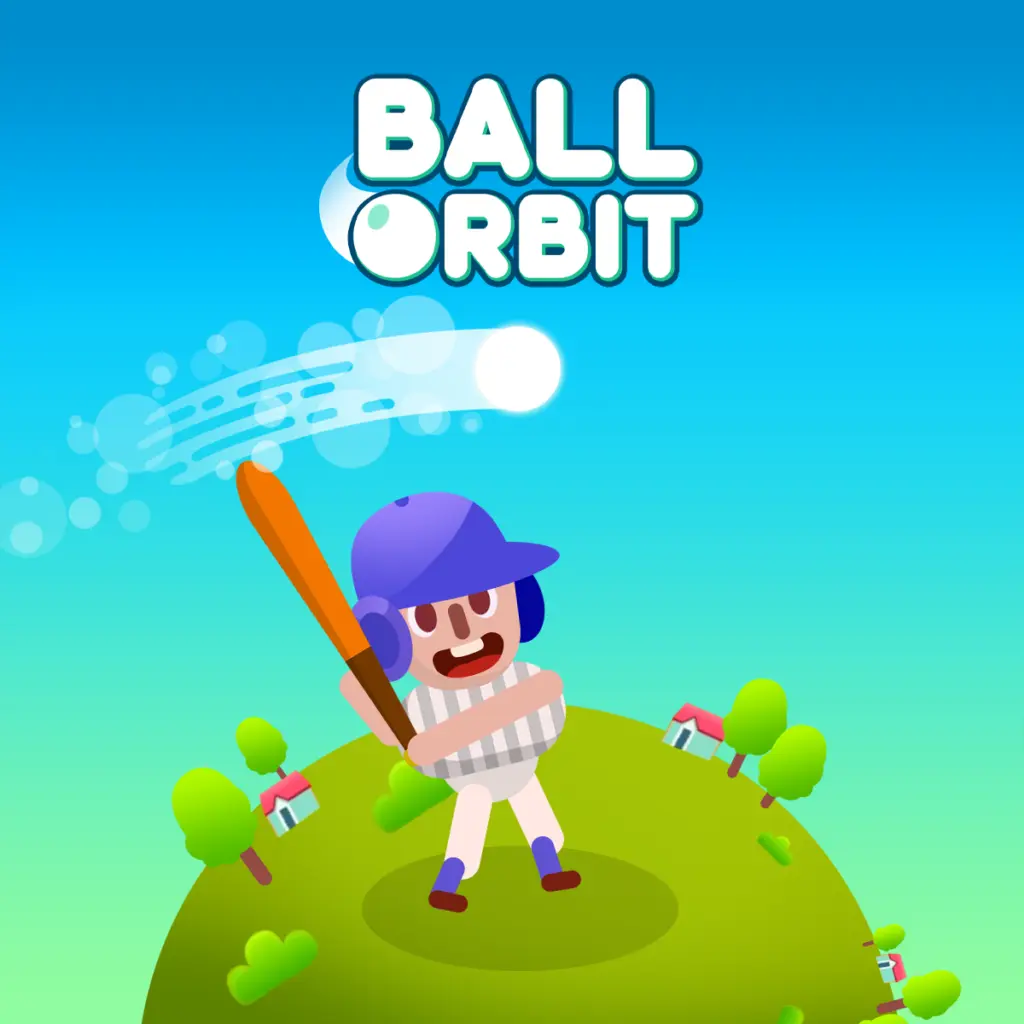
Ball Orbit
Ball Orbit is a physics-based arcade distance game built around one clear goal: launch a ball and send it as far as possible. Each attempt turns a simple…
 Works on Desktop & Mobile
Tested By BunaGames
- Test date
- August 6, 2026
- Tested on
- Chrome 150
- Device
- Desktop
- Operating system
- macOS and Windows
- Game loaded successfully
- Yes
- Fullscreen works
- Yes
- Sound works
- Yes
- Save progress
- Local browser storage
- Mobile compatibility
- Partially tested
- Keyboard controls
- Working
- Controller support
- Not detected
- Average loading time
- 4.2 seconds
- Known issues
- Minor delay after entering fullscreen
Ball Orbit not loading?
- Refresh the page.
- Disable restrictive content blockers temporarily.
- Confirm JavaScript and WebGL are enabled.
- Clear the browser cache.
- Try another modern browser.
- Close unnecessary tabs.
- Switch off VPN if the game server is blocked.
- Use the Report a Problem button if the issue continues.
Continue Playing

Daily Challenge

Play 5 minutes today in Ball Orbit.
Leaderboard
- 1Community rating4.7 ★
- 2Player likes1.1K
- 3Total votes1.1K
- 4Your local progress0%
Your progress is saved locally in this browser. No account required.
 Your progress is saved locally in this browser. No account required.
Game Progress & Challenges
Why Play This Game?
 Instant PlayPlay instantly in your browser.
 Mobile FriendlyOptimized for all devices.
 Free to PlayNo hidden fees.
About "Ball Orbit"
Ball Orbit is a physics-based arcade distance game built around one clear goal: launch a ball and send it as far as possible. Each attempt turns a simple hit into a momentum challenge. A strong start helps, but the run continues through bounces, rolling movement, changing speed, and the choices you make after landing.
The main appeal is the loop between short runs and lasting progress. Distance attempts can earn coins, and those coins can be used for upgrades that improve future launches. Rather than requiring one perfect run immediately, the game gives players a reason to return, push farther, and gradually chase a stronger personal record.
Ball Orbit combines the accessible feel of an arcade launcher with incremental progression. It is easy to understand in the first few moments: launch the ball, watch its path, and try to beat the previous distance. The deeper challenge is learning how launch power, momentum, bounce behavior, and upgrades work together over repeated attempts.
For players looking through browser games for a quick score-chasing challenge, Ball Orbit offers a focused objective without a complicated rule set. Every run provides immediate feedback, whether it ends with a new record, more coins, or a useful lesson about timing.
Gameplay
Ball Orbit centers on a distance-run structure. You begin by launching the ball, then follow its journey as physics determines how it travels, lands, bounces, and loses or preserves momentum. The important number is distance: the farther the ball reaches, the closer you are to setting a better record.
A run is not only about the initial launch. A powerful opening can create the speed needed for a long flight, but the ball’s contact with the course matters too. Productive bounces can extend travel, while weak landings and lost momentum can end a promising attempt early. This makes the game feel more like an arcade physics challenge than a single-action score test.
Coins add a progression layer to the distance chase. Collecting or earning coins gives each attempt value even when it does not become your best run. Those coins support upgrades, including power improvements, so later launches can start from a more capable position. Cosmetic skins are also part of the reward loop, giving players another collectible goal alongside pure distance.
The strongest gameplay rhythm is simple:
- Launch the ball and observe the opening trajectory.
- Follow its momentum through flight, bounces, and ground travel.
- Earn coins and compare the result with your current record.
- Invest in upgrades, then use the improved setup on the next run.
This structure creates meaningful repetition. Early runs help you understand the physics, while upgraded runs give you a better chance of reaching dramatic distances. The game rewards both quick attempts and sustained record hunting.
Platform
Ball Orbit is presented as a free online arcade game that can be played in a web browser on BunaGames. There is no need to treat it like a long-form sports simulation or a download-heavy game; its format is built around direct launches, quick results, and repeatable upgrade runs.
The browser format suits the game’s short-session design. You can start an attempt, see how far the ball travels, and decide whether to make another run immediately. That makes it practical for a brief break, while the distance-record and upgrade systems also support longer sessions for players who want to keep improving.
Because Ball Orbit is a physics launcher, a stable connection and a responsive browser can help the game feel consistent while the ball is moving at speed. If a run seems to stutter, refreshing the page or closing unnecessary browser tabs may help keep the experience focused on timing and momentum.
The core experience remains the same across a session: launch, bounce, collect, upgrade, and pursue a farther score. Exact device-specific input prompts may vary with the version and device being used, so follow the on-screen game prompt when starting a run.
How to Play "Ball Orbit"
Your objective in Ball Orbit is to launch the ball as far as you can and improve your distance record over time. Start a run using the launch action shown by the game. The opening moment is important because it establishes the ball’s first burst of speed and its initial path.
Once the ball is moving, pay attention to what happens after the launch rather than judging the run too early. A ball can continue through the air, rebound from the course, and travel onward after landing. Good momentum can turn an ordinary beginning into a long attempt, while a poor bounce can reduce speed quickly.
After each run, check the distance achieved and the coins earned. Distance tells you how close you came to your best result. Coins are the resource that supports the game’s progression systems, so a non-record attempt can still help improve later performance.
- Begin a launch: Use the game’s displayed launch input and aim for a clean, confident start.
- Watch the physics: Notice the height, travel direction, landing point, and bounce quality.
- Complete the run: Let the ball’s momentum play out and record the distance.
- Use earned coins: Review available upgrades, especially power-related improvements that can strengthen future attempts.
- Try again with a purpose: Compare the new result with the previous run and adjust your timing or upgrade plan.
The information gain comes from treating every attempt as feedback. Instead of launching repeatedly without observation, identify why a run traveled far or stopped early. That makes upgrades more useful and helps you recognize the difference between a merely strong launch and a launch that creates lasting momentum.
Controls
Ball Orbit uses a straightforward launch-focused interaction model. The supplied game information confirms that the ball is launched, but it does not establish a universal button-by-button control layout. Use the input prompt displayed in the playable game window, as the exact presentation can differ between browser and device versions.
| Action | What to do |
|---|---|
| Start a run | Use the shown launch action |
| Build distance | Time the launch carefully |
| Track progress | Watch distance and coins |
| Improve runs | Choose available upgrades |
The central skill is timing the launch rather than managing a large set of commands. Once the ball has been sent forward, the important task is to read the result: how much speed it had, whether the bounce extended travel, and whether an upgrade would be more valuable before the next attempt.
If you are playing with touch input, use the on-screen instruction supplied by the game rather than assuming a keyboard command. The same principle applies on desktop: follow the displayed prompt for the current version, then concentrate on repeatable launch timing and efficient upgrade decisions.
Can "Ball Orbit" Unblocked?
Ball Orbit is available to play free in the browser on BunaGames, making it a convenient choice when you want an arcade game without installing software. Open the game page, wait for the playable area to load, and use the on-screen launch instruction to begin an attempt.
“Unblocked” is often used by players searching for a browser version that is easy to access. Availability can still depend on the network, browser settings, and rules of the place where you are playing. A school, workplace, library, or managed network may restrict gaming websites independently of the game itself. Always follow the acceptable-use rules for your network.
If the game does not start normally, try a practical browser check: refresh the page, confirm that your connection is active, and make sure the browser is not blocking the game area. Closing resource-heavy tabs can also be useful when a physics game needs smoother performance during a fast launch.
Once loaded, Ball Orbit is designed for immediate runs rather than lengthy setup. That makes it suitable for players who want to launch the ball, chase a distance target, earn coins, and return for another attempt without navigating a complicated campaign.
Tips for "Ball Orbit"
The best Ball Orbit strategy is not simply “launch harder.” Long-distance results come from the relationship between the initial launch, the ball’s remaining momentum, bounce behavior, and the upgrades earned across multiple attempts. Use early runs to learn what a productive trajectory looks like before expecting a record immediately.
- Prioritize clean launch timing. The launch creates the first major speed boost. A consistent start gives you a more reliable basis for comparing runs.
- Watch the first landing. The first bounce often reveals whether the ball will keep traveling efficiently or bleed momentum. Notice which outcomes carry the ball forward rather than ending its movement quickly.
- Do not ignore average runs. An attempt that misses your record may still earn coins. Those coins contribute to the next launch, so progress is not limited to personal-best results.
- Use upgrades deliberately. Power upgrades are especially relevant because stronger launching potential supports longer-distance attempts. Spend with the goal of improving future momentum, not only making an immediate visual change.
- Chase consistency before a huge score. If your results vary wildly, focus on repeating a dependable launch. Consistent distance makes it easier to tell whether upgrades are helping.
- Keep the objective narrow. Distance is the main target. Skins can be a fun collection reward, but improving the launch-and-upgrade loop is the clearest route toward bigger records.
A useful approach is to create a small feedback cycle after every attempt. Ask three questions: Did the launch have enough speed? Did the bounces preserve travel? Did this run earn enough coins to justify upgrading now? This turns the game’s incremental design into an advantage.
Patience also matters. Ball Orbit is structured around repeated progress, so a record can arrive after several modest attempts rather than one perfect opening. Keep building power, observe the physics, and let each run contribute to the next one.
Features "Ball Orbit"
Ball Orbit combines arcade simplicity with a progression system that gives repeated launches a purpose. Its feature set is centered on distance, physics, coins, upgrades, and record chasing rather than complicated rules or a large control scheme.
- Physics-based ball travel: The ball’s flight, landing, bounce, and momentum shape the result of every run.
- Distance-record challenge: The main goal is to send the ball farther than before and pursue an increasingly ambitious personal best.
- Launch-focused arcade play: Each attempt starts quickly, making the game easy to understand while leaving room to improve timing.
- Momentum challenge: A strong launch alone is not enough; continued movement and useful bounces influence the final distance.
- Coin collection: Coins provide a tangible reward from runs and connect gameplay to the upgrade loop.
- Incremental upgrades: Upgrade options, including power improvements, help strengthen future attempts over time.
- Unlockable skins: Cosmetic skins add a collection element alongside the performance-based distance goal.
- Free browser access: The game’s web format supports quick sessions and easy replay from the game page.
The most important feature is how these systems connect. The physics system makes each launch uncertain, the distance score gives the attempt a measurable outcome, coins reward continued play, and upgrades improve the conditions for later runs. That loop gives Ball Orbit more staying power than a one-shot launcher.
It also creates two valid ways to play. Casual players can make a few launches and enjoy seeing how far the ball travels. More goal-focused players can study their results, save coins, improve power, unlock skins, and work methodically toward a new high-distance record.
Best "Ball Orbit" Similar Games & Top Picks
- Super Soccer Noggins: Play Super Soccer Noggins online: choose a national team, take on wild 1vs1 football duels, score goals, and master the arcade action.
- Super Stickman Golf 3: Play Super Stickman Golf 3 online and tackle 2D golf courses with power-ups, collectible cards, tricky holes, and game modes.
- Football Masters: Play Football Masters online: choose a team, use super shots and slide tackles, and compete in fast 1v1 or 2v2 soccer matches.
- Golf Battle: Play Golf Battle online and take on fast mini golf challenges. Learn the gameplay, controls, tips, multiplayer details, and browser access.
- College Bowl: Play College Bowl, a pixel-style American football game where you face college rivals and pursue a national title.
FAQ - Ball Orbit
What is Ball Orbit?
Ball Orbit is a physics-based arcade distance game. You launch a ball, watch it travel through the course using momentum and bounces, and try to reach the greatest possible distance. Coins, upgrades, skins, and record chasing add progression beyond a single attempt.
What is the main goal in Ball Orbit?
The main goal is to launch the ball as far as possible and beat your previous distance record. A run is shaped by its initial speed, the ball’s trajectory, how it lands, and whether bounces help preserve momentum.
How do upgrades work in Ball Orbit?
Runs can provide coins that support upgrades. The available descriptions specifically identify power upgrades, which are important because they can improve the strength of future launches. Upgrades create incremental progress, allowing later attempts to begin with better potential than early runs.
Are coins useful if I do not set a new record?
Yes. Coins are part of the game’s long-term progression loop, so a run can still be valuable even when it falls short of your best distance. Earning coins gives you a reason to continue, invest in upgrades, and prepare for a stronger next launch.
Does Ball Orbit have skins?
Yes. Ball Orbit includes unlockable skins. These provide a cosmetic collection goal alongside the core objective of increasing distance. Skins do not replace the main gameplay loop, which remains focused on launching, bouncing, collecting coins, and upgrading.
What controls does Ball Orbit use?
The game is built around a launch action, but the provided game information does not document one fixed control map for every version. Follow the on-screen launch prompt in the game window. The key gameplay skill is timing the launch and learning from the ball’s movement after it is sent forward.
Can I play Ball Orbit for free in a browser?
Yes. Ball Orbit is available as a free online browser game on BunaGames. Load the game page, follow the displayed launch instruction, and begin working toward longer runs. Access may still depend on your browser, connection, and any restrictions set by the network you are using.
What is the best way to get farther in Ball Orbit?
Focus on repeatable launch timing, observe whether bounces keep the ball moving, and use coins to improve future runs. Do not judge progress only by personal-best attempts. Consistent results and thoughtful upgrades can gradually create the power and momentum needed for a major distance record.
More Games Like This
 Super Stickman Golf 3
Football ★ 4.7
Super Stickman Golf 3
Football ★ 4.7
 Super Soccer Noggins
Football ★ 4.6
Super Soccer Noggins
Football ★ 4.6
 Football Masters
Football ★ 4.5
Football Masters
Football ★ 4.5
 Golf Battle
Football ★ 4.7
Golf Battle
Football ★ 4.7
 College Bowl
Football ★ 4.5
College Bowl
Football ★ 4.5
 Basketball Orbit
Football ★ 4.6
Basketball Orbit
Football ★ 4.6
 Mini Putt
Football ★ 4.6
Mini Putt
Football ★ 4.6
 Golf Clash
Football ★ 4.8
Golf Clash
Football ★ 4.8
 Retro Bowl 25
Football ★ 4.8
Retro Bowl 25
Football ★ 4.8
 2 Minute Football
Football ★ 4.5
2 Minute Football
Football ★ 4.5
 Bow And Arrow
Football ★ 4.7
Bow And Arrow
Football ★ 4.7
 Soccer Legends
Football ★ 4.7
Soccer Legends
Football ★ 4.7
 Tennis Masters
Football ★ 4.7
Tennis Masters
Football ★ 4.7
 Qwop
Football ★ 4.7
Qwop
Football ★ 4.7
 Penalty Challenge
Football ★ 4.5
Penalty Challenge
Football ★ 4.5
 Penalty Shootout Multi League
Football ★ 4.4
Penalty Shootout Multi League
Football ★ 4.4
 Penalty Shooters
Football ★ 4.5
Penalty Shooters
Football ★ 4.5
 Football Legends
Football ★ 4.7
Football Legends
Football ★ 4.7
 Report a Problem
Comments About Ball Orbit