



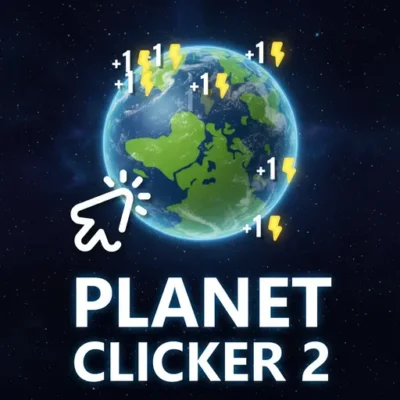
Planet Clicker 2
Planet Clicker 2 is a space-themed clicker game built around one clear objective: generate energy, invest that energy in stronger production, and expand your progress to new planets.…
 Works on Desktop & Mobile
Tested By BunaGames
- Test date
- July 11, 2026
- Tested on
- Chrome 150
- Device
- Desktop
- Operating system
- macOS and Windows
- Game loaded successfully
- Yes
- Fullscreen works
- Yes
- Sound works
- Yes
- Save progress
- Local browser storage
- Mobile compatibility
- Partially tested
- Keyboard controls
- Working
- Controller support
- Not detected
- Average loading time
- 4.2 seconds
- Known issues
- Minor delay after entering fullscreen
Planet Clicker 2 not loading?
- Refresh the page.
- Disable restrictive content blockers temporarily.
- Confirm JavaScript and WebGL are enabled.
- Clear the browser cache.
- Try another modern browser.
- Close unnecessary tabs.
- Switch off VPN if the game server is blocked.
- Use the Report a Problem button if the issue continues.
Continue Playing

Daily Challenge

Play 5 minutes today in Planet Clicker 2.
Leaderboard
- 1Community rating4.5 ★
- 2Player likes675
- 3Total votes771
- 4Your local progress0%
Your progress is saved locally in this browser. No account required.
 Your progress is saved locally in this browser. No account required.
Game Progress & Challenges
Why Play This Game?
 Instant PlayPlay instantly in your browser.
 Mobile FriendlyOptimized for all devices.
 Free to PlayNo hidden fees.
About "Planet Clicker 2"
Planet Clicker 2 is a space-themed clicker game built around one clear objective: generate energy, invest that energy in stronger production, and expand your progress to new planets. Each click contributes to your growing energy total, while upgrades give that progress a practical purpose instead of making the game only about chasing a high number.
The main appeal is the steady loop of action and planning. You begin by interacting with the planet to create energy, then decide when to spend it on production upgrades. Better production supports further upgrades, and continued progress opens the path toward additional planets. The result is an accessible incremental game with a simple starting point and longer-term goals.
Planet Clicker 2 suits players who enjoy watching a small resource system become more productive over time. It does not require complicated rules to get started: click, collect energy, examine available upgrades, and work toward expansion. The space setting gives the progression a sense of scale, since advancing is tied to moving beyond the current planet rather than only improving a single counter.
Play it directly in your web browser when you want a focused idle-style clicking session with upgrade decisions and planet-based progression.
Gameplay
Planet Clicker 2 centers on an incremental resource loop. Your immediate job is to generate energy by clicking the active planet. Energy acts as the resource used to move forward, so every early action contributes to later purchasing power. Once enough energy has been collected, you can buy upgrades that improve energy production and help your progress build more efficiently.
The important gameplay choice is not simply clicking as fast as possible. Energy is also the cost of advancement, which means purchases should be viewed as investments. An upgrade may reduce your current energy reserve, but its value comes from improving the rate or capacity of future progress. As production grows, the next upgrade becomes easier to reach, creating the familiar clicker-game rhythm of earn, reinvest, and expand.
New planets provide the larger milestones in this progression. Reaching them gives the game a broader objective than repeatedly upgrading one starting screen. The planet-expansion structure also makes it useful to set short goals: save for the next production improvement, build enough output for the next threshold, then continue toward a new destination.
For new players, the early game is an opportunity to learn the pace of the economy. Make a few purchases, observe how they affect your ability to gain energy, and use that feedback to choose the next target. Planet Clicker 2 is most satisfying when each click supports a deliberate upgrade path rather than being treated as an isolated action.
- Click the planet to generate energy.
- Use energy to purchase production upgrades.
- Reinvest gains to support continued progress.
- Work toward unlocking and expanding to new planets.
Platform
Planet Clicker 2 is presented as an online browser game on BunaGames. You can open the game page in a compatible web browser and play without needing a separate installation. This makes it a convenient option for short breaks as well as longer sessions spent building energy production and aiming for the next planet.
The game uses a direct click-based interface, so it is naturally suited to desktop and laptop browsers with a mouse or trackpad. On devices with touch input, tapping fills the same basic role as clicking: interact with the planet to generate energy, then select upgrades when they become available.
Because the game runs through the browser, keep the game tab active while you play and make sure your connection is stable enough to load the page. If the game area does not respond, refreshing the browser page and allowing the game to finish loading can help restore a normal session.
Players looking for more quick-play experiences can also browse BunaGames for other browser games with simple controls and immediate access.
How to Play "Planet Clicker 2"
Start Planet Clicker 2 by focusing on the active planet. Click or tap it to produce energy. In the beginning, manual input is the direct way to build your first resource supply, so use it to establish enough energy for your first meaningful purchase.
- Generate energy. Interact with the planet and watch your energy total increase.
- Review available upgrades. Look for production-related purchases that can strengthen your ability to generate energy.
- Spend with a purpose. Use energy on upgrades when they support your next progression goal instead of buying without considering the cost.
- Build toward expansion. Continue improving production so that larger costs and new-planet progression become reachable.
- Repeat the loop. Generate, upgrade, and reinvest as you move through the planetary path.
A useful way to approach each stage is to identify the next visible objective before spending. If a new planet or an important upgrade is within reach, decide whether your current energy should be saved for that target or used to improve production first. There is no need to make the game more complicated than it is: the strongest decisions are usually those that help you produce energy more effectively for the next step.
Do not be discouraged if a major cost initially seems far away. Clicker progression is designed around accumulation. Early clicks create your first investment, investments improve production, and improved production makes later goals more realistic. Keep checking the upgrade options as your energy total grows, because the best next move can change after each purchase.
Controls
Planet Clicker 2 uses straightforward point-and-click controls. The central interaction is clicking the displayed planet to generate energy. Upgrade selection follows the same pattern: choose an available upgrade with your mouse, trackpad, or touchscreen when you have enough energy to purchase it.
| Action | Control |
|---|---|
| Generate energy | Click or tap the planet |
| Buy an upgrade | Click or tap its option |
| Navigate the page | Mouse, trackpad, or touch |
Desktop players can use a standard mouse click or trackpad press. Touchscreen players can tap the same on-screen elements. No specialized controller setup is required for the core gameplay loop described by the game: interact with the planet, collect energy, and select upgrades.
For comfortable play, avoid clicking outside the game area when trying to generate energy. If a selection does not register, wait briefly for the interface to finish loading and then try again.
Can "Planet Clicker 2" Unblocked?
Planet Clicker 2 is available to play online through BunaGames in a browser. If you are searching for an unblocked-style clicker game experience, opening the game from its BunaGames page is the direct way to access the browser version without downloading a separate app.
Access can still depend on the browser, device settings, connection, and rules applied by a school, workplace, library, or other managed network. BunaGames cannot override local content filters or network restrictions. When a page is unavailable on a managed device, use the game only where browser gaming is permitted.
For the smoothest access, use an updated browser, let the game page load fully, and check that browser settings are not blocking necessary site content. If the game does not appear immediately, a refresh may help after confirming that your connection is working.
The game is designed for quick browser access, making it a practical choice when you want to jump into an energy-building clicker loop without a lengthy setup process.
Tips for "Planet Clicker 2"
The best Planet Clicker 2 strategy begins with understanding that energy has two jobs: it is your current total and the currency used for upgrades. Spending everything as soon as it appears may feel productive, but it is better to consider what each purchase helps you reach next.
- Prioritize production value. When choosing between options, favor upgrades that strengthen your ability to generate energy and support future purchases.
- Set a nearby target. Decide whether you are saving for a particular upgrade or working toward the next planet. A clear target makes spending decisions easier.
- Use early clicks efficiently. Manual clicking is most important when establishing the first energy supply. Turn that effort into progression by purchasing useful upgrades instead of treating clicking as the only goal.
- Check costs before buying. Compare your current energy with the next objectives. Sometimes saving for a larger step is more sensible than making a smaller purchase that delays it.
- Reassess after every upgrade. A purchase can change what is realistic next. Review the available path again rather than following the same plan automatically.
Planet expansion is a useful long-term marker. Do not view it as a separate task from upgrading; stronger energy production is what makes expansion attainable. Break the larger objective into manageable stages: gain energy, improve output, accumulate again, and then push toward the next planet.
Players who enjoy optimization can pay attention to the rhythm of their progress. If energy collection feels slow, examine whether an available production upgrade would improve the next phase. If you are close to a key milestone, preserving energy may be the stronger move. This simple evaluate-and-reinvest habit adds satisfying strategy to a game with very accessible controls.
Features "Planet Clicker 2"
Planet Clicker 2 combines familiar clicker mechanics with a planetary progression theme. Its central systems are easy to identify, making the game approachable for first-time incremental-game players while still giving returning players reasons to plan their upgrades.
- Energy generation: Clicking the planet creates the resource used to advance.
- Production upgrades: Spend energy on improvements that support stronger ongoing progress.
- Planet expansion: Work toward new planets as larger milestones in the game’s progression.
- Space-themed setting: The energy-and-planets concept gives the clicker loop a clear visual and thematic purpose.
- Simple browser controls: Mouse clicks, trackpad presses, and touchscreen taps suit the core interactions.
- Incremental goal structure: Small gains contribute to upgrades, while upgrades support larger expansion goals.
The most important feature is how these systems connect. Clicking generates energy, energy pays for production upgrades, and better production supports the path to additional planets. That connected loop gives every main action a role in progression. Instead of presenting upgrades as isolated collectibles, the game frames them as tools for improving your energy economy.
Another strength is clarity of intent. You always have a practical reason to continue: build enough energy to afford the next useful improvement or move closer to a new planetary destination. This makes Planet Clicker 2 a good match for players who prefer a resource-building game that can be understood quickly but still rewards attention to upgrade timing.
Its browser format also keeps entry simple. Open the game, begin clicking, and let the energy-production loop guide the session.
Best "Planet Clicker 2" Similar Games & Top Picks
- Cupcake Clicker: Play Cupcake Clicker online. Click the cupcake, earn treats, buy upgrades, and build automatic cupcake production in this browser clicker game.
- Poop Clicker 2: Play Poop Clicker 2 online. Click the poop emoji, collect resources, buy upgrades, and build a bigger idle production pile.
- Little Farm Clicker Game: Play Little Farm Clicker Game online. Harvest crops, earn coins, unlock farm plots, and reinvest your money in this idle farming clicker.
- Minecraft Clicker: Play Minecraft Clicker online. Click, collect resources, pursue upgrades, and enjoy a Minecraft-inspired browser clicker game for free.
- Clicker Cookies: Play Clicker Cookies free in your browser. Click to bake cookies, buy automated production, and grow your cookie total.
FAQ - Planet Clicker 2
What is Planet Clicker 2?
Planet Clicker 2 is a space-themed clicker game where you generate energy, use that energy to buy production upgrades, and progress toward new planets. The game’s main loop is built around clicking, reinvesting resources, and expanding your planetary journey.
How do you generate energy in Planet Clicker 2?
Generate energy by clicking or tapping the active planet. This creates the resource needed for upgrades and progression. Early in the game, manual clicks are especially useful for building enough energy to make your first purchases.
What are upgrades used for?
Upgrades are used to improve energy production and help you keep progressing. Since energy is spent to buy them, each upgrade is an investment: you give up some energy now to make future energy gains more effective and to move closer to larger goals.
How do you unlock new planets?
New planets are reached through continued progression. Generate energy, improve your production with upgrades, and keep building your resources toward the requirements for expansion. Planet progression is a major long-term objective of the game.
Is Planet Clicker 2 free to play?
You can play Planet Clicker 2 online on BunaGames through your browser. Open the game page, allow it to load, and begin interacting with the planet to generate energy.
Can I play Planet Clicker 2 on a phone or tablet?
The core controls are based on clicking or tapping on-screen elements. On a touchscreen device, tap the planet to generate energy and tap upgrade options to select them. Availability and performance can depend on your browser and device.
What controls does Planet Clicker 2 use?
Use a mouse click, trackpad press, or touchscreen tap. Click or tap the planet to produce energy, then click or tap available upgrade options when you have enough energy to buy them.
Is there a good strategy for Planet Clicker 2?
Focus on the relationship between energy and production. Use early clicks to create a starting supply, look for upgrades that improve your ability to generate energy, and avoid spending without considering your next target. Saving for a key upgrade or the next planet can be more effective than making an immediate purchase that does not improve your path forward.
More Games Like This
 Room Clicker
Clicker ★ 4.8
Room Clicker
Clicker ★ 4.8
 Mr Mine
Clicker ★ 4.7
Mr Mine
Clicker ★ 4.7
 Clicker Heroes 2
Clicker ★ 4.5
Clicker Heroes 2
Clicker ★ 4.5
 Cookie Clicker 3
Clicker ★ 4.7
Cookie Clicker 3
Clicker ★ 4.7
 Pizza Clicker
Clicker ★ 4.7
Pizza Clicker
Clicker ★ 4.7
 Idle Mining Empire
Clicker ★ 4.6
Idle Mining Empire
Clicker ★ 4.6
 Papas Sushiria
Clicker ★ 4.6
Papas Sushiria
Clicker ★ 4.6
 Italian Brainrot Clicker 2
Clicker ★ 4.7
Italian Brainrot Clicker 2
Clicker ★ 4.7
 Papas Wingeria
Clicker ★ 4.6
Papas Wingeria
Clicker ★ 4.6
 Papas Scooperia
Clicker ★ 4.7
Papas Scooperia
Clicker ★ 4.7
 Papas Pizzeria
Clicker ★ 4.6
Papas Pizzeria
Clicker ★ 4.6
 Papas Freezeria
Clicker ★ 4.6
Papas Freezeria
Clicker ★ 4.6
 Italian Brainrot Clicker
Clicker ★ 4.6
Italian Brainrot Clicker
Clicker ★ 4.6
 Papas Taco Mia
Clicker ★ 4.6
Papas Taco Mia
Clicker ★ 4.6
 Papas Cupcakeria
Clicker ★ 4.6
Papas Cupcakeria
Clicker ★ 4.6
 Clicker Heroes
Clicker ★ 4.4
Clicker Heroes
Clicker ★ 4.4
 Capybara Clicker
Clicker ★ 4.5
Capybara Clicker
Clicker ★ 4.5
 Goo Goo Gaga Clicker
Clicker ★ 4.4
Goo Goo Gaga Clicker
Clicker ★ 4.4
 Report a Problem
Comments About Planet Clicker 2