


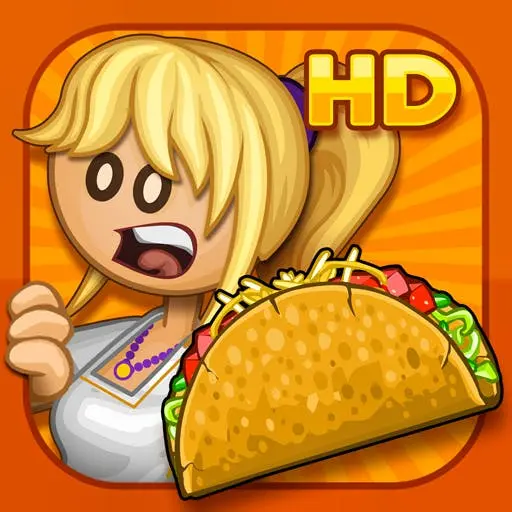
Papas Taco Mia
Papa's Taco Mia is a casual restaurant simulation and time-management game about operating a busy taco shop. Customers arrive with individual orders, and your job is to turn…
 Works on Desktop & Mobile
Tested By BunaGames
- Test date
- August 14, 2026
- Tested on
- Chrome 150
- Device
- Desktop
- Operating system
- macOS and Windows
- Game loaded successfully
- Yes
- Fullscreen works
- Yes
- Sound works
- Yes
- Save progress
- Local browser storage
- Mobile compatibility
- Partially tested
- Keyboard controls
- Working
- Controller support
- Not detected
- Average loading time
- 4.2 seconds
- Known issues
- Minor delay after entering fullscreen
Papas Taco Mia not loading?
- Refresh the page.
- Disable restrictive content blockers temporarily.
- Confirm JavaScript and WebGL are enabled.
- Clear the browser cache.
- Try another modern browser.
- Close unnecessary tabs.
- Switch off VPN if the game server is blocked.
- Use the Report a Problem button if the issue continues.
Continue Playing
Daily Challenge

Play 5 minutes today in Papas Taco Mia.
Leaderboard
- 1Community rating4.6 ★
- 2Player likes946
- 3Total votes1.0K
- 4Your local progress0%
Your progress is saved locally in this browser. No account required.
 Your progress is saved locally in this browser. No account required.
Game Progress & Challenges
Why Play This Game?
 Instant PlayPlay instantly in your browser.
 Mobile FriendlyOptimized for all devices.
 Free to PlayNo hidden fees.
About "Papas Taco Mia"
Papa's Taco Mia is a casual restaurant simulation and time-management game about operating a busy taco shop. Customers arrive with individual orders, and your job is to turn each request into a finished taco by handling the kitchen work carefully: take the order, cook the seasoned meat, assemble the fillings, and add the requested fresh toppings.
The central challenge is not simply making tacos. It is managing accuracy and timing while the order line grows. A customer may want a particular combination of fillings and toppings, so every stage of preparation matters. Serving food that closely matches the ticket helps keep customers satisfied, while a rushed or poorly assembled order can hurt the result.
The game belongs to the Papa Louie restaurant game series and uses a clear, approachable loop: serve guests, earn coins, and use progress to improve the taqueria. Its food-service theme makes the work easy to understand, but the steady flow of orders gives it a satisfying strategy layer. Players who enjoy cooking challenges, customer-service games, and focused browser games can use it as a relaxed single-player management experience.
Whether you are trying to build a cleaner service routine or simply want a light taco-making game, the goal stays the same: make the right food for the right customer before the restaurant gets too busy.
Gameplay
Gameplay in Papa's Taco Mia follows the daily rhythm of a working taqueria. Customers place orders, and each order becomes a small sequence of food-preparation tasks. You begin by reading what the guest wants, then move through the cooking and assembly process to produce a taco that matches the request as closely as possible.
Cooking the meat is a key part of the routine. It needs attention before it can become part of an order, and leaving it unattended while focusing on toppings can create pressure later. Once the filling is ready, the assembly stage asks you to place ingredients with care. Fresh toppings are not just decoration; they are part of the customer’s requested meal.
The time-management element emerges when several people are waiting at once. Instead of treating every order as a separate task, successful players coordinate the queue. You may need to start cooking for one customer while finishing another taco, then return to a new ticket before the line becomes difficult to control. That constant switching between order-taking, cooking, and building gives the game its restaurant-management feel.
Good performance helps customers stay happy and brings in coins. Coins support taqueria upgrades, making progress meaningful beyond a single shift. The game therefore rewards both immediate precision and a longer-term approach: serve well now, improve the shop over time, and become better prepared for busier service.
- Read each customer request before building.
- Cook seasoned meat as part of the order workflow.
- Add requested toppings carefully.
- Balance several active orders instead of waiting too long on one task.
- Earn coins through customer satisfaction and use them for upgrades.
Platform
Papa's Taco Mia is presented as an online game designed for browser play. That makes it a convenient choice when you want a restaurant game without treating it like a long installation project. Open the game page in a supported web browser, allow the game to load, and begin managing taco orders with mouse-based input.
The game’s point-and-click format suits desktop and laptop play especially well because players need to read order details, select ingredients, and move between food-preparation tasks. A larger screen can make it easier to follow multiple customer requests when the restaurant becomes busy.
Browser availability can vary by device, browser settings, connection quality, and the technical restrictions of the network being used. For the smoothest session, use a current browser, keep a stable internet connection, and avoid closing the game page while an active shift is underway. If the game does not load immediately, refreshing the page or checking whether browser content is being blocked may help.
As with many casual online games, the strongest appeal is quick access: you can focus on taking orders and making tacos rather than configuring complex controls or downloading large files.
How to Play "Papas Taco Mia"
Start each shift by paying attention to the customer order. The order is your instruction sheet for the taco, so do not rely on memory once several guests are waiting. Identify the requested filling and toppings before moving into the kitchen routine.
- Take the order. Review the customer’s request and note the ingredients that need to appear on the finished taco.
- Prepare the meat. Cook the seasoned meat needed for the order. Keep an eye on the cooking process instead of abandoning it for too long.
- Move into assembly. When the filling is ready, prepare the taco around the customer’s requested combination.
- Add toppings with care. Use the fresh toppings the customer asked for. Accuracy matters because the order is judged by how well it matches the request.
- Serve and continue the queue. Finish the taco, deliver it to the customer, then move efficiently to the next order.
- Use your earnings. Customer satisfaction earns coins, which can be spent on upgrades for the taqueria.
A useful beginner habit is to avoid making a taco before confirming the order. In a fast food-service game, a quick mistake can cost more time than a short pause to reread the ticket. As more customers appear, prepare work in an organized sequence. For example, begin the cooking work for an incoming order while you complete the toppings on another, but only if you can still return to the food at the right moment.
The best approach combines accuracy with flow. You do not need to panic when the line grows; prioritize the jobs that need immediate attention, keep track of what is already cooking, and finish each taco cleanly before moving on.
Controls
Papa's Taco Mia uses simple point-and-click controls. The mouse is the main tool for navigating the restaurant, interacting with customers, choosing food items, and placing toppings during taco assembly. The straightforward input keeps the focus on order management rather than complicated button combinations.
| Action | Control |
|---|---|
| Select stations | Mouse click |
| Choose ingredients | Mouse click |
| Place toppings | Click and move |
| Serve orders | Mouse click |
Take a moment to observe how each food-preparation area responds before trying to rush through a busy shift. Precise mouse movement is particularly useful during assembly, where the requested ingredients and toppings need careful attention. If an interaction feels unresponsive, make sure the game window is active and allow the page to finish loading before starting another order.
Because the controls are accessible, the real skill comes from decision-making: reading the ticket, tracking cooking food, and choosing which customer task deserves attention next.
Can "Papas Taco Mia" Unblocked?
Players often search for an unblocked version of Papa's Taco Mia when they want to play a browser game on a school, work, library, or shared network. Access is determined by the rules and technical filters of that network, not by the game itself. A page that opens on a home connection may be restricted on another connection.
If the game is available on your network, you can play it through the browser without needing complicated controls. If it is blocked, avoid trying to bypass network restrictions. The responsible option is to use the game on a permitted personal connection or at a time and place where browser gaming is allowed.
For an uninterrupted session, check that your browser is up to date, your internet connection is stable, and any browser settings that prevent game content from loading are not interfering. Reloading the page can also resolve a temporary loading issue.
The important distinction is simple: “unblocked” describes whether your current network permits access. It does not change Papa's Taco Mia gameplay, customer orders, taco-building tasks, coins, or taqueria upgrades. When access is permitted, the full appeal remains the same: a focused restaurant challenge built around serving accurate custom tacos.
Tips for "Papas Taco Mia"
The most reliable way to improve in Papa's Taco Mia is to treat every order as both a recipe and a timing problem. Customers want specific tacos, but the restaurant also demands that you handle several tasks in a sensible order. Strong results come from building a repeatable routine rather than reacting randomly when the line gets longer.
- Read before acting. Check the customer request before cooking or adding toppings. A correct plan prevents avoidable rebuilding and confusion.
- Do not neglect cooking food. Meat preparation needs active attention. Starting it at the right time is useful, but forgetting it while you focus elsewhere can disrupt the shift.
- Use waiting time wisely. While one part of an order is progressing, finish a different taco or review the next customer’s request. This keeps the service flow moving.
- Prioritize urgent tasks. A nearly finished order or food that needs immediate attention may deserve priority over a task that can wait briefly.
- Keep toppings deliberate. Fresh toppings should reflect the order, not be added casually. Accuracy supports happier customers.
- Build one clean workflow. Follow the same broad sequence—order, cook, assemble, top, serve—until it feels natural. Consistency reduces mistakes during busier moments.
- Value coins as progress. Earning coins is connected to good service, and upgrades give your taqueria a reason to keep improving from shift to shift.
New players should focus on correctness first. Once you can reliably identify what each customer wants, start improving speed by overlapping safe tasks. Experienced players can look ahead at the queue, prepare for upcoming work, and avoid unnecessary idle time. The goal is not frantic clicking; it is controlled multitasking.
Finally, do not let one difficult order derail the whole restaurant. Return to the order details, complete the next clear action, and keep the queue organized. A calm routine is usually more effective than trying to solve every task at once.
Features "Papas Taco Mia"
Papa's Taco Mia combines familiar cooking-game actions with a restaurant management structure. Its mechanics are easy to recognize—take an order, cook food, add toppings, and serve the result—but the customer queue makes those actions more engaging than a simple recipe activity.
- Taco shop simulation: Run a taqueria and handle the practical work of serving hungry customers.
- Customer-specific orders: Each guest’s request gives the cooking and assembly process a clear purpose.
- Seasoned meat preparation: Cooking is a meaningful stage rather than an automatic step, adding timing pressure to service.
- Fresh topping assembly: Build tacos using the requested toppings and aim for an accurate finished meal.
- Time-management gameplay: Balance cooking, assembly, and customer service while multiple orders are active.
- Coins and upgrades: Strong customer service earns coins that can be used to improve the taqueria.
- Single-player browser format: Play at your own pace while developing a more efficient restaurant routine.
- Papa Louie series setting: The game is part of the wider restaurant game series known for food-service challenges.
A notable benefit is that the challenge scales naturally through the player’s own workload. At first, the process is about understanding one taco order. Later, the same core mechanics ask for better memory, timing, and prioritization as customers wait. This makes the game accessible for casual players while still rewarding careful improvement.
The theme also gives clear feedback on performance. When you follow an order carefully and manage the kitchen well, customers are more likely to be satisfied, and that success supports coin earnings and upgrades. The result is a compact loop with a practical objective: make better tacos, serve people more effectively, and keep the restaurant running smoothly.
Best "Papas Taco Mia" Similar Games & Top Picks
- Papas Cupcakeria: Play Papas Cupcakeria online. Take orders, bake cupcakes, add frosting and toppings, then serve each customer with care.
- Melon Playground: Play Melon Playground online, a creative ragdoll physics sandbox for building experiments with characters, tools, weapons, and vehicles.
- Incredibox: Play Incredibox online and build a layered beatbox mix with animated performers, beats, melodies, effects, voices, and bonuses.
- Blob Opera: Play Blob Opera online and conduct four AI-powered opera voices. Drag the singing blobs to create playful harmonies in your browser.
- Spiral Roll: Play Spiral Roll online and carve wood into powerful spirals that smash obstacles in this satisfying casual browser game.
FAQ - Papas Taco Mia
What is Papa's Taco Mia?
Papa's Taco Mia is a casual restaurant simulation game in the Papa Louie series. You manage a taco shop by taking customer orders, cooking seasoned meat, assembling tacos, adding fresh toppings, and serving the finished food.
How do you play Papa's Taco Mia?
Read each customer’s order, prepare the required meat, assemble the taco, add the requested toppings, and serve it. The main challenge is completing these steps accurately while handling more than one customer order during a busy shift.
Is Papa's Taco Mia a cooking game or a management game?
It is both. Cooking and taco assembly are central activities, but the game also uses time-management mechanics. You need to decide when to cook, when to finish a taco, and how to keep the customer line under control.
What are coins used for in Papa's Taco Mia?
Coins are earned by keeping customers happy through good service. They can be used for taqueria upgrades, giving players a longer-term reason to improve their order accuracy and service routine.
What controls does Papa's Taco Mia use?
The game uses mouse-based point-and-click controls. Use the mouse to interact with customers, select food items, work through the preparation areas, place toppings, and serve orders.
Can I play Papa's Taco Mia in a browser?
Yes. Papa's Taco Mia is available as an online browser game. A current browser and stable internet connection can help the page load and run more smoothly, especially during a longer play session.
Why are customers important in the game?
Customers provide the orders that drive every shift. Their satisfaction depends on receiving tacos that match their requests and are served through an organized workflow. Better service helps you earn coins and progress with upgrades.
Is Papa's Taco Mia unblocked?
Availability depends on the network and its rules. Some school, workplace, or public connections may restrict browser games. If access is blocked, use the game only through a permitted connection rather than attempting to bypass network restrictions.
More Games Like This
 Sprunki Retake 2
Casual ★ 4.8
Sprunki Retake 2
Casual ★ 4.8
 Sprunki Phase 3 Remastered
Casual ★ 4.7
Sprunki Phase 3 Remastered
Casual ★ 4.7
 Helix Jump
Casual ★ 4.6
Helix Jump
Casual ★ 4.6
 Sprunki Incredibox
Casual ★ 4.5
Sprunki Incredibox
Casual ★ 4.5
 Good Pizza Great Pizza
Casual ★ 4.7
Good Pizza Great Pizza
Casual ★ 4.7
 Eagle Craft
Casual ★ 4.7
Eagle Craft
Casual ★ 4.7
 Storm The House
Casual ★ 4.7
Storm The House
Casual ★ 4.7
 Papas Sushiria
Casual ★ 4.6
Papas Sushiria
Casual ★ 4.6
 Papas Wingeria
Casual ★ 4.6
Papas Wingeria
Casual ★ 4.6
 Papas Scooperia
Casual ★ 4.7
Papas Scooperia
Casual ★ 4.7
 Papas Pizzeria
Casual ★ 4.6
Papas Pizzeria
Casual ★ 4.6
 Papas Freezeria
Casual ★ 4.6
Papas Freezeria
Casual ★ 4.6
 Sled Rider 3D
Casual ★ 4.7
Sled Rider 3D
Casual ★ 4.7
 Fnaf
Casual ★ 4.5
Fnaf
Casual ★ 4.5
 Tropical Merge
Casual ★ 4.6
Tropical Merge
Casual ★ 4.6
 Flip Bottle
Casual ★ 4.6
Flip Bottle
Casual ★ 4.6
 Farm Merge Valley
Casual ★ 4.7
Farm Merge Valley
Casual ★ 4.7
 Papas Cupcakeria
Casual ★ 4.6
Papas Cupcakeria
Casual ★ 4.6
 Report a Problem
Comments About Papas Taco Mia