



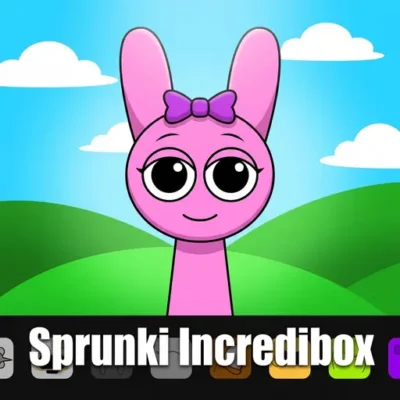
Sprunki Incredibox
Sprunki Incredibox is a character-based music creation game built around mixing rhythmic loops, sound effects, melodies, and vocal parts. It is widely presented as a fan-made mod inspired…
 Works on Desktop & Mobile
Tested By BunaGames
- Test date
- August 20, 2026
- Tested on
- Chrome 150
- Device
- Desktop
- Operating system
- macOS and Windows
- Game loaded successfully
- Yes
- Fullscreen works
- Yes
- Sound works
- Yes
- Save progress
- Local browser storage
- Mobile compatibility
- Partially tested
- Keyboard controls
- Working
- Controller support
- Not detected
- Average loading time
- 4.2 seconds
- Known issues
- Minor delay after entering fullscreen
Sprunki Incredibox not loading?
- Refresh the page.
- Disable restrictive content blockers temporarily.
- Confirm JavaScript and WebGL are enabled.
- Clear the browser cache.
- Try another modern browser.
- Close unnecessary tabs.
- Switch off VPN if the game server is blocked.
- Use the Report a Problem button if the issue continues.
Continue Playing
Daily Challenge

Play 7 minutes today in Sprunki Incredibox.
Leaderboard
- 1Community rating4.5 ★
- 2Player likes376
- 3Total votes429
- 4Your local progress0%
Your progress is saved locally in this browser. No account required.
 Your progress is saved locally in this browser. No account required.
Game Progress & Challenges
Why Play This Game?
 Instant PlayPlay instantly in your browser.
 Mobile FriendlyOptimized for all devices.
 Free to PlayNo hidden fees.
About "Sprunki Incredibox"
Sprunki Incredibox is a character-based music creation game built around mixing rhythmic loops, sound effects, melodies, and vocal parts. It is widely presented as a fan-made mod inspired by the creative music-mixing format of Incredibox. Instead of learning an instrument or following a difficult score, you build a track by placing sound icons onto animated characters and listening to the layers work together.
The central idea is simple but flexible: each character represents a musical role. One may add a beat, another may provide a vocal phrase, and another may introduce a melodic or atmospheric loop. Your job is to choose combinations that feel balanced, rhythmic, strange, energetic, or completely unexpected. The result is an interactive mix where the visual cast performs the arrangement you create.
Sprunki Incredibox suits players who want a quick creative activity as well as players who enjoy experimenting with loop-based music. There is no need to chase a traditional high score before making something satisfying. A short session can be about finding one strong groove, while a longer session can focus on testing how multiple parts interact, changing the mood, and refining a complete sound.
Because every added character changes the overall texture, the game rewards curiosity. Try a clean rhythm first, then build outward with vocals, effects, and contrasting sounds until the mix feels like your own.
Gameplay
Sprunki Incredibox gameplay centers on arranging character-linked audio loops into one continuous musical performance. You begin with an open group of performers and a selection of sound icons. Dragging an icon onto a character activates that part, causing the character to perform its assigned beat, sound, melody, or vocal loop in time with the rest of the mix.
The important skill is not fast reflexes. It is listening. Each new layer occupies a role in the arrangement, so a choice that sounds good alone may become too busy when paired with several other parts. A useful mix often has a foundation, a recognizable rhythmic pulse, and a few details that give it identity. The game makes this process visual: instead of reading music notation, you see which characters are contributing to the current sound.
Players can approach a session in several ways:
- Rhythm-first: establish a steady beat before adding other elements.
- Vocal-first: choose a memorable voice loop and build supporting layers around it.
- Mood-first: combine sounds that feel playful, tense, unusual, or relaxed.
- Experiment-first: place different icons freely and discover surprising combinations by ear.
Its loop-based structure creates an immediate feedback cycle. Add a part, hear the change, decide whether it improves the mix, then keep it or replace it. This is more approachable than a full music-production program because the timing is handled by the game’s synchronized loops. At the same time, it teaches a real arranging principle: a strong composition usually leaves enough space for its best sounds to be heard.
Sprunki Incredibox is therefore both a casual browser game and a lightweight music sandbox. The objective can be as open-ended as making a fun noise collage, or as focused as producing a layered mix with a clear beat, a lead element, and a satisfying overall flow.
Platform
Sprunki Incredibox is commonly sought as an online music game, making it a natural fit for players who prefer a browser-based creative experience. The main interaction is visual and pointer-driven: select a sound icon, place it on a performer, and evaluate the mix as the characters animate.
For the smoothest session, use a current browser, allow the game area to finish loading, and make sure device audio is available. Since sound is the core feedback system, muted tabs, low volume, Bluetooth routing, or browser audio restrictions can make the game seem inactive even when the visual interface has loaded correctly.
A larger display can make individual icons and performers easier to identify, especially when you are comparing several layers. Touch-capable devices may also be suitable when the embedded game supports drag interactions, although the exact experience can vary by browser and screen size.
The practical advantage of a browser format is that players can focus on making a mix without treating the game like a complex desktop audio tool. Open the game page, listen for the first loop, and begin arranging sounds when the play area is ready.
How to Play "Sprunki Incredibox"
Start Sprunki Incredibox by looking over the available sound icons and the empty or available character positions. Each icon represents a musical part rather than a single one-time sound. When placed on a character, that part repeats as a synchronized loop, becoming part of the active arrangement.
- Listen before filling every slot. Identify a beat or sound that gives the mix a clear starting point.
- Drag an icon onto a character. The character should begin performing that assigned audio role.
- Pause and listen to the loop. Let it repeat long enough to understand its rhythm and tone.
- Add one complementary part. Choose a second layer that supports the first instead of competing with it.
- Build the arrangement gradually. Introduce vocals, melodies, or effects one at a time so you can hear each change.
- Replace weak combinations. If a layer makes the result cluttered or less enjoyable, remove or swap it and test another option.
A dependable beginner method is to think in musical jobs. First create the pulse with a percussion-style part. Next choose a main hook, such as a vocal or distinctive sound. Then add one or two supporting textures that make the loop fuller. This makes it easier to hear why a mix works than adding every icon immediately.
Do not assume that a fuller screen automatically means a better track. In loop music, contrast matters. A sparse opening can make a later vocal line stand out, while removing one busy layer can restore clarity to the entire mix. The best way to learn is to make a change, listen across a few repetitions, and compare the result with the previous arrangement.
There is no single required song order supported by the core concept. Your creative goal is to find character and sound combinations that produce a rhythm you enjoy.
Controls
The main control method in Sprunki Incredibox is drag and drop. Select a sound icon with your mouse or trackpad, then drag it onto an available character to assign that musical layer. The visual arrangement helps you see which performers are active while the audio tells you how the full mix is developing.
| Action | What it does |
|---|---|
| Drag sound icon | Assigns a loop to a character |
| Release on character | Activates that musical part |
| Listen to mix | Checks layer balance |
| Swap a sound | Tests a new combination |
Use deliberate movements rather than rushing. Dropping one icon and listening before selecting the next is the easiest way to understand the game’s sound palette. On a touch device, the same idea applies: press and move the icon toward a character if the browser version supports touch dragging.
Because the available research establishes drag-based play but does not confirm a universal keyboard layout, it is best to rely on the on-screen interface rather than expecting fixed keyboard shortcuts. If an icon does not respond, wait for the game to finish loading and try the drag action again with the pointer centered on the item.
Can "Sprunki Incredibox" Unblocked?
Players often search for Sprunki Incredibox unblocked when they want a music game that can be opened online from a browser. Whether any game page is accessible, however, depends on the device, browser settings, connection, and rules of the network being used.
If the game does not open or play normally, begin with ordinary troubleshooting: refresh the page, confirm that the browser is up to date, check whether audio is muted, and give the game area time to load. A blocked script, disabled browser feature, or unstable connection can prevent an embedded browser game from working as expected.
School, workplace, library, and managed networks may apply their own content policies. Those restrictions are set by the network administrator, so players should follow local rules rather than attempting to bypass them. A page being described as online does not guarantee that it will be available on every restricted network.
For a better browser session, use a permitted connection, keep the tab active while the game initializes, and make sure sound output is enabled. Since Sprunki Incredibox is centered on synchronized musical loops, hearing the audio clearly is just as important as seeing the animated characters.
Tips for "Sprunki Incredibox"
The fastest way to improve in Sprunki Incredibox is to treat each character as part of an arrangement, not as another item to collect. A mix becomes more memorable when every layer has a purpose. Start with a simple foundation, then add only the sounds that improve the groove, mood, or hook.
- Build from low to high energy. Begin with one rhythm-oriented part, then introduce a second layer after you understand the timing.
- Give the vocals room. If a vocal loop is the most recognizable element, avoid surrounding it with too many equally busy sounds.
- Test contrasts. A soft or minimal loop can make a louder, stranger, or more rhythmic part feel stronger when it enters.
- Change one variable at a time. Swap a single icon, listen for several cycles, and decide whether that specific change helped.
- Use repetition as a tool. Loops reveal their strengths over time. A sound that is exciting for one second may become distracting after several repeats.
- Save mental snapshots. When you find a combination you like, remember its role order: rhythm, hook, support, and accent. This makes it easier to rebuild a similar feel later.
A common beginner mistake is filling every available character immediately. This can hide the most interesting sound relationships. Instead, aim for a clear hierarchy. Ask yourself what a listener should notice first. Usually that is a beat, a vocal phrase, or a melodic figure. Everything else should reinforce that focal point.
Another useful technique is subtraction. If the mix feels crowded, remove the newest layer first. If it becomes clearer, the issue was not that the track needed more sound; it needed more space. This simple habit adds real information gain to the usual “try different sounds” advice because it turns experimentation into a repeatable listening process.
Finally, let the characters guide your memory. The visual performer associated with a loop can help you recognize which part is creating a particular texture. Over time, you will make faster choices because you connect sound roles with the animated cast rather than searching randomly through every icon.
Features "Sprunki Incredibox"
Sprunki Incredibox combines a playful character presentation with a straightforward loop-mixing system. Its strongest feature is accessibility: players can create a layered musical result through visual placement and listening, without needing prior knowledge of music theory, instruments, or recording software.
- Character-based sound assignment: performers visually represent the musical parts currently active in the mix.
- Layered loop creation: beats, sounds, melodies, and vocals can be combined into a synchronized arrangement.
- Drag-and-drop interaction: sound icons are placed onto characters to activate their roles.
- Immediate audio feedback: every new addition changes the live mix, helping players evaluate choices quickly.
- Creative replay value: different combinations encourage repeated sessions and different musical directions.
- Beginner-friendly music play: the game emphasizes selection, arrangement, and listening rather than technical production controls.
The format also has an important educational benefit. It introduces core music-arrangement ideas in an intuitive way. A player can hear how percussion provides pulse, how a vocal can act as a hook, and how effects or melodic loops alter atmosphere. These concepts are learned through experimentation rather than formal instruction.
Sprunki Incredibox is often associated with a cheerful music-mixer surface, yet players may also be drawn to its unusual presentation and the contrast between different sound combinations. That sense of discovery is part of the appeal: an arrangement can shift from simple and upbeat to dense, odd, or dramatic depending on the parts selected.
For casual players, the feature set supports quick creative breaks. For music-minded players, it offers a compact way to practice layering, balance, and sonic contrast. In both cases, the feedback loop remains direct: choose a character sound, hear the result, and shape the next decision around what the mix needs.
Best "Sprunki Incredibox" Similar Games & Top Picks
- Sprunki Retake 2: Play Sprunki Retake 2 online and build desert-inspired music mixes with Sprunki characters, improved sounds, animations, and bonus characters.
- Sprunki Phase 3 Remastered: Play Sprunki Phase 3 Remastered online. Build spooky remix tracks with refreshed visuals, refined sound, and smooth browser play.
- Helix Jump: Play Helix Jump online and guide a bouncing ball through rotating 3D helix platforms while avoiding forbidden sections.
- Good Pizza Great Pizza: Run a pizza shop, fulfill customer orders, earn money, and face rival chefs in Good Pizza Great Pizza on BunaGames.
- Eagle Craft: Play Eagle Craft, a 3D sandbox adventure focused on building, mining, caves, survival, and creating your own path.
FAQ - Sprunki Incredibox
What is Sprunki Incredibox?
Sprunki Incredibox is a character-driven music mixing game commonly described as a fan-made mod inspired by Incredibox. Players place sound icons onto animated characters to combine beats, sounds, melodies, and vocal loops into an original arrangement.
How do you play Sprunki Incredibox?
You play by dragging a sound icon onto a character. That character begins performing the assigned loop as part of the mix. Add more parts gradually, listen to how they fit together, and replace combinations that do not create the sound you want.
Is Sprunki Incredibox a rhythm game?
It uses rhythm and synchronized musical loops, but it is not primarily about hitting notes at a required moment. Its main activity is arranging sound layers. Listening, experimenting, and choosing compatible parts matter more than reaction speed.
Do I need music experience to enjoy the game?
No. The game is designed around visual characters and simple drag-and-drop actions, so beginners can start making combinations immediately. Music experience can help with ideas such as rhythm, balance, and arrangement, but it is not required to create an enjoyable mix.
What kinds of sounds can I mix?
The core sound categories described for Sprunki Incredibox include beats, sounds, and vocals. Depending on the character and icon combination, parts can function like rhythm, melody, atmosphere, effects, or a vocal hook within the overall loop.
Why does my mix sound crowded?
Too many active layers can compete for attention, especially when several parts have strong rhythms or prominent vocal phrases. Remove one recent addition, listen again, and rebuild with a clearer foundation. A smaller set of complementary loops often sounds more intentional than every option playing together.
Can I play Sprunki Incredibox online in a browser?
Sprunki Incredibox is commonly presented as an online music game. Browser access can still vary according to the game page, your device, browser compatibility, audio permissions, and the rules of the network you are using. Make sure the page has loaded and that sound is enabled before starting.
Why can’t I hear any sound?
First check the device volume, browser tab mute setting, and selected audio output. If the visuals load but the mix is silent, refresh the page and allow the game time to initialize. Since audio is essential to the gameplay, a muted tab or blocked audio permission can make the game appear unresponsive even when the characters are visible.
More Games Like This
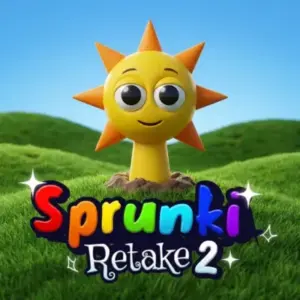 Sprunki Retake 2
Casual ★ 4.8
Sprunki Retake 2
Casual ★ 4.8
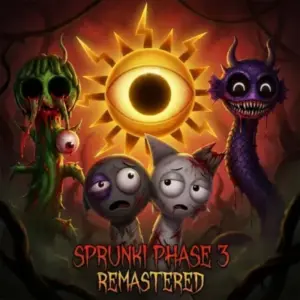 Sprunki Phase 3 Remastered
Casual ★ 4.7
Sprunki Phase 3 Remastered
Casual ★ 4.7
 Helix Jump
Casual ★ 4.6
Helix Jump
Casual ★ 4.6
 Good Pizza Great Pizza
Casual ★ 4.7
Good Pizza Great Pizza
Casual ★ 4.7
 Eagle Craft
Casual ★ 4.7
Eagle Craft
Casual ★ 4.7
 Storm The House
Casual ★ 4.7
Storm The House
Casual ★ 4.7
 Sled Rider 3D
Casual ★ 4.7
Sled Rider 3D
Casual ★ 4.7
 Fnaf
Casual ★ 4.5
Fnaf
Casual ★ 4.5
 Tropical Merge
Casual ★ 4.6
Tropical Merge
Casual ★ 4.6
 Flip Bottle
Casual ★ 4.6
Flip Bottle
Casual ★ 4.6
 Papas Taco Mia
Casual ★ 4.6
Papas Taco Mia
Casual ★ 4.6
 Farm Merge Valley
Casual ★ 4.7
Farm Merge Valley
Casual ★ 4.7
 Papas Cupcakeria
Casual ★ 4.6
Papas Cupcakeria
Casual ★ 4.6
 Supermarket Simulator
Casual ★ 4.7
Supermarket Simulator
Casual ★ 4.7
 Bottle Flip
Casual ★ 4.6
Bottle Flip
Casual ★ 4.6
 Take Care Of Shadow Milk
Casual ★ 4.7
Take Care Of Shadow Milk
Casual ★ 4.7
 Growden.io
Casual ★ 4.7
Growden.io
Casual ★ 4.7
 Minicraft
Casual ★ 4.7
Minicraft
Casual ★ 4.7
 Report a Problem
Comments About Sprunki Incredibox