


Minicraft
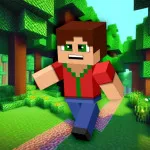
Minicraft is a compact top-down 2D crafting and survival adventure built around purposeful resource gathering. Instead of simply collecting items, you use wood, stone, ore, and food-producing materials…
 Works on Desktop & Mobile
Tested By BunaGames
- Test date
- August 5, 2026
- Tested on
- Chrome 150
- Device
- Desktop
- Operating system
- macOS and Windows
- Game loaded successfully
- Yes
- Fullscreen works
- Yes
- Sound works
- Yes
- Save progress
- Local browser storage
- Mobile compatibility
- Partially tested
- Keyboard controls
- Working
- Controller support
- Not detected
- Average loading time
- 4.2 seconds
- Known issues
- Minor delay after entering fullscreen
Minicraft not loading?
- Refresh the page.
- Disable restrictive content blockers temporarily.
- Confirm JavaScript and WebGL are enabled.
- Clear the browser cache.
- Try another modern browser.
- Close unnecessary tabs.
- Switch off VPN if the game server is blocked.
- Use the Report a Problem button if the issue continues.
Related Games
Continue Playing
Daily Challenge

Play 6 minutes today in Minicraft.
Leaderboard
- 1Community rating4.7 ★
- 2Player likes752
- 3Total votes820
- 4Your local progress0%
Your progress is saved locally in this browser. No account required.
 Your progress is saved locally in this browser. No account required.
How to Play
Begin Minicraft by observing the area around your character before rushing toward distant resources. Look for nearby trees, stone, open paths, and anything that can help you establish your first crafting steps. Early materials are valuable because they determine how quickly you can move from basic actions to useful tools.
- Gather accessible resources. Start with materials you can collect safely, especially wood and other nearby supplies.
- Craft for a purpose. Make tools that let you perform new jobs rather than spending resources without a plan. Tools are the gateway to cutting, mining, digging, and other progression actions.
- Mine better materials. Use upgraded equipment to harvest ore and tougher resource deposits. New materials support stronger tools and more reliable exploration.
- Manage survival needs. Keep food and safety in mind. Farming wheat can provide a dependable resource, while careless fights can interrupt a productive expedition.
- Explore in stages. Travel outward when you have a reason and a route back. New terrain may contain valuable materials, but it can also contain threats or obstacles.
- Fight selectively. Zombies and other danger should be handled with awareness of your available equipment, health, and escape space.
The best approach is to treat Minicraft as a chain of small objectives. Do not think only about the next tree or ore deposit. Ask what that material will allow you to do next. A well-timed tool upgrade can turn a limited starting area into access to entirely new resources and routes.
On mobile: use on-screen buttons or gestures when the game supports them.
 On mobile: use on-screen buttons or gestures when the game supports them.
Controls
- ↑Jump
- ← →Move Left / Right
- ↓Crouch
- W / ↑Climb / Interact
- S / ↓Drop / Slide
Minicraft uses keyboard-driven movement and interaction. The exact command prompts can vary with the version running in the game window, so check the opening screen or in-game instructions first. In general, move your character toward resources or targets, then use the displayed action key to gather, attack, craft, or interact.
| Action | What to do |
|---|---|
| Move | Use the shown direction keys |
| Interact | Use the in-game action key |
| Craft | Open the crafting option shown |
| Attack | Use the action key near a target |
Positioning matters as much as input speed. Stand close enough to a tree, rock, ore deposit, crop area, or enemy before acting, and avoid getting trapped when hostile creatures are nearby. If a tool does not affect a resource, it is usually a sign that you need a different or stronger item rather than repeated attempts.
Game Progress & Challenges
Why Play This Game?
 Instant PlayPlay instantly in your browser.
 Free to PlayNo hidden fees.
About "Minicraft"
Minicraft is a compact top-down 2D crafting and survival adventure built around purposeful resource gathering. Instead of simply collecting items, you use wood, stone, ore, and food-producing materials to make better equipment and open up more of the world. Every tool has a practical role: cut trees, break rock, mine valuable deposits, work the ground, or defend yourself when danger appears.
The game combines exploration with a clear progression loop. Start with basic supplies, turn them into useful tools, then use those tools to reach resources that were previously out of reach. This makes each trip away from safety matter. A tree is potential building material, a patch of wheat can support survival, and an ore vein can be the next step toward stronger gear.
Minicraft is especially appealing for players who enjoy the gathering and crafting side of survival games in a focused, easy-to-read format. Its overhead perspective keeps the world visible while still leaving room for discovery, hazards, and tactical decisions. Explore carefully, improve your equipment, manage what you collect, and keep moving toward the game’s larger objective.
Gameplay
Minicraft gameplay revolves around a simple but deep survival-crafting cycle: explore the map, collect raw materials, craft equipment, and use that equipment to access new opportunities. The game is played from a top-down perspective, so you can see nearby terrain, resource nodes, plants, enemies, and obstacles at a glance. That visibility makes route planning and positioning important.
Early progress usually begins with gathering accessible resources. Trees provide wood, while stone and ore deposits require appropriate tools before they can be harvested effectively. As your equipment improves, you can work through tougher terrain and collect materials that support stronger crafting choices. This creates a natural upgrade path rather than a purely random search for items.
Survival pressure gives the exploration loop urgency. Hostile creatures, including zombies, can threaten an unprepared player, so fighting is not just about clearing space. It is also about protecting your progress and deciding when to engage, retreat, or return after improving your supplies. Farming wheat adds another useful layer because a reliable food source can support longer expeditions.
The central appeal is the connection between actions. Chop trees to make tools. Use tools to mine ore. Gather food to stay prepared. Defend yourself while searching for the materials needed for the next upgrade. Minicraft turns familiar crafting-game ideas into a concise adventure where each resource and each trip across the map has a reason.
Platform
Minicraft is available to play on this BunaGames page in a browser, making it a practical choice when you want a crafting and survival game without setting up a separate installation. Open the game page, begin playing, and use the keyboard controls shown by the game interface.
The top-down presentation is well suited to browser play because important information is readable in a single view. You can monitor nearby resources, open ground, hazards, and enemies without navigating a large 3D camera. That makes short sessions approachable while still supporting longer runs focused on gathering, crafting, farming, and exploration.
For the smoothest experience, use a desktop or laptop keyboard and keep the game tab active while playing. If you enjoy quick-access adventures with clear progression, browse more browser games when you are ready for another session.
How to Play "Minicraft"
Begin Minicraft by observing the area around your character before rushing toward distant resources. Look for nearby trees, stone, open paths, and anything that can help you establish your first crafting steps. Early materials are valuable because they determine how quickly you can move from basic actions to useful tools.
- Gather accessible resources. Start with materials you can collect safely, especially wood and other nearby supplies.
- Craft for a purpose. Make tools that let you perform new jobs rather than spending resources without a plan. Tools are the gateway to cutting, mining, digging, and other progression actions.
- Mine better materials. Use upgraded equipment to harvest ore and tougher resource deposits. New materials support stronger tools and more reliable exploration.
- Manage survival needs. Keep food and safety in mind. Farming wheat can provide a dependable resource, while careless fights can interrupt a productive expedition.
- Explore in stages. Travel outward when you have a reason and a route back. New terrain may contain valuable materials, but it can also contain threats or obstacles.
- Fight selectively. Zombies and other danger should be handled with awareness of your available equipment, health, and escape space.
The best approach is to treat Minicraft as a chain of small objectives. Do not think only about the next tree or ore deposit. Ask what that material will allow you to do next. A well-timed tool upgrade can turn a limited starting area into access to entirely new resources and routes.
Controls
Minicraft uses keyboard-driven movement and interaction. The exact command prompts can vary with the version running in the game window, so check the opening screen or in-game instructions first. In general, move your character toward resources or targets, then use the displayed action key to gather, attack, craft, or interact.
| Action | What to do |
|---|---|
| Move | Use the shown direction keys |
| Interact | Use the in-game action key |
| Craft | Open the crafting option shown |
| Attack | Use the action key near a target |
Positioning matters as much as input speed. Stand close enough to a tree, rock, ore deposit, crop area, or enemy before acting, and avoid getting trapped when hostile creatures are nearby. If a tool does not affect a resource, it is usually a sign that you need a different or stronger item rather than repeated attempts.
Can "Minicraft" Unblocked?
Minicraft is designed for convenient browser play on BunaGames. If you are looking for a free crafting game to play during a break, you can launch it from the game page and begin exploring its top-down world without needing to search for a separate download.
Availability can still depend on your device, browser settings, network connection, and local restrictions set by a school, workplace, library, or other network administrator. If a game does not load where you are, avoid trying to bypass network rules. Instead, try again later on a permitted connection or use a personal device where gaming is allowed.
For the best unblocked-style experience at home or on an approved network, use an updated browser, close unnecessary tabs, and allow the game page time to finish loading. Minicraft’s focused controls and readable 2D view make it a good fit for a quick session, whether you want to gather a few resources or work toward a longer crafting goal.
Tips for "Minicraft"
Prioritize tool progression. The most useful resource is often the one that unlocks your next action. Gathering wood may feel basic, but it can lead to tools that make stone, ore, and tougher terrain available. Before wandering far, decide which upgrade will improve your options most.
Do not overcommit to a dangerous route. Exploration is rewarding, but an expedition becomes inefficient if you enter hostile territory without enough preparation. Keep an eye on the space around your character, leave room to retreat, and avoid allowing enemies to surround you.
Use farming as preparation, not a distraction. Wheat is more than scenery or a side activity. A dependable food supply can make future trips more manageable. Build up practical supplies before you attempt a longer search for rare materials or a difficult area.
Learn the purpose of each terrain feature. Trees, stone, ore, soil, and pits are part of the game’s resource language. When you encounter something you cannot use yet, remember its location and return after you have crafted the right tool. This is more efficient than repeatedly trying the same action with inadequate gear.
Fight with terrain awareness. In a top-down survival game, clear movement space is an advantage. Approach enemies from a position that leaves an exit route. If a fight is not necessary for your immediate progress, preserving your supplies can be smarter than forcing combat.
Turn every trip into a goal. Travel with a specific target: collect enough wood for a tool, find ore for an upgrade, gather food, or test a newly crafted item on a blocked resource. Goal-driven exploration reduces wasted movement and helps the progression loop stay clear.
Balance collecting and crafting. Carrying a large pile of raw materials does not help as much as converting the right amount into equipment at the right time. Craft when the new item will meaningfully expand what you can gather, mine, farm, or survive against.
Features "Minicraft"
Top-down 2D exploration: Minicraft presents its world from an overhead viewpoint that keeps nearby terrain, resources, pathways, and threats easy to read. The perspective supports deliberate movement and makes exploration feel direct rather than complicated.
Crafting-led progression: Resources are not collected for their own sake. Wood, stone, ore, and other materials feed into tools and equipment that unlock additional actions. This creates a satisfying sequence of gather, craft, upgrade, and explore.
Practical resource activities: Players can chop trees, mine ore, farm wheat, and dig pits. These activities give the world functional variety and encourage you to think about what each location can provide.
Survival and combat pressure: Zombies add danger to the adventure. You need to consider equipment, nearby space, and the value of the resources you are carrying instead of treating every area as completely safe.
Focused adventure structure: The game captures the core appeal of crafting survival games without requiring a complex 3D building interface. Its compact format makes it easier to understand the relationship between tools, resources, terrain, and advancement.
Meaningful exploration: Moving into a new area can reveal materials, farming opportunities, obstacles, or enemies. Exploration works best when paired with preparation, because better tools and supplies broaden what you can accomplish.
Browser-friendly access: Play from the BunaGames game page when you want a quick resource-gathering challenge or a longer session built around improving your character’s capabilities. The straightforward visual layout helps new players identify the next useful task.
Best "Minicraft" Similar Games & Top Picks
- Sprunki Retake 2: Play Sprunki Retake 2 online and build desert-inspired music mixes with Sprunki characters, improved sounds, animations, and bonus characters.
- Sprunki Phase 3 Remastered: Play Sprunki Phase 3 Remastered online. Build spooky remix tracks with refreshed visuals, refined sound, and smooth browser play.
- Helix Jump: Play Helix Jump online and guide a bouncing ball through rotating 3D helix platforms while avoiding forbidden sections.
- Sprunki Incredibox: Play Sprunki Incredibox online and build character-based mixes with beats, sounds, and vocals in a creative music game.
- Good Pizza Great Pizza: Run a pizza shop, fulfill customer orders, earn money, and face rival chefs in Good Pizza Great Pizza on BunaGames.
FAQ - Minicraft
What is Minicraft?
Minicraft is a top-down 2D crafting and survival game. You explore the world, gather materials, create tools, mine ore, farm wheat, dig pits, and defend yourself against hostile creatures such as zombies. Its main progression comes from using resources to make equipment that unlocks more useful actions.
Is Minicraft a Minecraft game?
Minicraft has crafting, survival, mining, and exploration themes that may feel familiar to players of block-building games, but it is presented as a distinct top-down 2D adventure. Its gameplay focuses on compact exploration and practical tool progression rather than a large first-person 3D building experience.
Can I play Minicraft for free?
You can play Minicraft on its BunaGames page in your browser. Launch the game from the page and follow the instructions displayed in the game window. Browser availability may depend on your device, browser, internet connection, and any local network rules.
What do you do first in Minicraft?
Start by checking the nearby terrain for accessible materials and safe routes. Gather basic resources, then craft tools that help you collect more valuable materials. The strongest early habit is to connect every gathering task to an upgrade: collect wood for a tool, use the tool to access stone or ore, and use those resources to improve again.
How do tools help in Minicraft?
Tools are central to progress. They let you interact with parts of the world that basic actions cannot handle efficiently, including trees, rock, and ore deposits. If you find a resource that does not respond to your current equipment, return later after crafting a more suitable tool.
Are there enemies in Minicraft?
Yes. Zombies are among the hostile threats you may encounter. Combat is part of survival, so avoid treating every encounter as risk-free. Keep room to move, avoid becoming surrounded, and consider whether a fight is necessary before committing to it.
Can you farm in Minicraft?
Yes. Farming wheat is one of the activities associated with Minicraft’s survival loop. Farming can be useful preparation for exploration because food-related resources help support longer trips and reduce the pressure to find everything during one risky outing.
What is the best way to make progress?
Make progress in stages. Gather what is close, craft a useful item, test that item on newly available terrain or resources, and return with materials for the next improvement. Combine careful exploration with farming, mining, and selective combat. This approach keeps your objectives clear and helps you avoid wasting resources or entering dangerous areas before you are prepared.
More Games Like This
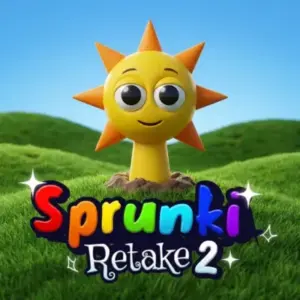 Sprunki Retake 2
Casual ★ 4.8
Sprunki Retake 2
Casual ★ 4.8
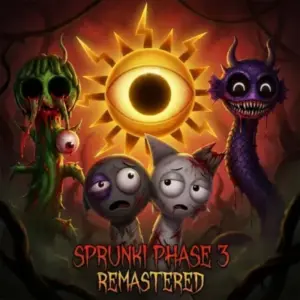 Sprunki Phase 3 Remastered
Casual ★ 4.7
Sprunki Phase 3 Remastered
Casual ★ 4.7
 Helix Jump
Casual ★ 4.6
Helix Jump
Casual ★ 4.6
 Sprunki Incredibox
Casual ★ 4.5
Sprunki Incredibox
Casual ★ 4.5
 Good Pizza Great Pizza
Casual ★ 4.7
Good Pizza Great Pizza
Casual ★ 4.7
 Eagle Craft
Casual ★ 4.7
Eagle Craft
Casual ★ 4.7
 Storm The House
Casual ★ 4.7
Storm The House
Casual ★ 4.7
 Sled Rider 3D
Casual ★ 4.7
Sled Rider 3D
Casual ★ 4.7
 Fnaf
Casual ★ 4.5
Fnaf
Casual ★ 4.5
 Tropical Merge
Casual ★ 4.6
Tropical Merge
Casual ★ 4.6
 Flip Bottle
Casual ★ 4.6
Flip Bottle
Casual ★ 4.6
 Papas Taco Mia
Casual ★ 4.6
Papas Taco Mia
Casual ★ 4.6
 Farm Merge Valley
Casual ★ 4.7
Farm Merge Valley
Casual ★ 4.7
 Papas Cupcakeria
Casual ★ 4.6
Papas Cupcakeria
Casual ★ 4.6
 Supermarket Simulator
Casual ★ 4.7
Supermarket Simulator
Casual ★ 4.7
 Bottle Flip
Casual ★ 4.6
Bottle Flip
Casual ★ 4.6
 Take Care Of Shadow Milk
Casual ★ 4.7
Take Care Of Shadow Milk
Casual ★ 4.7
 Growden.io
Casual ★ 4.7
Growden.io
Casual ★ 4.7
 Report a Problem
Comments About Minicraft