



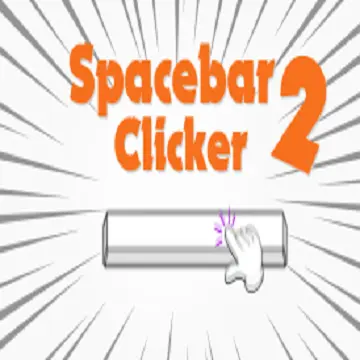
Spacebar Clicker 2
Spacebar Clicker 2 is a browser clicker game built around one direct objective: press the spacebar to earn points, then use those earnings to unlock upgrades that improve…
 Works on Desktop & Mobile
Tested By BunaGames
- Test date
- July 12, 2026
- Tested on
- Chrome 150
- Device
- Desktop
- Operating system
- macOS and Windows
- Game loaded successfully
- Yes
- Fullscreen works
- Yes
- Sound works
- Yes
- Save progress
- Local browser storage
- Mobile compatibility
- Partially tested
- Keyboard controls
- Working
- Controller support
- Not detected
- Average loading time
- 4.2 seconds
- Known issues
- Minor delay after entering fullscreen
Spacebar Clicker 2 not loading?
- Refresh the page.
- Disable restrictive content blockers temporarily.
- Confirm JavaScript and WebGL are enabled.
- Clear the browser cache.
- Try another modern browser.
- Close unnecessary tabs.
- Switch off VPN if the game server is blocked.
- Use the Report a Problem button if the issue continues.
Continue Playing
Daily Challenge

Play 4 minutes today in Spacebar Clicker 2.
Leaderboard
- 1Community rating4.3 ★
- 2Player likes415
- 3Total votes503
- 4Your local progress0%
Your progress is saved locally in this browser. No account required.
 Your progress is saved locally in this browser. No account required.
Game Progress & Challenges
Why Play This Game?
 Instant PlayPlay instantly in your browser.
 Mobile FriendlyOptimized for all devices.
 Free to PlayNo hidden fees.
About "Spacebar Clicker 2"
Spacebar Clicker 2 is a browser clicker game built around one direct objective: press the spacebar to earn points, then use those earnings to unlock upgrades that improve your progress. The simple input makes it easy to understand immediately, while the upgrade system gives every run a longer-term purpose beyond clicking as fast as possible.
At its core, this is a fast-paced idle clicker experience. Early progress comes from active spacebar presses, but upgrades can make point collection more efficient as your total grows. That creates the familiar clicker-game loop of earning, spending, increasing output, and returning for the next purchase.
Spacebar Clicker 2 suits players looking for a quick keyboard game with clear feedback and incremental goals. You do not need to learn a complicated move set or memorize a large map. Instead, the focus stays on timing purchases, maintaining a comfortable clicking rhythm, and deciding when to save points for a stronger upgrade.
Whether you want a short score-chasing session or a longer upgrade-focused run, the game turns a single key into a steady progression challenge.
Gameplay
Gameplay in Spacebar Clicker 2 starts with the spacebar. Each press earns points, and those points act as the resource used for progression. The early game is deliberately hands-on: pressing regularly builds the first pool of points and shows how quickly your total can rise through active play.
The central decision is not simply how quickly you can tap. It is how you use the points you have earned. Upgrades are the main route to stronger performance, so spending at the right time matters. A lower-cost improvement may help you build momentum now, while saving for a more powerful option can produce a larger jump in output later.
The game also fits the idle clicker format because progress is tied to upgrades rather than raw key speed alone. This gives the experience two connected layers:
- Active earning: press the spacebar to add points directly.
- Incremental growth: unlock upgrades that improve the way points are collected.
- Purchase planning: decide whether immediate value or a larger future upgrade is the better choice.
- Score progression: keep raising your total and work toward the next meaningful milestone.
That balance is the important gameplay context often missed by a basic description of the game as a speed test. Fast pressing helps, especially at the beginning, but a smart upgrade path gives the session structure. The most satisfying moments come when a purchase changes the pace of your progress and turns a previously expensive target into the next reachable goal.
Platform
Spacebar Clicker 2 is presented as an online browser game, so the main requirement is access to a web browser and a keyboard with a working spacebar. Because the primary input is a keyboard key, the game is naturally best suited to desktop and laptop play.
A physical keyboard gives the clearest and most comfortable way to make repeated spacebar presses. On smaller devices or touch-only setups, the core spacebar input may not be as practical. For the intended experience, open the game in a browser, keep the game area active, and use the keyboard rather than relying on touch controls.
The browser format is useful for quick sessions: there is no complicated control scheme to configure before playing. Load the game, focus the page, and begin earning points. It is also a convenient choice for players who enjoy lightweight online games that can be played without learning a long list of commands.
If a press does not register, click once inside the game window or page to restore browser focus before trying again. This is especially useful after switching tabs, using the address bar, or interacting with another page element.
How to Play "Spacebar Clicker 2"
Begin by opening Spacebar Clicker 2 and making sure the game is active in your browser. Press the spacebar to earn points. Your first goal is to build enough points to access an upgrade, because upgrades are what turn basic key presses into stronger long-term progress.
- Focus the game: click the game area if necessary so keyboard input goes to the game rather than the browser interface.
- Press the spacebar: use repeated presses to collect points and establish your starting total.
- Check available upgrades: review what your current points can buy and what each purchase appears to improve.
- Spend deliberately: take useful early upgrades when they help your earning pace, but avoid spending so automatically that you delay an important target.
- Continue the loop: earn more points, unlock more upgrades, and pursue increasingly expensive progression goals.
A good first session is about learning the rhythm of the economy. Notice how many presses it takes to reach the next purchase, then compare that effort with the benefit gained after buying it. This observation helps you recognize whether an upgrade is giving immediate momentum or whether saving is more worthwhile.
There is no need to treat every second as a maximum-speed challenge. Consistent input and thoughtful spending are more useful than exhausting yourself with frantic tapping. A comfortable pace lets you play longer, watch your point total, and react when an upgrade becomes available. As the game develops, the focus shifts from getting started to managing a growing stream of points efficiently.
Controls
The control scheme is intentionally minimal. Spacebar Clicker 2 is centered on a single keyboard action, which keeps attention on point collection and upgrade choices instead of complex movement or menus.
| Control | Action |
|---|---|
| Spacebar | Earn points |
| Mouse or trackpad | Select upgrades |
| Click game area | Restore keyboard focus |
Use the spacebar for the main earning action. Use a mouse or trackpad when you need to choose an upgrade from the game interface. If keyboard presses seem to do nothing, the browser may be focused on another element. Clicking back into the game area is usually the first troubleshooting step.
For comfort, keep your hand relaxed and avoid striking the key harder than needed. The game rewards repeated input, not force. A controlled rhythm is easier to maintain and makes it simpler to watch your point count and upgrade options while playing.
Can "Spacebar Clicker 2" Unblocked?
Spacebar Clicker 2 is an online browser game designed for direct play in a browser. If the BunaGames page loads normally on your device and network, you can start a session without needing a complicated installation process. The simple browser format is especially useful when you want a short clicker game break with keyboard-based controls.
Access can still depend on the browser, connection, device settings, and local network rules. Schools, workplaces, libraries, and managed networks may restrict gaming pages or certain web content. Those restrictions are set by the network administrator, so this page does not promise access on every connection.
If the game is available but does not react to your spacebar presses, first make sure the game window has focus. Click inside the game area, close any browser dialog that may be active, and try again. Switching to a desktop or laptop keyboard can also provide a better fit for this particular game than a touch-only device.
When access is permitted, the best way to play is simply through a current browser with a stable connection and an available keyboard.
Tips for "Spacebar Clicker 2"
The strongest Spacebar Clicker 2 strategy combines steady active pressing with careful upgrade timing. The game is simple to control, but its point economy gives you meaningful choices. Treat each purchase as an investment in future earning rather than as a button to press the instant you can afford it.
- Build an early foundation: use active spacebar presses to reach your first useful upgrades quickly. Early improvements can reduce the effort needed for later goals.
- Read before spending: check what an upgrade does before buying it. Prioritize options that clearly help your point collection or overall progress.
- Compare cost with benefit: an inexpensive purchase is not automatically the best value. If a stronger upgrade is close, saving points may be the better decision.
- Keep a sustainable rhythm: rapid pressing is useful, but a controlled pace prevents mistakes and helps you continue playing comfortably.
- Use milestones: set a target such as the next upgrade cost instead of watching only the total score. Small targets make progression easier to judge.
- Return to active play after upgrades: once you purchase an improvement, press again and observe how the new upgrade changes your earning pace.
A useful practical habit is to pause briefly whenever you can afford something important. Ask whether the purchase will improve the next few minutes of play more than saving for the next tier would. This creates a simple decision cycle: earn points, inspect choices, make a purchase with a purpose, and test the result.
Also protect browser focus. Accidentally pressing space while the page is not active may scroll the page or trigger another browser action instead of earning points. Keep the game selected, then let the spacebar remain the center of your attention. This small setup step makes the controls feel much more reliable.
Features "Spacebar Clicker 2"
Spacebar Clicker 2 concentrates its design around a clear incremental progression loop. Its appeal comes from how much game structure can be built around one familiar keyboard key: press for points, spend points on upgrades, and improve the pace at which you move toward the next goal.
- Spacebar-based earning: the main interaction is immediate, recognizable, and easy for new players to understand.
- Point-driven progression: every active press contributes to a resource total used for advancement.
- Upgrade system: powerful upgrades give players a reason to keep earning and make progression more efficient.
- Idle clicker direction: the game is framed around growing your output through improvements, not just testing short-burst tapping speed.
- Fast session setup: browser play and a compact control scheme make it suitable for quick sessions.
- Keyboard-focused gameplay: desktop and laptop players can use a physical spacebar as the primary input.
- Simple strategic choices: players decide when to buy available upgrades and when to save for larger progression steps.
The key benefit is clarity. You always know the basic action needed to advance, yet the upgrade layer keeps the game from being only repetitive input. Progress becomes easier to feel as your point total rises and new purchases become reachable.
This makes Spacebar Clicker 2 a good match for players who enjoy clicker games with direct feedback. You can begin with almost no explanation, but still improve your results by paying attention to upgrade value, pacing, and the relationship between active pressing and longer-term growth.
Best "Spacebar Clicker 2" Similar Games & Top Picks
- Cupcake Clicker: Play Cupcake Clicker online. Click the cupcake, earn treats, buy upgrades, and build automatic cupcake production in this browser clicker game.
- Poop Clicker 2: Play Poop Clicker 2 online. Click the poop emoji, collect resources, buy upgrades, and build a bigger idle production pile.
- Little Farm Clicker Game: Play Little Farm Clicker Game online. Harvest crops, earn coins, unlock farm plots, and reinvest your money in this idle farming clicker.
- Minecraft Clicker: Play Minecraft Clicker online. Click, collect resources, pursue upgrades, and enjoy a Minecraft-inspired browser clicker game for free.
- Clicker Cookies: Play Clicker Cookies free in your browser. Click to bake cookies, buy automated production, and grow your cookie total.
FAQ - Spacebar Clicker 2
What is Spacebar Clicker 2?
Spacebar Clicker 2 is an online browser clicker game in which you press the spacebar to earn points. Those points can be used to unlock upgrades that improve your progress. The game combines direct keyboard input with the incremental growth loop associated with idle clicker games.
How do I earn points in Spacebar Clicker 2?
Press the spacebar while the game is active in your browser. Each valid press contributes points to your total. If nothing happens, click inside the game area first, because the browser may be focused on another element rather than the game.
What are upgrades used for?
Upgrades are the main progression tool. They are purchased with points and are intended to make point collection more effective. Instead of relying only on rapid manual presses, use upgrades to build stronger long-term momentum and reach higher-cost goals.
Is Spacebar Clicker 2 only a speed test?
No. Fast spacebar presses help you earn points, particularly at the start, but the game also has an upgrade-focused progression loop. Choosing when to spend points and when to save for a stronger purchase adds a simple strategy element beyond raw pressing speed.
Can I play Spacebar Clicker 2 in a browser?
Yes. Spacebar Clicker 2 is presented as an online browser game. For the most suitable control experience, use a desktop or laptop browser with a working physical keyboard, since the spacebar is the primary way to earn points.
Does the game work well on mobile?
The game is built around the keyboard spacebar, so a desktop or laptop is the more natural option. A touch-only device may not provide the same direct input experience. If you have access to a physical keyboard, it will better match the game’s central control.
Why is my spacebar not working in the game?
First, click inside the game window to make sure it has keyboard focus. A browser tab, address bar, pop-up, or another page control may be receiving the key press instead. Once the game area is selected, try pressing the spacebar again.
What is the best way to progress faster?
Press consistently, buy upgrades with a purpose, and compare immediate purchases with the value of saving for a stronger option. A relaxed, sustainable rhythm is usually more useful than uncontrolled tapping because it lets you monitor your points and make better upgrade decisions.
More Games Like This
 Room Clicker
Clicker ★ 4.8
Room Clicker
Clicker ★ 4.8
 Mr Mine
Clicker ★ 4.7
Mr Mine
Clicker ★ 4.7
 Clicker Heroes 2
Clicker ★ 4.5
Clicker Heroes 2
Clicker ★ 4.5
 Cookie Clicker 3
Clicker ★ 4.7
Cookie Clicker 3
Clicker ★ 4.7
 Pizza Clicker
Clicker ★ 4.7
Pizza Clicker
Clicker ★ 4.7
 Idle Mining Empire
Clicker ★ 4.6
Idle Mining Empire
Clicker ★ 4.6
 Papas Sushiria
Clicker ★ 4.6
Papas Sushiria
Clicker ★ 4.6
 Italian Brainrot Clicker 2
Clicker ★ 4.7
Italian Brainrot Clicker 2
Clicker ★ 4.7
 Papas Wingeria
Clicker ★ 4.6
Papas Wingeria
Clicker ★ 4.6
 Papas Scooperia
Clicker ★ 4.7
Papas Scooperia
Clicker ★ 4.7
 Papas Pizzeria
Clicker ★ 4.6
Papas Pizzeria
Clicker ★ 4.6
 Papas Freezeria
Clicker ★ 4.6
Papas Freezeria
Clicker ★ 4.6
 Italian Brainrot Clicker
Clicker ★ 4.6
Italian Brainrot Clicker
Clicker ★ 4.6
 Papas Taco Mia
Clicker ★ 4.6
Papas Taco Mia
Clicker ★ 4.6
 Papas Cupcakeria
Clicker ★ 4.6
Papas Cupcakeria
Clicker ★ 4.6
 Clicker Heroes
Clicker ★ 4.4
Clicker Heroes
Clicker ★ 4.4
 Capybara Clicker
Clicker ★ 4.5
Capybara Clicker
Clicker ★ 4.5
 Goo Goo Gaga Clicker
Clicker ★ 4.4
Goo Goo Gaga Clicker
Clicker ★ 4.4
 Report a Problem
Comments About Spacebar Clicker 2