



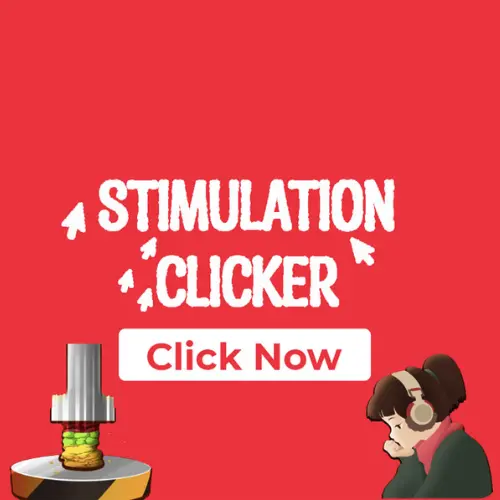
Stimulation Clicker
Stimulation Clicker is a browser clicker game built around an intentionally simple impulse: press the button to receive Stimulation Points. Those points become the game’s resource system, letting…
 Works on Desktop & Mobile
Tested By BunaGames
- Test date
- 2025
- Tested on
- Chrome 150
- Device
- Desktop
- Operating system
- macOS and Windows
- Game loaded successfully
- Yes
- Fullscreen works
- Yes
- Sound works
- Yes
- Save progress
- Local browser storage
- Mobile compatibility
- Partially tested
- Keyboard controls
- Working
- Controller support
- Not detected
- Average loading time
- 4.2 seconds
- Known issues
- Minor delay after entering fullscreen
Stimulation Clicker not loading?
- Refresh the page.
- Disable restrictive content blockers temporarily.
- Confirm JavaScript and WebGL are enabled.
- Clear the browser cache.
- Try another modern browser.
- Close unnecessary tabs.
- Switch off VPN if the game server is blocked.
- Use the Report a Problem button if the issue continues.
Continue Playing
Daily Challenge

Play 7 minutes today in Stimulation Clicker.
Leaderboard
- 1Community rating4.7 ★
- 2Player likes1.2K
- 3Total votes1.4K
- 4Your local progress0%
Your progress is saved locally in this browser. No account required.
 Your progress is saved locally in this browser. No account required.
Game Progress & Challenges
Why Play This Game?
 Instant PlayPlay instantly in your browser.
 Mobile FriendlyOptimized for all devices.
 Free to PlayNo hidden fees.
About "Stimulation Clicker"
Stimulation Clicker is a browser clicker game built around an intentionally simple impulse: press the button to receive Stimulation Points. Those points become the game’s resource system, letting you purchase upgrades that improve how quickly you can build more points. The loop is direct, but the meaning behind it is less ordinary than a standard incremental game.
The game presents clicking as a playful satire of the constant search for digital stimulation. Each press gives immediate feedback and pushes the next decision: keep clicking now, or spend the points you have earned to strengthen future progress. That combination gives the experience a familiar clicker-game rhythm while making the theme part of the joke.
For players looking for quick browser games, Stimulation Clicker is easy to understand from the first interaction. There is no long setup to learn before the central loop begins. Click the button, watch your Stimulation Point total grow, consider the available upgrades, and return to clicking with a stronger economy.
Its appeal comes from the contrast between minimal input and escalating reward. The game turns a single repeated action into a small progression system, while its premise comments on why an endlessly rewarding button can be difficult to ignore.
Gameplay
Stimulation Clicker starts with the most important action immediately available: clicking a button. Every click earns Stimulation Points. Points are not merely a score; they are the currency used to obtain upgrades, so the player is always moving between earning and investing.
The central gameplay loop has three connected stages:
- Click to collect Stimulation Points.
- Review upgrades and decide when an available improvement is worth the current cost.
- Invest points to improve the rate at which future points can be gained, then continue the cycle.
This structure gives Stimulation Clicker its incremental-game identity. Early progress comes from direct clicking, while upgrades shift attention toward efficiency and longer-term return. A purchase may reduce the number of manual clicks needed for later progress, so spending points is part of advancing rather than an interruption to it.
The game’s theme also shapes the experience. Rather than treating stimulation as a neutral reward, it frames the repeated desire to press, collect, and improve as a satire of digital attention. That makes the feedback loop feel deliberately excessive instead of purely mechanical. The immediate reward encourages another click, and the upgrade system gives that impulse a practical purpose.
A useful way to approach the game is to distinguish between short-term points and long-term momentum. Clicking increases the total in front of you. Upgrades are meant to help increase what that total can become later. Players who recognize that relationship can make more thoughtful purchases instead of treating every point total as a reason to buy instantly.
No complicated genre knowledge is required. The challenge is reading the basic economy: earn points, compare the benefit of an upgrade with its cost, and choose whether the current purchase will help the next stretch of clicking.
Platform
Stimulation Clicker is presented as an online clicker game, making it suited to browser-based play. Its premise and core interaction are centered on a clickable button, Stimulation Points, and upgrades rather than a download-heavy setup or a complex controller layout.
On BunaGames, you can open the game page in a modern web browser and begin with the central click interaction. A stable internet connection is useful for loading an online game page and keeping the session available. Because browser environments differ, the exact loading experience can vary with device, browser settings, extensions, and network policies.
The game’s simple input model is especially fitting for short sessions. You can understand the point-earning loop quickly, make an upgrade decision, and continue without needing a separate account or a lengthy tutorial according to the available game description.
For the clearest experience, use an updated browser, allow the game page to load normally, and keep the game tab active while playing. If a page does not load, browser permissions or the current network may be the cause rather than the game’s basic clicker mechanics.
How to Play "Stimulation Clicker"
Begin by locating the game’s main button and clicking it. The first objective is to earn Stimulation Points, which are awarded through clicking. Keep an eye on the point total because it determines when you can afford upgrades.
- Click the button to start generating Stimulation Points.
- Build a small point balance before making decisions about purchases.
- Check the available upgrades when you have enough points to buy one.
- Choose an upgrade that helps improve future point generation.
- Return to the button and use the improved earning potential to continue progressing.
The important idea is that points have two jobs. They show current progress, but they are also the spending resource for upgrades. If you spend them, the visible total may drop, yet the purchase can improve future growth. That is normal clicker-game progression: the aim is not simply to keep the largest possible unspent total, but to turn earned points into better earning capacity.
At first, manual clicks are the main source of progress. As upgrades become available, pause briefly before purchasing. Consider whether the current option seems useful for the next phase of earning rather than focusing only on the immediate cost. Then resume clicking and observe how the new investment changes the pace of play.
Stimulation Clicker does not require a complicated route to get started. The game is about repeating a clear sequence, noticing the reward feedback, and deciding how to reinvest. Its satirical theme works best when you pay attention to that cycle: a single button invites another press, points invite an upgrade, and the upgrade invites more points.
If you are new to incremental games, do not overthink the opening. Learn the button, learn what Stimulation Points do, and let the upgrade system introduce the next layer of decision-making as your total grows.
Controls
The documented core control in Stimulation Clicker is the click. Click the main on-screen button to earn Stimulation Points. This is the action that starts and sustains progress.
| Action | Control |
|---|---|
| Earn points | Click the button |
| Buy upgrade | Select an upgrade |
Use your pointer to select upgrades when you have collected enough Stimulation Points to purchase them. After making a purchase, return to the button and continue clicking to build the next amount of currency.
The available research identifies button clicking and upgrade purchases as the essential interactions. It does not establish special keyboard shortcuts, controller support, named hotkeys, or additional command systems, so players should rely on the visible game interface rather than expect undocumented controls.
Because the game is built around a compact click-and-upgrade loop, accuracy and attention to the on-screen point total matter more than complex input combinations.
Can "Stimulation Clicker" Unblocked?
Stimulation Clicker is an online browser game, so access depends on whether the BunaGames page and its game content can load on your current connection. You can try playing directly in a regular web browser without treating the game as a separate installed application.
However, “unblocked” access cannot be guaranteed everywhere. Schools, workplaces, libraries, managed devices, parental controls, browser extensions, firewalls, and regional network rules can restrict gaming pages or embedded content. Those restrictions are controlled by the network or device administrator, not by the clicker game itself.
If the game does not open, first check your internet connection and reload the page. You can also try an updated browser or review whether a content-blocking extension is preventing game resources from loading. Use only networks and devices where online game access is permitted.
When the page loads normally, the gameplay remains straightforward: click to earn Stimulation Points and spend those points on upgrades. There is no need to bypass network safeguards to understand or enjoy the game. If access is limited on one network, wait until you are on an authorized connection rather than attempting to circumvent restrictions.
Tips for "Stimulation Clicker"
The strongest Stimulation Clicker strategy is to treat Stimulation Points as investment capital, not only as a number to increase. Clicking produces the currency, but upgrades are the mechanism that can improve future progress. A player who only focuses on the current total can miss the value of reinvesting it.
- Learn the loop first. Click enough to understand how points accumulate before rushing through every available purchase.
- Read upgrade choices before spending. The cost matters, but the expected improvement to later point gain matters more.
- Think beyond the next click. An upgrade is useful when it helps make the following earning cycle more productive.
- Keep the point total in context. Spending points can be progress if the purchase strengthens future earning.
- Use short decision pauses. A few seconds spent comparing an upgrade with continued clicking can make the loop feel more deliberate.
- Enjoy the premise. The game satirizes digital stimulation, so the urge to chase one more reward is part of its design and humor.
Do not assume that the best approach is always to buy the first thing you can afford. The available research confirms upgrades improve point gain, but it does not provide a verified list of upgrade names, prices, or formulas. Instead of inventing a fixed purchase order, evaluate what is actually shown in your current game session.
A practical rhythm is click, gather, inspect, invest, and repeat. This prevents the game from becoming mindless tapping while still respecting its deliberately simple design. If an upgrade appears to improve future point generation, it can be worth using points that would otherwise remain idle.
Finally, keep expectations aligned with the genre. Stimulation Clicker is not presented as a reflex challenge with complicated movement or a competitive score race. Its satisfying moments come from seeing a basic input turn into a growing resource loop and noticing how upgrades alter the pace.
Features "Stimulation Clicker"
Stimulation Clicker focuses its design on a small set of connected features rather than a large collection of unrelated systems. The available information supports a clear core: a clickable button, Stimulation Points, and upgrades that help increase point gain.
- Button-driven progress: Clicking is the foundational action and immediately produces Stimulation Points.
- Stimulation Point currency: Points represent both the reward for clicking and the resource used to advance.
- Upgrade progression: Players can spend earned points on improvements intended to increase later point generation.
- Incremental gameplay loop: Earning and reinvesting are connected, giving repeated clicks a longer-term purpose.
- Satirical concept: The game comments on the desire for constant digital stimulation through its own reward structure.
- Browser-friendly format: The game is presented for online play and revolves around straightforward on-screen interaction.
The most distinctive feature is the way theme and mechanic reinforce each other. Clicking creates an immediate stimulus, points make that action measurable, and upgrades offer the promise of more efficient rewards. The cycle is recognizable to clicker-game players, but here it also functions as the game’s subject matter.
That focus is valuable for players who want an accessible incremental game without a dense rulebook. You do not need to memorize a large command list to begin. The important information is visible in the loop itself: click for points, spend points on upgrades, and use those upgrades to continue building progress.
The available research does not verify additional systems such as multiplayer modes, competitive leaderboards, story chapters, named prestige mechanics, achievements, or controller-specific features. Keeping expectations centered on the verified click-and-upgrade experience gives the most accurate picture of what Stimulation Clicker offers.
Best "Stimulation Clicker" Similar Games & Top Picks
- Cupcake Clicker: Play Cupcake Clicker online. Click the cupcake, earn treats, buy upgrades, and build automatic cupcake production in this browser clicker game.
- Poop Clicker 2: Play Poop Clicker 2 online. Click the poop emoji, collect resources, buy upgrades, and build a bigger idle production pile.
- Little Farm Clicker Game: Play Little Farm Clicker Game online. Harvest crops, earn coins, unlock farm plots, and reinvest your money in this idle farming clicker.
- Minecraft Clicker: Play Minecraft Clicker online. Click, collect resources, pursue upgrades, and enjoy a Minecraft-inspired browser clicker game for free.
- Clicker Cookies: Play Clicker Cookies free in your browser. Click to bake cookies, buy automated production, and grow your cookie total.
FAQ - Stimulation Clicker
What is Stimulation Clicker?
Stimulation Clicker is a 2025 clicker game centered on clicking a button to earn Stimulation Points. Players can spend those points on upgrades that improve future point gain. Its concept also satirizes the constant desire for digital stimulation.
How do you earn Stimulation Points?
You earn Stimulation Points by clicking the game’s main button. Clicking is the primary documented action and the starting point for all progression. The points you collect can then be saved or spent on upgrades.
What are Stimulation Points used for?
Stimulation Points are the game’s progression currency. They are earned through clicks and spent on upgrades. Since upgrades are intended to increase how quickly you gain more points, using points on a purchase can support longer-term progress even though it reduces your current unspent total.
Are there upgrades in Stimulation Clicker?
Yes. The game includes upgrades that can be purchased with Stimulation Points to gain more points over time. The provided information confirms the upgrade system but does not establish a complete list of upgrade names, exact costs, or detailed formulas, so the best choice depends on what is visible during play.
Is Stimulation Clicker a browser game?
Yes. Stimulation Clicker is presented as an online clicker game and is suited to browser-based play. Open the game page in a modern browser, let the content load, and use the on-screen interface to click and select upgrades.
Can I play Stimulation Clicker for free?
The game is presented as free online play. You can access it through the game page in your browser. Actual availability may still depend on your internet connection, browser settings, and whether your current network permits online gaming content.
What controls does Stimulation Clicker use?
The essential control is clicking the on-screen button to earn Stimulation Points. You also select upgrades through the interface when you can afford them. The available research does not confirm keyboard shortcuts, controller controls, or other special input commands.
Why is Stimulation Clicker described as satirical?
The game uses its repeated reward loop to comment on the need for digital stimulation. A button provides immediate points, points lead to upgrades, and upgrades encourage further point seeking. That self-reinforcing structure is both the gameplay system and the basis of the satire.
More Games Like This
 Room Clicker
Clicker ★ 4.8
Room Clicker
Clicker ★ 4.8
 Mr Mine
Clicker ★ 4.7
Mr Mine
Clicker ★ 4.7
 Clicker Heroes 2
Clicker ★ 4.5
Clicker Heroes 2
Clicker ★ 4.5
 Cookie Clicker 3
Clicker ★ 4.7
Cookie Clicker 3
Clicker ★ 4.7
 Pizza Clicker
Clicker ★ 4.7
Pizza Clicker
Clicker ★ 4.7
 Idle Mining Empire
Clicker ★ 4.6
Idle Mining Empire
Clicker ★ 4.6
 Papas Sushiria
Clicker ★ 4.6
Papas Sushiria
Clicker ★ 4.6
 Italian Brainrot Clicker 2
Clicker ★ 4.7
Italian Brainrot Clicker 2
Clicker ★ 4.7
 Papas Wingeria
Clicker ★ 4.6
Papas Wingeria
Clicker ★ 4.6
 Papas Scooperia
Clicker ★ 4.7
Papas Scooperia
Clicker ★ 4.7
 Papas Pizzeria
Clicker ★ 4.6
Papas Pizzeria
Clicker ★ 4.6
 Papas Freezeria
Clicker ★ 4.6
Papas Freezeria
Clicker ★ 4.6
 Italian Brainrot Clicker
Clicker ★ 4.6
Italian Brainrot Clicker
Clicker ★ 4.6
 Papas Taco Mia
Clicker ★ 4.6
Papas Taco Mia
Clicker ★ 4.6
 Papas Cupcakeria
Clicker ★ 4.6
Papas Cupcakeria
Clicker ★ 4.6
 Clicker Heroes
Clicker ★ 4.4
Clicker Heroes
Clicker ★ 4.4
 Capybara Clicker
Clicker ★ 4.5
Capybara Clicker
Clicker ★ 4.5
 Goo Goo Gaga Clicker
Clicker ★ 4.4
Goo Goo Gaga Clicker
Clicker ★ 4.4
 Report a Problem
Comments About Stimulation Clicker