



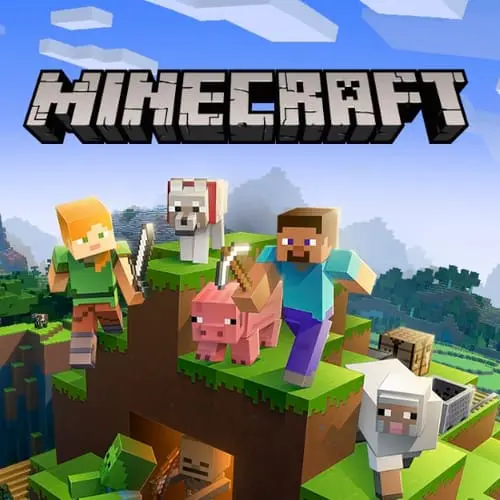
Minecraft Classic
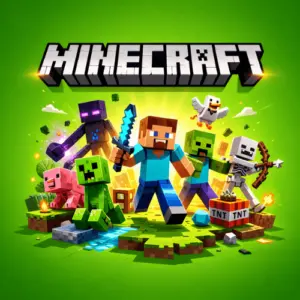
Minecraft Classic is a retro 3D sandbox building game based on the early browser-era version of Minecraft. Its central idea is direct and creative: enter a block-based world,…
 Works on Desktop & Mobile
Tested By BunaGames
- Test date
- August 12, 2026
- Tested on
- Chrome 150
- Device
- Desktop
- Operating system
- macOS and Windows
- Game loaded successfully
- Yes
- Fullscreen works
- Yes
- Sound works
- Yes
- Save progress
- Local browser storage
- Mobile compatibility
- Partially tested
- Keyboard controls
- Working
- Controller support
- Not detected
- Average loading time
- 4.2 seconds
- Known issues
- Minor delay after entering fullscreen
Minecraft Classic not loading?
- Refresh the page.
- Disable restrictive content blockers temporarily.
- Confirm JavaScript and WebGL are enabled.
- Clear the browser cache.
- Try another modern browser.
- Close unnecessary tabs.
- Switch off VPN if the game server is blocked.
- Use the Report a Problem button if the issue continues.
Continue Playing
Daily Challenge

Play 6 minutes today in Minecraft Classic.
Leaderboard
- 1Community rating4.6 ★
- 2Player likes590
- 3Total votes658
- 4Your local progress0%
Your progress is saved locally in this browser. No account required.
 Your progress is saved locally in this browser. No account required.
Game Progress & Challenges
Why Play This Game?
 Instant PlayPlay instantly in your browser.
 Mobile FriendlyOptimized for all devices.
 Free to PlayNo hidden fees.
About "Minecraft Classic"
Minecraft Classic is a retro 3D sandbox building game based on the early browser-era version of Minecraft. Its central idea is direct and creative: enter a block-based world, place blocks, remove blocks when a design needs changing, and turn simple materials into your own structures. A small shelter, a tall tower, a bridge, a maze, or an abstract build can all begin with the same basic action.
This Classic version is centered on open-ended construction rather than a fixed campaign. There is no need to follow a story route before making something interesting. The player decides the project, the layout, and the pace. That freedom makes it useful both for a quick building break and for a longer session spent refining a large idea one section at a time.
Mojang released Minecraft Classic for Minecraft's 10th anniversary, presenting an experience based on the browser-based alpha version of the game. Its older visual style and straightforward block placement give it a distinct identity: it is a compact creative sandbox that highlights the foundational appeal of building in a shared-looking 3D space without modern game systems getting in the way.
If you enjoy accessible browser games with player-driven goals, Minecraft Classic offers a familiar block-building loop with a deliberately retro feel. Start small, test your ideas, and let the next placed block determine where the project goes.
Gameplay
Minecraft Classic gameplay revolves around building in a retro 3D block world. Instead of being guided through levels, players create their own objectives. You may decide to make a house, outline a path, shape a wall, experiment with height, or use repeated blocks to form a larger structure. Each placed block changes the space around it, so even a simple design becomes more interesting as it gains scale and detail.
The core loop is easy to understand: look at the part of the world you want to change, work with blocks, and assess the result from different angles. Building is both creative and practical. A doorway needs room to pass through, a roof needs a shape that fits the walls below it, and a tall structure benefits from a clear base. Because you can revise an idea while working, the game rewards experimentation instead of demanding a perfect plan from the start.
Classic is best approached as a construction sandbox, not as a modern Minecraft survival experience. The focus supported by this version is laying blocks and creating structures in its early-style 3D environment. That narrower scope is a benefit for players who want the essential building activity without being distracted by a long list of systems, objectives, or progression requirements.
A productive session often moves through three stages:
- Choose a simple goal: begin with one recognizable form, such as a room, platform, wall, or tower.
- Build the outline: establish the footprint and overall proportions before adding small details.
- Review and revise: step back, inspect the shape, and adjust areas that look uneven or unclear.
The satisfaction comes from visible progress. A blank area gradually becomes a structure that reflects your choices, whether you prefer neat geometry, playful experimentation, or a large project assembled block by block.
Platform
Minecraft Classic is presented as a browser-based game, so it is designed to be accessed online rather than installed as a traditional desktop game. The important access requirement is a keyboard. The official Classic page specifically indicates that this version requires keyboard use, which makes a computer or another browser-capable device with a physical keyboard the most suitable way to play.
For the smoothest start, use an up-to-date browser, allow the game page to finish loading, and keep the game area active while playing. Browser games work best when the player can comfortably see the 3D scene and use keyboard input without mobile touch controls getting in the way.
Because this is an early-style Minecraft experience, expect a retro presentation rather than the expanded systems associated with newer releases. The browser format is especially convenient when you want to open a creative building game quickly, play without a lengthy setup process, and return to an unfinished idea later in the same session.
- Format: online browser game
- Best input: keyboard required
- Game style: retro 3D creative sandbox
- Primary activity: placing blocks to build structures
How to Play "Minecraft Classic"
To play Minecraft Classic, begin by treating the world as a construction space. Your goal does not need to be complicated. Decide on one object or place you want to make, then use blocks to give that idea a shape. A basic house is a helpful first project because it teaches several useful building habits: making a floor area, raising walls, leaving an opening, and finishing the top.
Start with a clear location and create the base first. A compact rectangular outline is easier to manage than a huge project started without boundaries. Once the footprint looks right, raise the walls evenly. Leave gaps intentionally where you want an entrance or window-like opening. Then add another layer or change the shape to make the build feel less flat.
As you work, avoid treating every block as permanent. Minecraft Classic is about experimenting with placement. If a corner looks misplaced, a wall is too short, or a design feels crowded, change it. The ability to rethink the layout is part of the creative process. Build a rough version first, then improve it after you can see the full form.
- Open the game in a browser with a keyboard available.
- Look around the 3D block environment and choose a build area.
- Pick a manageable first idea, such as a shelter, tower, path, or enclosed room.
- Create the outer edge before filling every interior space.
- Place blocks in layers to establish height and structure.
- Inspect the result from more than one viewpoint.
- Adjust blocks where the design needs cleaner proportions or more detail.
Players who want a more satisfying result should work from large forms to small touches. Finish the silhouette before concentrating on decorative patterns. This approach prevents a common beginner problem: adding details early, then realizing that the whole structure needs to move or expand.
Controls
Minecraft Classic requires a keyboard, so keyboard access is essential before you begin. Use the game’s on-screen instructions as the authoritative guide for the currently available movement, viewing, and block-building inputs. Keeping the game window selected is important: if the browser focus moves to another tab, address bar, or page element, keyboard commands may not reach the game.
For comfortable play, sit where you can use both the keyboard and pointing input easily. Building in a 3D environment involves changing your view as well as placing blocks, so take a moment to become familiar with how the page responds before starting a detailed project.
- Use a device with a physical keyboard.
- Click or activate the game area before entering commands.
- Check the displayed control guidance when the game loads.
- Keep your browser tab active while building.
- Use short practice movements and simple placements before beginning a large structure.
If controls do not respond, first confirm that the game page is active and that your device provides keyboard input. The Classic version is not presented as a touch-first game, so a keyboard is the key requirement for playing properly.
Can "Minecraft Classic" Unblocked?
Minecraft Classic is an online browser game, making it a practical choice for players looking for a free block-building experience without a traditional installation process. Access can still depend on the rules and technical setup of the network, device, browser, or location you are using. A school, workplace, library, or managed network may apply its own restrictions, and those rules should always be respected.
When the game is available through your browser, the most important preparation is simple: use a compatible browser environment and make sure a keyboard is connected or built in. The official Classic experience notes that keyboard input is required, so a desktop or laptop setup is generally more appropriate than a touch-only device.
If a page does not load or input is unavailable, do not try to bypass network controls. Instead, try a permitted personal connection, check whether the browser needs updating, reload the page, or choose a time and device where browser gaming is allowed. This is often enough to solve ordinary access issues caused by temporary loading problems or an inactive game window.
Minecraft Classic is especially suited to players who want a straightforward creative session: open the browser game, focus the page, and begin building. Its early browser-based design keeps the emphasis on the blocks and the structures you decide to create.
Tips for "Minecraft Classic"
The strongest Minecraft Classic builds usually begin with a plan that is small enough to finish. You do not need a complicated blueprint. A few decisions are enough: what are you building, how wide should it be, how tall should it become, and where will the entrance or focal point sit? Giving yourself these boundaries turns an empty building area into a manageable project.
Use broad shapes before fine detail. For a house-like structure, make the ground outline first, then bring up the walls, then decide how the upper edge should look. For a tower, establish a stable-looking base and repeat a consistent pattern as you build upward. Repetition makes a structure look intentional, while a few changes in height or depth stop it from becoming a plain box.
- Start with a footprint: outlines are easier to correct than fully filled rooms.
- Build in layers: finish one height level before rushing to the next.
- Check the silhouette: step back and see whether the overall shape is recognizable.
- Leave space on purpose: openings can make a build feel more like a usable structure.
- Correct early: revising a misplaced edge is simpler before many blocks depend on it.
- Use symmetry as a guide: matching sides can help beginners create neat designs.
- Break symmetry carefully: one raised corner, offset wall, or different roof line can add character.
Another useful habit is to separate construction from decoration. First make sure the structure has the size and proportions you want. Only then add patterned areas or smaller visual changes. This preserves your effort because you will not have to rebuild detailed sections after changing the whole layout.
Finally, let the retro limits of Minecraft Classic shape the challenge. The fun is not in chasing a prescribed objective; it is in turning basic block placement into a result that feels deliberate. A simple, finished bridge or compact home is often more rewarding than an enormous project that never develops beyond a rough outline.
Features "Minecraft Classic"
Minecraft Classic focuses on the original appeal of a block-building sandbox: a 3D environment, direct construction, and player-created goals. Its gameplay is easy to describe but flexible in practice. Blocks can become floors, walls, towers, paths, enclosures, patterns, and imaginative structures depending on how the player combines them.
- Retro 3D presentation: explore a classic-looking block world with an early Minecraft feel.
- Creative building loop: lay blocks and transform open space into structures of your own design.
- Sandbox freedom: choose your own project instead of following a fixed story path.
- Structure-focused play: build houses and other creations one block at a time.
- Browser-based access: play online in a browser when the game page is available to you.
- Keyboard-required input: the experience is intended for keyboard use.
- Early-version identity: this Classic release is based on the browser-based alpha version of Minecraft.
- Immediate experimentation: test shapes, alter layouts, and refine ideas as you build.
The most meaningful feature is player authorship. Two people can begin in the same kind of block environment and make entirely different results because the game does not force one answer. One player may aim for clean, symmetrical architecture, while another may create a winding course, a tall landmark, or a playful sculpture. The same basic actions support all of those choices.
Its simpler Classic framing also creates a useful contrast with broader modern sandbox games. Here, the building activity stays at the center. That makes it easier to focus on spatial thinking: how wide should a room be, how should a structure rise, and which blocks need to change for an idea to look complete?
For players seeking a fast creative browser session, those fundamentals are the point. Minecraft Classic delivers the recognizable pleasure of placing blocks, seeing a design emerge in 3D, and continually improving the world through your own decisions.
Best "Minecraft Classic" Similar Games & Top Picks
- Survival Craft: Play Survival Craft online on BunaGames. Build a raft, visit islands, gather resources, craft essentials, and survive with other players.
- Minecraft: Experience Minecraft's sandbox world of building, crafting, and survival. Create unlimited structures, gather resources, and explore endless possibilities.
- Bloxd.io: Play Bloxd.io free online! Build, battle, and explore in this multiplayer sandbox IO game with Minecraft-style graphics. No downloads required.
- Paper Minecraft: Play Paper Minecraft free online! Experience the classic Minecraft adventure in 2D. Build, craft, survive and explore in this browser-based version.
- Obby but You Re on a Bike: Master parkour obstacle courses on a bike in Obby but You Re on a Bike. Navigate jumps, tight turns, and precision challenges in your…
FAQ - Minecraft Classic
What is Minecraft Classic?
Minecraft Classic is a retro 3D sandbox building game based on an early browser-based alpha version of Minecraft. Its main activity is placing blocks to create structures and other designs. Rather than leading players through a fixed campaign, it emphasizes open-ended creativity and lets you decide what to build.
Is Minecraft Classic free to play online?
Minecraft Classic is presented as an online game that can be played for free in a browser. Availability can depend on whether the game page works on your device, browser, and network. You should also follow the access rules that apply wherever you are playing.
Do I need to download Minecraft Classic?
The Classic version is browser-based, so it is intended to be accessed online instead of installed like a standard desktop game. Open the game page in a suitable browser, allow it to load, and activate the game area before playing. A keyboard is required for this version.
Can I play Minecraft Classic on a phone or tablet?
A device with a physical keyboard is the better choice because the Classic page states that keyboard use is required. A touch-only phone or tablet may not provide the input setup needed for comfortable play. For the most reliable experience, use a computer or another browser-capable device with keyboard access.
What do you do in Minecraft Classic?
You build. Players lay blocks in a retro 3D world to make houses, towers, walls, paths, rooms, and other original structures. There is no need to wait for a mission before beginning. Choose a project, create an outline, add height and detail, then revise the design as your idea develops.
Is Minecraft Classic the same as modern Minecraft?
No. Minecraft Classic is an early-style experience based on the browser-based alpha version of the game. It is best understood as a focused creative building sandbox with a retro presentation. Players looking for the essential act of placing blocks and making structures will find that activity at the center of Classic.
What controls do I need for Minecraft Classic?
You need a keyboard. Check the on-screen instructions provided by the game when it loads for the current control guidance, and make sure the game window is active before using keys. If nothing happens, click the game area, verify that the browser tab is selected, and confirm that your keyboard is available.
What is a good first build in Minecraft Classic?
A small house, simple tower, bridge, or enclosed room is a strong first project. Start by marking the outside edge, then build upward in layers. Keep the first design compact so you can finish it, inspect it from different viewpoints, and learn how changing individual blocks affects the overall shape.

 Report a Problem
Comments About Minecraft Classic