



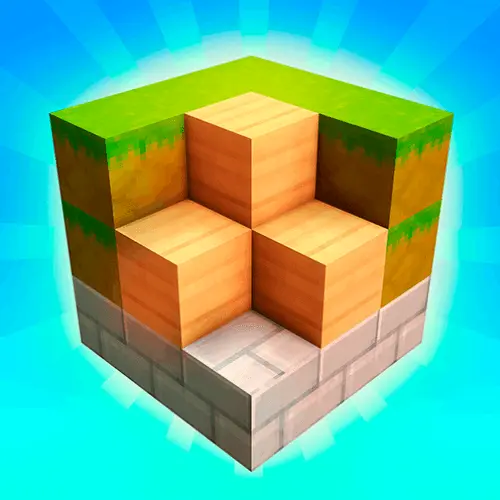
Block Craft 3D
Block Craft 3D is a block-based sandbox building game centered on turning simple spaces into your own creative projects. The main idea is straightforward: enter a 3D block…
 Works on Desktop & Mobile
Tested By BunaGames
- Test date
- July 10, 2026
- Tested on
- Chrome 150
- Device
- Desktop
- Operating system
- macOS and Windows
- Game loaded successfully
- Yes
- Fullscreen works
- Yes
- Sound works
- Yes
- Save progress
- Local browser storage
- Mobile compatibility
- Partially tested
- Keyboard controls
- Working
- Controller support
- Not detected
- Average loading time
- 4.2 seconds
- Known issues
- Minor delay after entering fullscreen
Block Craft 3D not loading?
- Refresh the page.
- Disable restrictive content blockers temporarily.
- Confirm JavaScript and WebGL are enabled.
- Clear the browser cache.
- Try another modern browser.
- Close unnecessary tabs.
- Switch off VPN if the game server is blocked.
- Use the Report a Problem button if the issue continues.
Continue Playing
Daily Challenge

Play 7 minutes today in Block Craft 3D.
Leaderboard
- 1Community rating4.4 ★
- 2Player likes470
- 3Total votes557
- 4Your local progress0%
Your progress is saved locally in this browser. No account required.
 Your progress is saved locally in this browser. No account required.
Game Progress & Challenges
Why Play This Game?
 Instant PlayPlay instantly in your browser.
 Mobile FriendlyOptimized for all devices.
 Free to PlayNo hidden fees.
About "Block Craft 3D"
Block Craft 3D is a block-based sandbox building game centered on turning simple spaces into your own creative projects. The main idea is straightforward: enter a 3D block world, choose what you want to make, and construct it piece by piece. A small home can become a larger neighborhood, a village can grow around it, or you can focus on one ambitious landmark-style build.
Its building theme supports both practical and imaginative designs. You can work toward houses, castles, mines, village spaces, towers, and even unusual creations such as a spaceship. Rather than asking players to follow one fixed route through a level, the game emphasizes free construction and the satisfaction of seeing a plan take shape in blocks.
Block Craft 3D suits players who enjoy Minecraft-inspired building games but want a clear, accessible focus on placing blocks and developing a personal world. Start with an easy project to understand the available pieces, then expand when you have a stronger idea of the layout you want. Every structure can become part of a larger scene, so even a modest first build can give your world a useful starting point.
Gameplay
Gameplay in Block Craft 3D revolves around creative construction in an open block world. The most important decision is not which mission to complete first, but what kind of place you want to create. You may begin with a compact house, then add paths, rooms, outdoor areas, and nearby buildings until it feels like part of a village. Players who prefer a larger challenge can plan a castle, a mine, a tall structure, or a themed landmark.
The game’s building loop is easy to understand: choose a project, place blocks to establish its shape, review the result from different angles, and continue refining it. Large builds work best when broken into smaller jobs. For example, make the footprint of a house before working on walls, leave an entrance before finishing the roof, and add exterior details only after the main silhouette looks right.
Village growth adds purpose to creative building. Instead of treating each structure as an isolated object, consider how it contributes to the setting around it. A home needs space around it; a castle benefits from a clear perimeter; a mine looks more convincing when it is placed where its entrance and approach make sense. This context is valuable because it transforms a collection of blocks into a place with a recognizable identity.
The strongest way to enjoy Block Craft 3D is to alternate between broad planning and close editing. Step back often, check whether the project is balanced, and adjust areas that look too flat, crowded, or unfinished. The game rewards patient iteration: a simple first version gives you something solid to improve rather than an empty world to overthink.
Platform
Block Craft 3D is known as a building game available on mobile platforms, including Android, and it has also been shown in iPad gameplay. This BunaGames page provides a browser-based way to access the game experience online without treating an app-store listing as the only route to the game.
Platform details matter because a browser version may present its own control prompts and interface layout. Before starting a serious build, take a moment to identify the visible movement, camera, building, and menu instructions in the game window. That short check can make later construction much smoother, especially when you are placing blocks in a precise pattern.
Browser play is particularly convenient for short creative sessions. You can open the game, test a building idea, work on a small structure, or spend longer developing a village project when you have more time. For more titles designed for quick online sessions, explore BunaGames online games.
How to Play "Block Craft 3D"
Begin Block Craft 3D with a small, specific objective. A first house, a short tower, a mine entrance, or a simple village square is easier to finish than a huge castle with no plan. Look over the world and choose an open area that gives your project enough room to grow.
- Pick a build theme. Decide whether you want to make a home, village structure, castle, mine, or a more imaginative project such as a spaceship.
- Create the footprint. Mark the ground shape first. This gives the structure proportion and prevents walls from becoming uneven later.
- Build upward in stages. Add the main walls or outer form before focusing on roofs, entrances, and decorative details.
- Check every side. Move around the construction and inspect it from more than one angle. A build that looks good from the front may need extra work at the back or sides.
- Add context. Connect nearby structures with open space, paths, or a consistent layout so the area reads as a village or designed location rather than random objects.
- Improve instead of restarting. If a section feels wrong, revise its shape or scale. Iteration is part of the creative process.
For large projects, use an internal order: base first, outer form second, main rooms or spaces third, then finishing details. This approach is more manageable than trying to make every part perfect immediately. It also helps you see whether the structure is too narrow, too wide, or out of proportion before you invest time in smaller features.
There is no need to limit yourself to realistic architecture. Block Craft 3D supports playful creative goals, so a familiar house can sit near a fantasy castle, an underground mine, or a landmark-inspired construction. The useful rule is consistency: repeat a few design choices across the project so it still looks intentional.
Controls
Use the control guidance displayed inside the Block Craft 3D game window as the authority for the version available on this page. Browser game interfaces can differ from mobile versions, so visible in-game prompts are more reliable than assuming that every release uses the same input layout.
Before building, identify the controls or buttons used for these essential actions:
- Moving through the block world
- Looking around and changing your viewing angle
- Selecting a block or building option
- Placing blocks to form a structure
- Opening any available game menu or building interface
Precise camera control is especially important for construction. When working on corners, roofs, narrow walls, or stacked blocks, pause and reposition your view before making the next placement. A clear angle helps you confirm that the new block belongs where you intended instead of creating an awkward protrusion or gap.
Can "Block Craft 3D" Unblocked?
Players often search for “Block Craft 3D unblocked” when they want a direct browser option instead of downloading an app or searching through multiple game pages. On BunaGames, you can open the game page and play online through the browser-based experience offered here.
“Unblocked” does not guarantee access on every network. Schools, workplaces, libraries, and managed devices may use their own content filters, browser rules, account restrictions, or network policies. Those settings are controlled by the organization or device owner, not by the game itself.
If the game does not load, first check your connection and whether the browser allows the game page to run normally. Avoid trying to bypass local network restrictions. When access is available, Block Craft 3D is a useful choice for a creative break because you can set a modest building goal, complete part of it, and return to a larger village or landmark idea later.
Tips for "Block Craft 3D"
Build with a purpose. Starting with “a castle” is useful, but starting with “a castle gate and two matching towers” is better. A narrower target creates momentum and gives the surrounding project a natural direction.
Use a clear foundation. The base determines the scale of everything above it. Make the footprint wide enough for the type of structure you have in mind. A house can stay compact, while a castle or landmark needs a more deliberate ground plan.
Work from large shapes to small details. Finish the basic exterior before attempting decoration. A strong silhouette makes even a simple block construction recognizable; details are most effective once the walls, height, roofline, or outer profile are already convincing.
Repeat visual patterns carefully. Matching towers, evenly spaced supports, similar roof shapes, and consistent paths can make a village feel organized. Repetition is not boring when it establishes a design language. Change one or two elements afterward to give each building its own role.
Leave room for expansion. Do not place every early structure too close together. Open areas make it easier to add a new home, connect parts of a village, enlarge a castle, or turn a standalone build into a broader district later.
Review at distance. Move away from your construction regularly. From close range, it is easy to focus on individual blocks and miss a roof that is too flat or a wall that looks uneven. A distant view reveals proportion problems quickly.
Make mistakes useful. An accidental extension can become a balcony, a side room, a tower base, or part of a mine entrance. Creative building is often more enjoyable when you adapt the design rather than erase every unexpected change immediately.
Features "Block Craft 3D"
Block Craft 3D focuses on the parts of block-building games that encourage personal expression: an open world, flexible construction, village-oriented projects, and a wide range of possible structures. Its appeal comes from giving players a simple building language and letting them decide what that language becomes.
- Open-world building: Create freely in a broad block-based setting instead of being limited to one predesigned structure.
- Village growth theme: Build homes and expand outward into a village-style environment with connected spaces and larger plans.
- Creative structure choices: Work on a house, castle, mine, city-like area, spaceship, or landmark-inspired project.
- 3D construction perspective: View builds as three-dimensional forms, making height, depth, shape, and layout important parts of every design.
- Scalable projects: Start with a quick small build or invest more time in an elaborate creation.
- Minecraft-inspired appeal: The block-world format is familiar to players who enjoy shaping environments one piece at a time.
A key strength is that these features work together. Open-world freedom alone can feel directionless, but the village-building angle gives players a practical starting point. At the same time, the option to make a castle, mine, or imaginative landmark keeps the game from becoming limited to ordinary houses.
The most useful feature for returning players is project continuity in your own ideas. A build does not need to be complete to be worthwhile. One session can establish a foundation, another can improve the outer shape, and a later session can turn the area into a fuller village scene. That flexible pace makes the game approachable for both quick experiments and longer creative plans.
Best "Block Craft 3D" Similar Games & Top Picks
- Castle Craft: Play Castle Craft online, merge resources, clear fog, build your castle, unlock lands, and follow a magical family quest in your browser.
- Vectaria.io: Vectaria.io is a free browser-based voxel sandbox game. Mine resources, craft items, build structures, and explore multiplayer worlds in survival or PVP modes.
- Obby but You Re on a Bike: Master parkour obstacle courses on a bike in Obby but You Re on a Bike. Navigate jumps, tight turns, and precision challenges in your…
- Paper Minecraft: Play Paper Minecraft free online! Experience the classic Minecraft adventure in 2D. Build, craft, survive and explore in this browser-based version.
- Bloxd.io: Play Bloxd.io free online! Build, battle, and explore in this multiplayer sandbox IO game with Minecraft-style graphics. No downloads required.
FAQ - Block Craft 3D
What is Block Craft 3D?
Block Craft 3D is a block-based sandbox building game. Players enter a 3D world and create their own structures, including homes, villages, castles, mines, and more imaginative projects. Its central activity is building freely and developing an environment from individual blocks.
Can I play Block Craft 3D online?
Yes. This BunaGames page provides an online browser-based way to access Block Craft 3D. Open the game page, wait for the game window to load, and follow the instructions shown in the version available here.
Is Block Craft 3D free to play?
The game is presented on BunaGames as an online game you can open and play in the browser. Availability can still depend on your connection, browser settings, and any rules applied to the network or device you are using.
What can I build in Block Craft 3D?
You can create many types of block constructions. Supported examples include houses, villages, castles, mines, spaceships, and landmark-style projects. A useful approach is to begin with a small building and gradually connect it to a larger world or village layout.
Is Block Craft 3D like Minecraft?
Block Craft 3D has a Minecraft-inspired block-world building style, but it should be approached as its own game. The shared appeal is creative construction in a 3D environment: choosing a design, placing blocks, and shaping a personal world. Block Craft 3D places particular emphasis on building and growing a village.
How do I start building a village?
Start with one central structure, such as a house or small square. Leave open room around it, then add a second building with a clear purpose. Continue by arranging structures so they feel connected rather than scattered. Planning space early makes it easier to expand the village without having to rebuild the first area.
What are the controls for Block Craft 3D?
Check the control prompts and interface guidance displayed in the game window. The available browser version may use a different input layout from the mobile releases, so its own on-screen instructions are the best guide for movement, camera use, selecting blocks, and placing pieces.
Can I play Block Craft 3D unblocked at school?
Access depends on the rules set by the school network, device, browser, or administrator. The game page may be available through a browser, but no website can guarantee access on networks that block gaming content. Respect local policies and do not attempt to bypass restrictions.
More Games Like This
 Survival Craft
Minecraft ★ 4.5
Survival Craft
Minecraft ★ 4.5
 Papas Sushiria
Minecraft ★ 4.6
Papas Sushiria
Minecraft ★ 4.6
 Papas Wingeria
Minecraft ★ 4.6
Papas Wingeria
Minecraft ★ 4.6
 Papas Scooperia
Minecraft ★ 4.7
Papas Scooperia
Minecraft ★ 4.7
 Papas Pizzeria
Minecraft ★ 4.6
Papas Pizzeria
Minecraft ★ 4.6
 Papas Freezeria
Minecraft ★ 4.6
Papas Freezeria
Minecraft ★ 4.6
 Papas Taco Mia
Minecraft ★ 4.6
Papas Taco Mia
Minecraft ★ 4.6
 Papas Cupcakeria
Minecraft ★ 4.6
Papas Cupcakeria
Minecraft ★ 4.6
 Minecraft Classic
Minecraft ★ 4.6
Minecraft Classic
Minecraft ★ 4.6
 Hello Neighbor
Minecraft ★ 4.7
Hello Neighbor
Minecraft ★ 4.7
 sprunki phase 8
Minecraft ★ 4.7
sprunki phase 8
Minecraft ★ 4.7
 Fly the Plane
Minecraft ★ 4.8
Fly the Plane
Minecraft ★ 4.8
 Melon Playground
Minecraft ★ 4.7
Melon Playground
Minecraft ★ 4.7
 Sprunkr
Minecraft ★ 4.4
Sprunkr
Minecraft ★ 4.4
 Dune Surfer Game
Minecraft ★ 4.6
Dune Surfer Game
Minecraft ★ 4.6
 Call of Duty
Minecraft ★ 4.4
Call of Duty
Minecraft ★ 4.4
 Cupcake Clicker
Minecraft ★ 4.6
Cupcake Clicker
Minecraft ★ 4.6
 Poop Clicker 2
Minecraft ★ 4.8
Poop Clicker 2
Minecraft ★ 4.8
 Report a Problem
Comments About Block Craft 3D