



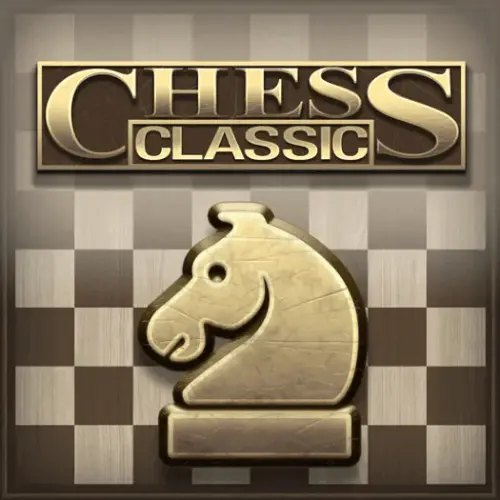
Chess Classic
Chess Classic brings the traditional two-player strategy board game to a browser-friendly format. The objective is simple to state but demanding to achieve: protect your own king while…
 Works on Desktop & Mobile
Tested By BunaGames
- Test date
- June 15, 2026
- Tested on
- Chrome 150
- Device
- Desktop
- Operating system
- macOS and Windows
- Game loaded successfully
- Yes
- Fullscreen works
- Yes
- Sound works
- Yes
- Save progress
- Local browser storage
- Mobile compatibility
- Partially tested
- Keyboard controls
- Working
- Controller support
- Not detected
- Average loading time
- 4.2 seconds
- Known issues
- Minor delay after entering fullscreen
Chess Classic not loading?
- Refresh the page.
- Disable restrictive content blockers temporarily.
- Confirm JavaScript and WebGL are enabled.
- Clear the browser cache.
- Try another modern browser.
- Close unnecessary tabs.
- Switch off VPN if the game server is blocked.
- Use the Report a Problem button if the issue continues.
Continue Playing
Daily Challenge

Play 7 minutes today in Chess Classic.
Leaderboard
- 1Community rating4.5 ★
- 2Player likes601
- 3Total votes685
- 4Your local progress0%
Your progress is saved locally in this browser. No account required.
 Your progress is saved locally in this browser. No account required.
Game Progress & Challenges
Why Play This Game?
 Instant PlayPlay instantly in your browser.
 Mobile FriendlyOptimized for all devices.
 Free to PlayNo hidden fees.
About "Chess Classic"
Chess Classic brings the traditional two-player strategy board game to a browser-friendly format. The objective is simple to state but demanding to achieve: protect your own king while creating a position where the opposing king cannot escape capture. Every move matters because a piece moved for attack can also leave a file, diagonal, or rank open behind it.
The game uses the familiar eight-by-eight chessboard and the standard set of pieces: king, queen, rooks, bishops, knights, and pawns. Each piece has a different movement pattern, so good play comes from seeing how those patterns combine. A rook can control an open file, a bishop can pressure a long diagonal, a knight can attack over nearby pieces, and pawns can shape the entire position.
Chess Classic suits players looking for a focused puzzle-like challenge rather than fast reflex gameplay. You can spend time evaluating threats, comparing candidate moves, and learning from the consequences of each decision. Whether you are practicing the basic rules or trying to spot a stronger tactical sequence, this classic board game rewards patience, calculation, and careful planning.
Gameplay
Chess Classic is played as a contest of position, tactics, and king safety. Players take turns moving one piece at a time across the 8x8 board. White traditionally moves first, then turns alternate until one side delivers checkmate, the game reaches a draw, or the players stop the match.
Your central task is to make moves that improve your own position without allowing an immediate reply that harms it. Before moving, check what your opponent attacks. Then ask what squares your move will attack, defend, or leave unprotected. This short scan prevents many common mistakes, especially lost pieces and exposed kings.
Captures happen when a piece moves onto a square occupied by an opposing piece. The captured piece is removed from the board. Because exchanges change the balance of material and space, a capture is not automatically good. Giving up a rook to win a queen may be worthwhile; trading a useful defender for a pawn may create danger around your king.
A check means the king is under attack. The player in check must respond immediately by moving the king, capturing the attacking piece, or blocking the attack when blocking is possible. Checkmate occurs when no legal response removes that attack. This makes Chess Classic more than a hunt for pieces: the final goal is to build a net of controlled squares around the enemy king.
- Opening: develop pieces and compete for useful central squares.
- Middlegame: calculate tactics, protect key pieces, and coordinate attacks.
- Endgame: use the king actively when it is safe and turn pawn advantages into promotion chances.
Platform
Chess Classic is designed for browser play, so it can be opened without a separate installation. The available research indicates access on both desktop and mobile devices, giving players a practical way to play from a computer browser or a touchscreen device.
Desktop play is useful when you want a larger view of the whole board and more room to study long diagonals, open files, and piece relationships. Mobile play is convenient for shorter sessions, where you may want to review a position or make a few carefully considered moves on a touch-friendly screen.
Because chess is turn-based, the game does not require rapid input. That makes it a natural fit for browser gaming: take time to inspect the position before committing to a move. For more titles that work directly in a web browser, explore browser games.
For the clearest experience, use a current browser, keep the game page open while you play, and make sure the board is fully visible on your screen. A stable connection can also help the game load reliably.
How to Play "Chess Classic"
Start by reading the board from your side. The board has eight ranks and eight files, creating 64 squares. Your first goal is not usually a quick attack. Instead, bring your pieces into useful positions, keep your king safe, and avoid moving the same piece repeatedly without a reason.
- Study the position. Identify your king, your opponent’s king, loose pieces, and any immediate checks or captures.
- Choose a candidate move. Consider a move that develops a piece, protects something important, attacks a weakness, or improves control of the center.
- Check legality. You cannot make a move that leaves your own king in check. If your king is attacked, solve that threat first.
- Look for the reply. After selecting a move, ask what the opponent can capture, check, or threaten next.
- Make the move. Select the piece and choose a legal destination square using the game interface.
- Reassess after every turn. The board changes after each move, so do not continue with a plan that no longer fits the position.
Learn the movement patterns one piece at a time. Rooks move along ranks and files; bishops move diagonally; queens combine both movements; knights move in an L shape; kings move one square; and pawns usually move forward while capturing diagonally. Pawns have special importance because their advances can gain space but cannot be undone.
As you improve, replace random moves with simple questions: Is my king safe? Is any piece attacked? Can I improve my least active piece? What is my opponent trying to do? These questions turn each turn into a manageable chess decision.
Controls
Chess Classic uses straightforward board interaction suited to browser play. On desktop, select the piece you want to move and then select its destination square. On a mobile device, tap a piece and tap the square where you want it to go.
Use the board itself as your main control surface. Before confirming a move, take a moment to verify the destination square and make sure the move does not expose your king. In chess, an accidental-looking move can change the entire position, particularly when it opens a line toward a king or leaves a valuable piece undefended.
| Device | Basic action |
|---|---|
| Desktop | Select piece, then square |
| Mobile | Tap piece, then square |
If the board feels crowded on a smaller display, pause before selecting a square and confirm the piece’s legal direction. Knights, pawns, and diagonal-moving bishops are especially useful pieces to double-check when you are still learning the controls.
Can "Chess Classic" Unblocked?
Chess Classic is a browser game that does not require a separate installation, which makes it convenient when you want a direct chess session on a desktop or mobile device. Open the game page in a compatible browser, let the board load, and begin when the game is available on your connection.
“Unblocked” can mean different things in different places. Access may be affected by a school, workplace, library, network administrator, regional setting, or device policy. Those restrictions are set by the relevant network or device owner, so availability cannot be guaranteed everywhere.
The best approach is to use the game on a personal or permitted connection and follow the rules of the location where you are playing. Since chess rewards concentration rather than speed, it works well for a planned break or a quiet strategy session when gaming is allowed.
No download requirement also means there is less setup before play. Load the page, check that the board is visible, and focus on the position rather than installing software or managing extra files.
Tips for "Chess Classic"
Strong chess starts with disciplined observation. Before every move, inspect checks, captures, and threats for both sides. This habit is often more valuable than trying to memorize complicated openings, because it helps you notice immediate tactical problems before they become irreversible.
- Develop early. Bring knights and bishops into active squares so they can influence the center and support future attacks.
- Do not expose the king. Avoid opening lines near your king unless you understand the consequences. A king with few defenders is a tactical target.
- Protect loose pieces. A loose piece is one that is not defended. Check whether a moved piece can be captured by a pawn, knight, bishop, rook, queen, or king.
- Use pawns with care. Pawn moves gain space and can open lines, but pawns cannot move backward. Each advance permanently changes the structure.
- Look twice at knights. Their L-shaped movement lets them attack squares that other pieces cannot reach directly, making forks particularly dangerous.
- Trade with a purpose. Exchanges can simplify a favorable position, remove an active enemy piece, or improve your pawn structure. Do not trade merely because a capture exists.
When you see a possible attack, calculate at least one opponent response. For example, if you give check, can the king move away, capture the checking piece, or block the line? If you attack a queen, is your own queen or king now vulnerable? This reply-first thinking prevents one-move plans from becoming blunders.
In quieter positions, improve the piece doing the least. A rook behind a blocked pawn, a bishop trapped by its own pawns, or a knight on the edge may need a better square before you launch an attack. Small improvements accumulate into a stronger position.
Features "Chess Classic"
Chess Classic centers on the enduring strengths of traditional chess: clear rules, deep strategy, and a board position that changes meaning after every move. The game’s familiar 8x8 layout makes it approachable for newcomers, while the number of possible plans gives experienced players plenty to analyze.
- Classic chessboard: play on the standard eight-by-eight grid used for traditional chess.
- Two-player strategy: each side tries to protect its king while restricting the opposing king’s safe squares.
- Distinct piece movement: every piece contributes differently to attack, defense, mobility, and control.
- Turn-based pace: take time to consider the board instead of relying on fast reactions.
- Browser access: play online without a separate installation requirement.
- Desktop and mobile support: the game is presented as playable across both types of devices.
The important feature is not simply moving pieces; it is coordination. A queen may be powerful, but it is much stronger when supported by a bishop, rook, knight, or pawn. Likewise, a single weak square may seem harmless until several opposing pieces can reach it. Chess Classic gives players a compact board where these relationships are visible and meaningful.
It also offers lasting replay value because the same opening moves can lead to different middlegames, tactical opportunities, and endgame structures. Players can use each game as practice in calculation, pattern recognition, patience, and decision-making. Even a short match can reveal a useful lesson about king safety, development, material, or timing.
Best "Chess Classic" Similar Games & Top Picks
- Brian Test 4: Sneaky Friends: Play Brian Test 4: Sneaky Friends online and solve cartoon riddles with careful taps, lateral thinking, and smart puzzle strategies.
- Brain Test 3: Tricky Puzzles: Play Brain Test 3: Tricky Puzzles online. Solve reverse-logic riddles, collect useful items, and follow a story through tricky quests.
- Brain Test 2: Tricky Puzzles: Play Brain Test 2: Tricky Puzzles online free. Read quirky riddles, study hand-drawn scenes, and solve clever brain teasers.
- Idle Dice: Play Idle Dice online and roll for earnings. Learn the gameplay, controls, dice-combo strategy, browser access, and save options.
- Unblock Me: Play Unblock Me online and slide the wooden blocks aside to guide the red block out of the board.
FAQ - Chess Classic
What is Chess Classic?
Chess Classic is an online version of traditional chess. Two players compete on an 8x8 board using kings, queens, rooks, bishops, knights, and pawns. The aim is to checkmate the opposing king while keeping your own king safe.
Can I play Chess Classic on mobile and desktop?
Yes. The available game information describes Chess Classic as playable online on both mobile and desktop devices. On a computer, use the browser board interface; on a touchscreen device, select moves by tapping the piece and destination square.
Do I need to download Chess Classic?
No separate installation is required for browser play. You can open the game page in a supported browser and play when it is available on your device and network.
How do I win a game of chess?
You win by checkmating the opponent’s king. Checkmate means the king is under attack and cannot legally move away, capture the attacking piece, or block the attack. Capturing pieces helps, but it is not the final objective by itself.
What should beginners focus on first?
Begin by learning how each piece moves, then practice protecting your king and noticing attacked pieces. Develop knights and bishops, avoid leaving pieces undefended, and check your opponent’s threats before every move. Simple, safe moves are usually better than an attack that has not been calculated.
What does check mean in Chess Classic?
Check means a king is being attacked by an enemy piece. The player whose king is in check must make a legal response immediately. They may move the king, capture the attacking piece, or block the attack if the attacking line can be blocked.
Why are pawns important?
Pawns control key squares, protect other pieces, and influence the shape of the position. Because they generally move forward and cannot move backward, each pawn advance is a long-term decision. A pawn can also become very valuable when it reaches the far side of the board and promotes.
Is Chess Classic a puzzle game?
Chess Classic fits the puzzle-game category because every position asks you to solve a strategic problem: find a safe move, defend a threat, win material, or create a checkmating attack. Unlike a fixed puzzle, the opponent’s replies continuously create new problems to evaluate.
More Games Like This
 4 Pics 1 Word
Puzzle ★ 4.5
4 Pics 1 Word
Puzzle ★ 4.5
 Jewel Quest
Puzzle ★ 4.7
Jewel Quest
Puzzle ★ 4.7
 Woodoku
Puzzle ★ 4.6
Woodoku
Puzzle ★ 4.6
 1010 Block Puzzle Game
Puzzle ★ 4.7
1010 Block Puzzle Game
Puzzle ★ 4.7
 Hexa Puzzle
Puzzle ★ 4.7
Hexa Puzzle
Puzzle ★ 4.7
 1010 Deluxe
Puzzle ★ 4.6
1010 Deluxe
Puzzle ★ 4.6
 Screw Puzzle
Puzzle ★ 4.7
Screw Puzzle
Puzzle ★ 4.7
 Color Sort
Puzzle ★ 4.6
Color Sort
Puzzle ★ 4.6
 Candy Riddles
Puzzle ★ 4.6
Candy Riddles
Puzzle ★ 4.6
 Hex Frvr
Puzzle ★ 4.5
Hex Frvr
Puzzle ★ 4.5
 Water Sort
Puzzle ★ 4.6
Water Sort
Puzzle ★ 4.6
 Brain Test Tricky Puzzles
Puzzle ★ 4.8
Brain Test Tricky Puzzles
Puzzle ★ 4.8
 Ball Sort
Puzzle ★ 4.5
Ball Sort
Puzzle ★ 4.5
 Bolts And Nuts
Puzzle ★ 4.6
Bolts And Nuts
Puzzle ★ 4.6
 Wheres My Water
Puzzle ★ 4.7
Wheres My Water
Puzzle ★ 4.7
 Hexagon
Puzzle ★ 4.6
Hexagon
Puzzle ★ 4.6
 Cut The Rope 2
Puzzle ★ 4.4
Cut The Rope 2
Puzzle ★ 4.4
 Papas Sushiria
Puzzle ★ 4.6
Papas Sushiria
Puzzle ★ 4.6
 Report a Problem
Comments About Chess Classic