



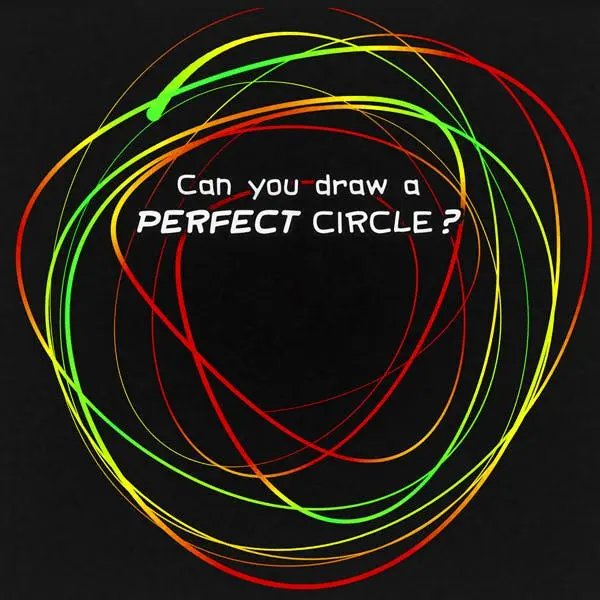
Draw a Perfect Circle
Draw a Perfect Circle is a focused browser challenge built around one deceptively difficult task: making a smooth, round circle freehand. Instead of relying on rulers, shape tools,…
 Works on Desktop & Mobile
Tested By BunaGames
- Test date
- June 14, 2026
- Tested on
- Chrome 150
- Device
- Desktop
- Operating system
- macOS and Windows
- Game loaded successfully
- Yes
- Fullscreen works
- Yes
- Sound works
- Yes
- Save progress
- Local browser storage
- Mobile compatibility
- Partially tested
- Keyboard controls
- Working
- Controller support
- Not detected
- Average loading time
- 4.2 seconds
- Known issues
- Minor delay after entering fullscreen
Draw a Perfect Circle not loading?
- Refresh the page.
- Disable restrictive content blockers temporarily.
- Confirm JavaScript and WebGL are enabled.
- Clear the browser cache.
- Try another modern browser.
- Close unnecessary tabs.
- Switch off VPN if the game server is blocked.
- Use the Report a Problem button if the issue continues.
Continue Playing
Daily Challenge

Play 7 minutes today in Draw a Perfect Circle.
Leaderboard
- 1Community rating4.5 ★
- 2Player likes730
- 3Total votes825
- 4Your local progress0%
Your progress is saved locally in this browser. No account required.
 Your progress is saved locally in this browser. No account required.
Game Progress & Challenges
Why Play This Game?
 Instant PlayPlay instantly in your browser.
 Mobile FriendlyOptimized for all devices.
 Free to PlayNo hidden fees.
About "Draw a Perfect Circle"
Draw a Perfect Circle is a focused browser challenge built around one deceptively difficult task: making a smooth, round circle freehand. Instead of relying on rulers, shape tools, or guided tracing, you use your own movement to create the best circle you can and then see how close the result comes to an ideal shape.
The idea is instantly understandable, but every attempt reveals a different part of hand control. A circle can become too wide, too tall, uneven at the edges, or slightly open where the line should meet. That makes the game a quick test of visual judgment, pacing, and fine motor precision rather than a traditional arcade game with levels, enemies, or complicated rules.
It works well for a short accuracy break, a friendly score challenge, or a repeatable personal test. Because each new drawing begins with the same simple goal, improvement is easy to notice: make a steadier outline, keep a more consistent curve, and finish nearer to where you started. The best approach is not to rush for a lucky result, but to learn how your drawing motion affects the final circle.
Gameplay
Draw a Perfect Circle centers its gameplay on a single freehand gesture. You begin a circle, guide the line around its full path, and attempt to return to the starting point while preserving an even curve. When the drawing is complete, the game evaluates how closely the shape resembles a perfect circle.
The challenge comes from combining several small tasks in one motion. Your line needs a stable radius, which means it should remain roughly the same distance from the intended center as it travels around. It also needs a clean closure: ending near the beginning without creating a noticeable gap, hook, or overlap. A drawing may look round at a glance yet lose accuracy because one side bulges outward or becomes flatter than the rest.
Unlike a game where progress depends on memorizing stages, the meaningful variable here is your technique. Fast movements can make the line unstable, while extremely slow movements can invite hesitation and correction. Each attempt gives immediate practical feedback because the completed circle lets you compare your intended motion with the shape that actually appeared.
This makes the game accessible to new players while leaving room for skill improvement. A first try can be spontaneous and fun; later tries can become deliberate experiments with speed, grip, arm movement, and starting position. The core loop stays concise: draw, review the result, adjust one habit, and try again.
Platform
Draw a Perfect Circle is suited to browser-based play. The game’s single-screen format and direct drawing interaction make it appropriate for a quick session without needing a long tutorial or a complex setup. Open the game page, prepare to draw in the play area, and concentrate on one complete shape at a time.
A pointing method that feels controlled is important because the challenge measures the path you create. On a computer, a mouse or trackpad can affect the smoothness of the motion. On a touch-enabled device, drawing with a finger may feel more natural for some players, especially when making a broad circular movement. The useful choice is the one that helps you move steadily rather than making abrupt corrections.
For the clearest experience, use a screen and input method that allow you to see the entire drawing area comfortably. Avoid distractions, keep enough space for one continuous gesture, and give the game a moment to show the completed result before beginning another attempt.
How to Play "Draw a Perfect Circle"
- Open the game and locate the drawing area. The objective is to create one circle freehand, so take a moment to identify the space where your line will appear.
- Choose a comfortable starting point. A start position with room around it makes it easier to travel through a full circular path. Do not begin too close to an edge if that forces an awkward movement.
- Start the drawing gesture. Press or touch in the play area and begin moving in a continuous curved path. Aim for a circle with an even distance from its center rather than chasing a specific side first.
- Keep the motion smooth. Continue around without stopping to redraw sections. Small adjustments are normal, but repeated sharp corrections often create bumps and flat spots.
- Return to the beginning. As the circle closes, guide the line back toward the point where you started. Try to avoid leaving a large gap or crossing far over the opening.
- Release and review. Finish the gesture and look at the game’s accuracy result. Notice whether the issue was overall shape, uneven curvature, a stretched direction, or the final connection.
- Make one change on the next attempt. For example, slow down slightly, use a larger motion, or focus on a cleaner finish. Changing only one thing makes it easier to learn what improves your circle.
The goal is not to produce a perfect result immediately. Treat every drawing as useful feedback. A rounder, more balanced circle usually comes from a calm, continuous motion instead of trying to repair the line after it has drifted.
Controls
The controls are intentionally simple because Draw a Perfect Circle is based on a single freehand input. Use your available pointing method to create one continuous circular line in the drawing area.
- Mouse: Position the pointer, hold the primary button, move in a circular path, then release when the circle is complete.
- Trackpad: Press and drag in one smooth motion. A larger, slower movement may be easier than making a very small circle.
- Touchscreen: Touch the drawing area, trace the circle with a finger, and lift your finger to finish.
There are no complicated action combinations to learn. Control quality matters more than control quantity: maintain a comfortable hand position, leave enough room to move, and avoid sudden changes in direction. If a method produces jagged or cramped results, try making the circle slightly larger or changing the pace of your gesture.
Can "Draw a Perfect Circle" Unblocked?
Players often search for an “unblocked” version when they want a game that can be opened and played directly in a web browser. Draw a Perfect Circle is designed around a lightweight, immediate drawing challenge, so it does not require the kind of lengthy installation or account process associated with many larger games.
Access can still depend on the browser, device settings, network rules, and content restrictions used where you are playing. A school, workplace, library, or managed device may limit game websites regardless of the game itself. Respect those rules rather than trying to bypass filters or security controls.
When the page is available on your normal connection, the most useful preparation is simply a compatible browser and a reliable pointer or touch input. The game is ideal for a brief break because one attempt takes only a single drawn gesture, while repeated attempts give you a clear reason to keep refining your accuracy.
Tips for "Draw a Perfect Circle"
A strong result in Draw a Perfect Circle is less about drawing quickly and more about managing the entire path. Use these practical habits to make each attempt more consistent.
- Think about the center first. Before you begin, imagine the middle of the circle and keep your line at a similar distance from that point as you travel around it. This reduces the chance of making one side much larger.
- Use one continuous rhythm. A smooth, steady motion usually creates a cleaner outline than a sequence of tiny corrections. Try to move at a pace you can maintain for the whole loop.
- Make the circle large enough to control. Very small circles can magnify tiny hand movements. A moderately sized circle gives your hand more room to form a stable curve.
- Do not chase the line. When the curve starts drifting, an aggressive correction can turn a gentle error into a visible angle. Make only subtle adjustments and keep moving forward.
- Practice the closing point. Many near-perfect circles lose their balance at the end. As you approach the start, reduce urgency and guide the line back naturally instead of snapping toward the opening.
- Notice directional bias. If your circles repeatedly stretch left to right, become tall, or bulge in the same area, that pattern is more valuable than a single score. Focus the next attempt on that one weakness.
- Test speed deliberately. Draw one circle a little slower and another with a slightly more confident pace. The better option is the speed that prevents both trembling and overcorrection.
The overlooked skill is consistency, not luck. A good practice session is a series of controlled trials: identify one shape problem, change one part of your motion, and compare the next result. This turns a simple circle game into a useful exercise in observation and hand-eye coordination.
Features "Draw a Perfect Circle"
Draw a Perfect Circle keeps its design centered on a clear accuracy challenge. Its strength is that the objective is obvious in seconds, while the quality of each attempt can vary greatly depending on how you draw.
- Freehand circle challenge: Create a circle using your own movement rather than an automatic shape tool.
- Accuracy-focused result: Complete a drawing and see how close your circle comes to the intended perfect form.
- Immediate repeatability: The short draw-and-review loop makes it easy to try again without learning a new ruleset.
- Visual self-assessment: The finished outline provides a direct way to spot stretched sides, flat curves, uneven sections, and imperfect closure.
- Simple arcade interaction: The game focuses on one intuitive input action instead of multiple commands, inventories, or long objectives.
- Personal skill progression: Improvement comes from better pacing, steadier movement, and stronger awareness of shape balance.
- Quick-session format: It is easy to play for one attempt or continue practicing for a higher-quality result.
The game also has a useful contrast with ordinary drawing activities. You are not judged on artistic detail, color, or imagination; the target is geometric control. That narrow focus helps players understand why an apparently simple shape is challenging to reproduce freehand. A circle asks you to coordinate direction, curve, scale, and the final meeting point in one uninterrupted action.
Because the rules remain the same from attempt to attempt, the experience supports both casual play and focused practice. You can treat it as a quick test of instinct, or as a small precision exercise where every result offers a visible lesson for the next circle.
Best "Draw a Perfect Circle" Similar Games & Top Picks
- Dune Surfer Game: Play Dune Game in your browser on BunaGames. Learn how to start, check the controls, use practical tips, and understand the game page.
- Pokemon Emerald: Play Pokemon Emerald online and explore Hoenn, train Pokémon, battle rivals, build a team, and face Team Magma and Team Aqua.
- Boulder Dash: Play Boulder Dash online. Dig through caves, collect diamonds, avoid falling boulders, and plan every move in this classic puzzle game.
- Vib-Ribbon: Play Vib-Ribbon online and guide Vibri across beat-timed obstacle lines in this distinctive rhythm arcade game.
- Zombie Tsunami: Play Zombie Tsunami online and lead a growing zombie horde through city obstacles, pedestrians, destruction, and surprise power-ups.
FAQ - Draw a Perfect Circle
What is Draw a Perfect Circle?
Draw a Perfect Circle is a browser drawing challenge in which you attempt to create a circular shape freehand. After completing the gesture, you can see how closely your result matches the goal of a perfect circle. The game tests smooth movement, shape awareness, and control rather than knowledge of complicated rules.
How do I play Draw a Perfect Circle?
Begin in the drawing area, then make one continuous circular motion using your pointer or touch input. Travel all the way around and try to finish near the place where you began. Once you complete the line, review the result and use what you notice to improve the next attempt.
Do I need to draw the circle in one motion?
The challenge is based on drawing a freehand circle as a continuous gesture. Keeping the motion continuous is helpful because stopping and making large corrections can create corners, overlaps, or uneven sections. Aim for a calm, controlled loop instead of trying to repair every small drift.
What makes a circle more accurate?
An accurate circle has a balanced overall shape, a consistent curve, and a finish that returns close to the starting point. It should not be noticeably wider than it is tall, and it should avoid large bumps, flat areas, or a major gap at the closure. A steady pace usually helps more than fast movement.
Can I play with a mouse or touchscreen?
The game’s drawing interaction can be approached with a mouse, trackpad, or touch input where available. Different methods can feel different: a mouse may offer precise pointer positioning, while a touchscreen can allow a broader hand movement. Use the option that lets you create the smoothest continuous path.
Why does my circle look round but receive a weaker result?
A circle can appear acceptable at a quick glance while still having small shape differences. One side may bulge outward, another may flatten, the circle may be stretched in one direction, or the final line may not meet cleanly. Review the whole outline instead of focusing only on one section.
Is Draw a Perfect Circle difficult?
The rules are very easy to understand, but producing a highly accurate freehand circle can be challenging. The difficulty comes from controlling a curved movement over a complete loop. That balance makes it suitable for casual players while giving detail-oriented players a reason to repeat the challenge.
How can I improve over several attempts?
Look for a recurring issue in your results and change only one habit at a time. If your circles are too wide, focus on the horizontal curve; if the ending is messy, slow down as you approach the start. Practicing with an even rhythm and a comfortably sized circle can make your results more consistent.
More Games Like This
 Ball Surfer 3D
Arcade ★ 4.7
Ball Surfer 3D
Arcade ★ 4.7
 Galaga
Arcade ★ 4.7
Galaga
Arcade ★ 4.7
 Osu Game
Arcade ★ 4.7
Osu Game
Arcade ★ 4.7
 Dig Dug 2
Arcade ★ 4.4
Dig Dug 2
Arcade ★ 4.4
 Pac Xon
Arcade ★ 4.8
Pac Xon
Arcade ★ 4.8
 Colorbox Mustard
Arcade ★ 4.6
Colorbox Mustard
Arcade ★ 4.6
 Blumgi Slime
Arcade ★ 4.7
Blumgi Slime
Arcade ★ 4.7
 Rolling Ball 3D
Arcade ★ 4.7
Rolling Ball 3D
Arcade ★ 4.7
 Burrito Bison
Arcade ★ 4.6
Burrito Bison
Arcade ★ 4.6
 Dumb Ways To Die 2
Arcade ★ 4.8
Dumb Ways To Die 2
Arcade ★ 4.8
 Papas Sushiria
Arcade ★ 4.6
Papas Sushiria
Arcade ★ 4.6
 Papas Wingeria
Arcade ★ 4.6
Papas Wingeria
Arcade ★ 4.6
 Papas Scooperia
Arcade ★ 4.7
Papas Scooperia
Arcade ★ 4.7
 Papas Pizzeria
Arcade ★ 4.6
Papas Pizzeria
Arcade ★ 4.6
 Papas Freezeria
Arcade ★ 4.6
Papas Freezeria
Arcade ★ 4.6
 Crazy Roll 3D
Arcade ★ 4.6
Crazy Roll 3D
Arcade ★ 4.6
 Papas Taco Mia
Arcade ★ 4.6
Papas Taco Mia
Arcade ★ 4.6
 Fnf Garcello
Arcade ★ 4.6
Fnf Garcello
Arcade ★ 4.6
 Report a Problem
Play Anytime, Anywhere
Add BunaGames to your home screen for quick access to your favorite games!
Comments About Draw a Perfect Circle