



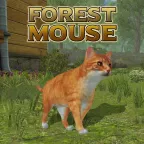
Forest Mouse
Forest Mouse is a 3D animal simulation game built around the unusual fantasy of living from the viewpoint of a tiny rodent. Instead of driving, shooting, or racing…
 Works on Desktop & Mobile
Tested By BunaGames
- Test date
- May 30, 2026
- Tested on
- Chrome 150
- Device
- Desktop
- Operating system
- macOS and Windows
- Game loaded successfully
- Yes
- Fullscreen works
- Yes
- Sound works
- Yes
- Save progress
- Local browser storage
- Mobile compatibility
- Partially tested
- Keyboard controls
- Working
- Controller support
- Not detected
- Average loading time
- 4.2 seconds
- Known issues
- Minor delay after entering fullscreen
Forest Mouse not loading?
- Refresh the page.
- Disable restrictive content blockers temporarily.
- Confirm JavaScript and WebGL are enabled.
- Clear the browser cache.
- Try another modern browser.
- Close unnecessary tabs.
- Switch off VPN if the game server is blocked.
- Use the Report a Problem button if the issue continues.
Continue Playing
Daily Challenge

Play 4 minutes today in Forest Mouse.
Leaderboard
- 1Community rating4.7 ★
- 2Player likes984
- 3Total votes1.1K
- 4Your local progress0%
Your progress is saved locally in this browser. No account required.
 Your progress is saved locally in this browser. No account required.
Game Progress & Challenges
Why Play This Game?
 Instant PlayPlay instantly in your browser.
 Mobile FriendlyOptimized for all devices.
 Free to PlayNo hidden fees.
About "Forest Mouse"
Forest Mouse is a 3D animal simulation game built around the unusual fantasy of living from the viewpoint of a tiny rodent. Instead of driving, shooting, or racing through a level, you scurry through a large natural environment, search for useful items, build a small home, and try to keep your mouse alive while the world around you feels much bigger than you are.
The core appeal is perspective. Grass, logs, bushes, food, shelters, and larger animals become survival-scale challenges when you play as a mouse. The game combines arcade-friendly movement with light survival, resource gathering, nest building, quests, ability upgrades, and family progression. Competitor descriptions often call it a 3D simulation, survival sim, animal life sim, and RPG-style mouse adventure; the best way to understand it is as a compact browser survival game where every berry, branch, and safe hiding place matters.
Players who enjoy animal simulators, exploration games, and low-pressure survival loops will find a clear objective structure here: collect resources, manage hunger and energy, improve your shelter, unlock skins, and progress toward a fuller mouse life in the forest and cottage areas.
Gameplay
The gameplay loop in Forest Mouse is simple to learn but layered enough to reward careful play. You begin as a small mouse with basic movement and survival needs. The first priority is to explore nearby ground, collect accessible resources, and understand how the environment is arranged. Items such as hay, nuts, berries, mushrooms, branches, and other collectible objects support your survival and home-building progress.
The game is not only about wandering. Hunger, stamina, health, and danger create constant pressure. You need food to stay active, a nest to rest and recover, and smart routes to avoid threats. Larger animals and predators can turn normal exploration into a risk, so movement is as much about positioning as it is about speed. The forest gives you open space and natural resources, while the cottage or cabin setting changes the feel of exploration by placing the mouse inside a human-scale environment.
Progression comes through quests, experience, upgrades, skins, and family features. Completing tasks helps your mouse level up. Supported competitor information describes a mate becoming available at level 10 and baby mouse progression at level 20, which gives the survival loop a longer-term goal beyond basic gathering. Skins can be unlocked using collected food and may change abilities such as health, attack strength, or enemy relationships.
The information gain many short competitor blurbs miss is that Forest Mouse works best when treated as route planning, not random collecting. You are always choosing between risk and return: grab one more item, return to the nest, enter a dangerous zone, or spend resources on an upgrade that makes future trips safer.
Platform
Forest Mouse is available as an online browser game on BunaGames, with gameplay suited especially to desktop and laptop players because the confirmed controls rely on keyboard inputs. It fits naturally beside browser games that load directly in a web page and focus on quick access rather than long installation steps.
The game is commonly described across sources as a 3D, HTML5, WebGL-style online experience. That means the action happens inside the browser game window, while movement, jumping, eating, picking items, dropping items, and attacking are handled through standard keys. For the smoothest session, use an updated browser, keep the game tab active, and allow the page to finish loading before pressing inputs.
Because Forest Mouse uses a 3D environment, performance can depend on the device, browser, and graphics support. If movement feels delayed, close heavy background tabs, refresh the page, or switch to a desktop browser with reliable keyboard focus.
How to Play "Forest Mouse"
Start Forest Mouse by focusing on basic survival instead of rushing deep into the map. Move around the starting area and look for easy resources. Food items help you maintain your mouse, while branches and hay support shelter building. The early game is about creating a safe rhythm: collect, return, eat when needed, rest when energy is low, and gradually expand how far you travel.
- Learn the movement first. Use the keyboard to move in short, controlled paths. Do not sprint mentally into unknown areas; the mouse is small, and dangerous animals are much stronger.
- Collect visible resources. Prioritize nearby berries, nuts, mushrooms, hay, and branches before traveling far. Early resources help stabilize your food supply and shelter progress.
- Build and improve your nest. Your home is more than decoration. It gives you a safe point to recover energy and organize survival progress.
- Watch hunger and energy. A hungry or tired mouse becomes vulnerable. Eat before exploring long routes and return before you are forced into risky movement.
- Complete quests for experience. Quests guide progression and help unlock later features, including family-related milestones mentioned by competitor pages.
- Use skins and upgrades strategically. Some skins require collected food and may provide useful bonuses. Spend resources when the benefit supports your current survival goal.
Think of every outing as a small expedition. Leave the nest with a purpose, gather what you need, avoid unnecessary fights, and return with enough resources to make the next trip easier.
Controls
Forest Mouse uses keyboard controls that are direct and easy to remember. The control layout supports movement, jumping, eating, item interaction, attacking, and menu access.
| Action | Key |
|---|---|
| Move | Arrow keys or WASD |
| Jump | Spacebar |
| Eat | E |
| Pick up / drop | F |
| Attack | Q |
| Menu | Esc |
Keep the game window selected before playing, especially after clicking outside the page. If the mouse does not respond, click inside the game area again and retry the keys. Since item interaction and eating have separate inputs, avoid pressing keys randomly near resources; stand close, face the item when needed, and use the correct action key so you do not waste time in dangerous areas.
Can "Forest Mouse" Unblocked?
Forest Mouse can be played free online on BunaGames through the game page, which makes it convenient for players who want fast access to an animal survival sim without installing a separate client. As with any browser title, whether it is accessible on a school, office, library, or shared network depends on that network’s rules and filtering settings.
If the game page loads normally, you can start playing directly in the browser. If it does not load, the issue may be a blocked gaming category, disabled WebGL support, strict browser permissions, or a network filter. Refreshing the page, using an updated browser, or trying a personal device on a permitted connection may help.
The safest approach is to play where browser games are allowed. Forest Mouse is best enjoyed when the connection is stable, the keyboard is available, and the browser can keep focus on the game window without interruptions.
Tips for "Forest Mouse"
- Build a resource route. Do not collect randomly forever. Notice where food, hay, branches, and safer paths appear, then repeat efficient loops from your nest outward.
- Return before you are empty. A common survival mistake is staying out until hunger or energy is nearly gone. Leave enough stamina to escape danger and reach your shelter.
- Use the nest as your anchor. Treat your home as the center of the map. Explore in widening circles so you can always navigate back without panic.
- Prioritize food early. Food supports survival and also matters for unlocks such as skins. A stable supply gives you more freedom to explore and upgrade later.
- Avoid fights you do not need. The attack key exists, but Forest Mouse is not built like a pure combat game. When a larger threat is nearby, escaping is often smarter than testing your damage.
- Spend upgrades with a purpose. If a skin or improvement boosts health, attack, or safety, choose it when it solves a real problem in your current route.
- Use quests as progression markers. Quests are not just side tasks. They help structure the survival loop, award experience, and push you toward later features.
- Slow down in new areas. The cottage and forest can feel very different because objects, scale, and danger placement change. Scout first, collect second.
The strongest strategy is patience. Forest Mouse rewards players who manage risk like a small animal would: gather what is close, hide when necessary, learn safe paths, and only expand once your mouse has enough resources to survive the trip.
Features "Forest Mouse"
- 3D mouse perspective: The game frames the world from a tiny rodent’s scale, turning ordinary forest and cottage spaces into large survival environments.
- Two main areas: Competitor sources consistently describe forest and cottage or cabin-style locations, giving the game both outdoor and indoor exploration flavor.
- Resource collection: Players gather survival materials and food items such as hay, nuts, berries, mushrooms, branches, and other useful objects.
- Nest building: Building and upgrading a home gives the game a clear base-building structure instead of making exploration feel aimless.
- Survival meters: Hunger, stamina, energy, and health management shape how far you can safely travel before returning to shelter.
- Quests and experience: Tasks help guide progress, reward activity, and support leveling through the animal simulation loop.
- Family progression: Supported descriptions mention finding a mate at level 10 and raising baby mice after reaching level 20, adding a long-term goal to the survival experience.
- Unlockable skins: Collected food can be used to unlock mouse skins, with some descriptions noting ability bonuses such as stronger health, attack, or reduced hostility from certain animals.
- Light RPG elements: Levels, upgrades, ability changes, quests, and family milestones make the game more than a basic animal walking simulator.
Forest Mouse stands out because it mixes cozy animal-life fantasy with real survival pressure. It is cute, but not empty. You are small, the world is large, and every collected item has a practical purpose.
Best "Forest Mouse" Similar Games & Top Picks
- Dune Surfer Game: Play Dune Game in your browser on BunaGames. Learn how to start, check the controls, use practical tips, and understand the game page.
- Pokemon Emerald: Play Pokemon Emerald online and explore Hoenn, train Pokémon, battle rivals, build a team, and face Team Magma and Team Aqua.
- Boulder Dash: Play Boulder Dash online. Dig through caves, collect diamonds, avoid falling boulders, and plan every move in this classic puzzle game.
- Vib-Ribbon: Play Vib-Ribbon online and guide Vibri across beat-timed obstacle lines in this distinctive rhythm arcade game.
- Zombie Tsunami: Play Zombie Tsunami online and lead a growing zombie horde through city obstacles, pedestrians, destruction, and surprise power-ups.
FAQ - Forest Mouse
What is Forest Mouse?
Forest Mouse is a 3D animal simulation and survival game where you play as a small mouse exploring forest and cottage environments. The main loop includes gathering resources, managing hunger and energy, building a nest, completing quests, unlocking skins, and progressing through mouse-life features.
Is Forest Mouse free to play online?
Yes. You can play Forest Mouse free online on BunaGames through the browser game page. Access may still depend on your device, browser support, and the rules of the network you are using.
What are the main controls in Forest Mouse?
You can move with the arrow keys or WASD, jump with Spacebar, eat with E, pick up or drop items with F, attack with Q, and open the menu with Esc. Make sure the game window is active before using the keyboard.
What do you collect in Forest Mouse?
The game includes natural and survival-related resources. Supported descriptions mention food and materials such as hay, nuts, berries, mushrooms, branches, and other collectible objects. These resources help with hunger, shelter building, upgrades, and unlocks.
Can you build a home in Forest Mouse?
Yes. Nest building is one of the important systems. You begin with a simple shelter concept and improve your home as you collect materials and progress. The nest gives the survival loop a safe center and helps you recover between trips.
Does Forest Mouse have levels or progression?
Yes. Quests reward experience and help your mouse level up. Competitor sources describe family milestones connected to progression, including finding a mate at level 10 and raising baby mice after reaching level 20. Skins and upgrades also add progression beyond basic exploration.
Is Forest Mouse more arcade or simulation?
It has elements of both. The controls are straightforward enough for an arcade browser game, but the design is closer to a light survival simulation because you manage resources, hunger, energy, shelter, danger, quests, and upgrades.
What is the best beginner strategy?
Collect nearby food and building materials first, then return to your nest before hunger or energy becomes critical. Avoid unnecessary fights, learn safe routes, and use quests to guide progress. Treat each trip away from home as a planned resource run rather than wandering without a goal.
More Games Like This
 Ball Surfer 3D
Arcade ★ 4.7
Ball Surfer 3D
Arcade ★ 4.7
 Galaga
Arcade ★ 4.7
Galaga
Arcade ★ 4.7
 Osu Game
Arcade ★ 4.7
Osu Game
Arcade ★ 4.7
 Dig Dug 2
Arcade ★ 4.4
Dig Dug 2
Arcade ★ 4.4
 Pac Xon
Arcade ★ 4.8
Pac Xon
Arcade ★ 4.8
 Colorbox Mustard
Arcade ★ 4.6
Colorbox Mustard
Arcade ★ 4.6
 Blumgi Slime
Arcade ★ 4.7
Blumgi Slime
Arcade ★ 4.7
 Rolling Ball 3D
Arcade ★ 4.7
Rolling Ball 3D
Arcade ★ 4.7
 Burrito Bison
Arcade ★ 4.6
Burrito Bison
Arcade ★ 4.6
 Dumb Ways To Die 2
Arcade ★ 4.8
Dumb Ways To Die 2
Arcade ★ 4.8
 Papas Sushiria
Arcade ★ 4.6
Papas Sushiria
Arcade ★ 4.6
 Papas Wingeria
Arcade ★ 4.6
Papas Wingeria
Arcade ★ 4.6
 Papas Scooperia
Arcade ★ 4.7
Papas Scooperia
Arcade ★ 4.7
 Papas Pizzeria
Arcade ★ 4.6
Papas Pizzeria
Arcade ★ 4.6
 Papas Freezeria
Arcade ★ 4.6
Papas Freezeria
Arcade ★ 4.6
 Crazy Roll 3D
Arcade ★ 4.6
Crazy Roll 3D
Arcade ★ 4.6
 Papas Taco Mia
Arcade ★ 4.6
Papas Taco Mia
Arcade ★ 4.6
 Fnf Garcello
Arcade ★ 4.6
Fnf Garcello
Arcade ★ 4.6
 Report a Problem
Comments About Forest Mouse