



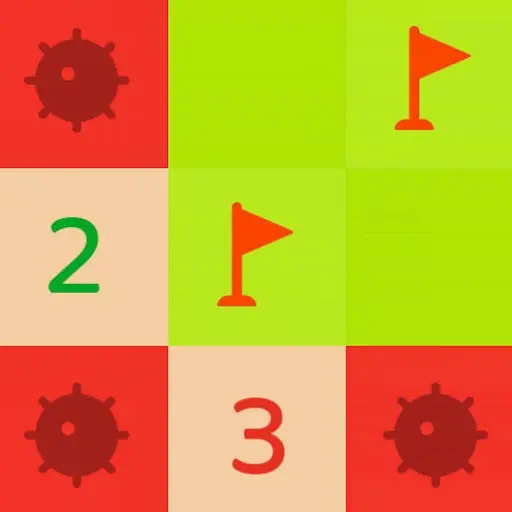
Google Minesweeper
Google Minesweeper is a classic grid-based logic puzzle built around careful deduction. Every round begins with a board of covered tiles hiding safe spaces and mines. Your goal…
 Works on Desktop & Mobile
Tested By BunaGames
- Test date
- June 13, 2026
- Tested on
- Chrome 150
- Device
- Desktop
- Operating system
- macOS and Windows
- Game loaded successfully
- Yes
- Fullscreen works
- Yes
- Sound works
- Yes
- Save progress
- Local browser storage
- Mobile compatibility
- Partially tested
- Keyboard controls
- Working
- Controller support
- Not detected
- Average loading time
- 4.2 seconds
- Known issues
- Minor delay after entering fullscreen
Google Minesweeper not loading?
- Refresh the page.
- Disable restrictive content blockers temporarily.
- Confirm JavaScript and WebGL are enabled.
- Clear the browser cache.
- Try another modern browser.
- Close unnecessary tabs.
- Switch off VPN if the game server is blocked.
- Use the Report a Problem button if the issue continues.
Continue Playing
Daily Challenge

Play 5 minutes today in Google Minesweeper.
Leaderboard
- 1Community rating4.7 ★
- 2Player likes801
- 3Total votes868
- 4Your local progress0%
Your progress is saved locally in this browser. No account required.
 Your progress is saved locally in this browser. No account required.
Game Progress & Challenges
Why Play This Game?
 Instant PlayPlay instantly in your browser.
 Mobile FriendlyOptimized for all devices.
 Free to PlayNo hidden fees.
About "Google Minesweeper"
Google Minesweeper is a classic grid-based logic puzzle built around careful deduction. Every round begins with a board of covered tiles hiding safe spaces and mines. Your goal is to reveal every safe tile while avoiding the hidden mines. A single wrong reveal can end the attempt, so success comes from interpreting the information already visible rather than guessing blindly.
The puzzle is easy to understand but can become surprisingly demanding. Revealed tiles provide numerical clues that describe the mines nearby, turning each open area into a small reasoning problem. Players compare neighboring clues, identify tiles that must be dangerous, and open the locations that must be safe. This clear cause-and-effect loop makes Minesweeper satisfying for quick breaks as well as focused puzzle sessions.
Google Minesweeper includes easy, medium, and hard difficulty choices, allowing new players to learn the board language at a comfortable pace before taking on denser layouts. The simple presentation keeps attention on the grid, the clues, and the next logical move. It is a strong fit for players who enjoy calm brain teasers, pattern recognition, and classic browser games that reward patience over reflexes.
Gameplay
Google Minesweeper gameplay follows one central objective: uncover the safe tiles on the board without detonating a mine. At the start, nearly every tile is covered. Opening a safe tile may reveal an empty area or a number. That number is the key to the puzzle because it tells you how many mines are positioned in the surrounding neighboring tiles.
For example, a tile showing 1 means exactly one mine is adjacent to it. If only one covered tile remains around that clue, that covered tile must contain the mine. Once you recognize a confirmed mine, you can treat the other nearby covered spaces more safely. The same logic becomes more useful when clues overlap. Two or more numbers can share neighboring tiles, and comparing their requirements often reveals the only possible mine arrangement.
Each difficulty changes the pressure of the puzzle. Easy mode gives players room to learn how numbered clues connect across the grid. Medium mode asks for more frequent comparisons between clues. Hard mode creates a busier field in which one overlooked relationship can affect several future moves. The rules remain consistent across every setting, but the amount of information to manage increases.
A good round has a steady rhythm: reveal a tile, inspect the new clues, identify certain mines or safe spaces, then repeat. Minesweeper is not about opening tiles as fast as possible. It is about making each reveal meaningful. When a board provides enough information, deliberate deduction reduces risk and creates the rewarding chain reactions that define the game.
Platform
Google Minesweeper is suited to browser play, making it convenient when you want a focused puzzle without moving between complicated menus or long sessions. The game board is the main interface: covered tiles, revealed spaces, and numerical clues present the information needed to make decisions.
A desktop or laptop browser is especially useful for players who prefer precise pointer input while reading tightly grouped clues. Touch-capable devices can also suit the game because the actions are simple and centered on selecting tiles. Whichever device you use, the most important part of the experience is having enough screen space to distinguish the clue numbers and inspect neighboring covered squares carefully.
The easy, medium, and hard options give the game practical replay value in a browser setting. Choose an easier board for a short introduction, then return to a tougher board when you want more involved logic. Because the puzzle uses compact rounds and familiar rules, it works well as a quick mental reset or as a longer challenge for players trying to improve their deduction habits.
How to Play "Google Minesweeper"
Begin by choosing a difficulty level that matches your comfort with Minesweeper. Easy is the best starting point if you are learning what the clue numbers mean. Medium and hard are better once you can reliably compare several nearby clues without rushing.
- Open a tile on the covered grid to reveal information.
- Read every number that appears. A number represents the count of mines in the tiles directly surrounding it.
- Check the covered tiles around that number. If the number of possible mine locations matches the clue exactly, those locations can be treated as mines.
- Use confirmed mine positions to identify safe neighboring tiles. A clue that already has all of its required mines accounted for cannot have another mine beside it.
- Continue revealing safe spaces and reassessing the newly exposed clues until all safe tiles are cleared.
The most useful habit is to work from certainty. Do not focus only on one number; inspect the clues around it and look for overlap. Suppose one clue needs a mine among two covered tiles, while a neighboring clue has already established where its mine must be. That relationship can settle the second clue as well. These small deductions are the foundation of efficient play.
If a board does not immediately offer an obvious move, pause and scan another region rather than selecting at random. Look for clues with few remaining covered neighbors, because they are often easier to resolve. Keep the objective in mind: you are not trying to expose every tile quickly; you are trying to expose every safe tile while preserving the information needed for the next decision.
Controls
The controls are intentionally simple because Google Minesweeper is driven by observation and deduction rather than complex commands. Select tiles to reveal them, then use the available board interaction for marking locations you believe contain mines when needed.
| Action | Purpose |
|---|---|
| Select a tile | Reveal a covered space |
| Mark a suspected mine | Track a dangerous tile |
| Choose difficulty | Start an easy, medium, or hard board |
| Restart a round | Try a fresh puzzle |
On a mouse-based setup, take time to position the pointer accurately before opening a tile, especially in a crowded section of the grid. On touch screens, use deliberate taps and zoom or adjust your view if the board feels too compact. Marking suspected mines can help you organize a complex area, but treat marks as notes for your reasoning rather than a substitute for checking the surrounding clues.
Can "Google Minesweeper" Unblocked?
Google Minesweeper is designed for straightforward browser-based puzzle play. If the game page loads normally, you can begin a round by choosing a difficulty and interacting with the grid. Its compact format makes it useful for players looking for a classic logic challenge without a long tutorial or a large game world to navigate.
Access can still depend on the browser, device settings, connection quality, and any network rules applied where you are playing. Some school, work, library, or managed networks may limit access to game pages independently of the game itself. If a page does not load, use the rules that apply to your network and try again from an approved connection or device.
Once available, the game is best enjoyed in a modern browser with a clear view of the full board. Avoid treating it as a speed-clicking game. A stable connection and a comfortable screen size help you read clue relationships, make accurate selections, and return to the puzzle whenever you want a short logic-focused break.
Tips for "Google Minesweeper"
Start with easy difficulty and make every early move a lesson. The purpose of an easy board is not simply to finish it; it is to recognize how a clue limits the tiles around it. When you see a 1, immediately count its covered neighbors. When only one candidate remains, you have found a certain mine. Repeating this process builds reliable instincts for tougher boards.
- Count remaining possibilities, not just total neighbors. A clue may touch several tiles, but some may already be revealed or accounted for. Focus on the covered tiles that could still satisfy the number.
- Use completed clues. When a clue already has its required number of mines identified nearby, its other covered neighbors are safe to investigate.
- Compare overlapping clues. Adjacent numbers often share tiles. Their shared information is more valuable than treating each clue as an isolated problem.
- Work from the clearest area. If one part of the board is uncertain, scan elsewhere. A simple deduction in another region can create information that helps later.
- Mark carefully. Mark suspected mines to reduce mental clutter, but revisit your marks whenever new clues appear. A mark should reflect a reasoned conclusion.
- Slow down near dense sections. Harder boards can place many clue relationships close together. One inaccurate count can lead to an unnecessary risky selection.
Another practical technique is to ask two questions after every reveal: which nearby tiles are now certainly dangerous, and which are now certainly safe? This turns each new number into an actionable decision. Avoid opening a tile merely because it feels likely to be safe. Minesweeper becomes much more consistent when each move is supported by a count or a comparison.
If you encounter a position that appears uncertain, do not let frustration create rushed clicks. Recount the neighboring tiles, look at the clues just beyond the immediate area, and confirm whether an earlier mark changed the situation. Careful verification is often faster than restarting after a mistake.
Features "Google Minesweeper"
Google Minesweeper keeps the focus on the core elements that made the puzzle a lasting favorite: a covered grid, hidden mines, numerical clues, and a clear win condition. The design does not require complicated systems to create challenge. Every decision comes from the visible state of the board and your ability to interpret it.
- Classic mine-clearing objective: Reveal all safe tiles while avoiding hidden mines.
- Logic-first puzzle design: Number clues provide information about mines in neighboring spaces.
- Three difficulty choices: Easy, medium, and hard modes let players select an appropriate challenge.
- Compact rounds: A board can be approached as a quick puzzle or a more deliberate reasoning session.
- Readable visual language: Covered tiles, open spaces, and numbers communicate the board state directly.
- Replayable deduction: The same rules stay familiar while each new board asks you to apply them again.
- Suitable for new and experienced players: Beginners can learn through easy boards, while hard mode demands closer attention.
The strongest feature is the way the game transforms simple numbers into layered decisions. A clue is never just a number on a tile; it is a constraint on the nearby grid. As more spaces are opened, the board gradually shifts from uncertainty to evidence. This creates a puzzle experience that feels methodical and tense without needing fast reactions.
For players who enjoy pattern recognition, Google Minesweeper offers a clean way to practice structured thinking. You observe the available facts, eliminate impossible positions, confirm safe actions, and repeat. That loop makes every solved corner of the board feel earned. The difficulty settings also help keep the experience approachable, whether you are revisiting a familiar classic or learning the rules for the first time.
Best "Google Minesweeper" Similar Games & Top Picks
- Brian Test 4: Sneaky Friends: Play Brian Test 4: Sneaky Friends online and solve cartoon riddles with careful taps, lateral thinking, and smart puzzle strategies.
- Brain Test 3: Tricky Puzzles: Play Brain Test 3: Tricky Puzzles online. Solve reverse-logic riddles, collect useful items, and follow a story through tricky quests.
- Brain Test 2: Tricky Puzzles: Play Brain Test 2: Tricky Puzzles online free. Read quirky riddles, study hand-drawn scenes, and solve clever brain teasers.
- Idle Dice: Play Idle Dice online and roll for earnings. Learn the gameplay, controls, dice-combo strategy, browser access, and save options.
- Unblock Me: Play Unblock Me online and slide the wooden blocks aside to guide the red block out of the board.
FAQ - Google Minesweeper
What is Google Minesweeper?
Google Minesweeper is a classic logic puzzle played on a grid of covered tiles. Some tiles hide mines, while others are safe. The goal is to uncover every safe tile without selecting a mine. Revealed numbered tiles provide clues about where nearby mines are located.
How do you win Google Minesweeper?
You win by clearing all safe tiles on the board. You do not need to reveal the mine tiles. Instead, use the numbers on revealed spaces to determine which covered tiles are dangerous and which ones can be opened safely.
What do the numbers mean in Minesweeper?
A number tells you how many mines are in the neighboring tiles around that revealed space. For instance, a 1 indicates that exactly one mine is adjacent to that clue. Compare the number with the covered tiles around it to narrow down the possible mine locations.
Does Google Minesweeper have difficulty settings?
Yes. The available difficulty options are easy, medium, and hard. Easy mode is useful for learning the relationship between clues and neighboring tiles. Medium and hard increase the reasoning challenge by presenting more complex board situations.
Is Google Minesweeper based on luck?
The central skill is logical deduction. Many moves can be supported by the numbers already revealed on the board. When a section seems uncertain, carefully checking overlapping clues and recounting covered neighbors may reveal a safe move that was missed. The best approach is to prioritize confirmed information over quick guesses.
Should I mark tiles that I think contain mines?
Marking suspected mine locations can be helpful, especially when several clues connect in one small area. It keeps you from accidentally selecting a tile you have already identified as dangerous. However, marks should be treated as part of your reasoning process, so review them if new clues change the situation.
What is the best way for beginners to improve?
Begin on easy difficulty and study each clue before making another selection. Practice counting the covered neighbors around a number, then identify cases where the clue leaves only one possible mine location. As you improve, compare neighboring clues instead of solving them one at a time. This is the key habit for handling more difficult boards.
Can I play Google Minesweeper in a browser?
Yes, the game is suited to browser-based play. Use a clear view of the grid, choose a difficulty level, and interact with the covered tiles carefully. A larger screen can make it easier to inspect dense clusters of clue numbers, but the essential experience remains the same: read the board, make a logical choice, and clear the safe spaces.
More Games Like This
 4 Pics 1 Word
Puzzle ★ 4.5
4 Pics 1 Word
Puzzle ★ 4.5
 Jewel Quest
Puzzle ★ 4.7
Jewel Quest
Puzzle ★ 4.7
 Woodoku
Puzzle ★ 4.6
Woodoku
Puzzle ★ 4.6
 1010 Block Puzzle Game
Puzzle ★ 4.7
1010 Block Puzzle Game
Puzzle ★ 4.7
 Hexa Puzzle
Puzzle ★ 4.7
Hexa Puzzle
Puzzle ★ 4.7
 1010 Deluxe
Puzzle ★ 4.6
1010 Deluxe
Puzzle ★ 4.6
 Screw Puzzle
Puzzle ★ 4.7
Screw Puzzle
Puzzle ★ 4.7
 Color Sort
Puzzle ★ 4.6
Color Sort
Puzzle ★ 4.6
 Candy Riddles
Puzzle ★ 4.6
Candy Riddles
Puzzle ★ 4.6
 Hex Frvr
Puzzle ★ 4.5
Hex Frvr
Puzzle ★ 4.5
 Water Sort
Puzzle ★ 4.6
Water Sort
Puzzle ★ 4.6
 Brain Test Tricky Puzzles
Puzzle ★ 4.8
Brain Test Tricky Puzzles
Puzzle ★ 4.8
 Ball Sort
Puzzle ★ 4.5
Ball Sort
Puzzle ★ 4.5
 Bolts And Nuts
Puzzle ★ 4.6
Bolts And Nuts
Puzzle ★ 4.6
 Wheres My Water
Puzzle ★ 4.7
Wheres My Water
Puzzle ★ 4.7
 Hexagon
Puzzle ★ 4.6
Hexagon
Puzzle ★ 4.6
 Cut The Rope 2
Puzzle ★ 4.4
Cut The Rope 2
Puzzle ★ 4.4
 Papas Sushiria
Puzzle ★ 4.6
Papas Sushiria
Puzzle ★ 4.6
 Report a Problem
Comments About Google Minesweeper