



I Am Cat
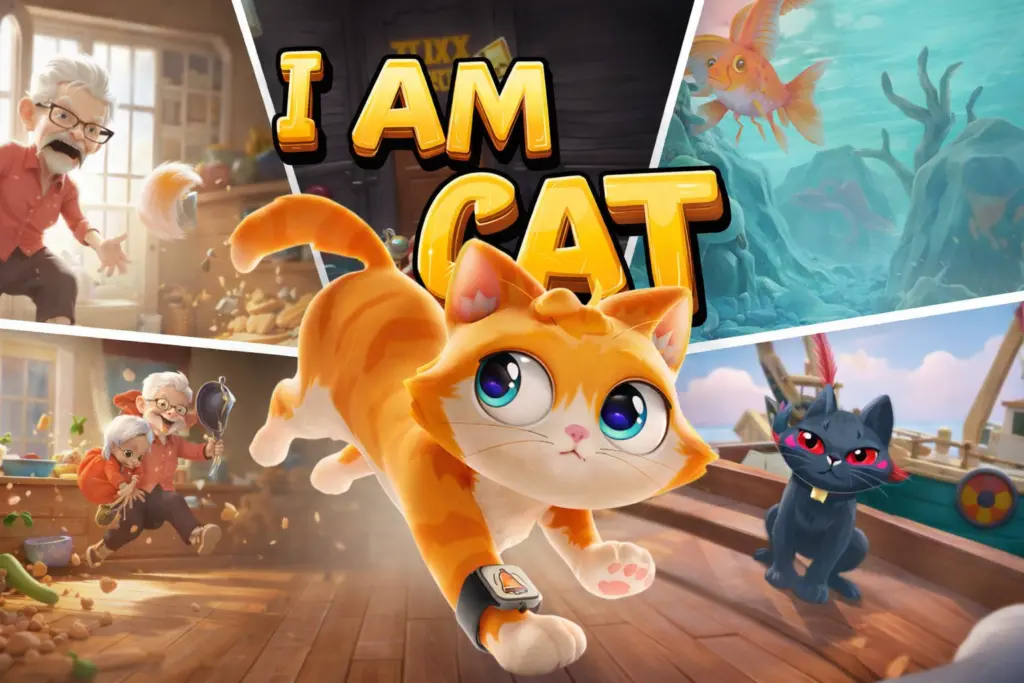
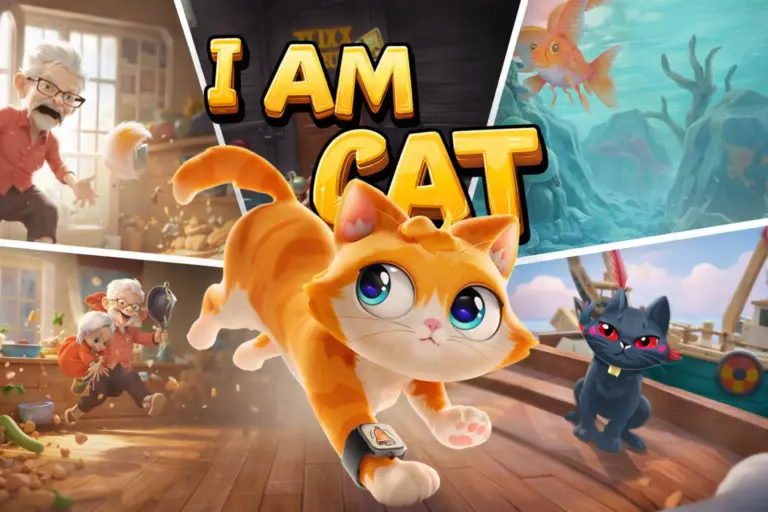
I Am Cat is a playful cat simulator built around one simple fantasy: seeing a human-made world from a curious, mischievous feline perspective. Instead of following a traditional…
 Works on Desktop & Mobile
Tested By BunaGames
- Test date
- August 11, 2026
- Tested on
- Chrome 150
- Device
- Desktop
- Operating system
- macOS and Windows
- Game loaded successfully
- Yes
- Fullscreen works
- Yes
- Sound works
- Yes
- Save progress
- Local browser storage
- Mobile compatibility
- Partially tested
- Keyboard controls
- Working
- Controller support
- Not detected
- Average loading time
- 4.2 seconds
- Known issues
- Minor delay after entering fullscreen
I Am Cat not loading?
- Refresh the page.
- Disable restrictive content blockers temporarily.
- Confirm JavaScript and WebGL are enabled.
- Clear the browser cache.
- Try another modern browser.
- Close unnecessary tabs.
- Switch off VPN if the game server is blocked.
- Use the Report a Problem button if the issue continues.
Continue Playing
Daily Challenge

Play 6 minutes today in I Am Cat.
Leaderboard
- 1Community rating4.7 ★
- 2Player likes1.0K
- 3Total votes1.1K
- 4Your local progress0%
Your progress is saved locally in this browser. No account required.
 Your progress is saved locally in this browser. No account required.
Game Progress & Challenges
Why Play This Game?
 Instant PlayPlay instantly in your browser.
 Mobile FriendlyOptimized for all devices.
 Free to PlayNo hidden fees.
About "I Am Cat"
I Am Cat is a playful cat simulator built around one simple fantasy: seeing a human-made world from a curious, mischievous feline perspective. Instead of following a traditional hero through combat arenas or racing tracks, you take the role of a domestic cat that can roam around familiar spaces and turn ordinary household objects into opportunities for trouble.
The central appeal is freedom of interaction. A room is not just a backdrop; it is a place to inspect, disturb, climb around, and experiment with. Human spaces are filled with objects that feel much larger and more interesting when viewed as a cat, so playful behavior becomes the goal. The experience emphasizes curiosity, silly destruction, and the satisfaction of making a mess rather than strict competition.
I Am Cat is especially suited to players who enjoy animal simulators, light sandbox games, and humorous physics-driven interactions. Its cat-focused premise gives every small action a clear personality: investigate the room, find something tempting, and see what happens when a determined kitty refuses to behave. It is an easy game to understand, but there is plenty of amusement in noticing the interactive details around each area.
Gameplay
I Am Cat centers on exploratory mischief. You control a cat inside environments designed for people, where the scale, furniture, and everyday items encourage you to think like an animal rather than a person. The fun comes from moving through the space, looking closely at your surroundings, and choosing what to investigate next.
Rather than treating chaos as a failure, the game makes it part of the fantasy. A curious cat may approach a tempting object, interfere with a neat human environment, or search for new ways to interact with the room. This gives the gameplay a sandbox-like rhythm: observe the area, move toward an interesting target, try an interaction, then react to the result.
The strongest gameplay loop is therefore not about repeating one difficult challenge. It is about discovery. Players can experiment with the relationship between the cat and the environment, learning which objects or locations are worth checking while enjoying the contrast between a small animal and a human-sized setting. That approach makes I Am Cat accessible for casual play sessions, because progress can come from simply finding a new interaction or creating a more amusing situation.
Although this page appears in a platform game category, the defining identity of I Am Cat is its feline simulator concept. Movement through an environment matters, but the purpose of moving is to explore, interact, and express the cat's mischievous personality. Players looking for a rigid level-by-level platform challenge should approach it as a light interactive simulator first.
Platform
I Am Cat is known as a cat simulation experience with versions associated with virtual reality and mobile play. The game concept is built around inhabiting the role of a domestic cat in human environments, making close-up exploration and object interaction central to its appeal.
On BunaGames, the useful focus is browser access: open the game page, allow the game to finish loading, and use the control prompts shown by the current build. Browser play is convenient because it lets you start from a compatible device without searching for a separate store listing or installation page.
For the smoothest session, use an updated browser, keep enough free memory for the game to load, and close demanding tabs if performance slows down. A larger screen can make it easier to spot objects and navigate a detailed room. Explore more browser games when you want quick sessions with no complicated setup.
How to Play "I Am Cat"
Start I Am Cat by letting the game load fully, then take a moment to look at the initial environment and any on-screen instructions. The first goal is not to rush. This is a game about noticing what a cat might notice: reachable surfaces, unusual objects, open areas, and anything that looks fun to investigate.
- Launch the game and wait for the playable scene to appear.
- Use the displayed movement controls to guide the cat through the environment.
- Look around carefully for objects, furniture, and spaces that invite interaction.
- Approach an item and follow the current build's action prompt when one appears.
- Experiment with different parts of the room instead of repeating the same interaction.
- Keep exploring to find more opportunities for feline mischief.
A useful mindset is to treat each area as a miniature playground. Human rooms contain many possible points of interest, and the enjoyment comes from testing them rather than from finding a single correct route. If an object does not react as expected, move on, inspect the nearby space, and return later from a different angle.
New players can also improve their experience by slowing down near crowded areas. Looking carefully before moving helps you identify where the cat can go and what is likely to be interactive. The game rewards curiosity more than speed, so take time to explore naturally. Once you understand how the current browser version communicates movement and actions, creating chaos becomes much more intuitive.
Controls
The available research confirms the cat-simulator premise but does not reliably establish one universal keyboard, touch, or VR control layout. Controls can differ between versions, so the most accurate approach is to follow the prompts shown in the browser game when it starts.
| Goal | What to do |
|---|---|
| Move | Use the displayed movement input |
| Look around | Adjust the view as prompted |
| Interact | Use the action prompt near objects |
| Pause or settings | Check the game menu prompt |
If you are playing on a computer, click inside the game window first if the controls do not respond immediately. If an instruction overlay appears, read it before moving away; it is the best source for the exact controls used by the current version. Avoid relying on controls from videos or mobile adaptations, since those may not match browser play.
Can "I Am Cat" Unblocked?
I Am Cat is designed for players looking for a quick, accessible cat simulator experience through a game page rather than a long setup process. When access is available on your network and device, open the BunaGames page in a modern browser, let the game load, and begin exploring the human-sized environment.
“Unblocked” can mean different things depending on where you are playing. BunaGames can provide browser-based access, but school, workplace, library, family, or public Wi-Fi networks may apply their own rules or filters. Respect local network policies and only play where games are permitted.
If the game does not open normally, try refreshing the page, checking your connection, disabling only browser features that interfere with game loading when appropriate, or testing another updated browser. Loading issues are often technical rather than related to the game itself. Once the game starts, use the on-screen prompts for the current build instead of assuming that every version has identical controls.
Tips for "I Am Cat"
Play I Am Cat like a curious animal, not like a speedrunner. The most useful habit is to scan each area before committing to a direction. Look for objects at different heights, cluttered surfaces, corners, and open routes through the room. In a human environment, even an ordinary item can become an interesting target when approached from the cat's point of view.
- Explore before repeating. If one interaction is amusing, enjoy it, but then move on and search for another object or area.
- Use the room's scale. Furniture and household spaces shape how a cat moves through the environment. Pay attention to accessible routes and nearby points of interest.
- Watch for prompts. The browser build's on-screen instructions are more dependable than assumptions about controls from other versions.
- Experiment safely. Try different approaches to objects and locations to learn what responds to your actions.
- Do not rush the first minutes. Learning the movement and interaction rhythm makes later exploration smoother.
- Make your own objective. Search for the most tempting object, investigate the busiest corner, or see how much harmless disorder you can create.
A major advantage of the cat-simulator format is that players can set their own pace. There is no need to treat every moment as a test of reflexes. If you are unsure what to do next, choose the nearest object that stands out and investigate it. This simple decision-making loop keeps the session moving while preserving the playful, unpredictable tone.
For better browser performance, avoid running many heavy tabs at once. A stable session helps when you are navigating detailed spaces and trying to spot small interactive opportunities. Most importantly, let curiosity guide you. I Am Cat works best when you embrace the idea that a tidy room is simply a challenge waiting for a cat.
Features "I Am Cat"
I Am Cat stands out through its clear animal-role premise and its focus on mischievous interaction. The game is not about commanding a cat from a distance; it is about taking on the cat's perspective and treating a human environment as a place to explore.
- Cat simulator premise: Play as a domestic cat rather than a conventional action-game character.
- Human-scale environments: Explore spaces designed around everyday human life, with the cat's smaller viewpoint changing how the setting feels.
- Mischief-driven play: The main fantasy is creating playful chaos in an environment built for people.
- Exploration-focused pacing: Spend time looking around, investigating spaces, and choosing what to interact with next.
- Object-based curiosity: Everyday surroundings become potential sources of entertainment and discovery.
- Accessible core idea: The objective is easy to understand even for players new to cat simulators.
- Replayable sandbox energy: Different choices, routes, and interactions can make each session feel personal.
The most valuable feature is the change in perspective. A human home is familiar in real life, but I Am Cat reframes it as a playful obstacle course and mischief zone. That perspective supports both casual experimentation and longer exploration sessions. You can enjoy the game simply by moving through the environment, or you can actively seek out the most entertaining interactions you can find.
The available information also connects I Am Cat with VR and mobile adaptations, showing that the concept has been presented across different play contexts. For browser players, the essential attraction remains the same: become a curious cat, roam through human spaces, and turn normal surroundings into a source of feline fun.
Best "I Am Cat" Similar Games & Top Picks
- Dig Dug 2: Play Dig Dug 2 online and clear island rounds in the 1985 Namco arcade sequel with overhead action and strategic enemy encounters.
- Big Tower Tiny Square: Play Big Tower Tiny Square online. Climb past lava, bullets, and traps to reach the top and rescue the stolen pineapple.
- Stickman Parkour: Play Stickman Parkour online and master 30 side-scrolling levels filled with spikes, water, ropeways, keys, chests, and platforms.
- Meat Boy: Play Meat Boy online for free on BunaGames. Enjoy fast platform timing and precision jumps directly in your browser with quick access and simple…
- Geometry Dash Scratch: Play Geometry Dash Scratch online. Explore a Scratch-made Geometry Dash-style platform game, learn how it works, and improve your timing.
FAQ - I Am Cat
What is I Am Cat?
I Am Cat is a cat simulator centered on playing as a mischievous domestic cat in environments made for humans. Its core idea is to explore rooms, investigate objects, and create playful chaos from a feline perspective.
What do you do in I Am Cat?
You move through a human-sized setting as a cat and look for things to explore or interact with. The game emphasizes curiosity and mischief rather than a traditional combat, racing, or score-chasing structure. Much of the enjoyment comes from seeing how a cat can turn ordinary surroundings into a playground.
Is I Am Cat a platform game?
It can fit a platform-game collection because movement through an environment is important, but its strongest identity is a cat simulator. The main purpose of navigating the space is to explore, interact with objects, and enjoy the humorous idea of a cat causing trouble in a human world.
Can I play I Am Cat in a browser?
This BunaGames page is intended for browser play when the game is available and loads on your device. Open the page in an updated browser, wait for the game to finish loading, and use the instructions displayed in the game window. Browser compatibility and network rules can affect access.
Is I Am Cat also a VR game?
Yes, the available game information associates I Am Cat with virtual reality, where players experience the domestic-cat role in an immersive way. The concept has also been described in relation to mobile versions. The exact controls and presentation can differ between VR, mobile, and browser builds.
What are the controls for I Am Cat?
Use the on-screen control prompts shown by the version currently running on this page. The supplied research does not support one fixed control scheme for every version, so it is better not to assume that controls from a VR video, mobile adaptation, or another site will match the browser build.
Is I Am Cat suitable for casual players?
Yes. The game has an easy-to-grasp premise: act like a curious cat in a human environment. Players who enjoy light simulation, exploration, animal games, and silly object interactions can start experimenting without needing to learn a complicated ruleset.
What is the best way to enjoy I Am Cat?
Take your time and explore. Look around each space, approach objects that stand out, follow interaction prompts, and try different routes through the environment. I Am Cat is most enjoyable when you lean into the cat role: be curious, inspect everything, and let harmless mischief guide your next move.
More Games Like This
 Meat Boy
Platform ★ 4.4
Meat Boy
Platform ★ 4.4
 Big Tower Tiny Square
Platform ★ 4.5
Big Tower Tiny Square
Platform ★ 4.5
 Dig Dug 2
Platform ★ 4.4
Dig Dug 2
Platform ★ 4.4
 Geometry Dash Scratch
Platform ★ 4.7
Geometry Dash Scratch
Platform ★ 4.7
 Papa Louie 2
Platform ★ 4.7
Papa Louie 2
Platform ★ 4.7
 Geometry Dash Subzero
Platform ★ 4.5
Geometry Dash Subzero
Platform ★ 4.5
 Vex 7
Platform ★ 4.6
Vex 7
Platform ★ 4.6
 Fire And Water
Platform ★ 4.6
Fire And Water
Platform ★ 4.6
 Pixel Slime
Platform ★ 4.7
Pixel Slime
Platform ★ 4.7
 Stickman Climb 2
Platform ★ 4.6
Stickman Climb 2
Platform ★ 4.6
 Om Nom Jump
Platform ★ 4.6
Om Nom Jump
Platform ★ 4.6
 G-Switch 4
Platform ★ 4.7
G-Switch 4
Platform ★ 4.7
 Tower Of Destiny
Platform ★ 4.7
Tower Of Destiny
Platform ★ 4.7
 Parkour Block 3D
Platform ★ 4.4
Parkour Block 3D
Platform ★ 4.4
 Super Mario Run
Platform ★ 4.7
Super Mario Run
Platform ★ 4.7
 Jump Only
Platform ★ 4.6
Jump Only
Platform ★ 4.6
 Candy Jump
Platform ★ 4.5
Candy Jump
Platform ★ 4.5
 Sonic 2
Platform ★ 4.4
Sonic 2
Platform ★ 4.4
 Report a Problem
Comments About I Am Cat