



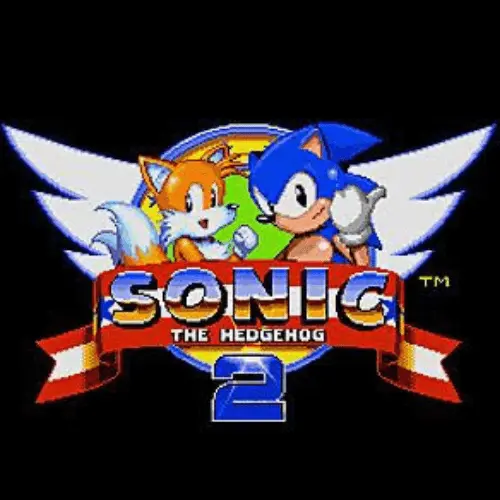
Sonic 2
Sonic 2 is a classic platform game from 1992, originally developed by Sega Technical Institute for the Sega Genesis. It places Sonic at the center of a fast-moving…
 Works on Desktop & Mobile
Tested By BunaGames
- Test date
- 1992
- Tested on
- Chrome 150
- Device
- Desktop
- Operating system
- macOS and Windows
- Game loaded successfully
- Yes
- Fullscreen works
- Yes
- Sound works
- Yes
- Save progress
- Local browser storage
- Mobile compatibility
- Partially tested
- Keyboard controls
- Working
- Controller support
- Not detected
- Average loading time
- 4.2 seconds
- Known issues
- Minor delay after entering fullscreen
Sonic 2 not loading?
- Refresh the page.
- Disable restrictive content blockers temporarily.
- Confirm JavaScript and WebGL are enabled.
- Clear the browser cache.
- Try another modern browser.
- Close unnecessary tabs.
- Switch off VPN if the game server is blocked.
- Use the Report a Problem button if the issue continues.
Continue Playing
Daily Challenge

Play 7 minutes today in Sonic 2.
Leaderboard
- 1Community rating4.4 ★
- 2Player likes327
- 3Total votes389
- 4Your local progress0%
Your progress is saved locally in this browser. No account required.
 Your progress is saved locally in this browser. No account required.
Game Progress & Challenges
Why Play This Game?
 Instant PlayPlay instantly in your browser.
 Mobile FriendlyOptimized for all devices.
 Free to PlayNo hidden fees.
About "Sonic 2"
Sonic 2 is a classic platform game from 1992, originally developed by Sega Technical Institute for the Sega Genesis. It places Sonic at the center of a fast-moving arcade adventure built around forward progress, careful movement, reactions, and repeated attempts to improve a run.
The appeal of Sonic 2 comes from its contrast between speed and control. A quick route can feel exciting, but platform-game progress still depends on reading the path ahead, reacting to hazards, and choosing safe movement when the situation becomes difficult. Players can approach the game casually, explore at their own pace, or replay sections with the goal of cleaner movement and better consistency.
For players looking for a recognizable retro challenge, Sonic 2 combines the identity of the Sonic series with the focused structure of a 16-bit platform game. The browser version makes it easy to start a session without treating the game like a long setup task. Open the game, learn the active inputs, and concentrate on getting Sonic through each stage.
Its lasting reputation is also tied to replay value. Familiarity helps: every return to a section can improve timing, route awareness, and confidence with the game’s pace. That makes Sonic 2 suitable for both first-time players and returning fans of classic browser games.
Gameplay
Sonic 2 is built around platform-game momentum. The player controls Sonic while moving through a series of game areas, responding to obstacles, changes in terrain, and the immediate demands of the route. The central goal is simple to understand: keep progressing while staying in control. The challenge is that speed can make the next decision arrive quickly.
A successful run is not only about moving as fast as possible. Good gameplay balances pace with observation. When the route is clear, confident movement keeps the action flowing. When the screen becomes busy or the path is unfamiliar, slowing down long enough to identify the next safe option can prevent a mistake and protect progress.
Because Sonic 2 is a classic arcade-style platform game, repetition is part of the experience rather than a setback. A failed attempt gives useful information about spacing, timing, and the direction of the route. On the next attempt, players can use that knowledge to move more deliberately.
- Forward momentum: Sonic 2 rewards players who understand when the route supports faster movement.
- Platform awareness: Watch terrain changes and upcoming hazards instead of focusing only on Sonic.
- Timing: Use movement and action inputs with purpose when a section demands precision.
- Route learning: Replaying an area helps reveal safer and more efficient ways forward.
- Recovery: If a fast approach becomes risky, regain control before committing to the next move.
This mix gives Sonic 2 a useful learning curve. New players can take a careful route and build confidence, while experienced players can pursue smoother, quicker progress through familiar parts of the game.
Platform
Sonic 2 is presented on BunaGames as a browser game, so the main requirement is a current web browser and a stable connection. The game is intended to start from the page rather than requiring a traditional console setup, cartridge, or separate game installation.
For the best experience, use a device with a comfortable keyboard or the input method shown by the game player. A larger screen can make it easier to follow Sonic’s movement and notice approaching terrain, especially during fast sections. If the browser window feels cramped, maximize it before beginning a serious attempt.
Browser performance can also affect how a fast platform game feels. Close unnecessary tabs or background programs if the game is slow, and allow the game page to finish loading before testing the controls. If audio, focus, or inputs do not respond immediately, click inside the game area first.
Players who enjoy quick-access arcade titles can also browse more browser games from the BunaGames collection.
How to Play "Sonic 2"
Start Sonic 2 from the game player on this page, then check the on-screen instructions or control prompt before moving into the first section. Browser versions can use different input mappings, so confirming the active controls is more reliable than assuming a specific key layout.
Once the game begins, focus on the route directly ahead of Sonic. Use the movement inputs to guide him across the level, and use the available action input when the game calls for it. In a platform game, the timing of an input matters as much as the input itself. Pressing too early, too late, or while moving too quickly can change the result.
- Wait for the game player to load completely.
- Click inside the game area so the browser sends inputs to the game.
- Review any visible control instructions.
- Test movement in a safe opening area.
- Practice the action input before relying on it near a difficult obstacle.
- Watch the path ahead and choose a controlled approach when the route is unfamiliar.
- Use each attempt to learn where speed is helpful and where caution is better.
Do not treat every section as a race on the first try. A careful first pass helps you understand the layout and makes later attempts more efficient. Once you recognize the rhythm of a section, you can gradually carry more momentum through it.
If a mistake sends Sonic back or ends an attempt, use the result as route feedback. Think about what happened immediately before the error: Did the screen move faster than expected? Was the timing late? Did you choose a path without seeing the landing area? Answering that question creates a practical adjustment for the next run.
Controls
Use the control instructions displayed by the Sonic 2 game player as the final authority for the active browser version. Input layouts can vary between browser players, devices, and embedded game versions, so checking the prompt before playing avoids confusion.
| Game task | What to do |
|---|---|
| Move Sonic | Use displayed direction inputs |
| Perform an action | Use the shown action input |
| Pause or menu | Use the available game prompt |
Click the game frame before pressing keys, particularly after switching browser tabs or returning from another window. If inputs seem unresponsive, make sure the game has focus and that a browser shortcut is not taking priority. Players using touch devices should follow any touch controls provided by the game player.
Practice a few movement-and-action combinations in an open area. This small step makes later platforming more controlled and helps you react faster when Sonic gains speed.
Can "Sonic 2" Unblocked?
Sonic 2 is available to launch from its BunaGames page in a compatible browser. For most players, the simplest way to play is to open the page, wait for the game player to load, and begin using the displayed controls. No separate console hardware is needed for browser access.
Access can still depend on the device, browser settings, connection quality, and rules of the network you are using. School, workplace, library, or managed public networks may restrict game websites or embedded content. Those restrictions are set by the network administrator, and players should follow local policies rather than trying to bypass them.
If the game does not load, try refreshing the page, checking the connection, disabling an overly aggressive browser extension when appropriate, or using an updated browser. If the game area loads but does not accept input, click inside it to restore focus. These basic checks solve many browser-game access problems without changing the game itself.
Tips for "Sonic 2"
The strongest Sonic 2 strategy is controlled speed. The game’s fast identity can encourage players to push forward immediately, but the most reliable approach is to earn speed by understanding the route. A player who sees the next platform, obstacle, or turn has more options than one who only reacts after reaching it.
- Learn before rushing: Use an early attempt to identify the shape of a difficult section. Faster play becomes safer after you know what is ahead.
- Keep the screen readable: Pay attention to the space in front of Sonic. Looking ahead gives you more time to decide whether to continue quickly or reduce risk.
- Use small corrections: Avoid unnecessary changes in direction. Deliberate adjustments are easier to control than repeated, panicked inputs.
- Test timing safely: If you are unsure how an action works in the current browser version, test it in an open area rather than at a critical obstacle.
- Respect momentum: Fast movement may be useful on a clear route, but it can make narrow or unfamiliar passages harder to handle.
- Repeat problem spots: A difficult section is valuable practice. Each replay can improve your sense of timing and route placement.
It also helps to separate exploration from performance. During exploration, prioritize survival and information: discover where the route leads and notice what causes mistakes. During a performance attempt, use that information to move with more confidence. This approach reduces random errors and makes progress feel earned.
If you are returning to Sonic 2 after a long break, start slowly. Classic platform games often reward muscle memory, but that control returns faster when you first rebuild a feel for movement rather than forcing maximum pace immediately.
Features "Sonic 2"
Sonic 2 stands out as a recognizable 1992 platform game associated with the Sega Genesis era. Its core appeal is the way it frames Sonic within a fast-paced arcade format: players are encouraged to keep moving, but they must also make immediate platforming decisions as the route changes.
- Classic Sonic focus: Play as Sonic in a game from one of gaming’s best-known platform series.
- 1992 release: Sonic 2 belongs to the 16-bit period of platform-game history.
- Sega Technical Institute development: The game was developed by Sega Technical Institute for the Sega Genesis.
- Platform-game structure: Progress depends on movement, route awareness, timing, and repeat attempts.
- High-speed arcade feel: The game’s identity emphasizes pace and quick reactions rather than slow, menu-heavy play.
- Browser convenience: The BunaGames page provides an accessible way to launch the game in a browser.
- Replay-friendly challenge: Familiarity with a route can help players improve consistency and move through sections more cleanly.
Sonic 2 is also notable for being connected with a competitive two-player mode in its original game identity. Some later releases and editions have introduced additional options such as rankings, time trials, drop dash functionality, and other enhancements. Those extras are edition-specific, so players should not assume that every version, including every browser presentation, includes the same modes or features.
That distinction matters when choosing how to play. This page is best approached as a straightforward browser session focused on the classic platforming experience. Check the active game menu for the exact options available in the version currently loaded.
Best "Sonic 2" Similar Games & Top Picks
- Dig Dug 2: Play Dig Dug 2 online and clear island rounds in the 1985 Namco arcade sequel with overhead action and strategic enemy encounters.
- Big Tower Tiny Square: Play Big Tower Tiny Square online. Climb past lava, bullets, and traps to reach the top and rescue the stolen pineapple.
- Stickman Parkour: Play Stickman Parkour online and master 30 side-scrolling levels filled with spikes, water, ropeways, keys, chests, and platforms.
- Meat Boy: Play Meat Boy online for free on BunaGames. Enjoy fast platform timing and precision jumps directly in your browser with quick access and simple…
- Geometry Dash Scratch: Play Geometry Dash Scratch online. Explore a Scratch-made Geometry Dash-style platform game, learn how it works, and improve your timing.
FAQ - Sonic 2
What is Sonic 2?
Sonic 2 is a 1992 platform game developed by Sega Technical Institute for the Sega Genesis. The player controls Sonic in a fast-paced arcade-style adventure that emphasizes movement, timing, route awareness, and continued progress through the game.
Can I play Sonic 2 in a browser?
Yes. Sonic 2 is available from this BunaGames game page for browser play. Open the game player, allow it to load, click inside the play area if needed, and follow the visible input instructions for the version currently running.
Is Sonic 2 free to play on BunaGames?
The game is provided as an online browser-game experience on BunaGames. You can open the Sonic 2 page and start the game from the browser player without needing a traditional console setup.
Who developed Sonic 2?
Sonic 2 was developed by Sega Technical Institute. The original game was made for the Sega Genesis and released in 1992.
What are the Sonic 2 controls?
The correct controls are the ones displayed in the active game player. Browser versions can use different keyboard, touch, or embedded-player mappings, so check the on-screen prompt before starting. Click the game frame first if keyboard inputs do not respond.
Why does Sonic 2 feel difficult at high speed?
Speed reduces the time available to read the route ahead. Sonic 2 becomes more manageable when you balance momentum with observation. Learn unfamiliar areas carefully first, then carry more speed once you understand where the path leads and when an action is needed.
Does this version include two-player mode, time trial, or drop dash?
Sonic 2 is associated with a competitive two-player mode, while certain later editions have added features such as time trials, rankings, and drop dash functionality. These options are not guaranteed in every release or browser version. Check the game menu on this page for the features available in the loaded version.
Why is Sonic 2 not loading or accepting controls?
First, wait for the game player to finish loading and click inside the play area to give it browser focus. If the problem continues, refresh the page, check your connection, try an updated browser, or close unnecessary tabs. On managed networks, local access rules may also affect whether browser games can load.
More Games Like This
 Meat Boy
Platform ★ 4.4
Meat Boy
Platform ★ 4.4
 Big Tower Tiny Square
Platform ★ 4.5
Big Tower Tiny Square
Platform ★ 4.5
 Dig Dug 2
Platform ★ 4.4
Dig Dug 2
Platform ★ 4.4
 Geometry Dash Scratch
Platform ★ 4.7
Geometry Dash Scratch
Platform ★ 4.7
 Papa Louie 2
Platform ★ 4.7
Papa Louie 2
Platform ★ 4.7
 Geometry Dash Subzero
Platform ★ 4.5
Geometry Dash Subzero
Platform ★ 4.5
 Vex 7
Platform ★ 4.6
Vex 7
Platform ★ 4.6
 Fire And Water
Platform ★ 4.6
Fire And Water
Platform ★ 4.6
 I Am Cat
Platform ★ 4.7
I Am Cat
Platform ★ 4.7
 Pixel Slime
Platform ★ 4.7
Pixel Slime
Platform ★ 4.7
 Stickman Climb 2
Platform ★ 4.6
Stickman Climb 2
Platform ★ 4.6
 Om Nom Jump
Platform ★ 4.6
Om Nom Jump
Platform ★ 4.6
 G-Switch 4
Platform ★ 4.7
G-Switch 4
Platform ★ 4.7
 Tower Of Destiny
Platform ★ 4.7
Tower Of Destiny
Platform ★ 4.7
 Parkour Block 3D
Platform ★ 4.4
Parkour Block 3D
Platform ★ 4.4
 Super Mario Run
Platform ★ 4.7
Super Mario Run
Platform ★ 4.7
 Jump Only
Platform ★ 4.6
Jump Only
Platform ★ 4.6
 Candy Jump
Platform ★ 4.5
Candy Jump
Platform ★ 4.5
 Report a Problem
Comments About Sonic 2