



Loop Crash
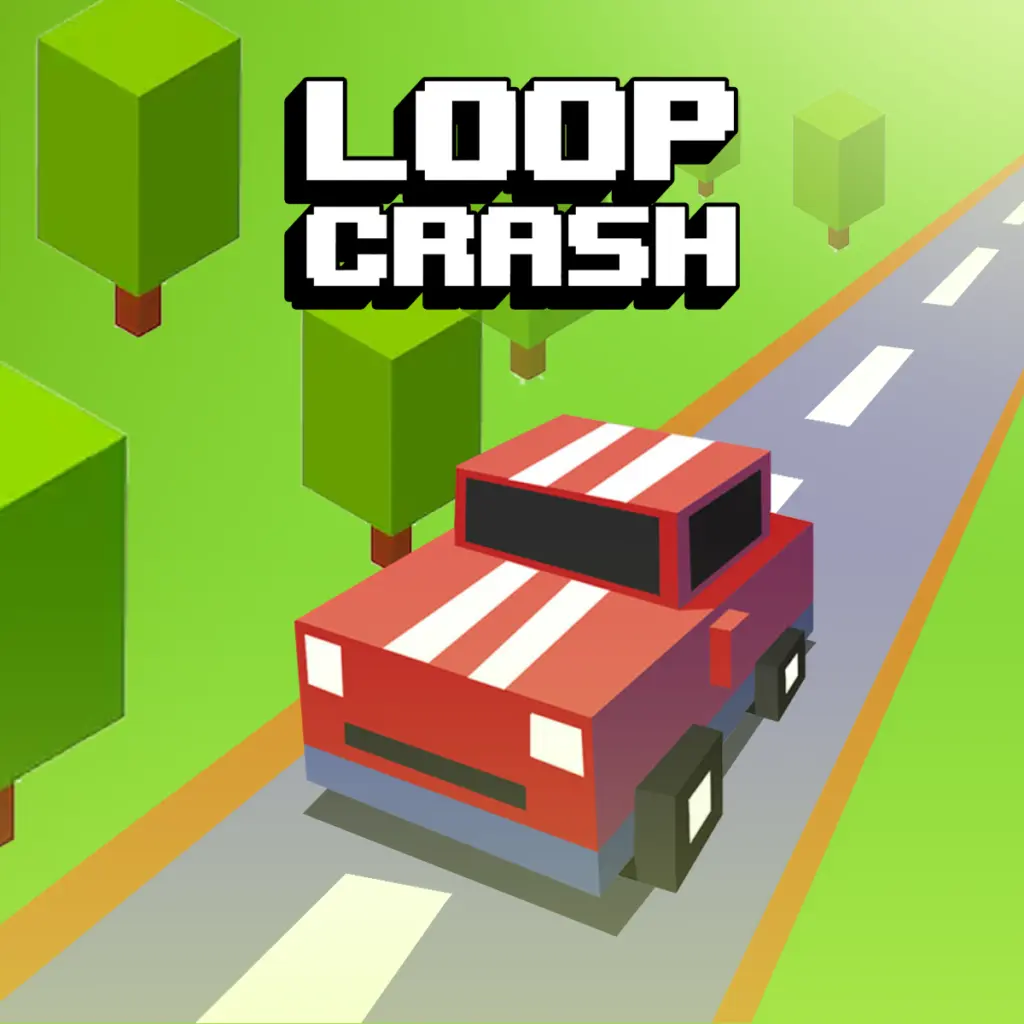
Loop Crash is an endless arcade driving game built around a focused survival challenge: keep your car moving around a continuous circular road without colliding with traffic. The…
 Works on Desktop & Mobile
Tested By BunaGames
- Test date
- August 6, 2026
- Tested on
- Chrome 150
- Device
- Desktop
- Operating system
- macOS and Windows
- Game loaded successfully
- Yes
- Fullscreen works
- Yes
- Sound works
- Yes
- Save progress
- Local browser storage
- Mobile compatibility
- Partially tested
- Keyboard controls
- Working
- Controller support
- Not detected
- Average loading time
- 4.2 seconds
- Known issues
- Minor delay after entering fullscreen
Loop Crash not loading?
- Refresh the page.
- Disable restrictive content blockers temporarily.
- Confirm JavaScript and WebGL are enabled.
- Clear the browser cache.
- Try another modern browser.
- Close unnecessary tabs.
- Switch off VPN if the game server is blocked.
- Use the Report a Problem button if the issue continues.
Continue Playing
Daily Challenge

Play 6 minutes today in Loop Crash.
Leaderboard
- 1Community rating4.6 ★
- 2Player likes842
- 3Total votes946
- 4Your local progress0%
Your progress is saved locally in this browser. No account required.
 Your progress is saved locally in this browser. No account required.
Game Progress & Challenges
Why Play This Game?
 Instant PlayPlay instantly in your browser.
 Mobile FriendlyOptimized for all devices.
 Free to PlayNo hidden fees.
About "Loop Crash"
Loop Crash is an endless arcade driving game built around a focused survival challenge: keep your car moving around a continuous circular road without colliding with traffic. The route loops endlessly, but the pressure does not stay the same. Every passing moment asks you to read the road, judge the position of other cars, and choose whether to accelerate, ease off, or brake before a collision ends the run.
Rather than relying on complicated racing systems, Loop Crash makes speed control the center of play. The road layout is easy to understand, yet the changing traffic rhythm creates a demanding reaction test. A move that looks safe at one moment can become risky when another vehicle enters the same section of the loop. That makes concentration and timing more important than reckless speed.
The game suits players looking for a quick driving challenge with high-score replay value. Each attempt is an opportunity to last longer, make cleaner speed decisions, and improve your awareness of the circular track. Its simple objective also makes it accessible: avoid crashes, maintain control, and see how long you can survive.
Loop Crash is a strong pick for fans of concise browser games that reward sharp reactions instead of lengthy setup or complicated rules.
Gameplay
Loop Crash uses an endless loop road as its entire arena. Your car continually travels around the circuit while other vehicles create potential collision points. The challenge is not finding a finish line; it is staying alive for as long as possible while managing the speed difference between cars. A successful run depends on recognizing when the road ahead is open and when closing distance too quickly would lead to a crash.
At the start, the situation may feel manageable because the loop is visually simple. As the run develops, however, traffic turns that familiar circle into a timing puzzle. You must keep track of your own pace, watch the spacing ahead, and react before your car reaches a dangerous overlap. Accelerating can help you move through a clear stretch, but it can also reduce the time available to respond. Braking can prevent an immediate impact, although slowing at the wrong moment may leave you poorly positioned for the next approach.
This creates a useful risk-and-reward rhythm. Players who only hold speed are likely to meet traffic too quickly. Players who slow down constantly may survive individual moments but lose their ability to flow through openings confidently. The best approach is deliberate adjustment: make small speed changes based on the next few seconds of road, not panic reactions after a danger is already directly ahead.
Because one mistimed move can end the attempt, Loop Crash encourages repeat play. The score chase is tied to practical improvement. Better results come from cleaner observation, calmer decisions, and a stronger sense of how quickly a safe gap can disappear on a looping road.
Platform
Loop Crash is available to play online in a web browser on BunaGames. Open the game page, start the session, and focus on the driving challenge without needing to learn a large collection of menus or racing modes. The browser format is especially useful for players who want a short arcade session and a quick restart after a crash.
The game is designed around immediate interaction: a looping road, cars to avoid, and speed decisions that matter from the beginning of each run. Since the experience centers on reaction speed and attention, it works well for a brief break as well as for longer high-score attempts.
For the clearest experience, use a stable connection and give the game your attention before entering a busy traffic sequence. The important information is on the road itself, so playing in a setting where you can see the game clearly and respond without interruption helps you make more accurate acceleration and braking decisions.
How to Play "Loop Crash"
Begin a Loop Crash run and watch how your car moves around the circular route. Your aim is to continue driving without hitting another vehicle. There is no need to hunt for a destination or complete a lap objective: the road repeats continuously, and survival is the priority.
- Start by observing the car’s pace and the distance to traffic on the loop.
- Use acceleration when there is enough clear road to move safely.
- Reduce speed or brake before your car reaches another vehicle too quickly.
- Keep watching ahead as you travel around the circle; a safe section can lead into a crowded one.
- Continue making measured speed changes to avoid collisions and extend the run.
The key is to act early. Waiting until your car is almost on top of traffic leaves little room to correct your speed. When you notice a vehicle ahead, decide whether the better option is to maintain your current pace, slow down, or use a clear opening to change the timing of your approach. Think of every encounter as a spacing problem: you are trying to preserve enough distance that the cars never meet at the same point.
Do not treat acceleration as a permanent setting. In Loop Crash, speed is a tool for controlling your position on the loop. A short burst may be useful when the road opens, while a controlled slowdown can keep you out of a collision zone. After each crash, take a moment to identify what caused it. Were you traveling too fast, reacting too late, or failing to notice a car entering your path? That quick review makes the next attempt more purposeful.
Controls
Loop Crash keeps its driving input centered on two essential actions: accelerate and brake. Use the game’s displayed controls to increase speed when the road is clear and reduce speed when traffic makes your current pace unsafe. These actions are simple, but their timing determines whether a run continues or ends in a collision.
| Action | Purpose |
|---|---|
| Accelerate | Increase pace on clear road |
| Brake | Reduce speed before traffic |
Use brief, intentional adjustments instead of reacting with large, repeated inputs. A small slowdown made early is usually safer than an emergency brake at the final moment. Likewise, accelerate only after checking the upcoming section of the loop rather than simply trying to drive as fast as possible.
Can "Loop Crash" Unblocked?
Loop Crash can be played from its BunaGames page in a browser, making it a convenient option when you want an online arcade driving game without a long setup process. Open the page where browser gaming is permitted, load the game, and begin managing your speed around the loop.
Access can still depend on the network, device, browser settings, or local content restrictions in the place where you are playing. If a school, workplace, library, or shared network limits gaming websites, those rules and filters may affect availability. Use the game only where access is allowed.
When the page is available, the most useful preparation is simple: make sure the game has finished loading, keep the play area visible, and avoid distractions during active runs. Loop Crash relies on quick recognition of traffic spacing, so an interrupted or partially loaded session can make the speed-control challenge harder than it needs to be.
Tips for "Loop Crash"
Success in Loop Crash comes from controlling space rather than chasing maximum speed. The circular road repeats, so traffic patterns return to your attention again and again. Build the habit of looking beyond the car immediately in front of you. If you can anticipate the next crowded area, you can make a calm speed adjustment before the situation becomes urgent.
- Brake before the danger point. Early braking preserves a safer gap and gives you time to assess what happens next.
- Use acceleration selectively. A clear stretch is an opportunity, not an automatic command to go full speed.
- Watch closing speed. The distance between cars matters, but how quickly that distance shrinks matters even more.
- Make small corrections. Controlled changes are easier to recover from than abrupt swings between accelerating and braking.
- Learn from each crash. Identify whether the problem was late observation, excessive speed, or poor timing.
- Stay calm after a close call. Avoid overcorrecting just because traffic looked dangerous for a moment.
A useful mental routine is to divide the road into short decision windows. As your car approaches another vehicle, ask: is the gap stable, closing, or opening? If it is closing, reduce speed before the cars become too close. If it is opening and the next section is clear, a measured acceleration may help. This simple read-adjust-repeat process is more reliable than reacting only when a collision appears unavoidable.
High scores are built through consistency. A long run does not require a dramatic maneuver every few seconds; it requires many accurate choices in a row. Prioritize survival, maintain a steady rhythm, and let speed increase only when the road gives you a genuine reason to use it.
Features "Loop Crash"
Loop Crash concentrates its arcade driving action into a clear, replayable format. Its strongest feature is the combination of a simple looping road and continuously meaningful speed decisions. You immediately understand the goal, yet each run can demand more focus as traffic changes the timing of every approach.
- Endless circular driving: The continuously looping road keeps the action moving and makes survival the main objective.
- Traffic avoidance: Other cars turn the route into an active collision-avoidance challenge.
- Acceleration and braking: Two central driving actions create the tactical layer of the game.
- Reaction-based gameplay: Quick recognition and timely responses are essential when gaps begin to close.
- High-score motivation: Every attempt offers a chance to survive longer and improve your result.
- Immediate restarts: A crash ends the run, encouraging players to return quickly with a better plan.
- Accessible arcade structure: The premise is easy to learn without removing the need for concentration.
The game’s minimal structure is also a player benefit. There are no unnecessary objectives competing for attention; the road, the traffic, and your current speed provide the information that matters. This makes Loop Crash useful for players who enjoy arcade games where practice has a visible effect. As you learn to recognize safe gaps earlier and avoid late braking, your runs become more controlled.
Loop Crash also balances speed with restraint. Driving faster can feel rewarding, but it creates tighter reaction windows. Driving cautiously can protect a run, but only if you continue reading the road rather than slowing down blindly. That tension gives the game a strong skill loop: observe, judge, adjust, survive, and try to beat your previous best.
Best "Loop Crash" Similar Games & Top Picks
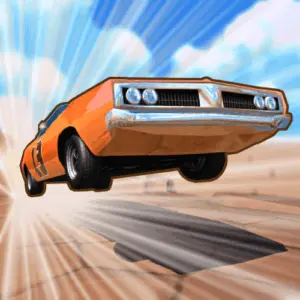
- Stunt Car Challenge 3: Play Stunt Car Challenge 3 online. Drive over ramps, master flips, tackle loops, evade cops, and collect three stars on stunt tracks.
- Crazy Stunt Cars Multiplayer: Play Crazy Stunt Cars Multiplayer online. Choose and customize a car, race other players, and attempt high-speed stunt driving.
- Bike Hero: Ride Bike Hero's endless twisting motorcycle track, collect coins, buy upgrades, and stay on the course for as long as possible.
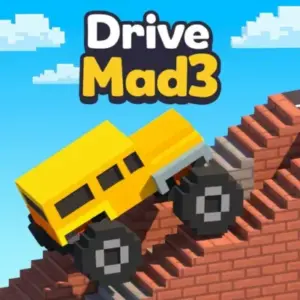
- Drive Mad 3: Play Drive Mad 3 free online. Drive changing vehicles across physics-based tracks with bridges, water crossings, and difficult obstacles.
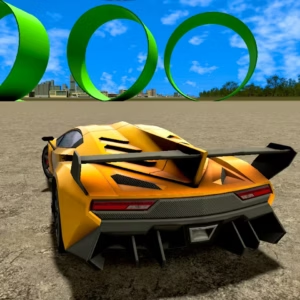
- Madalin Stunt Cars 3: Play Madalin Stunt Cars 3 online and explore a 3D driving sandbox built for drifting, ramps, stunts, crashes, cars, and multiplayer lobbies.
FAQ - Loop Crash
What is Loop Crash?
Loop Crash is an endless arcade driving game focused on surviving on a circular, continuously looping road. You control your car’s speed while avoiding collisions with other vehicles. The main goal is to keep the run alive for as long as possible and improve your high score through better timing and traffic awareness.
How do you play Loop Crash?
Watch the road ahead, judge the distance between your car and traffic, then use acceleration or braking to avoid reaching another vehicle at the same point. The route keeps looping, so the challenge is continuous. A successful run comes from making speed changes early enough to maintain safe spacing.
What are the controls in Loop Crash?
The game uses two core driving actions: accelerate and brake. Use the displayed game controls to increase pace on open sections and slow down when traffic makes your current speed dangerous. The important skill is not memorizing many inputs; it is choosing the right moment to use each action.
Is Loop Crash an endless game?
Yes. Loop Crash is built around an endless looping road rather than a conventional race with a final finish line. Your run continues while you avoid crashes. This format makes every session a survival and score challenge, with the next attempt beginning after a collision ends the previous one.
What causes a crash in Loop Crash?
A crash happens when your car collides with another vehicle on the loop. These collisions are usually caused by closing the gap too quickly, braking too late, or failing to notice traffic before reaching it. Paying attention to both distance and speed helps prevent these mistakes.
What is the best strategy for getting a higher score?
Focus on steady survival first. Scan ahead, make small speed corrections, and brake before traffic becomes an emergency. Accelerate when you have a clear reason to do so, not just because the road looks open for an instant. Over time, learning how quickly your car closes on traffic will help you make cleaner decisions and extend each run.
Can I play Loop Crash free in a browser?
Loop Crash is available to play online through its BunaGames page. Load the game in a browser and start the arcade driving challenge. Availability may depend on the network and browser settings where you are playing, particularly on networks that restrict access to gaming websites.
Is Loop Crash difficult?
The basic concept is easy to understand: drive around the loop and do not hit traffic. The difficulty comes from execution. Because a single mistimed move can end the run, players need focus, reaction speed, and controlled use of acceleration and braking. It is approachable for new players while still rewarding repeated practice.
More Games Like This
 Bike Hero
Driving ★ 4.6
Bike Hero
Driving ★ 4.6
 Crazy Stunt Cars Multiplayer
Driving ★ 4.6
Crazy Stunt Cars Multiplayer
Driving ★ 4.6
 Stunt Car Challenge 3
Driving ★ 4.7
Stunt Car Challenge 3
Driving ★ 4.7
 Drive Mad 3
Driving ★ 4.6
Drive Mad 3
Driving ★ 4.6
 Car Rush
Driving ★ 4.6
Car Rush
Driving ★ 4.6
 Madalin Stunt Cars 3
Driving ★ 4.5
Madalin Stunt Cars 3
Driving ★ 4.5
 Moto X3m Spooky Land
Driving ★ 4.7
Moto X3m Spooky Land
Driving ★ 4.7
 Moto X3m Winter
Driving ★ 4.7
Moto X3m Winter
Driving ★ 4.7
 Retro Highway
Driving ★ 4.4
Retro Highway
Driving ★ 4.4
 Speed Master
Driving ★ 4.7
Speed Master
Driving ★ 4.7
 Wheelie Master
Driving ★ 4.6
Wheelie Master
Driving ★ 4.6
 Stunt Bike Extreme
Driving ★ 4.6
Stunt Bike Extreme
Driving ★ 4.6
 Tanuki Sunset
Driving ★ 4.7
Tanuki Sunset
Driving ★ 4.7
 Stunt Car Extreme
Driving ★ 4.7
Stunt Car Extreme
Driving ★ 4.7
 Speed Racing Pro 2
Driving ★ 4.7
Speed Racing Pro 2
Driving ★ 4.7
 City Car Driving
Driving ★ 4.6
City Car Driving
Driving ★ 4.6
 Escape Drive
Driving ★ 4.5
Escape Drive
Driving ★ 4.5
 The Farmer
Driving ★ 4.8
The Farmer
Driving ★ 4.8
 Report a Problem
Comments About Loop Crash