



Madalin Stunt Cars 3
Madalin Stunt Cars 3 is a browser driving experience focused on open stunt maps, fast cars, drifting, jumps, and spectacular crashes. Instead of placing the spotlight on a…
 Works on Desktop & Mobile
Tested By BunaGames
- Test date
- August 15, 2026
- Tested on
- Chrome 150
- Device
- Desktop
- Operating system
- macOS and Windows
- Game loaded successfully
- Yes
- Fullscreen works
- Yes
- Sound works
- Yes
- Save progress
- Local browser storage
- Mobile compatibility
- Partially tested
- Keyboard controls
- Working
- Controller support
- Not detected
- Average loading time
- 4.2 seconds
- Known issues
- Minor delay after entering fullscreen
Madalin Stunt Cars 3 not loading?
- Refresh the page.
- Disable restrictive content blockers temporarily.
- Confirm JavaScript and WebGL are enabled.
- Clear the browser cache.
- Try another modern browser.
- Close unnecessary tabs.
- Switch off VPN if the game server is blocked.
- Use the Report a Problem button if the issue continues.
Continue Playing
Daily Challenge

Play 6 minutes today in Madalin Stunt Cars 3.
Leaderboard
- 1Community rating4.5 ★
- 2Player likes559
- 3Total votes643
- 4Your local progress0%
Your progress is saved locally in this browser. No account required.
 Your progress is saved locally in this browser. No account required.
Game Progress & Challenges
Why Play This Game?
 Instant PlayPlay instantly in your browser.
 Mobile FriendlyOptimized for all devices.
 Free to PlayNo hidden fees.
About "Madalin Stunt Cars 3"
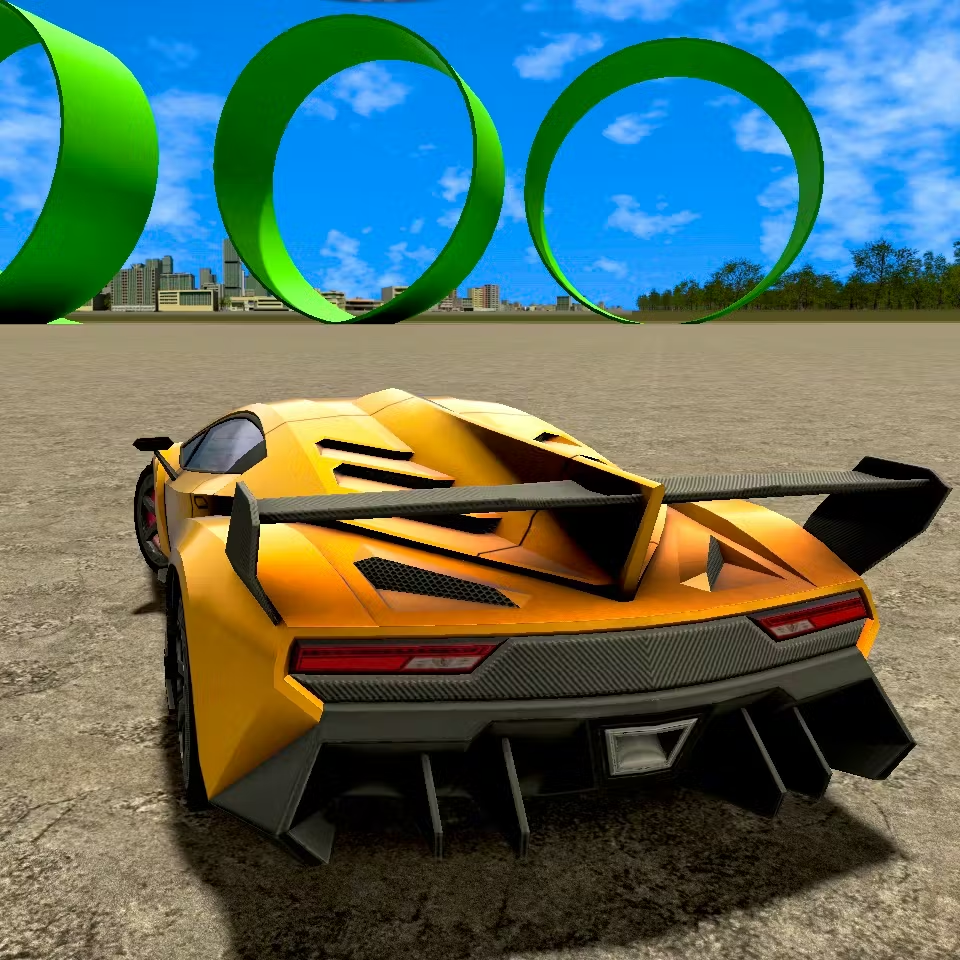
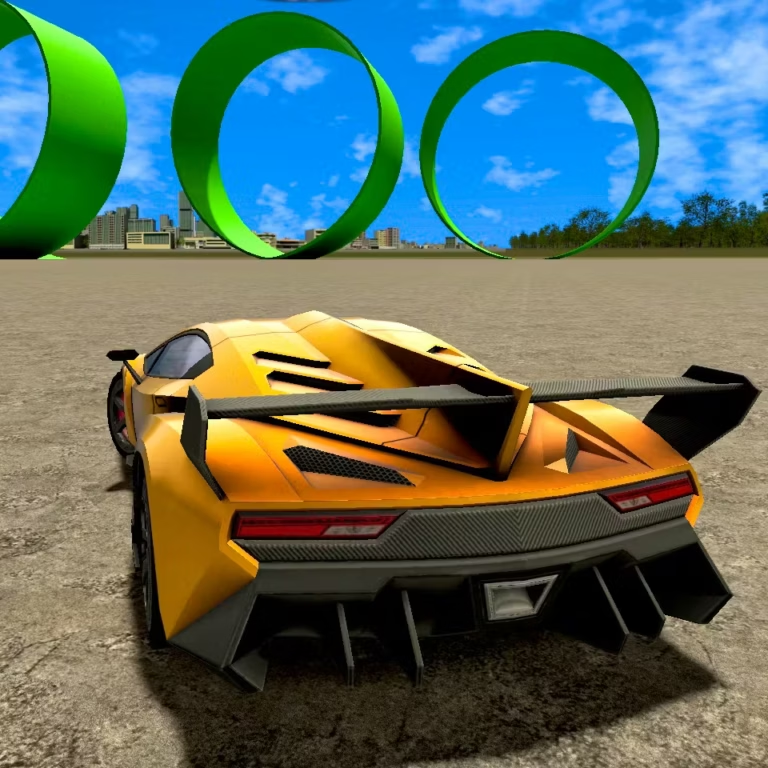
Madalin Stunt Cars 3 is a browser driving experience focused on open stunt maps, fast cars, drifting, jumps, and spectacular crashes. Instead of placing the spotlight on a fixed race route, the game’s appeal comes from using a large 3D environment as a personal driving playground: build speed, find a ramp, test a landing, then try the same stunt with a different vehicle or approach.
The title is commonly used for the multiplayer-style follow-up associated with the Madalin stunt-car series. That naming detail matters because some players search for a numbered third entry while descriptions of the game may refer to it as Madalin Cars Multiplayer. Whichever label appears on the game screen, the expected experience is the same core fantasy: choose from a broad selection of powerful cars and drive freely through maps designed around ramps, elevated structures, loops, and room to experiment.
It is a strong pick for players who enjoy the handling side of driving games as much as the destination. A clean drift through an open area, a controlled ramp launch, or an attempt to recover after an awkward landing can be just as satisfying as reaching top speed. Multiplayer lobbies add a social layer by putting other drivers and their improvised stunts into the same shared space.
Play with a curious mindset. The most memorable moments usually come from learning how each map, ramp angle, vehicle, and landing area changes the result of a stunt.
Gameplay
The central gameplay loop is simple but flexible: drive across a large map, locate a feature that looks worth testing, build a suitable line toward it, and see how the vehicle responds. Ramps, loops, open roads, raised platforms, and other constructed obstacles turn ordinary acceleration into a stunt challenge. A jump is not only about reaching the end of a ramp; it is also about entering at the right angle, carrying enough momentum, and giving yourself space for the landing.
Drifting is another major part of the experience. On wide sections of road, players can use turns to practice smooth slides and regain control before the car leaves the surface. In tighter areas, drifting becomes a way to redirect the vehicle toward an obstacle or avoid a collision. Crashing is part of the sandbox appeal as well: an unsuccessful attempt is useful feedback about speed, direction, and the shape of the terrain.
Online multiplayer lobbies can change the pace of a session. Other players may be driving nearby, attempting jumps, gathering around a stunt point, or creating unexpected traffic. That makes the map feel less like a solitary test course and more like a shared car playground. It also gives players a natural way to compare approaches without needing a formal event: watch a successful launch, identify its entry line, then create a safer or faster version of it.
The gameplay rewards repeat attempts. A first run helps you locate a ramp; a second run reveals whether the car needs more speed; a later run can refine steering, drift angle, and landing position. The goal is not merely to drive forward, but to make deliberate choices about momentum and control.
Platform
Madalin Stunt Cars 3 is presented as an online driving game with 3D environments and multiplayer lobby play. For players, the useful platform distinction is that the experience is designed around playing in a web browser rather than installing a large standalone driving title. A stable connection is especially helpful when entering multiplayer lobbies, where other drivers can be active in the same map.
The game’s broad visual design benefits from a device and browser that can handle 3D driving scenes comfortably. Large maps, moving vehicles, ramps, and open sightlines can make performance feel different from one setup to another. If the game takes time to load, allow the browser session to finish loading before judging responsiveness or attempting precise stunts.
Browser access can also vary by location, network rules, device compatibility, and the version of the game being hosted. That is normal for web-based games, particularly when a school, workplace, library, or managed network applies its own content controls. Use the page through permitted access and follow the rules of the network you are using.
Once loaded, the best way to start is to treat the first few minutes as a driving check: observe the map, identify open space, and get comfortable with the vehicle response before committing to a high-speed jump.
How to Play "Madalin Stunt Cars 3"
Begin by entering the available game session and looking over the vehicle and map options shown by the version you are playing. The game is built around a large selection of cars, so your first choice does not need to be permanent. Pick a vehicle that feels appropriate for a first exploration run, then spend a moment driving on open ground before heading straight for the biggest ramp.
- Explore the map first. Drive through the surrounding area and identify ramps, loops, elevated paths, wide roads, and clear landing zones. Knowing where a road leads makes later stunt attempts more intentional.
- Choose one stunt target. Rather than changing direction constantly, select a single ramp or obstacle and approach it from a comfortable distance. This gives you time to line up the car.
- Build speed in a straight line. A stable approach is more useful than maximum speed with poor steering. Keep the vehicle aimed at the usable part of the ramp rather than correcting sharply at the final moment.
- Read the landing. After a jump, notice whether the vehicle was too slow, overshot, drifted sideways, or landed on an uneven surface. Use that result to adjust the next attempt.
- Use open areas for drift practice. Large spaces provide room to learn how the car behaves while turning. Practice bringing the vehicle back under control before trying a drift near a ramp edge or raised platform.
- Join the shared action thoughtfully. In a multiplayer lobby, watch where other drivers are gathering. Their activity can reveal a popular stunt route, but leave enough space to avoid disrupting an approach line.
The strongest sessions mix exploration with repetition. Find a feature, attempt it several times, change one part of the approach, and pay attention to the difference. That process turns the map from a collection of scenery into a practical stunt course.
Controls
The supplied game information confirms driving, drifting, stunts, and multiplayer play, but it does not establish one verified control chart for every browser-hosted version using the Madalin Stunt Cars 3 name. Control layouts can be displayed by the game interface when it loads, so check the on-screen instructions before beginning a serious run.
For a productive first drive, focus on the control tasks that matter most in a stunt sandbox:
- Movement: learn how the vehicle accelerates, turns, slows, and changes direction on open ground.
- Steering balance: make gradual corrections while approaching ramps instead of relying on last-second turns.
- Camera awareness: use the available view information to keep ramps, edges, and landing areas visible when possible.
- Vehicle selection: use the game’s available car choices to compare how different vehicles feel during exploration and stunts.
- Lobby awareness: in multiplayer, leave room for other players who may be approaching the same ramp or obstacle.
If a version provides a help panel or control overlay, use that guidance as the authority for that session. Testing movement slowly in an empty stretch of map is safer than discovering an unfamiliar input while heading toward a loop or drop.
Can "Madalin Stunt Cars 3" Unblocked?
Players often search for “unblocked” access because they want a quick browser driving game that can be opened without a lengthy download. Whether Madalin Stunt Cars 3 is available on a specific connection depends on the website, browser support, local device settings, and the rules applied by the network owner.
There is no reliable universal promise that a game will be accessible everywhere. Schools, workplaces, libraries, and managed networks may block gaming pages or multiplayer services under their own policies. Respect those restrictions rather than trying to bypass filters, security settings, or account controls.
For permitted personal access, browser play is convenient because you can load the game, choose a car, and begin exploring the stunt map from the same page. A stable connection is particularly useful for online multiplayer lobbies, while a capable browser session can help the 3D environment run more smoothly.
If access is not available on your current network, the practical option is to return when you are using an approved connection. You can also browse more online games when you want another browser-friendly activity.
Tips for "Madalin Stunt Cars 3"
Start with control, not spectacle. The largest ramp on the map may be tempting, but it is rarely the best place to learn a vehicle. Use a broad road or open section to understand how the car turns and how much space it needs to recover from a slide. A controlled first minute makes later stunt attempts much more consistent.
Give every jump an approach lane. Before accelerating, look for a path that lets you reach the ramp without sharp corrections. Entering from the side can throw the car off line, while a straighter approach makes speed and landing easier to judge. If a launch fails, change only one variable on the next attempt: your starting distance, entry angle, or speed.
Use drifts with a purpose. Drifting can look dramatic, but it is most useful when it helps reposition the car. Practice slides in open areas first, then use a controlled drift to point toward an obstacle, navigate a turn, or avoid another driver in a lobby. A drift that ends with the car facing the wrong direction costs more time than it saves.
Look beyond the ramp. Successful stunt driving includes the landing zone. Check whether there is room to straighten out after touchdown, whether the surface drops away, and whether another map feature could interfere with the vehicle. A smaller jump with a clear exit can produce a better run than a huge jump with nowhere safe to go.
Learn by observing multiplayer traffic. When other players repeatedly gather at one location, that spot may offer an entertaining stunt route. Watch from a safe distance and notice where cars begin their run, where they leave the ramp, and where mistakes happen. Then try your own route instead of blindly following the crowd.
Change cars to change the challenge. The broad vehicle selection is not just cosmetic variety. Try more than one car when a ramp feels awkward or a drift line is difficult. Comparing runs gives you useful feedback about the approach that suits your current goal.
Features "Madalin Stunt Cars 3"
Madalin Stunt Cars 3 centers on a set of features that suit players looking for free-form browser driving rather than a narrow track routine.
- Large 3D stunt maps: spacious driving environments provide roads, ramps, loops, raised structures, and open areas for experimentation.
- Stunt-focused driving: launch from ramps, test jump lines, try difficult landings, and turn the environment into a personal challenge course.
- Drifting opportunities: wide spaces and road sections support sliding turns, recovery practice, and stylish directional changes.
- Crash-friendly experimentation: failed launches and collisions are part of learning how a route, obstacle, or landing area behaves.
- Many available cars: the game is described with a broad unlocked vehicle selection, giving players choices beyond a single default car.
- Online multiplayer lobbies: share maps with friends and other drivers, observe their stunts, and create informal group activity around popular obstacles.
- Replayable map exploration: one ramp can support many different attempts depending on vehicle choice, speed, angle, drift setup, and landing target.
The important feature is the combination rather than any one item alone. A large map gives cars room to build speed; ramps turn that speed into a stunt; drifting helps shape an approach; and multiplayer activity makes the same location feel different as other drivers arrive. This creates a driving sandbox where players can set their own short-term goals, from a clean loop run to a controlled drift or a successful recovery after a difficult landing.
The game’s naming is also a useful feature of its search identity. Although many players call it the third Madalin Stunt Cars game, it is often associated with Madalin Cars Multiplayer. Knowing both terms helps explain why players may encounter different labels while seeking the same style of online stunt driving.
Best "Madalin Stunt Cars 3" Similar Games & Top Picks
- Stunt Car Challenge 3: Play Stunt Car Challenge 3 online. Drive over ramps, master flips, tackle loops, evade cops, and collect three stars on stunt tracks.
- Crazy Stunt Cars Multiplayer: Play Crazy Stunt Cars Multiplayer online. Choose and customize a car, race other players, and attempt high-speed stunt driving.
- Bike Hero: Ride Bike Hero's endless twisting motorcycle track, collect coins, buy upgrades, and stay on the course for as long as possible.
- Drive Mad 3: Play Drive Mad 3 free online. Drive changing vehicles across physics-based tracks with bridges, water crossings, and difficult obstacles.
- Moto X3m Spooky Land: Play Moto X3M Spooky Land online. Race a stunt bike through haunted tracks, dodge hazards, land flips, and reach the finish fast.
FAQ - Madalin Stunt Cars 3
Is Madalin Stunt Cars 3 an official third game?
The available research indicates that there is not an officially named Madalin Stunt Cars 3 entry. The title is commonly used by players and game pages for Madalin Cars Multiplayer, which is often treated as the third experience in the Madalin stunt-car series. This naming difference can explain why search results and game screens do not always use identical wording.
What do you do in Madalin Stunt Cars 3?
You drive powerful cars through large 3D maps built around stunt opportunities. The main activities include exploring roads and structures, using ramps and loops, drifting through open areas, attempting jumps, and recovering from or enjoying crashes. Multiplayer lobbies add other drivers to the map, creating a shared free-driving environment.
Can I play Madalin Stunt Cars 3 with other people?
Yes, the game is described with online multiplayer lobbies. These lobbies let players drive in the same map with friends and other participants. Multiplayer is best approached as shared stunt driving: watch other players attempt ramps, meet around interesting map features, and leave room for drivers who are lining up a jump.
How many cars are in Madalin Stunt Cars 3?
Research descriptions agree that the game has a large selection of unlocked cars, but they do not provide one consistent vehicle count. Rather than relying on a conflicting number, it is more accurate to expect a broad range of car choices and to check the selection available in the version currently loaded. Trying several vehicles is part of the fun.
Are there ramps and loops in the game?
Yes. The available descriptions identify maps filled with ramps, loops, and related stunt features. These elements create the game’s core challenge: approach an obstacle with enough speed, stay aligned with the usable surface, and prepare for the landing. Open map space also gives players room to reset and attempt a route again.
Is Madalin Stunt Cars 3 free to play in a browser?
The game is presented as an online browser driving game. Availability may still depend on the page hosting it, your browser, connection quality, and local network rules. Managed school, work, or public networks can restrict gaming access, so always use the game only where browser play is permitted.
What are the controls for Madalin Stunt Cars 3?
A single verified control layout is not established across every browser version using this name. Check the instructions or help display shown by the game when it loads, then test acceleration, steering, slowing, and camera-related options in a clear area before attempting a major ramp or loop. The in-game display is the best guide for the version you are playing.
What is the best way to get better at stunts?
Use a repeatable process. First, explore the map and choose one obstacle. Next, make a straight, controlled approach rather than turning sharply at the ramp. After each attempt, identify one reason for the result: insufficient speed, poor alignment, an early drift, or a difficult landing zone. Adjust one part of the next run and compare the outcome. This method improves driving control faster than rushing from one random jump to another.
More Games Like This
 Bike Hero
Driving ★ 4.6
Bike Hero
Driving ★ 4.6
 Crazy Stunt Cars Multiplayer
Driving ★ 4.6
Crazy Stunt Cars Multiplayer
Driving ★ 4.6
 Stunt Car Challenge 3
Driving ★ 4.7
Stunt Car Challenge 3
Driving ★ 4.7
 Drive Mad 3
Driving ★ 4.6
Drive Mad 3
Driving ★ 4.6
 Car Rush
Driving ★ 4.6
Car Rush
Driving ★ 4.6
 Moto X3m Spooky Land
Driving ★ 4.7
Moto X3m Spooky Land
Driving ★ 4.7
 Moto X3m Winter
Driving ★ 4.7
Moto X3m Winter
Driving ★ 4.7
 Retro Highway
Driving ★ 4.4
Retro Highway
Driving ★ 4.4
 Speed Master
Driving ★ 4.7
Speed Master
Driving ★ 4.7
 Loop Crash
Driving ★ 4.6
Loop Crash
Driving ★ 4.6
 Wheelie Master
Driving ★ 4.6
Wheelie Master
Driving ★ 4.6
 Stunt Bike Extreme
Driving ★ 4.6
Stunt Bike Extreme
Driving ★ 4.6
 Tanuki Sunset
Driving ★ 4.7
Tanuki Sunset
Driving ★ 4.7
 Stunt Car Extreme
Driving ★ 4.7
Stunt Car Extreme
Driving ★ 4.7
 Speed Racing Pro 2
Driving ★ 4.7
Speed Racing Pro 2
Driving ★ 4.7
 City Car Driving
Driving ★ 4.6
City Car Driving
Driving ★ 4.6
 Escape Drive
Driving ★ 4.5
Escape Drive
Driving ★ 4.5
 The Farmer
Driving ★ 4.8
The Farmer
Driving ★ 4.8
 Report a Problem
Comments About Madalin Stunt Cars 3