



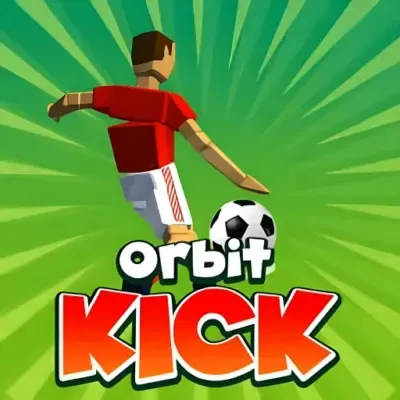
Orbit Kick
Orbit Kick is a casual one-button soccer arcade game that redefines traditional football mechanics by focusing entirely on distance rather than scoring goals. Players engage in a timing-based…
 Works on Desktop & Mobile
Tested By BunaGames
- Test date
- May 26, 2026
- Tested on
- Chrome 150
- Device
- Desktop
- Operating system
- macOS and Windows
- Game loaded successfully
- Yes
- Fullscreen works
- Yes
- Sound works
- Yes
- Save progress
- Local browser storage
- Mobile compatibility
- Partially tested
- Keyboard controls
- Working
- Controller support
- Not detected
- Average loading time
- 4.2 seconds
- Known issues
- Minor delay after entering fullscreen
Orbit Kick not loading?
- Refresh the page.
- Disable restrictive content blockers temporarily.
- Confirm JavaScript and WebGL are enabled.
- Clear the browser cache.
- Try another modern browser.
- Close unnecessary tabs.
- Switch off VPN if the game server is blocked.
- Use the Report a Problem button if the issue continues.
Continue Playing

Daily Challenge

Play 5 minutes today in Orbit Kick.
Leaderboard
- 1Community rating4.8 ★
- 2Player likes1.1K
- 3Total votes1.1K
- 4Your local progress0%
Your progress is saved locally in this browser. No account required.
 Your progress is saved locally in this browser. No account required.
Game Progress & Challenges
Why Play This Game?
 Instant PlayPlay instantly in your browser.
 Mobile FriendlyOptimized for all devices.
 Free to PlayNo hidden fees.
About "Orbit Kick"
Orbit Kick is a casual one-button soccer arcade game that redefines traditional football mechanics by focusing entirely on distance rather than scoring goals. Players engage in a timing-based challenge where each kick propels the ball across expansive trajectories, with success measured in meters traveled rather than points scored. The core loop revolves around launching perfect kicks, collecting gold coins scattered along the flight path, and investing those earnings into performance upgrades that extend future kick distances. This minimalist approach to online games strips soccer down to its most satisfying element—the moment of contact—and builds an entire progression system around mastering that single mechanic.
Gameplay
The gameplay loop centers on precision timing and distance optimization. Each attempt begins with a stationary soccer ball and a kicking indicator that cycles through power zones. Players must release their input at the exact moment the indicator reaches peak power to achieve maximum launch velocity. Once airborne, the ball follows a physics-driven arc influenced by initial kick strength, angle, and any upgrades applied to the player's kicking stats.
Coins appear along the ball's trajectory, requiring players to anticipate flight paths and position their kicks to intersect with currency clusters. Distance traveled directly correlates with coin earnings, creating a dual objective: push for record distances while maximizing coin collection efficiency. Between attempts, players access an upgrade shop where accumulated coins purchase enhancements to kick power, ball aerodynamics, and special abilities that extend flight duration or improve coin magnetism.
The progression system introduces strategic depth absent from typical casual browser games. Early upgrades yield noticeable distance gains, but later improvements require balancing multiple stat categories to overcome diminishing returns. This creates a satisfying feedback loop where each successful run funds incremental improvements that unlock previously unreachable distance milestones.
Platform
Orbit Kick runs entirely within web browsers without requiring downloads, installations, or account creation. The game utilizes HTML5 technology to deliver consistent performance across desktop computers, laptops, tablets, and smartphones. Browser compatibility extends to Chrome, Firefox, Safari, and Edge, ensuring broad accessibility regardless of operating system.
The lightweight architecture loads quickly even on moderate internet connections, making it ideal for short play sessions during breaks or commutes. Cross-device functionality means progress and upgrades persist through browser cookies, allowing players to continue their distance records across different devices using the same browser profile. This platform-agnostic design positions Orbit Kick as an accessible option for players seeking instant entertainment without the friction of app stores or system requirements.
How to Play "Orbit Kick"
Begin each attempt by observing the power indicator that oscillates across the kick meter. Wait for the indicator to enter the optimal power zone—typically marked by visual cues such as color changes or highlighted segments. Execute your kick by clicking the mouse button or tapping the screen precisely when the indicator reaches maximum power.
Watch the ball's trajectory after launch and note where coin clusters appear. Use early attempts to learn typical flight patterns and identify which upgrade paths best suit your timing style. After the ball lands, review the distance achieved and coins collected, then navigate to the upgrade menu.
Prioritize upgrades based on your current bottleneck: if kicks lack initial power, invest in strength enhancements; if the ball drops too quickly, focus on aerodynamic improvements. Return to the kicking phase and apply your upgraded stats to the next attempt. Repeat this cycle, gradually extending your personal distance record while unlocking higher-tier upgrades that enable exponentially longer kicks.
Controls
- Mouse Click: Execute kick when playing on desktop browsers
- Screen Tap: Trigger kick action on mobile devices and tablets
- Timing Window: Release input during peak power indicator position for maximum distance
- Menu Navigation: Click or tap upgrade icons to purchase stat improvements between attempts
The single-input control scheme eliminates complexity, allowing players to focus entirely on timing precision rather than memorizing button combinations. This accessibility makes Orbit Kick immediately playable for all skill levels while maintaining a skill ceiling determined by reaction speed and pattern recognition.
Can "Orbit Kick" Unblocked?
As a browser-based game requiring no executable files or plugins, Orbit Kick typically remains accessible on networks where downloadable games face restrictions. The game loads through standard HTTPS web protocols identical to educational and productivity websites, allowing it to bypass many content filters that target gaming platforms.
Schools, workplaces, and public networks that permit general web browsing usually allow access to HTML5 games like Orbit Kick. The absence of violent content, mature themes, or social features further reduces the likelihood of institutional blocking. Players seeking play free options during restricted network access often find browser-based arcade games function normally where app-based alternatives cannot run.
For networks with aggressive filtering, accessing the game through HTTPS-secured gaming portals often succeeds where direct domain access fails. The game's minimal bandwidth requirements and lack of persistent server connections make it suitable for environments with limited or monitored internet access.
Tips for "Orbit Kick"
- Master the Timing Window: Spend initial attempts learning the exact visual position where the power indicator delivers optimal results rather than rushing for distance immediately
- Balance Upgrade Categories: Avoid over-investing in a single stat; balanced improvements to power, flight time, and coin collection yield better long-term distance gains than maxing one attribute
- Track Coin Patterns: Observe where coins consistently appear during mid-range flights and adjust kick angles to intersect those zones for maximum earnings per attempt
- Prioritize Early Power Upgrades: Initial strength improvements provide the most noticeable distance increases, establishing a foundation for later aerodynamic enhancements
- Use Failed Kicks as Data: Analyze weak kicks to identify whether timing was early, late, or if upgrade allocation needs adjustment
- Set Incremental Goals: Focus on beating your previous record by small margins rather than chasing maximum theoretical distance, creating sustainable progression motivation
Features "Orbit Kick"
- One-Button Simplicity: Entire gameplay controlled through single-click or tap inputs, removing mechanical barriers to entry
- Physics-Driven Trajectories: Realistic ball flight arcs influenced by kick power, angle, and environmental factors create varied outcomes
- Progressive Upgrade System: Multi-tiered stat improvements that compound over time, enabling exponential distance growth
- Coin Collection Mechanic: Currency scattered along flight paths adds secondary objective beyond pure distance achievement
- Instant Restart Loop: Minimal downtime between attempts maintains engagement and encourages iterative improvement
- Visual Feedback Systems: Clear indicators for power zones, distance milestones, and upgrade impacts help players understand performance factors
- No Download Requirement: Full functionality within web browsers eliminates installation friction and storage concerns
- Cross-Device Compatibility: Consistent experience across desktop and mobile platforms with touch-optimized controls
Best "Orbit Kick" Similar Games & Top Picks
- Dune Surfer Game: Play Dune Game in your browser on BunaGames. Learn how to start, check the controls, use practical tips, and understand the game page.
- Pokemon Emerald: Play Pokemon Emerald online and explore Hoenn, train Pokémon, battle rivals, build a team, and face Team Magma and Team Aqua.
- Boulder Dash: Play Boulder Dash online. Dig through caves, collect diamonds, avoid falling boulders, and plan every move in this classic puzzle game.
- Vib-Ribbon: Play Vib-Ribbon online and guide Vibri across beat-timed obstacle lines in this distinctive rhythm arcade game.
- Zombie Tsunami: Play Zombie Tsunami online and lead a growing zombie horde through city obstacles, pedestrians, destruction, and surprise power-ups.
FAQ - Orbit Kick
What is the main objective in Orbit Kick?
The primary goal is to kick the soccer ball as far as possible across each attempt, measuring success in total distance traveled rather than traditional soccer scoring. Players collect coins during flight to purchase upgrades that enable progressively longer kicks.
How do the controls work in Orbit Kick?
The game uses a single-input control system where players click the mouse or tap the screen when the power indicator reaches its optimal zone. Timing precision determines kick strength and initial ball velocity, which directly affects distance achieved.
Can I play Orbit Kick on mobile devices?
Yes, Orbit Kick functions fully on smartphones and tablets through mobile web browsers. The touch-based control scheme translates seamlessly to touchscreen devices, providing the same gameplay experience as desktop versions without requiring app installation.
What types of upgrades are available in the game?
Upgrades focus on three primary categories: kick power that increases initial launch velocity, aerodynamic improvements that extend flight duration, and coin collection enhancements that improve currency gathering efficiency. Higher-tier upgrades unlock as players reach specific distance milestones.
Do I need to create an account to play Orbit Kick?
No account creation is required. The game runs directly in web browsers and stores progress locally through browser cookies, allowing immediate play without registration while preserving upgrade progress across sessions on the same device and browser.
How does the coin system work?
Coins appear along the ball's flight path during each kick attempt. Collecting them requires positioning kicks to intersect with coin locations. Accumulated coins serve as currency in the upgrade shop, where they purchase permanent stat improvements that carry over to all future attempts.
Is Orbit Kick free to play?
Yes, the game is completely free to access and play through web browsers. No payments, subscriptions, or in-game purchases are required to experience the full gameplay loop and unlock all available upgrades through normal progression.
More Games Like This
 Ball Surfer 3D
Arcade ★ 4.7
Ball Surfer 3D
Arcade ★ 4.7
 Galaga
Arcade ★ 4.7
Galaga
Arcade ★ 4.7
 Osu Game
Arcade ★ 4.7
Osu Game
Arcade ★ 4.7
 Dig Dug 2
Arcade ★ 4.4
Dig Dug 2
Arcade ★ 4.4
 Pac Xon
Arcade ★ 4.8
Pac Xon
Arcade ★ 4.8
 Colorbox Mustard
Arcade ★ 4.6
Colorbox Mustard
Arcade ★ 4.6
 Blumgi Slime
Arcade ★ 4.7
Blumgi Slime
Arcade ★ 4.7
 Rolling Ball 3D
Arcade ★ 4.7
Rolling Ball 3D
Arcade ★ 4.7
 Burrito Bison
Arcade ★ 4.6
Burrito Bison
Arcade ★ 4.6
 Dumb Ways To Die 2
Arcade ★ 4.8
Dumb Ways To Die 2
Arcade ★ 4.8
 Papas Sushiria
Arcade ★ 4.6
Papas Sushiria
Arcade ★ 4.6
 Papas Wingeria
Arcade ★ 4.6
Papas Wingeria
Arcade ★ 4.6
 Papas Scooperia
Arcade ★ 4.7
Papas Scooperia
Arcade ★ 4.7
 Papas Pizzeria
Arcade ★ 4.6
Papas Pizzeria
Arcade ★ 4.6
 Papas Freezeria
Arcade ★ 4.6
Papas Freezeria
Arcade ★ 4.6
 Crazy Roll 3D
Arcade ★ 4.6
Crazy Roll 3D
Arcade ★ 4.6
 Papas Taco Mia
Arcade ★ 4.6
Papas Taco Mia
Arcade ★ 4.6
 Fnf Garcello
Arcade ★ 4.6
Fnf Garcello
Arcade ★ 4.6
 Report a Problem
Comments About Orbit Kick