



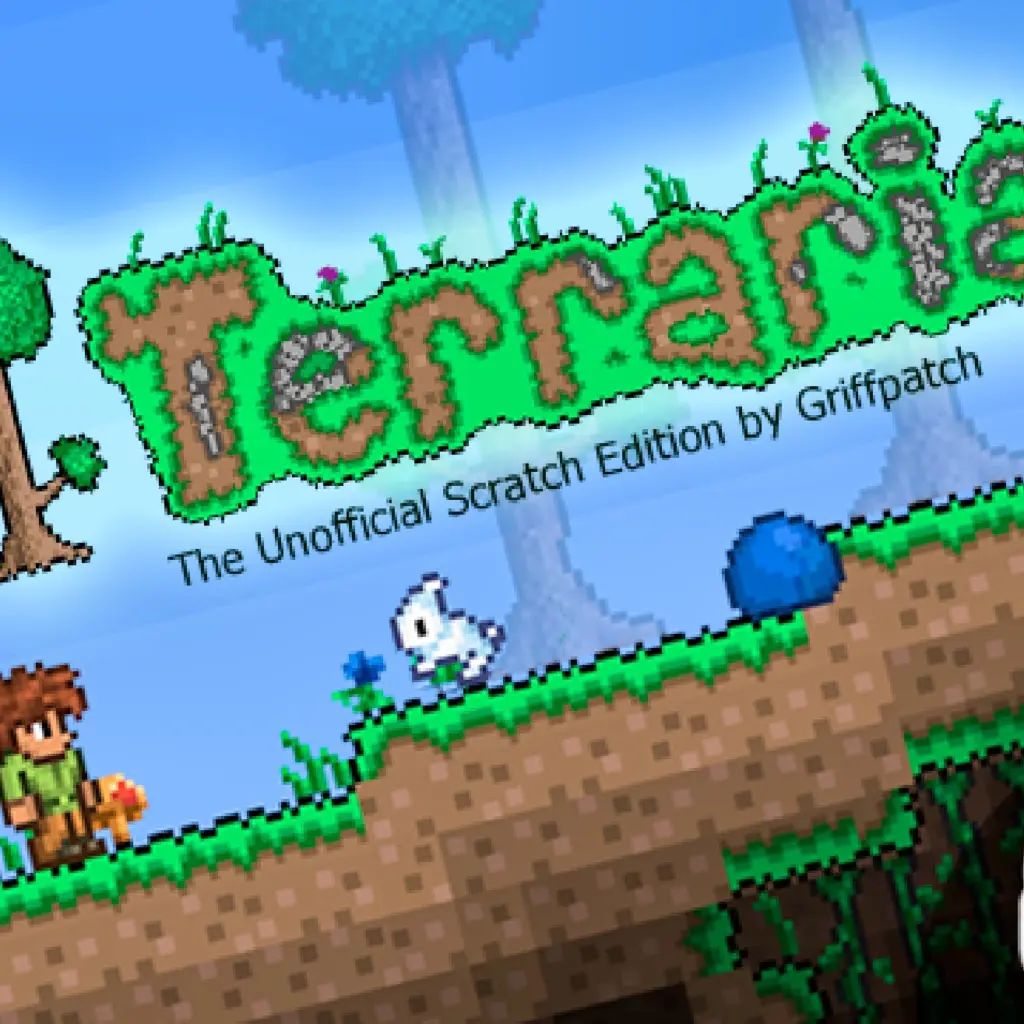
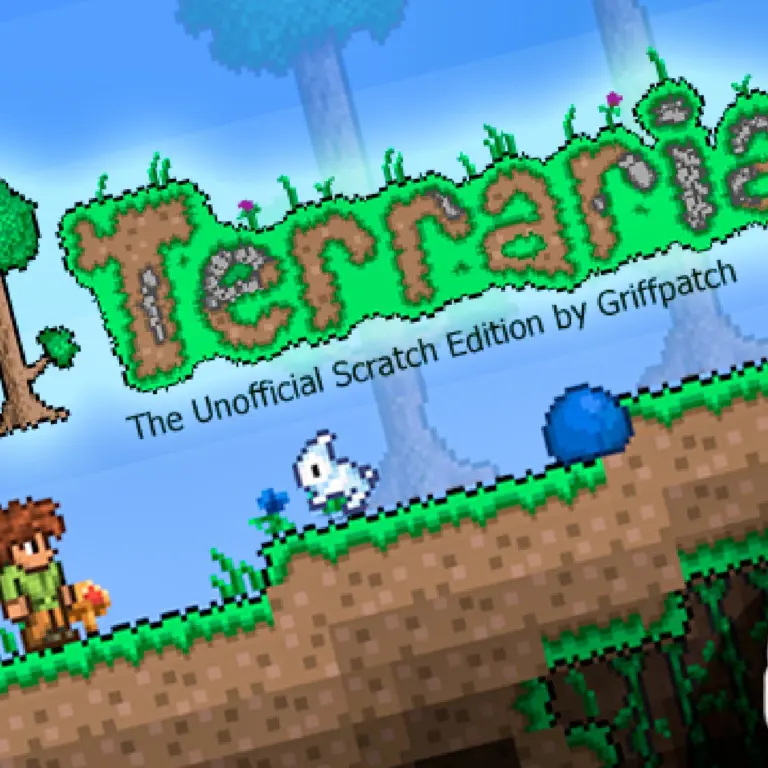
Terraria (Stamped)
Terraria (Stamped) is a browser-playable project built around a compact, animated world of objects, equipment-style details, and level activity. It uses the recognizable Terraria-inspired name while presenting its…
 Works on Desktop & Mobile
Tested By BunaGames
- Test date
- June 14, 2026
- Tested on
- Chrome 150
- Device
- Desktop
- Operating system
- macOS and Windows
- Game loaded successfully
- Yes
- Fullscreen works
- Yes
- Sound works
- Yes
- Save progress
- Local browser storage
- Mobile compatibility
- Partially tested
- Keyboard controls
- Working
- Controller support
- Not detected
- Average loading time
- 4.2 seconds
- Known issues
- Minor delay after entering fullscreen
Terraria (Stamped) not loading?
- Refresh the page.
- Disable restrictive content blockers temporarily.
- Confirm JavaScript and WebGL are enabled.
- Clear the browser cache.
- Try another modern browser.
- Close unnecessary tabs.
- Switch off VPN if the game server is blocked.
- Use the Report a Problem button if the issue continues.
Continue Playing
Daily Challenge

Play 4 minutes today in Terraria (Stamped).
Leaderboard
- 1Community rating4.7 ★
- 2Player likes802
- 3Total votes865
- 4Your local progress0%
Your progress is saved locally in this browser. No account required.
 Your progress is saved locally in this browser. No account required.
Game Progress & Challenges
Why Play This Game?
 Instant PlayPlay instantly in your browser.
 Mobile FriendlyOptimized for all devices.
 Free to PlayNo hidden fees.
About "Terraria (Stamped)"
Terraria (Stamped) is a browser-playable project built around a compact, animated world of objects, equipment-style details, and level activity. It uses the recognizable Terraria-inspired name while presenting its own Scratch-based game project experience, so players should approach it as a separate browser adaptation rather than assume every system from another Terraria release is included.
The project’s visible feature set emphasizes animated objects, vanity slots, shortswords, coins, lenses, bow audio, and level elements that appear or disappear as needed. Those details give the game a strong focus on what is happening on screen: objects can be active, visual equipment can matter, and the level is designed to manage its contents while you play.
Terraria (Stamped) is a good fit for players who want a lightweight online game with a familiar pixel-adventure flavor and project-driven mechanics. Instead of needing a download or a long installation process, the browser format makes it easy to open the game, inspect the play area, and learn its current build through direct interaction.
Because this is a versioned community-style project, the exact content available can depend on the build loaded on the page. The most useful way to play is to treat the opening area as a quick tutorial: watch the object behavior, test the available actions carefully, and use the visible game feedback to understand what the current version supports.
Gameplay
Terraria (Stamped) centers on an active level space rather than a static screen. Project notes highlight a system in which level objects can clone and despawn when needed. In practical terms, that means the game can manage objects dynamically instead of requiring every possible object to remain active all at once. This is an important technical and gameplay detail because it helps the level stay focused on the area and events currently relevant to the player.
Animated objects are another major part of the experience. Movement and interaction are not presented only through fixed scenery; the project includes visual activity that makes the level feel responsive. Lighting was also specifically addressed in an update, showing that visibility is a meaningful part of the game presentation rather than an afterthought.
The available feature references point to several recognizable gameplay elements:
- Coins provide a collectible or reward-oriented point of interest.
- Lenses are included among the project’s added items or objects.
- Shortswords broaden the equipment theme with a clearly named weapon type.
- Vanity slots add a visual gear-management concept separate from simple movement.
- Bow sound gives ranged-action feedback a distinct audio cue.
The strongest way to read Terraria (Stamped) is as a compact browser project with multiple systems working together: level-object management, animation, equipment-style presentation, collectibles, sound, and lighting. Rather than rushing through the opening moments, pay attention to which objects respond, which ones are decorative, and whether the current screen changes as you move through it. That observation-led approach is especially useful in a project whose feature set may evolve between builds.
Platform
Terraria (Stamped) is presented as an online project associated with Scratch-based and browser-based game pages. That makes it suited to players who want to launch a game from a web page instead of setting up a separate desktop installation. A full-screen play option is also referenced for one listed version, which can be useful when the game area feels too small inside a standard browser window.
The practical platform advantage is immediate access: open the game page, allow the game area to finish loading, and begin testing the available interaction. Browser performance can vary with the device, tab activity, and the size of the game display, especially when a project uses animated objects and active level elements.
For the clearest experience, use an updated browser, keep the game tab in focus, and avoid running many demanding pages at the same time. If the game provides a full-screen option, it may make animated details, lighting effects, and smaller level objects easier to notice.
The page is designed for people looking for quick-access browser games, but the loaded build remains the authority on exactly which options and content are currently available.
How to Play "Terraria (Stamped)"
Start Terraria (Stamped) by giving the game a moment to load completely. Since the project includes animated objects and level systems that can create or remove objects as needed, entering too quickly before the play area is ready can make it harder to understand what is happening on screen. Once the game is visible, look for any on-screen instructions, menu prompts, or labels supplied by the build.
Your first goal is orientation. Identify the player character or active object, then check what changes when you use the controls shown by the game. Watch for movement feedback, object animation, collectible items such as coins, and any visible equipment or vanity indicators. Do not assume an item works the same way it would in another game with a similar title; Terraria (Stamped) is its own project and its available interactions are defined by its current version.
- Open the game and wait for the scene, interface, and animated objects to appear.
- Read any instructions shown inside the game before testing inputs.
- Explore the immediate level area slowly and note active objects or pickups.
- Check for coins, lenses, or other visible items that may be part of the current build.
- Listen for feedback such as the noted bow sound when an action is available.
- Inspect visual equipment details, including any vanity-slot display, if the interface presents one.
- Use full screen when available if you need a larger view of the level.
Learning through observation is a useful skill here. The project’s level-object cloning and despawning behavior means an object may appear only when the game needs it, or disappear after it has served its purpose. If something changes after you move, interact, or collect an object, that change is valuable information about the game’s design. Explore in short steps, notice cause and effect, and return to the opening area if you need to re-check an instruction or visual cue.
Controls
The supplied project information confirms that Terraria (Stamped) is playable in a browser, but it does not reliably document a complete control list. For accuracy, use the controls displayed by the game itself when it loads. This is the best way to avoid relying on control assumptions from a different Terraria-inspired project or an earlier build.
Before beginning, click or tap inside the game area if it needs focus. Then look for an opening instruction screen, a control panel, or visual prompts near the player and interface. If the project offers full-screen play, entering full screen can help keep the game focused and make small visual details easier to read.
- Movement: follow the input prompts shown in the loaded game.
- Actions: test only the commands the game identifies.
- Interface: check visible slots, item indicators, and on-screen text.
- Audio: keep sound available if you want to notice action feedback such as bow audio.
If an input does not respond, first click the game frame again, wait for loading to finish, and check whether an in-game screen is asking for a different action. This simple troubleshooting step is more dependable than guessing at undocumented key bindings.
Can "Terraria (Stamped)" Unblocked?
Terraria (Stamped) is intended to be played from a browser game page, making it convenient for players who want quick access without a separate install. Whether the game opens successfully on a particular network, device, school connection, workplace connection, or managed browser depends on that environment’s local rules and technical restrictions.
If the game does not load, do not try to bypass a network policy. Instead, use an allowed personal connection or play at a time and place where browser gaming is permitted. You can also try ordinary, legitimate fixes: refresh the page, confirm that your browser is current, close resource-heavy tabs, and make sure the game frame has time to load.
A browser project can also need permission to run normally within the page. If animation or sound appears delayed, check that the tab is active and that browser settings are not blocking normal page behavior. Full screen, when supplied by the game, may improve visibility but does not change local access restrictions.
The simple benefit of the online format is that there is no separate game setup to manage. When access is permitted, open the page, load the project, and use the instructions offered by the active build.
Tips for "Terraria (Stamped)"
Terraria (Stamped) rewards careful observation because its documented features are not limited to one visible character or background. The level can manage objects through cloning and despawning, so changes in the scene may be part of the intended design. When an object appears, disappears, moves, or animates, pause long enough to see whether it is tied to your position, an item, or an action.
- Learn the current build first. Versioned projects can differ. Check the game’s own instructions and interface instead of importing expectations from another title.
- Scan the level edges. Small animated objects, coins, or item-like details can be easier to miss near the sides of the play space.
- Use sound as feedback. The project includes bow sound, so audio may help confirm that an available action has registered.
- Watch lighting changes. Lighting was important enough to receive a fix in project updates. If an area looks different, consider whether visibility is affecting what you can notice.
- Check visual slots. If vanity slots are displayed in the build, inspect them as part of understanding the interface and visual equipment system.
- Do not overfill the screen with guesses. Test one action at a time. This makes it easier to identify which input or interaction caused a new object or effect.
For a smoother first session, begin in normal browser view and switch to full screen only after you understand where the interface sits. Full screen can help with small details, but it is usually easier to troubleshoot loading, browser focus, or sound settings before changing display mode.
Players looking for progression should treat coins and other named objects as clues rather than guarantees. The research confirms their presence in the project history, but the current loaded version determines how they behave. Explore methodically, collect what is available, and pay close attention to on-screen feedback. That approach turns uncertainty into useful discovery and helps you get more from the project’s animated, evolving level design.
Features "Terraria (Stamped)"
Terraria (Stamped) stands out through a set of project-specific systems and presentation details. Its identity is not based only on the Terraria-inspired name; the documented features describe a browser project with active levels, visual equipment concepts, item-related objects, animation, sound, and technical updates focused on scene behavior.
- Dynamic level objects: objects can clone and despawn as needed, allowing the level to manage what is active.
- Animated objects: the game includes motion and visual activity beyond static level decoration.
- Lighting attention: a lighting bug fix is part of the recorded project update history.
- Coins and lenses: named additions that add recognizable points of interest within the project.
- Shortswords: a specifically listed weapon-style feature.
- Vanity slots: visual slot support that expands the equipment-style interface concept.
- Bow sound: an audio detail associated with ranged-action feedback.
- Full-screen play reference: at least one listed version promotes a full-screen option for a larger game view.
The most meaningful feature gap compared with generic game descriptions is the level-object system. Many pages would simply call the project an adventure or sandbox game, but the clone-and-despawn approach explains something more useful: the level is designed to control object activity according to need. That can reduce clutter, support changing scenes, and make visual events feel more responsive.
Another useful distinction is that features such as vanity slots, shortswords, coins, and bow sound should be understood as part of the project’s documented content, not as a promise that every build contains the same depth or arrangement. Terraria (Stamped) is best enjoyed as an evolving browser project where the loaded version, visible interface, and active level are the most reliable guide to what you can use.
Best "Terraria (Stamped)" Similar Games & Top Picks
- Dune Surfer Game: Play Dune Game in your browser on BunaGames. Learn how to start, check the controls, use practical tips, and understand the game page.
- Pokemon Emerald: Play Pokemon Emerald online and explore Hoenn, train Pokémon, battle rivals, build a team, and face Team Magma and Team Aqua.
- Boulder Dash: Play Boulder Dash online. Dig through caves, collect diamonds, avoid falling boulders, and plan every move in this classic puzzle game.
- Vib-Ribbon: Play Vib-Ribbon online and guide Vibri across beat-timed obstacle lines in this distinctive rhythm arcade game.
- Zombie Tsunami: Play Zombie Tsunami online and lead a growing zombie horde through city obstacles, pedestrians, destruction, and surprise power-ups.
FAQ - Terraria (Stamped)
What is Terraria (Stamped)?
Terraria (Stamped) is a browser-playable, Scratch-associated project with a Terraria-inspired identity. Its documented features include animated objects, vanity slots, shortswords, coins, lenses, bow sound, lighting work, and a level system that can clone or despawn objects when needed.
It should be treated as its own project. A similar name does not mean it has the same content, controls, or systems as another Terraria release.
Can I play Terraria (Stamped) online?
Yes. Terraria (Stamped) is presented through browser-accessible project pages and is available to play on this BunaGames page. You do not need to describe it as a downloaded desktop game to begin; load the game area in your browser and follow the prompts supplied by the active build.
For the best results, use an updated browser, allow the game to finish loading, and keep the game tab active.
Is Terraria (Stamped) free to play?
The game is presented as an online browser project on BunaGames. You can open the page and play the available browser version without needing to install a separate game client. Availability can still depend on whether browser gaming is permitted on your device or network.
What features does Terraria (Stamped) include?
The project information highlights animated objects, vanity slots, shortswords, coins, lenses, and bow sound. It also describes level objects that clone and despawn as needed, plus a lighting bug fix in the project update history.
Because it is a versioned project, the loaded game build is the best source for confirming exactly which of these elements are currently visible or usable.
What are the controls for Terraria (Stamped)?
A full verified control map is not provided in the available project research. Use the instructions displayed inside the game after it loads. Click inside the game frame if it needs browser focus, then look for an opening prompt, control guide, or interface cue.
This is more accurate than assuming controls from a different Terraria-inspired game, remix, or version.
Why do objects appear or disappear in the level?
Terraria (Stamped) uses a system where level objects can clone and despawn as they are needed. This means the game may create an object for a current situation and remove it later instead of keeping every object active throughout the entire level.
When the scene changes, observe what you did immediately before the change. Your movement, an interaction, or a game event may be connected to the object behavior.
Does Terraria (Stamped) have full-screen play?
A listed version of Terraria (Stamped) references full-screen play. If the option is visible in the game or its player, full screen can make the level, animation, lighting, and smaller interface details easier to see.
The exact option can vary by the build currently loaded, so use the controls visible on the game page.
What should I do if Terraria (Stamped) does not respond?
First, wait for the project to load fully and click inside the game area to give it focus. Refresh the page if necessary, close demanding browser tabs, and check for in-game instructions that may be waiting for an input. If sound feedback is missing, verify that browser audio is available.
If access is restricted by a managed network or device policy, use an allowed connection rather than attempting to bypass the restriction.
More Games Like This
 Ball Surfer 3D
Arcade ★ 4.7
Ball Surfer 3D
Arcade ★ 4.7
 Galaga
Arcade ★ 4.7
Galaga
Arcade ★ 4.7
 Osu Game
Arcade ★ 4.7
Osu Game
Arcade ★ 4.7
 Dig Dug 2
Arcade ★ 4.4
Dig Dug 2
Arcade ★ 4.4
 Pac Xon
Arcade ★ 4.8
Pac Xon
Arcade ★ 4.8
 Colorbox Mustard
Arcade ★ 4.6
Colorbox Mustard
Arcade ★ 4.6
 Blumgi Slime
Arcade ★ 4.7
Blumgi Slime
Arcade ★ 4.7
 Rolling Ball 3D
Arcade ★ 4.7
Rolling Ball 3D
Arcade ★ 4.7
 Burrito Bison
Arcade ★ 4.6
Burrito Bison
Arcade ★ 4.6
 Dumb Ways To Die 2
Arcade ★ 4.8
Dumb Ways To Die 2
Arcade ★ 4.8
 Papas Sushiria
Arcade ★ 4.6
Papas Sushiria
Arcade ★ 4.6
 Papas Wingeria
Arcade ★ 4.6
Papas Wingeria
Arcade ★ 4.6
 Papas Scooperia
Arcade ★ 4.7
Papas Scooperia
Arcade ★ 4.7
 Papas Pizzeria
Arcade ★ 4.6
Papas Pizzeria
Arcade ★ 4.6
 Papas Freezeria
Arcade ★ 4.6
Papas Freezeria
Arcade ★ 4.6
 Crazy Roll 3D
Arcade ★ 4.6
Crazy Roll 3D
Arcade ★ 4.6
 Papas Taco Mia
Arcade ★ 4.6
Papas Taco Mia
Arcade ★ 4.6
 Fnf Garcello
Arcade ★ 4.6
Fnf Garcello
Arcade ★ 4.6
 Report a Problem
Comments About Terraria (Stamped)