



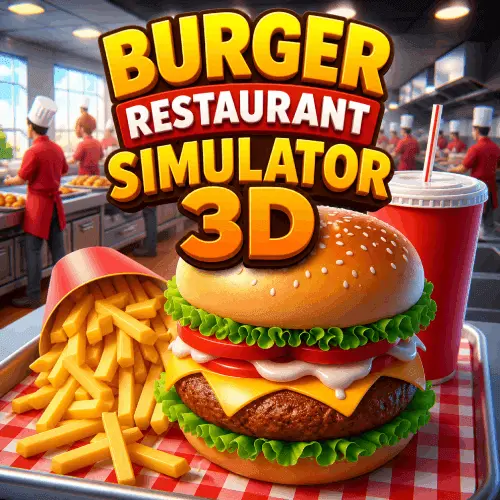
Burger Restaurant Simulator 3D
Burger Restaurant Simulator 3D is a casual restaurant-management game built around the fast-food kitchen experience. Your goal is to take charge of a burger business, prepare menu items,…
 Works on Desktop & Mobile
Tested By BunaGames
- Test date
- June 21, 2026
- Tested on
- Chrome 150
- Device
- Desktop
- Operating system
- macOS and Windows
- Game loaded successfully
- Yes
- Fullscreen works
- Yes
- Sound works
- Yes
- Save progress
- Local browser storage
- Mobile compatibility
- Partially tested
- Keyboard controls
- Working
- Controller support
- Not detected
- Average loading time
- 4.2 seconds
- Known issues
- Minor delay after entering fullscreen
Burger Restaurant Simulator 3D not loading?
- Refresh the page.
- Disable restrictive content blockers temporarily.
- Confirm JavaScript and WebGL are enabled.
- Clear the browser cache.
- Try another modern browser.
- Close unnecessary tabs.
- Switch off VPN if the game server is blocked.
- Use the Report a Problem button if the issue continues.
Continue Playing
Daily Challenge

Play 4 minutes today in Burger Restaurant Simulator 3D.
Leaderboard
- 1Community rating4.8 ★
- 2Player likes1.2K
- 3Total votes1.2K
- 4Your local progress0%
Your progress is saved locally in this browser. No account required.
 Your progress is saved locally in this browser. No account required.
Game Progress & Challenges
Why Play This Game?
 Instant PlayPlay instantly in your browser.
 Mobile FriendlyOptimized for all devices.
 Free to PlayNo hidden fees.
About "Burger Restaurant Simulator 3D"
Burger Restaurant Simulator 3D is a casual restaurant-management game built around the fast-food kitchen experience. Your goal is to take charge of a burger business, prepare menu items, serve customer orders, and guide a small operation toward a larger food-service venture. It combines cooking tasks with the broader decisions involved in running a restaurant.
The menu is more varied than burgers alone. Players can work with burgers, fries, nuggets, drinks, and coffee, creating the feeling of managing a complete quick-service counter rather than one single recipe. That variety gives the game a clear service rhythm: understand what customers need, prepare the appropriate food and beverages, then keep the restaurant moving.
Restaurant growth is an important part of the premise. The game is described as an idle restaurant game where you can open a restaurant, shape its interior, handle orders, and develop the business over time. Whether you enjoy cooking games, business simulators, or simple management challenges, the focus remains on organizing a busy burger restaurant and turning customer service into progress.
It is a good fit for players looking for approachable browser games with a food theme, clear goals, and a satisfying loop of preparing, serving, improving, and expanding.
Gameplay
The central gameplay loop in Burger Restaurant Simulator 3D connects kitchen work to restaurant management. You begin by operating a burger-focused food business, then deal with customer orders and prepare the menu items needed to fulfill them. Cooking and service are not separate ideas here: the kitchen is the place where each order becomes a completed sale and a step toward growing the restaurant.
Expect to spend time handling familiar fast-food categories, including burgers, crispy fries, nuggets, drinks, and coffee. This creates useful variety in the work flow. A restaurant serving only burgers would be a simple production task, while a menu with sides and beverages asks you to pay attention to the complete order and the restaurant’s wider offering.
The game also carries simulator and idle-game elements. Instead of treating every action as a stand-alone cooking challenge, it frames food preparation within a business that can develop. Sources describe opening the restaurant, preparing food, taking orders, designing the interior, managing staff, and upgrading the shop. These systems support the larger objective of building a stronger burger operation rather than merely making one meal.
A practical way to approach each session is to think in sequence: check the restaurant’s immediate needs, prepare the requested food, complete customer service, and use the resulting progress to support the next stage of the business. The game’s restaurant setting makes that sequence easy to understand while leaving room for management-focused play.
Platform
Burger Restaurant Simulator 3D is available to play on this BunaGames page in a web browser, making it convenient for players who want to start a casual restaurant game without treating it like a long installation project. Open the game page, allow the game to load, and use the on-screen instructions provided by the game.
Competitor listings also associate the title with PC and mobile-oriented availability, while another listing identifies it as an online game. Device support can vary between versions and hosting platforms, so the most dependable option is to use the version provided on this page and follow its displayed compatibility guidance.
For the smoothest browser session, use a current browser, keep the game tab active while it loads, and make sure your connection is stable. Restaurant games often involve a series of linked actions, so waiting for the game interface to finish loading before starting helps keep the experience straightforward.
How to Play "Burger Restaurant Simulator 3D"
Your role is to run a burger restaurant and turn incoming food requests into completed service. Start by watching the game’s opening prompts and identifying the tasks currently available. The core routine is to take customer orders, prepare the required food, and serve the finished items as part of the restaurant’s daily operation.
- Open the restaurant workflow. Begin with the available kitchen or service tasks shown in the game.
- Check the order. Pay attention to the requested food and drinks before committing to preparation.
- Prepare menu items. Work through burgers and the supporting menu categories, which can include fries, nuggets, drinks, and coffee.
- Complete service. Deliver the order through the game’s service flow so the restaurant can continue operating.
- Develop the business. Use the management side of the game to improve the restaurant, including its shop upgrades, staff management, or interior design where those options are available.
- Repeat and expand. Keep the kitchen and service cycle moving as the business grows from a small diner concept toward a larger food venture.
The most helpful mindset is to treat the game as both a cooking experience and a business simulator. Food preparation handles the immediate task, while restaurant design, staffing, and upgrades support longer-term development. If a new option appears, read its label and consider whether it improves the restaurant’s ability to serve and grow.
There is no need to rush before you understand the current task. A careful first pass through the order-to-service loop makes the management features easier to interpret later.
Controls
Burger Restaurant Simulator 3D uses the interaction prompts shown by the version running in your browser. The available research does not provide a verified universal keyboard map, so it is best not to rely on unconfirmed key commands. Start by checking the game’s opening screen, tutorial prompts, and any icons that appear when you enter the restaurant.
In browser restaurant games, the on-screen interface is the reliable guide for selecting tasks, interacting with food-preparation steps, confirming orders, and opening management options. If the game displays a control hint, follow that hint rather than assuming the same input applies to every version of the game.
- Use the visible game prompts as the primary control reference.
- Read task labels before selecting a kitchen or service action.
- Look for restaurant-management icons when you want to inspect upgrades, staff, or interior options.
- If an interaction does not respond, wait for the current step or animation to finish and review the displayed instruction.
This approach keeps controls accurate even if the game is updated or presented differently on another device.
Can "Burger Restaurant Simulator 3D" Unblocked?
You can try Burger Restaurant Simulator 3D directly from its BunaGames page through a normal web browser. This is useful for players seeking a quick restaurant-management game without needing to visit a separate app store or install a dedicated desktop package.
“Unblocked” availability can depend on the network you are using. School, workplace, library, and public Wi-Fi networks may apply their own website or gaming restrictions, and those rules are outside the game’s control. If a page does not load on a restricted network, do not attempt to bypass network policies; use a permitted connection or play at a suitable time and place instead.
On a regular home or approved network, open the game page, let the browser finish loading the game, and keep the tab active. If loading seems slow, check your connection, refresh the page once, and close unnecessary browser tabs before trying again.
Tips for "Burger Restaurant Simulator 3D"
A strong Burger Restaurant Simulator 3D strategy begins with order awareness. Because the restaurant serves more than burgers, it helps to recognize the full menu request before beginning a task. Burgers, fries, nuggets, drinks, and coffee all belong to the restaurant’s offering, so thinking about the complete order is more useful than focusing on one food category at a time.
- Read first, act second. Check the current request and the on-screen objective before selecting a preparation step.
- Use a consistent service sequence. Follow the same mental order: identify the request, prepare the food, complete service, then move to the next business task.
- Learn the menu roles. Separate main items, sides, and beverages in your mind. This makes mixed orders easier to understand.
- Explore management options deliberately. When staff, shop upgrades, or interior-design choices become available, inspect what each option does before treating it as an automatic purchase or change.
- Balance immediate and long-term work. Serving customers supports the active restaurant loop, while business improvements support the wider goal of growth.
- Follow the tutorial language. The game’s own prompts are the best source for its current controls and task order.
Do not assume that every restaurant action has equal value in every moment. If customer orders are the active objective, resolve the service flow before spending time exploring optional management screens. Conversely, when the game presents business-development choices, take a moment to understand how they fit into the restaurant’s growth.
The game is also described as an idle experience, so progress and expansion matter alongside hands-on cooking. Use that perspective to avoid treating it only as a rapid-fire food game. The satisfying part is seeing preparation, service, restaurant presentation, staffing, and shop development contribute to one connected burger business.
Features "Burger Restaurant Simulator 3D"
Burger Restaurant Simulator 3D brings together food preparation and restaurant-building ideas in one casual management game. Its strongest feature is the connection between the kitchen and the business: preparing food is tied directly to serving customers and developing the restaurant.
- Burger restaurant theme: Run a food business centered on burgers and quick-service dining.
- Varied menu: Prepare burgers alongside fries, nuggets, refreshing drinks, and coffee.
- Customer-order gameplay: Take requests and prepare food as part of the restaurant service cycle.
- Cooking and serving focus: Handle the practical work of preparing menu items and getting them to customers.
- Restaurant management: Build toward a broader burger-business or fast-food empire concept.
- Idle-game structure: The game is presented as an idle restaurant game, adding a progression-oriented layer beyond individual food tasks.
- Interior design element: Shape the restaurant’s interior as part of establishing the business.
- Staff and shop development: Management descriptions include staff handling and shop upgrades.
- Growth path: The restaurant can develop from a smaller diner-style start toward a larger food venture, including a food-truck direction described for the game.
- Browser access: Play from this page through a web browser.
These features make the game suitable for players who want a food game with a little more context than a single cooking task. The restaurant is not just a backdrop: it gives purpose to the menu, customer orders, visual customization, and business progression. You can focus on the hands-on kitchen routine, the growth side of the restaurant, or the combination of both.
Best "Burger Restaurant Simulator 3D" Similar Games & Top Picks
- Papas Taco Mia: Play Papa's Taco Mia online. Take taco orders, cook seasoned meats, add toppings, earn coins, and improve your busy taqueria.
- Papas Cupcakeria: Play Papas Cupcakeria online. Take orders, bake cupcakes, add frosting and toppings, then serve each customer with care.
- Melon Playground: Play Melon Playground online, a creative ragdoll physics sandbox for building experiments with characters, tools, weapons, and vehicles.
- Incredibox: Play Incredibox online and build a layered beatbox mix with animated performers, beats, melodies, effects, voices, and bonuses.
- Blob Opera: Play Blob Opera online and conduct four AI-powered opera voices. Drag the singing blobs to create playful harmonies in your browser.
FAQ - Burger Restaurant Simulator 3D
What is Burger Restaurant Simulator 3D?
Burger Restaurant Simulator 3D is a casual restaurant-management and cooking game. You run a burger-focused food business, take customer orders, prepare menu items, serve customers, and work toward growing the restaurant. It is also described as an idle restaurant game, so business development is part of the experience alongside active food preparation.
What food can you make in Burger Restaurant Simulator 3D?
The game’s menu includes burgers, fries, nuggets, drinks, and coffee. This range gives the restaurant a broader fast-food menu and means the gameplay is not limited to making burgers alone. Pay attention to the complete customer request when the game presents an order.
Is Burger Restaurant Simulator 3D a cooking game or a management game?
It is both. Cooking and serving are central because you prepare food for customers, but the game also includes restaurant-management ideas such as opening a restaurant, designing its interior, managing staff, upgrading the shop, and growing the business. The combination is the main appeal: kitchen tasks support the larger restaurant operation.
Can I play Burger Restaurant Simulator 3D free in a browser?
You can access the game from this BunaGames page in your browser. Let the game load fully, then follow the on-screen prompts. Availability and technical performance can depend on your browser, device, connection, and any rules applied by the network you are using.
What are the controls for Burger Restaurant Simulator 3D?
Use the control prompts and interface instructions displayed by the game itself. The available research does not confirm one universal keyboard-control list for every version, so the on-screen tutorial is the most accurate guide for interacting with kitchen tasks, orders, and restaurant-management options.
Can I upgrade the restaurant?
Yes, game descriptions identify shop upgrades as part of the restaurant-management experience. Other described development options include managing staff and designing the restaurant interior. The exact options and their order can depend on the version currently running, so review each in-game label before choosing an improvement.
Does Burger Restaurant Simulator 3D have an idle element?
Yes. The game is described as a free idle game. That means its focus extends beyond one-off cooking actions and includes the ongoing development of your restaurant. Active tasks such as preparing food and serving orders work alongside the larger aim of building a more successful burger business.
Can I play Burger Restaurant Simulator 3D on a restricted network?
Network restrictions are determined by the school, workplace, library, or public Wi-Fi provider, not by the game page. If the game cannot load because of a network policy, use an approved connection rather than attempting to bypass restrictions. On a permitted network, opening the page in an up-to-date browser is the simplest way to play.
More Games Like This
 Sprunki Retake 2
Casual ★ 4.8
Sprunki Retake 2
Casual ★ 4.8
 Sprunki Phase 3 Remastered
Casual ★ 4.7
Sprunki Phase 3 Remastered
Casual ★ 4.7
 Helix Jump
Casual ★ 4.6
Helix Jump
Casual ★ 4.6
 Sprunki Incredibox
Casual ★ 4.5
Sprunki Incredibox
Casual ★ 4.5
 Good Pizza Great Pizza
Casual ★ 4.7
Good Pizza Great Pizza
Casual ★ 4.7
 Eagle Craft
Casual ★ 4.7
Eagle Craft
Casual ★ 4.7
 Storm The House
Casual ★ 4.7
Storm The House
Casual ★ 4.7
 Papas Sushiria
Casual ★ 4.6
Papas Sushiria
Casual ★ 4.6
 Papas Wingeria
Casual ★ 4.6
Papas Wingeria
Casual ★ 4.6
 Papas Scooperia
Casual ★ 4.7
Papas Scooperia
Casual ★ 4.7
 Papas Pizzeria
Casual ★ 4.6
Papas Pizzeria
Casual ★ 4.6
 Papas Freezeria
Casual ★ 4.6
Papas Freezeria
Casual ★ 4.6
 Sled Rider 3D
Casual ★ 4.7
Sled Rider 3D
Casual ★ 4.7
 Fnaf
Casual ★ 4.5
Fnaf
Casual ★ 4.5
 Tropical Merge
Casual ★ 4.6
Tropical Merge
Casual ★ 4.6
 Flip Bottle
Casual ★ 4.6
Flip Bottle
Casual ★ 4.6
 Papas Taco Mia
Casual ★ 4.6
Papas Taco Mia
Casual ★ 4.6
 Farm Merge Valley
Casual ★ 4.7
Farm Merge Valley
Casual ★ 4.7
 Report a Problem
Comments About Burger Restaurant Simulator 3D