



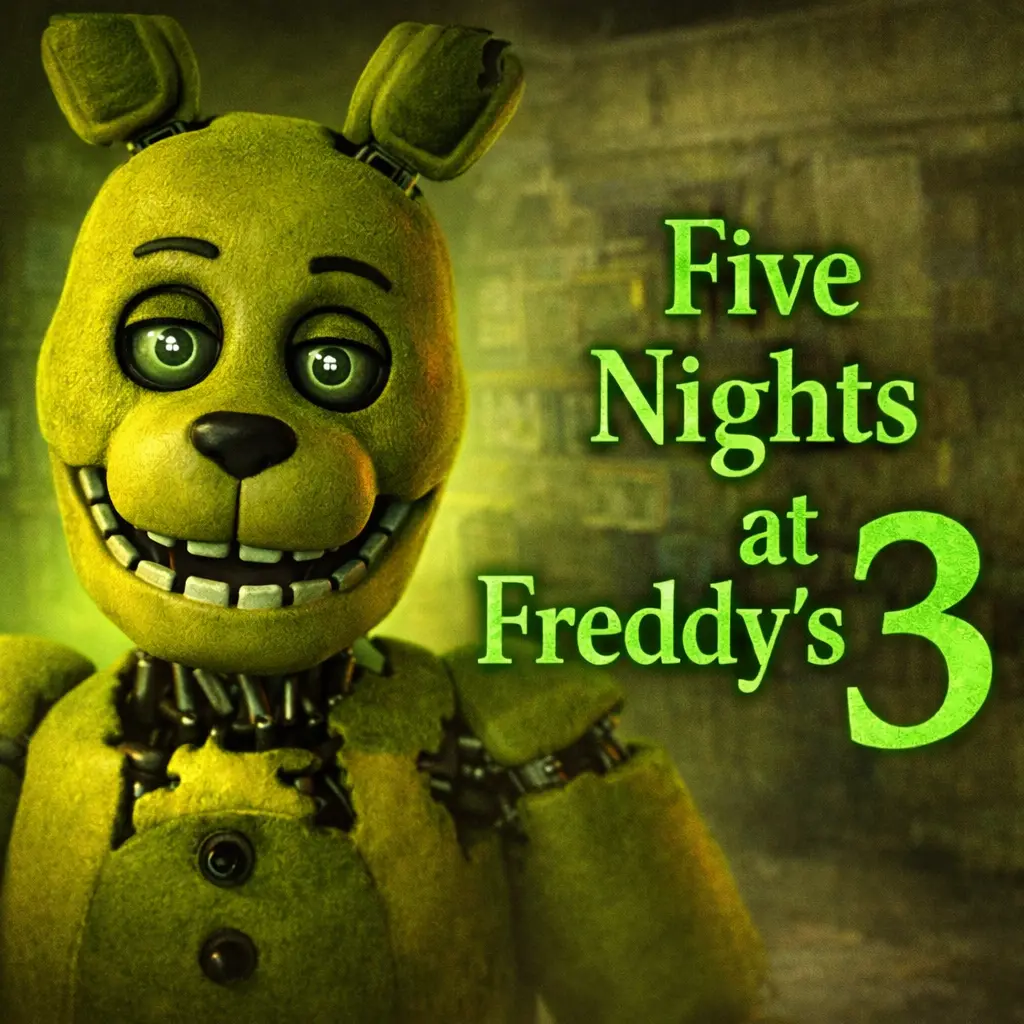
Fnaf 3
Fnaf 3 is a point-and-click survival horror game built around pressure, observation, and the fear of making the wrong choice at the wrong moment. The story takes place…
 Works on Desktop & Mobile
Tested By BunaGames
- Test date
- August 16, 2026
- Tested on
- Chrome 150
- Device
- Desktop
- Operating system
- macOS and Windows
- Game loaded successfully
- Yes
- Fullscreen works
- Yes
- Sound works
- Yes
- Save progress
- Local browser storage
- Mobile compatibility
- Partially tested
- Keyboard controls
- Working
- Controller support
- Not detected
- Average loading time
- 4.2 seconds
- Known issues
- Minor delay after entering fullscreen
Fnaf 3 not loading?
- Refresh the page.
- Disable restrictive content blockers temporarily.
- Confirm JavaScript and WebGL are enabled.
- Clear the browser cache.
- Try another modern browser.
- Close unnecessary tabs.
- Switch off VPN if the game server is blocked.
- Use the Report a Problem button if the issue continues.
Continue Playing

Daily Challenge

Play 6 minutes today in Fnaf 3.
Leaderboard
- 1Community rating4.7 ★
- 2Player likes1.1K
- 3Total votes1.1K
- 4Your local progress0%
Your progress is saved locally in this browser. No account required.
 Your progress is saved locally in this browser. No account required.
Game Progress & Challenges
Why Play This Game?
 Instant PlayPlay instantly in your browser.
 Mobile FriendlyOptimized for all devices.
 Free to PlayNo hidden fees.
About "Fnaf 3"
Fnaf 3 is a point-and-click survival horror game built around pressure, observation, and the fear of making the wrong choice at the wrong moment. The story takes place long after Freddy Fazbear's Pizza closed, when its disturbing history has faded into rumor and childhood memory. A soon-to-open horror attraction turns that old legend into a dangerous night shift.
Unlike an arcade game that asks for quick reflexes alone, this entry creates tension through limited attention. You take the role of a security guard trying to survive while one deadly animatronic stalks the attraction. Phantom illusions add another layer of danger and uncertainty, making it difficult to decide what deserves an immediate response.
The browser format makes the game suitable for players who want a focused horror session without treating every moment as an action sequence. The challenge is staying calm, reading the situation, and using the available on-screen options carefully. Its dark atmosphere, familiar Five Nights setting, and concentrated threat make it a strong choice for players who enjoy horror games where awareness matters as much as speed.
Gameplay
Fnaf 3 centers on survival inside a horror attraction connected to the long-closed Freddy Fazbear's Pizza. You play as the security guard during a dangerous shift, facing one real killer animatronic alongside frightening phantom illusions. That structure is important: the game is not simply about reacting to every unsettling image. It asks you to maintain judgment while the attraction becomes increasingly stressful.
Its point-and-click design places emphasis on deliberate interaction. Rather than controlling a character through open spaces, you engage with the game through its visible interface and make decisions from a fixed security perspective. Every action should have a purpose: check the situation, identify the most urgent concern, then return to a stable routine instead of clicking in panic.
The central survival goal is clear, but the experience gains depth from uncertainty. Phantom encounters can disrupt your focus even when they are not the main physical threat. The single lethal animatronic gives the game a more concentrated cat-and-mouse feel than a scenario filled with many equal attackers. Players must keep track of danger without allowing startling visuals to dictate every decision.
- Survive a tense horror shift as a security guard.
- Use point-and-click interactions to manage the situation.
- Watch for one deadly animatronic.
- Handle phantom illusions that increase confusion and pressure.
- Learn through repeated attempts and more controlled decisions.
This balance of monitoring, suspense, and restraint makes each session feel personal. A failure often teaches you not just that a threat appeared, but that attention was spent in the wrong place or that a response came too late.
Platform
Fnaf 3 is presented as an online browser game, so the intended experience is to start playing from a compatible web browser rather than install a separate game file. Browser play is useful for a short horror session because it keeps access direct: open the game page, let it load, and use the on-screen interface.
Research for the game also describes browser access on PC and mobile. Actual performance and input comfort can vary with the device, screen size, browser version, connection quality, and the specific browser build available on the page. A desktop or laptop is often easier for carefully viewing a dense horror interface, while a touch device may be convenient for tapping visible controls.
For the clearest session, use an up-to-date browser, keep the game tab active, and avoid switching away during tense moments. If the game needs a moment to load, wait for the interface to become responsive before beginning. You can also explore more browser games when you want another instant-play option.
How to Play "Fnaf 3"
Start Fnaf 3 by allowing the browser game to load fully, then focus on the displayed game interface. The goal is survival: you are a security guard in a haunted attraction, and the shift becomes dangerous because a killer animatronic and phantom illusions can interfere with your ability to stay in control.
- Read the screen before acting. Take a moment to identify the available interactive areas and any information the game presents. Point-and-click horror works best when you understand what each visible option is for.
- Create a calm checking routine. Move through the relevant on-screen information in a consistent order. A routine reduces random clicking and helps you notice when something changes.
- Prioritize the real survival threat. The game is specifically described as having one killer animatronic. Keep your decision-making anchored to that danger instead of giving every scary image equal importance.
- Expect phantom illusions. These encounters are part of the tension. When an illusion appears, avoid letting surprise turn into uncontrolled input. Reorient yourself and return to the information that matters.
- Learn from each attempt. If a run ends, think about the final moments: Were you distracted? Did you lose track of the main threat? Did you abandon your normal sequence? Use that answer to make the next attempt more disciplined.
The best approach is neither passive nor frantic. Stay observant, interact with intention, and treat the attraction's atmosphere as part of the challenge. Fnaf 3 rewards players who can keep their attention organized while the game tries to make them doubt what they see.
Controls
Fnaf 3 uses a point-and-click style of play. On a computer, interact with the visible game interface using your mouse or trackpad. On a supported touch device, tap the on-screen areas that respond to input. Because browser builds can present interface elements differently, follow the prompts and visible controls shown after the game loads.
| Device | Primary input |
|---|---|
| Desktop or laptop | Mouse or trackpad |
| Mobile device | Tap on screen |
Accuracy matters more than rapid clicking. Pause briefly before selecting an interface area, especially after a startling phantom encounter. If an input does not register, wait for the game to finish loading and make sure the browser tab is active. Avoid repeatedly clicking the same area without checking whether the interface has already changed.
Can "Fnaf 3" Unblocked?
Players often search for an unblocked version of Fnaf 3 when they want browser access without a download or separate installation. This page is designed for online play through the browser, which can be more convenient than managing an installed application when compatible access is available.
However, availability can still depend on the network and device you are using. School, work, library, or shared networks may apply their own web-access rules. Do not attempt to bypass network restrictions, security settings, or local policies. Instead, play from a permitted personal connection or at a time and place where browser gaming is allowed.
If the game does not load, first try ordinary troubleshooting: refresh the page, check your connection, close unused tabs, and use a current browser. Browser-based horror games can also work better when the game tab stays open and active. The key benefit of online access is convenience, but a stable and permitted browsing environment remains important for a smooth session.
Tips for "Fnaf 3"
The most useful Fnaf 3 skill is controlled attention. The game combines a single deadly animatronic with phantom illusions, so success depends on separating urgent survival decisions from distractions designed to create fear. Do not let the atmosphere rush you into making inputs without first checking what has changed.
- Use a repeatable order. Build a simple mental sequence for reviewing the visible interface. Consistency gives you a baseline, making unusual changes easier to spot.
- Do not chase every scare. Phantom illusions are part of the game's horror. A frightening moment can be disruptive, but your next action should still support survival rather than panic.
- Protect your focus. Play with fewer distractions around you. Notifications, background videos, and frequent tab switching make a concentration-based horror game harder than it needs to be.
- Click with intent. Point-and-click gameplay rewards purposeful interaction. Before selecting something, know what information or result you expect from it.
- Review losses objectively. Instead of immediately restarting in frustration, identify one specific breakdown in your routine. Improving a single habit is more useful than changing everything at once.
- Stay calm after an illusion. Startling visuals are effective because they interrupt your thought process. Take a brief moment to regain your normal checking order.
A strong run is usually quiet and methodical. You are not trying to eliminate all uncertainty; you are trying to keep uncertainty manageable. The haunted-attraction setting creates pressure by making old rumors feel immediate, while the game tests whether you can still think clearly under that pressure.
For new players, prioritize understanding the interface over trying to rush through a first attempt. Once the basic rhythm feels familiar, the horror becomes more readable without becoming less tense. That is the key information advantage: recognize what is meaningful, respond efficiently, and avoid spending your attention on the wrong threat.
Features "Fnaf 3"
Fnaf 3 stands out through a focused survival-horror setup rather than a broad action format. Its main elements work together to create a tense browser experience where observation and composure are essential.
- Point-and-click survival horror: Interact through an on-screen interface instead of free-roaming movement, keeping the challenge centered on decisions and awareness.
- Security guard role: You play the person responsible for surviving inside a dangerous attraction tied to Freddy Fazbear's past.
- Haunted attraction setting: The game turns rumors about a long-closed pizza restaurant into the theme of a soon-to-open horror attraction.
- One killer animatronic: A single primary lethal threat gives every observation a clear survival purpose.
- Phantom illusions: Disturbing hallucination-like encounters increase stress, disrupt focus, and make the real danger harder to manage.
- Atmospheric storytelling: The setting is shaped by old memories, rumors, and a history that was supposed to be forgotten.
- Browser-friendly access: Online play removes the need to begin with a separate download when the game is available through a compatible browser.
- Replay-based learning: Repeated attempts help players refine their routine, improve focus, and better understand how panic affects decisions.
The game's biggest strength is its economy of threats. Rather than relying only on constant action, it makes a single animatronic and a series of phantoms feel threatening through uncertainty. Players are asked to interpret the interface while the game undermines their confidence, creating horror from both what is happening and what might be happening.
That makes Fnaf 3 a good fit for players seeking a darker, more deliberate online experience. It is less about flashy combat and more about maintaining control when the environment is designed to make control feel fragile.
Best "Fnaf 3" Similar Games & Top Picks
- Slenderman: Play Slenderman online on BunaGames. Learn the survival horror premise, gameplay approach, access details, controls guidance, and tips.
- Bendy And The Ink Machine: Play Bendy And The Ink Machine, a first-person cartoon horror adventure with puzzles, exploration, ink-soaked danger, and a dark studio mystery.
- Fnaf 4: Play Fnaf 4 online and face nightmare animatronics in a tense survival horror challenge built around awareness, timing, and nerves.
- FNF Silly Billy: Play FNF Silly Billy online and face Yourself in a tense Friday Night Funkin' rhythm battle with keyboard note controls.
- Slide in the Woods: Play Slide in the Woods, a short horror experience that turns a childhood playground slide into an unsettling mystery.
FAQ - Fnaf 3
What is Fnaf 3?
Fnaf 3 is a point-and-click survival horror game set at a soon-to-open horror attraction connected to the history of Freddy Fazbear's Pizza. You play as a security guard trying to survive while a killer animatronic and phantom illusions create constant pressure.
Can I play Fnaf 3 in a browser?
The game is presented for online browser play. When using a compatible browser and permitted connection, you can load the game page and interact through its on-screen interface without starting with a separate download.
What is the goal in Fnaf 3?
The goal is to survive the dangerous shift. The game asks you to stay alert, use the available interface carefully, and keep the main threat in mind while phantom illusions attempt to disrupt your focus.
How does Fnaf 3 play?
It uses point-and-click gameplay. Instead of controlling a character through open areas, you make decisions by selecting and monitoring visible parts of the game interface. Careful observation and measured responses are more useful than random rapid clicking.
Is there more than one main enemy in Fnaf 3?
The research describes one killer animatronic as the central lethal threat. The game also includes terrifying phantom illusions. These illusions increase confusion and tension, so players need to avoid treating every scare as identical to the main danger.
Can I play Fnaf 3 on mobile?
Browser research for the game describes PC and mobile access. On a supported touch device, use taps to interact with the displayed controls. Compatibility and comfort may vary by device, screen size, browser, and the version available on the page.
What are the controls for Fnaf 3?
Use a mouse or trackpad on desktop, or tap interactive on-screen areas on touch devices. Since browser versions can differ, rely on the visible prompts and interface that appear when the game loads rather than assuming a specific keyboard layout.
Why are phantom illusions important?
Phantom illusions are important because they create fear and interrupt concentration. They add a psychological layer to the survival challenge: players must recover from a scare, regain their routine, and continue prioritizing the killer animatronic and the information needed to survive.
More Games Like This
 Slenderman
Horror ★ 4.7
Slenderman
Horror ★ 4.7
 Bendy And The Ink Machine
Horror ★ 4.6
Bendy And The Ink Machine
Horror ★ 4.6
 Fnaf 4
Horror ★ 4.7
Fnaf 4
Horror ★ 4.7
 Slide in the Woods
Horror ★ 4.3
Slide in the Woods
Horror ★ 4.3
 Scary Shawarma Kiosk: The Anomaly
Horror ★ 4.7
Scary Shawarma Kiosk: The Anomaly
Horror ★ 4.7
 FNAF Free Roam
Horror ★ 4.6
FNAF Free Roam
Horror ★ 4.6
 Who’s at the Door?
Horror ★ 4.6
Who’s at the Door?
Horror ★ 4.6
 FNF Silly Billy
Horror ★ 4.6
FNF Silly Billy
Horror ★ 4.6
 The Man from the Window
Horror ★ 4.6
The Man from the Window
Horror ★ 4.6
 Baldi
Horror ★ 4.7
Baldi
Horror ★ 4.7
 Hello Neighbor
Horror ★ 4.7
Hello Neighbor
Horror ★ 4.7
 Eyes: The Horror Game
Horror ★ 4.5
Eyes: The Horror Game
Horror ★ 4.5
 Plants vs Zombies 2 “PVZ 2”
Horror ★ 4.7
Plants vs Zombies 2 “PVZ 2”
Horror ★ 4.7
 Jolly 2
Horror ★ 4.6
Jolly 2
Horror ★ 4.6
 Ultimate Custom Night UCN
Horror ★ 4.5
Ultimate Custom Night UCN
Horror ★ 4.5
 How to Get a NEIGHBOR
Horror ★ 4.4
How to Get a NEIGHBOR
Horror ★ 4.4
 Piggy
Horror ★ 4.7
Piggy
Horror ★ 4.7
 Idols of Ash
Horror ★ 4.4
Idols of Ash
Horror ★ 4.4
 Report a Problem
Comments About Fnaf 3