




FNAF Free Roam
FNAF Free Roam is a first-person horror game built around a different kind of Five Nights at Freddy's experience: exploring the pizzeria yourself. Rather than staying in one…
 Works on Desktop & Mobile
Tested By BunaGames
- Test date
- August 9, 2026
- Tested on
- Chrome 150
- Device
- Desktop
- Operating system
- macOS and Windows
- Game loaded successfully
- Yes
- Fullscreen works
- Yes
- Sound works
- Yes
- Save progress
- Local browser storage
- Mobile compatibility
- Partially tested
- Keyboard controls
- Working
- Controller support
- Not detected
- Average loading time
- 4.2 seconds
- Known issues
- Minor delay after entering fullscreen
FNAF Free Roam not loading?
- Refresh the page.
- Disable restrictive content blockers temporarily.
- Confirm JavaScript and WebGL are enabled.
- Clear the browser cache.
- Try another modern browser.
- Close unnecessary tabs.
- Switch off VPN if the game server is blocked.
- Use the Report a Problem button if the issue continues.
Continue Playing
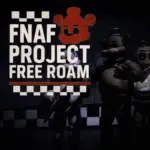
Daily Challenge

Play 6 minutes today in FNAF Free Roam.
Leaderboard
- 1Community rating4.6 ★
- 2Player likes734
- 3Total votes823
- 4Your local progress0%
Your progress is saved locally in this browser. No account required.
 Your progress is saved locally in this browser. No account required.
Game Progress & Challenges
Why Play This Game?
 Instant PlayPlay instantly in your browser.
 Mobile FriendlyOptimized for all devices.
 Free to PlayNo hidden fees.
About "FNAF Free Roam"
FNAF Free Roam is a first-person horror game built around a different kind of Five Nights at Freddy's experience: exploring the pizzeria yourself. Rather than staying in one fixed security-office viewpoint, you move through dark rooms, hallways, and connected areas of a haunted building. That shift from observation to exploration gives every corner more importance, since the player has to choose where to look and when to move on.
The game uses familiar FNAF-style horror ingredients, including an ominous pizzeria setting and recognizable animatronic characters such as Freddy, Bonnie, Chica, and Foxy. Its free-roam format is the central attraction. You are not simply watching events unfold from a single station; you are navigating the location in first person and taking in its layout at your own pace.
FNAF Free Roam is suited to players who enjoy tense atmosphere, dark interiors, exploratory horror, and fan-made takes on the Five Nights at Freddy's formula. It is also a useful pick for players browsing browser games who want a horror experience focused on movement and environmental awareness rather than a static view.
Gameplay
FNAF Free Roam puts exploration at the center of its horror gameplay. The pizzeria is presented as a three-dimensional first-person space, so rooms and corridors are part of the challenge rather than just background scenery. Moving through the building changes the usual FNAF rhythm: instead of waiting for danger to reach one protected position, you must decide which direction deserves your attention.
The strongest tension comes from limited visibility and uncertain surroundings. A hallway can look empty until you turn away, while a room may contain useful visual details that are easy to miss when you rush through it. The game rewards deliberate observation because the environment itself communicates mood, scale, and possible routes. Look for openings, connected spaces, landmarks, and anything that helps you understand where you are in the building.
The familiar animatronic presence gives the free-roam setting its FNAF identity. Freddy, Bonnie, Chica, and Foxy are closely associated with the pizzeria horror concept, making the location feel less like an ordinary maze and more like a dangerous place tied to the series' recognizable cast. The important difference is proximity: exploring in first person makes halls, doorways, and blind corners feel immediate.
For the best experience, avoid treating every area as a sprint. Pause long enough to read the space, keep track of your return path, and let the sound and lighting establish the mood. This approach makes FNAF Free Roam easier to follow while preserving the suspense that makes free-roam horror compelling.
Platform
FNAF Free Roam is presented on BunaGames as an online horror game, allowing players to start from a compatible web browser without treating it like a traditional boxed release. A browser-based game is especially convenient for a short horror session: open the game page, launch the playable experience, and focus on exploring the pizzeria.
For the smoothest session, use an up-to-date desktop or laptop browser with a stable internet connection. A larger screen can make dark rooms, distant doorways, and environmental details easier to read. Headphones are also useful when available because horror games benefit from clear ambient sound and directional audio cues.
Device support, loading time, and performance can vary with the browser, available memory, connection quality, and the version currently embedded on the page. If the game takes time to begin, allow the browser to finish loading before refreshing. Closing demanding tabs may also help preserve a more consistent first-person experience.
The research identifies related free-roam FNAF projects on different platforms, including virtual-reality availability for one fan project. That does not establish VR support for this browser version, so it is best to play the available web edition as presented on this page.
How to Play "FNAF Free Roam"
Start FNAF Free Roam and give the game a moment to load completely. Once the first-person view appears, take a few seconds to understand the immediate area before moving deeper into the pizzeria. The key idea is simple: explore the building carefully, use the layout to maintain your bearings, and stay alert to the unsettling animatronic setting.
- Begin by checking the room or hallway directly around you. Notice exits, doorways, corners, and visible landmarks.
- Move through one route at a time instead of changing direction constantly. A consistent route makes it easier to remember where you came from.
- Look into rooms before committing to them. Dark interiors can hide details that only become clear when you stop and examine the scene.
- Use recurring visual landmarks to build a mental map of the pizzeria. A recognizable corridor, doorway, or object can help you avoid feeling lost.
- Keep your attention on both the route ahead and the route behind. Free-roam horror creates suspense because your view is not fixed.
- If the game provides an instruction, prompt, or interaction cue, follow the wording shown in the current session. On-screen guidance is more reliable than assuming a control or objective from another version.
There is no need to force a fast pace. The pizzeria environment is designed to be explored, and careful movement helps you absorb the horror atmosphere while making the layout more understandable. If you lose your sense of direction, return to the last landmark you clearly remember and continue from there.
Because FNAF Free Roam is defined by movement through rooms and halls, spatial awareness is a more valuable skill than rushing. Treat each doorway as a decision point, keep a calm pace, and use the environment to guide your next move.
Controls
FNAF Free Roam uses a first-person free-roam format, so the available build should provide movement and camera controls appropriate for navigating a 3D environment. Exact key bindings and interaction inputs are not consistently established in the available game research, and fan-game versions can differ. For that reason, use the instructions displayed by the playable version on this page as the authoritative control guide.
Before entering unfamiliar areas, test the basic movement and viewing response in a safe, open part of the starting area. Confirm that you can look around comfortably, move forward and back, and change direction without losing track of your position. If an interaction prompt appears, follow its on-screen instruction rather than guessing.
- Check the game screen for a controls panel, prompt, or pause-menu guidance.
- Adjust browser zoom only if interface text is difficult to read.
- Use a full-screen browser view when it helps you notice dark environmental details.
- Keep your camera movement measured around doorways and corners.
A few moments spent learning the displayed controls can make the exploration feel more intentional and reduce accidental movement in narrow pizzeria spaces.
Can "FNAF Free Roam" Unblocked?
FNAF Free Roam is available to launch from its BunaGames game page, making it convenient for players looking for a free online horror game. Whether a game loads on a particular network depends on that network's browser settings, content filters, device permissions, and connection quality. School, workplace, library, and managed-device restrictions are controlled locally and may prevent access to game pages.
For normal browser access, open the page on a supported device, allow the game time to load, and keep the browser updated. If the playable window does not start, check whether the network blocks game content, whether browser privacy extensions are interfering, or whether another tab is using too many resources.
Do not attempt to bypass network rules or device restrictions. If the game is unavailable on a managed connection, use an approved personal connection or return when access is permitted. The most reliable way to play is through the official BunaGames page on a browser and network that allow online game content.
Since browser availability can change with local settings, the page itself is the best place to check the currently accessible version and any launch instructions shown with it.
Tips for "FNAF Free Roam"
The best FNAF Free Roam strategy is not speed; it is orientation. A free-roam pizzeria can become confusing quickly when every corridor looks dark and similar. As you explore, create a simple mental map: remember the last major room, identify the next exit, and recognize which direction would return you to a familiar landmark.
- Scan before moving. At every doorway, briefly inspect the room ahead, the edges of the frame, and the path you just used.
- Use landmarks. Distinct rooms, lighting changes, props, and corridor shapes can help you rebuild your route if you get turned around.
- Take one branch at a time. Exploring a route fully before switching to another makes the building easier to understand.
- Do not overcorrect the camera. Quick turns can cause you to lose visual context. Small, controlled camera adjustments are clearer.
- Play with audio when possible. Headphones can make atmospheric details easier to notice and increase the intended horror mood.
- Read prompts carefully. Any message shown by the current browser build takes priority over habits learned in other FNAF games or fan projects.
It also helps to manage the horror pacing. If a room feels too dark or unfamiliar, stop at the entrance and establish the available exits before crossing it. This is a practical way to keep control in a game designed around uneasy exploration. Moving slowly is not wasted time when the environment is the main source of information.
Finally, separate what you know from what you assume. The FNAF fan-game space includes multiple free-roam projects, so mechanics, objectives, and control schemes may vary between versions. Focus on the build in front of you, learn its displayed rules, and let its pizzeria layout determine your approach.
Features "FNAF Free Roam"
FNAF Free Roam stands out because it brings the Five Nights at Freddy's horror concept into an explorable first-person environment. Its defining features are based on movement, atmosphere, and spatial tension rather than a fixed-room perspective.
- Free-roam exploration: Travel through the pizzeria's rooms and hallways instead of viewing the action from one stationary point.
- First-person 3D presentation: Experience the building from ground level, where doorways, corners, and narrow corridors feel more immediate.
- Haunted pizzeria setting: Explore a dark indoor environment built to create uncertainty and suspense.
- Familiar animatronic identity: The free-roam FNAF concept is associated with Freddy, Bonnie, Chica, and Foxy.
- Environmental tension: The layout, darkness, and limited view encourage players to observe carefully before advancing.
- Browser play: Launch the available game version online through BunaGames.
The major player benefit is agency. In a conventional stationary horror setup, your attention is concentrated on a small set of tools or screens. In FNAF Free Roam, the environment becomes an active part of play. You choose a direction, decide how long to inspect a room, and determine how carefully to revisit earlier spaces.
That freedom also creates a useful horror tradeoff. More mobility means more chances to explore, but it also means more angles to watch and more ways to lose track of the pizzeria. This makes environmental awareness central to the experience. Players who enjoy first-person navigation, eerie fan-made horror, and the recognizable animatronic atmosphere will find the free-roam format especially appealing.
Best "FNAF Free Roam" Similar Games & Top Picks
- Slenderman: Play Slenderman online on BunaGames. Learn the survival horror premise, gameplay approach, access details, controls guidance, and tips.
- Bendy And The Ink Machine: Play Bendy And The Ink Machine, a first-person cartoon horror adventure with puzzles, exploration, ink-soaked danger, and a dark studio mystery.
- Fnaf 3: Play Fnaf 3 online and face a single deadly animatronic, phantom illusions, and tense point-and-click survival horror.
- Fnaf 4: Play Fnaf 4 online and face nightmare animatronics in a tense survival horror challenge built around awareness, timing, and nerves.
- FNF Silly Billy: Play FNF Silly Billy online and face Yourself in a tense Friday Night Funkin' rhythm battle with keyboard note controls.
FAQ - FNAF Free Roam
What is FNAF Free Roam?
FNAF Free Roam is a first-person horror game centered on exploring a dark pizzeria environment. Its main difference from a fixed-view Five Nights at Freddy's style of game is that players can move through rooms and hallways instead of remaining in one location.
Is FNAF Free Roam a Five Nights at Freddy's game?
It is presented as a FNAF-related free-roam fan-game experience rather than an officially verified main-series release. The game uses familiar pizzeria horror themes and animatronic characters associated with Five Nights at Freddy's, including Freddy, Bonnie, Chica, and Foxy.
Can I play FNAF Free Roam online for free?
Yes. This BunaGames page provides an online way to launch the available game version. Loading and access can depend on your browser, device, internet connection, and local network permissions.
What do you do in FNAF Free Roam?
You explore the pizzeria from a first-person viewpoint. Move through halls and rooms carefully, observe the layout, follow any instructions shown by the current game build, and use landmarks to keep track of where you are. The free-roam environment and animatronic horror atmosphere are the core of the experience.
What are the controls for FNAF Free Roam?
Exact controls are not consistently confirmed across the available research, and different fan-game builds can use different inputs. Check the game screen, its opening prompts, or its pause menu for the controls used by the version available here. Testing movement and camera response near the start is a sensible first step.
Is FNAF Free Roam scary?
The game is designed as horror. Its tension comes from exploring dim pizzeria rooms and corridors in first person while playing within a FNAF-inspired animatronic setting. The ability to move freely can make dark corners and unfamiliar routes feel more personal than a stationary viewpoint.
Can I play FNAF Free Roam at school or work?
That depends on the network and device rules in place. Some managed networks block gaming content or restrict browser features needed by online games. Do not bypass those policies; use the game on a connection where browser gaming is allowed.
Is FNAF Free Roam available in VR?
One related free-roam FNAF fan project has been described as available for Oculus Rift, but that does not confirm virtual-reality support for the browser version on this page. Play the web version using the options and instructions currently displayed in the game.
More Games Like This
 Slenderman
Horror ★ 4.7
Slenderman
Horror ★ 4.7
 Bendy And The Ink Machine
Horror ★ 4.6
Bendy And The Ink Machine
Horror ★ 4.6
 Fnaf 3
Horror ★ 4.7
Fnaf 3
Horror ★ 4.7
 Fnaf 4
Horror ★ 4.7
Fnaf 4
Horror ★ 4.7
 Slide in the Woods
Horror ★ 4.3
Slide in the Woods
Horror ★ 4.3
 Scary Shawarma Kiosk: The Anomaly
Horror ★ 4.7
Scary Shawarma Kiosk: The Anomaly
Horror ★ 4.7
 Who’s at the Door?
Horror ★ 4.6
Who’s at the Door?
Horror ★ 4.6
 FNF Silly Billy
Horror ★ 4.6
FNF Silly Billy
Horror ★ 4.6
 The Man from the Window
Horror ★ 4.6
The Man from the Window
Horror ★ 4.6
 Baldi
Horror ★ 4.7
Baldi
Horror ★ 4.7
 Hello Neighbor
Horror ★ 4.7
Hello Neighbor
Horror ★ 4.7
 Eyes: The Horror Game
Horror ★ 4.5
Eyes: The Horror Game
Horror ★ 4.5
 Plants vs Zombies 2 “PVZ 2”
Horror ★ 4.7
Plants vs Zombies 2 “PVZ 2”
Horror ★ 4.7
 Jolly 2
Horror ★ 4.6
Jolly 2
Horror ★ 4.6
 Ultimate Custom Night UCN
Horror ★ 4.5
Ultimate Custom Night UCN
Horror ★ 4.5
 How to Get a NEIGHBOR
Horror ★ 4.4
How to Get a NEIGHBOR
Horror ★ 4.4
 Piggy
Horror ★ 4.7
Piggy
Horror ★ 4.7
 Idols of Ash
Horror ★ 4.4
Idols of Ash
Horror ★ 4.4
 Report a Problem
Comments About FNAF Free Roam