



Fruit Ninja
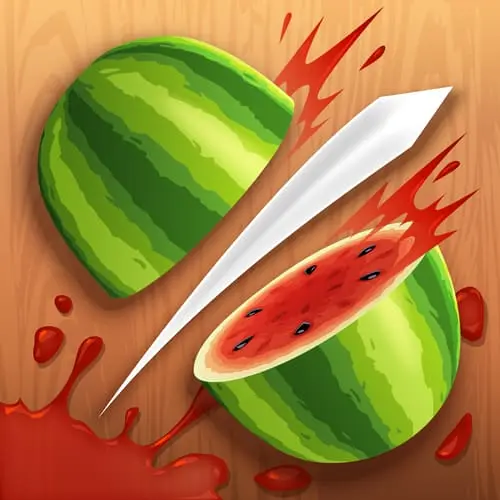
Fruit Ninja is a fast-paced arcade game built around one clear challenge: slice the fruit that flies onto the screen while keeping your blade away from bombs. Watermelons,…
 Works on Desktop & Mobile
Tested By BunaGames
- Test date
- April 20, 2010
- Tested on
- Chrome 150
- Device
- Desktop
- Operating system
- macOS and Windows
- Game loaded successfully
- Yes
- Fullscreen works
- Yes
- Sound works
- Yes
- Save progress
- Local browser storage
- Mobile compatibility
- Partially tested
- Keyboard controls
- Working
- Controller support
- Not detected
- Average loading time
- 4.2 seconds
- Known issues
- Minor delay after entering fullscreen
Fruit Ninja not loading?
- Refresh the page.
- Disable restrictive content blockers temporarily.
- Confirm JavaScript and WebGL are enabled.
- Clear the browser cache.
- Try another modern browser.
- Close unnecessary tabs.
- Switch off VPN if the game server is blocked.
- Use the Report a Problem button if the issue continues.
Continue Playing

Daily Challenge

Play 5 minutes today in Fruit Ninja.
Leaderboard
- 1Community rating4.7 ★
- 2Player likes849
- 3Total votes922
- 4Your local progress0%
Your progress is saved locally in this browser. No account required.
 Your progress is saved locally in this browser. No account required.
Game Progress & Challenges
Why Play This Game?
 Instant PlayPlay instantly in your browser.
 Mobile FriendlyOptimized for all devices.
 Free to PlayNo hidden fees.
About "Fruit Ninja"
Fruit Ninja is a fast-paced arcade game built around one clear challenge: slice the fruit that flies onto the screen while keeping your blade away from bombs. Watermelons, oranges, pineapples, and other fruit become moving targets, so every swipe asks you to judge direction, timing, and risk in a moment.
The idea is simple enough to understand immediately, but the pace makes it a genuine reflex game. A clean slicing motion feels satisfying because it turns a quick visual decision into an instant result. The danger comes from explosive objects mixed into the action. Hitting a bomb ends the game, which means success is not only about moving quickly; it is about knowing when not to swipe.
Fruit Ninja began as a well-known mobile fruit-slicing game and remains a natural fit for browser play. Its short, direct rounds make it useful when you want an arcade challenge without learning a complex rule set. Open the game, track the airborne fruit, make deliberate cuts, and try to stay composed as the screen becomes more demanding.
Whether you are returning to a classic or trying it for the first time, the core appeal is immediate: sharp reactions, visual focus, and a simple blade gesture that rewards careful control.
Gameplay
Fruit Ninja gameplay centers on the path of your slice. Fruit is thrown upward into view, and your job is to draw a fast line through each target before it falls away. A successful cut depends on placing that line where the fruit is moving, rather than where it was a moment earlier. This makes the game feel active even though the main input is easy to learn.
Bombs create the essential risk. They can appear alongside fruit, so an uncontrolled swipe may turn a good opportunity into an immediate game over. The strongest approach is to read the whole group of objects first. Identify the safe fruit, notice any explosive, and then make a route that stays clear of danger.
The arcade challenge comes from the changing picture on screen. A single piece of fruit gives you room to be precise. Several targets arriving together require faster visual sorting and more disciplined hand movement. Instead of treating every appearance as a reason to swipe, decide whether a cut is safe before committing.
- Track trajectories: Watch where fruit is traveling, not only where it first appears.
- Cut with purpose: Use short, direct motions when a target is isolated.
- Protect the run: A bomb is more important than an extra fruit; avoid it first.
- Stay visually calm: Focus on the available safe path rather than reacting to every moving object.
This combination of speed and restraint is what gives Fruit Ninja more depth than a simple clicking exercise. Quick hands help, but accurate decisions are the skill that keeps a session alive.
Platform
Fruit Ninja is known as a mobile game, where players slice with a swipe across a touchscreen. Its browser format preserves the same accessible fruit-cutting idea for players who want to play online from a compatible web browser. The important interaction is still a moving blade gesture: follow the fruit, draw through it, and avoid bombs.
On a touch-enabled device, that action is naturally performed with a finger. On a desktop or laptop, the browser version uses a pointer movement to recreate the same slicing motion. This makes the game easy to understand across common device types because the visual goal and the input remain closely matched.
Browser arcade games are especially useful for short play sessions. There is no long tutorial to memorize before you begin; the fruit, blade path, and bombs communicate the rules through play. If you enjoy immediate reaction challenges, browse more browser games after your session.
Performance and access can vary by device, browser, connection, and local network settings. For the clearest experience, use a responsive device and give the game area your full attention before starting.
How to Play "Fruit Ninja"
Start Fruit Ninja by watching the play area before making your first movement. Fruit will be launched into view, and your objective is to slice it with a quick gesture. Do not wait until a target has already passed your comfortable reach; follow its upward and downward movement, then draw through it when you can make a clean cut.
- Look for fruit: Identify the pieces that are safe to slice as they enter the screen.
- Check for bombs: Before moving, scan the nearby area for an explosive object.
- Choose a route: Plan a short line through a fruit or a safe group of fruit.
- Make the slice: Swipe on touch devices or move the pointer in a cutting motion on desktop.
- Lift and reassess: After a cut, stop following the previous target and read the next group.
- Keep bombs untouched: Contact with a bomb ends the game, so skip any risky movement.
A useful beginner habit is to avoid wide, panicked motions. Large sweeps may feel fast, but they make it harder to control where the blade travels. A compact stroke gives you more accuracy and lets you react cleanly when the next fruit appears.
As the action becomes busier, prioritize survival over trying to slice everything on screen. You do not need to chase a fruit if the path toward it passes too close to a bomb. Letting a difficult target go can be the correct decision because it preserves your chance to continue playing.
The game rewards attention in short bursts. Keep your eyes slightly ahead of your hand, decide on a safe cut, and let the gesture follow the decision rather than the other way around.
Controls
Fruit Ninja uses direct slicing controls designed to match the game’s visual action. The goal is not to press many commands; it is to guide a blade path accurately through flying fruit while avoiding explosive hazards.
| Device | Action |
|---|---|
| Touchscreen | Swipe through fruit |
| Desktop browser | Move pointer to slice |
On a touchscreen, use a quick finger swipe across the fruit you want to cut. On a desktop or laptop, use the pointer to create the same slicing path. In either case, the direction of the movement matters: a deliberate line aimed at a target is safer than an uncontrolled sweep across the screen.
Keep your movements short when bombs are nearby. The fewer unnecessary areas your blade crosses, the easier it is to separate safe fruit from dangerous objects. If the screen looks crowded, pause your hand briefly, identify a clear route, and then make the cut.
Can "Fruit Ninja" Unblocked?
Players often search for “Fruit Ninja unblocked” when they want a browser-based way to play without installing a mobile app. The practical benefit of an online arcade page is convenience: you can open the game in a browser and focus on slicing fruit instead of setting up a long download or account process.
However, “unblocked” does not guarantee that every school, workplace, library, or shared network will allow every game website. Network administrators and device settings can restrict entertainment content, and those restrictions are outside the game itself. Always follow the rules for the device, location, and connection you are using.
For a smooth browser session, open the game on a permitted connection, make sure your browser is current, and avoid switching tabs while playing. Fruit Ninja depends on fast visual reactions, so interruptions can make it harder to follow fruit trajectories and spot bombs in time.
The game is best suited to a quick break when access is allowed. Its simple swipe-based format makes it easy to begin, while the need to avoid explosives gives each attempt a focused arcade objective.
Tips for "Fruit Ninja"
The best Fruit Ninja strategy is controlled speed. Fruit appears quickly, but rushing every movement can send your blade into a bomb. Build the habit of scanning first and slicing second. Even a tiny fraction of a second spent identifying danger can prevent a costly mistake.
- Watch the full cluster: When several objects rise together, do not lock onto the first fruit you notice. Check the surrounding space for bombs before choosing your line.
- Use clean angles: Slice across the visible center of a fruit with a direct motion. Clear lines are easier to control than looping or zigzagging gestures.
- Do not chase every target: If fruit is falling away beside a bomb, skipping it is safer than forcing a dangerous cut.
- Reset your focus after each swipe: Once a fruit is sliced, immediately look for the next safe opportunity instead of continuing the same motion without a plan.
- Keep your hand relaxed: Tense, oversized movements can make the pointer or finger travel farther than intended.
- Favor open space: A safe fruit with plenty of room around it is usually a better target than a crowded group containing an explosive.
A strong player is not necessarily the person making the most gestures. It is the player whose gestures have a clear purpose. Treat every swipe as a route through the screen: where does it begin, which fruit does it cross, and could it reach a bomb? Asking those questions quickly improves consistency.
On desktop, avoid dragging the pointer around after a successful slice just because the action feels satisfying. Return to a neutral position and wait for the next read. On touch devices, use the same principle by lifting your finger after a deliberate cut rather than sweeping continuously.
The key information gain in Fruit Ninja is risk management. Fruit is the obvious target, but bomb avoidance is the decision that defines a successful run. Fast reactions matter most when they are paired with selective, accurate movement.
Features "Fruit Ninja"
Fruit Ninja combines an instantly recognizable arcade premise with a skill test that remains engaging after the first few slices. The game does not require a complicated control map or long explanation. Its challenge is communicated through moving fruit, a visible blade gesture, and bombs that must be avoided.
- Classic fruit-slicing action: Cut airborne fruit with a direct swipe or pointer path.
- Bomb-avoidance challenge: Explosive objects add consequence to careless movement and can end the game.
- Recognizable fruit targets: Watch for watermelons, oranges, pineapples, and other flying fruit.
- Reflex-focused arcade play: Read motion quickly and turn visual information into accurate cuts.
- Simple controls: The slicing gesture is easy to understand on both touch devices and desktop browsers.
- Short-session design: The game is easy to start when you want a focused arcade challenge without extensive setup.
Its most important feature is the balance between accessibility and precision. Anyone can understand the instruction to slice fruit and avoid bombs, yet doing both reliably demands attention. Fruit moves through changing positions, while a bomb can make an otherwise tempting swipe unsafe.
The browser experience also highlights why the original concept has lasted: the action is visual, immediate, and easy to communicate. You can see the target, predict its path, and make a single gesture to act. There is no need for a large set of commands to create satisfying arcade tension.
Fruit Ninja works well for players who enjoy reaction games but also want an element of judgment. It rewards the ability to notice danger, choose a safe line, and resist unnecessary movement when the screen becomes busy.
Best "Fruit Ninja" Similar Games & Top Picks
- Dig Dug 2: Play Dig Dug 2 online and clear island rounds in the 1985 Namco arcade sequel with overhead action and strategic enemy encounters.
- Ball Surfer 3D: Play Ball Surfer 3D online. Roll through a futuristic 3D course, dodge boxes, collect gems, use power-ups, and chase a longer run.
- Galaga: Play Galaga online in your browser. Pilot a starship, fire rapid missiles, and battle the Galaga forces in this 1981 arcade shooter.
- Osu Game: Play Osu Game on BunaGames. Check the game screen for current controls, gameplay instructions, and browser availability.
- Pac Xon: Play Pac Xon online and claim the board by building walls around ghosts. Learn the 80% goal, gameplay basics, controls, and smart tips.
FAQ - Fruit Ninja
What is Fruit Ninja?
Fruit Ninja is an arcade fruit-slicing game. Players cut fruit that is thrown into the play area while avoiding bombs. The main skill is making quick, accurate slicing movements without touching an explosive object.
How do you play Fruit Ninja online?
Watch for flying fruit, then swipe through it on a touchscreen or use a pointer movement in a desktop browser. Before each cut, check whether a bomb is near the path you plan to take. Hitting a bomb ends the game.
What happens if you hit a bomb in Fruit Ninja?
A bomb is the central hazard in Fruit Ninja. Contact with an explosive object causes game over, so players should prioritize avoiding bombs over attempting a risky fruit slice.
What fruit can appear in Fruit Ninja?
The game includes flying fruit such as watermelons, oranges, and pineapples, along with other fruit targets. Their movement creates the slicing opportunities, while bombs create the danger that must be avoided.
Can I play Fruit Ninja in a browser?
Fruit Ninja is available as an online browser game format in addition to its well-known mobile origins. Browser play uses the same core idea: make a slicing gesture through fruit and keep clear of bombs. Touch devices use swipes, while desktop play uses pointer movement.
Is Fruit Ninja easy to learn?
The basic rules are easy to learn because the objective is visual and direct: slice fruit, avoid bombs. Becoming more consistent takes practice, since players must judge trajectories, choose safe paths, and avoid panicked movements when several objects appear together.
What is the best Fruit Ninja tip for beginners?
Scan for bombs before every swipe. Beginners often focus only on the nearest fruit and make a wide motion without checking the rest of the screen. Short, deliberate cuts are safer and make it easier to stop before the blade reaches an explosive.
Who developed Fruit Ninja?
Fruit Ninja was developed by Halfbrick Studios. It originally released on April 20, 2010 and became widely known for its simple fruit-slicing gameplay and touchscreen-friendly swipe controls.
More Games Like This
 Ball Surfer 3D
Arcade ★ 4.7
Ball Surfer 3D
Arcade ★ 4.7
 Galaga
Arcade ★ 4.7
Galaga
Arcade ★ 4.7
 Osu Game
Arcade ★ 4.7
Osu Game
Arcade ★ 4.7
 Dig Dug 2
Arcade ★ 4.4
Dig Dug 2
Arcade ★ 4.4
 Pac Xon
Arcade ★ 4.8
Pac Xon
Arcade ★ 4.8
 Colorbox Mustard
Arcade ★ 4.6
Colorbox Mustard
Arcade ★ 4.6
 Blumgi Slime
Arcade ★ 4.7
Blumgi Slime
Arcade ★ 4.7
 Rolling Ball 3D
Arcade ★ 4.7
Rolling Ball 3D
Arcade ★ 4.7
 Burrito Bison
Arcade ★ 4.6
Burrito Bison
Arcade ★ 4.6
 Dumb Ways To Die 2
Arcade ★ 4.8
Dumb Ways To Die 2
Arcade ★ 4.8
 Crazy Roll 3D
Arcade ★ 4.6
Crazy Roll 3D
Arcade ★ 4.6
 Fnf Garcello
Arcade ★ 4.6
Fnf Garcello
Arcade ★ 4.6
 Roller Coaster
Arcade ★ 4.7
Roller Coaster
Arcade ★ 4.7
 Orbit Dash
Arcade ★ 4.6
Orbit Dash
Arcade ★ 4.6
 Arrow Wave
Arcade ★ 4.6
Arrow Wave
Arcade ★ 4.6
 FNF vs Garcello
Arcade ★ 4.7
FNF vs Garcello
Arcade ★ 4.7
 Dancing Beat
Arcade ★ 4.5
Dancing Beat
Arcade ★ 4.5
 Down The Hill
Arcade ★ 4.3
Down The Hill
Arcade ★ 4.3
 Report a Problem
Comments About Fruit Ninja